

Ana içeriğe geç
hidream avatarı

HiDream I1 Full API

hidream/i1-full

Metin prompt’undan güçlü prompt uyumu ve ayrıntılı, tutarlı sonuçlarla yüksek kaliteli görseller üretin.

görsel megapikseli başına 0.05

Model girdisi

Input

The prompt to generate an image from.

The size of the generated image.

Min: 1 - Max: 4

The number of images to generate. Each generated image is billed.

The format of the generated image.

Additional Settings

Customize your input with more control.

Describe what you do NOT want to appear in the image.

Min: 1 - Max: 50

The number of inference steps to perform.

The same seed and the same prompt given to the same version of the model will output the same image every time.

Min: 0 - Max: 20

The CFG scale. Higher values increase adherence to the prompt.

Safety checker can only be disabled on API call

Optional list of LoRA weights to apply.

You need to be logged in to run this model and view results.
Log in

Model çıktısı

Output

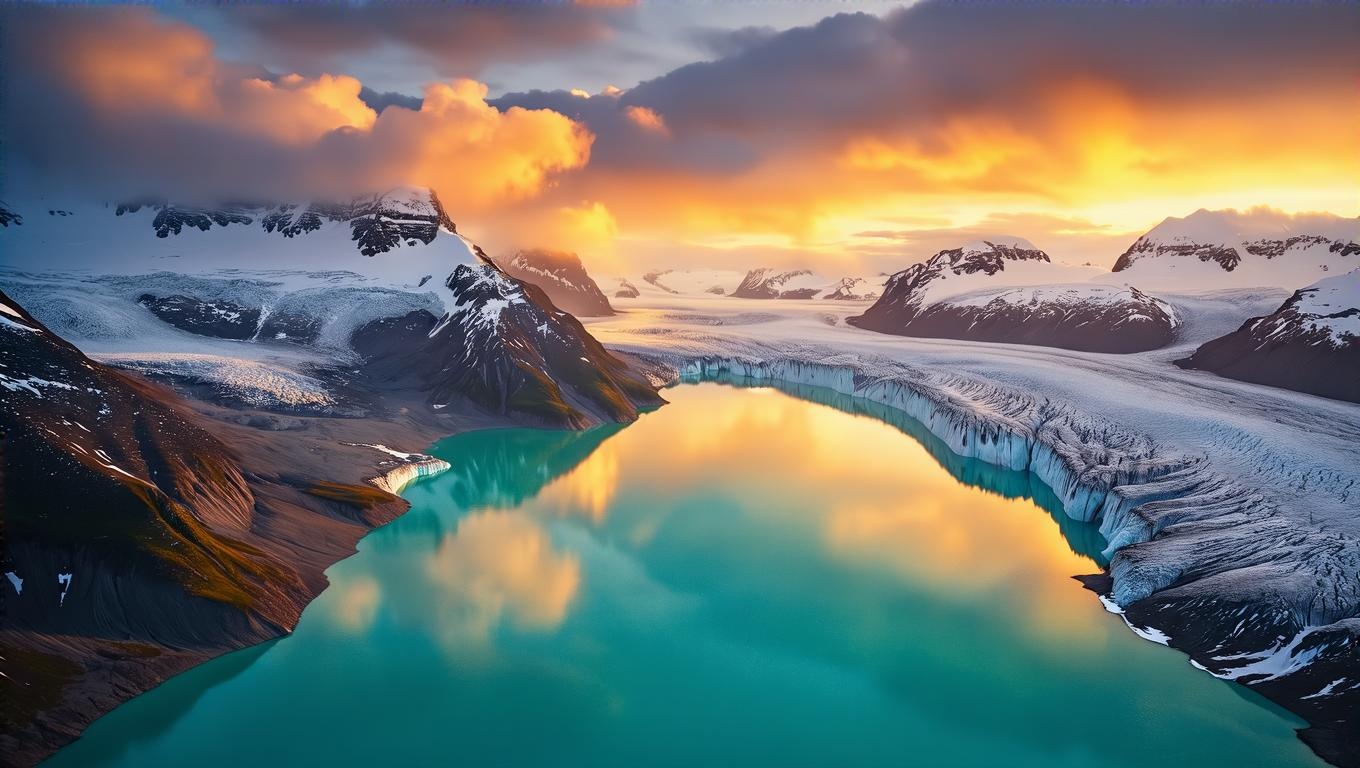
Generated image output
Generated in 12.098 seconds
Logs (1 lines)

Örnek istekler

Örnekler

Example output 1Example output 2Example output 3

HiDream I1 Full API

HiDream I1 Full is a text-to-image AI model by hidream. On ModelRunner it runs through a REST API or via MCP from any AI assistant, at $0.05 per megapixel.

POST https://queue.modelrunner.run/hidream/i1-full

cURL

# Submit a request to the queue. Input fields go at the top level of the
# body. The optional reserved "metadata" object holds your own flat string
# tags — stored on the request, never sent to the model; filter later with
# GET https://queue.modelrunner.run/requests?metadata=<url-encoded JSON>.
curl -X POST https://queue.modelrunner.run/hidream/i1-full \
  -H "Authorization: Key $MRUN_API_KEY" \
  -H "Content-Type: application/json" \
  -d '{
    "loras": [],
    "prompt": "Cinematic aerial photograph of a glacier fjord at dusk, turquoise meltwater pools reflecting amber clouds, jagged sno…",
    "image_size": "landscape_16_9",
    "num_images": 1,
    "output_format": "jpeg",
    "guidance_scale": 5,
    "negative_prompt": "",
    "num_inference_steps": 50,
    "enable_safety_checker": true,
    "metadata": {
      "project": "my-project"
    }
  }'
# → { "request_id": "...", "status_url": "...", "response_url": "..." }

# Poll status_url until "COMPLETED", then fetch the result
curl "https://queue.modelrunner.run/hidream/i1-full/requests/$REQUEST_ID/status" \
  -H "Authorization: Key $MRUN_API_KEY"
curl "https://queue.modelrunner.run/hidream/i1-full/requests/$REQUEST_ID" \
  -H "Authorization: Key $MRUN_API_KEY"

JavaScript

import { modelrunner } from "@modelrunner/client";

const result = await modelrunner.subscribe("hidream/i1-full", {
  input: {
    "loras": [],
    "prompt": "Cinematic aerial photograph of a glacier fjord at dusk, turquoise meltwater pools reflecting amber clouds, jagged sno…",
    "image_size": "landscape_16_9",
    "num_images": 1,
    "output_format": "jpeg",
    "guidance_scale": 5,
    "negative_prompt": "",
    "num_inference_steps": 50,
    "enable_safety_checker": true
  },
});
console.log(result);

Python

import os
import requests

headers = {"Authorization": f"Key {os.environ['MRUN_API_KEY']}"}

submitted = requests.post(
    "https://queue.modelrunner.run/hidream/i1-full",
    headers=headers,
    json={
      "loras": [],
      "prompt": "Cinematic aerial photograph of a glacier fjord at dusk, turquoise meltwater pools reflecting amber clouds, jagged sno…",
      "image_size": "landscape_16_9",
      "num_images": 1,
      "output_format": "jpeg",
      "guidance_scale": 5,
      "negative_prompt": "",
      "num_inference_steps": 50,
      "enable_safety_checker": true
    },
).json()

# Poll submitted["status_url"] until "COMPLETED", then:
result = requests.get(submitted["response_url"], headers=headers).json()

Input parameters

Input parameters of HiDream I1 Full
NameTypeRequiredDescription
promptstringyesThe prompt to generate an image from.
image_sizeenumnoThe size of the generated image. One of: square_hd, square, portrait_4_3, portrait_16_9, landscape_4_3, landscape_16_9. Default: "square_hd".
num_imagesintegernoThe number of images to generate. Each generated image is billed. Default: 1.
output_formatenumnoThe format of the generated image. One of: jpeg, png. Default: "jpeg".
negative_promptstringnoDescribe what you do NOT want to appear in the image. Default: "".
num_inference_stepsintegernoThe number of inference steps to perform. Default: 50.
seedintegernoThe same seed and the same prompt given to the same version of the model will output the same image every time.
guidance_scalenumbernoThe CFG scale. Higher values increase adherence to the prompt. Default: 5.
enable_safety_checkerbooleannoIf set to true, the safety checker will be enabled. Default: true.
lorasarraynoOptional list of LoRA weights to apply. Default: [].

Machine-readable: OpenAPI schema · llms.txt

Use HiDream I1 Full from Claude & Cursor (MCP)

Point Claude Code, Claude Desktop, Cursor, or any MCP client at the ModelRunner MCP server and HiDream I1 Full becomes a tool your assistant can call directly — it authorizes via OAuth (no API key in config) and runs this model with the run_model tool using the endpoint hidream/i1-full.

MCP client config (Claude Desktop, Cursor)

{
  "mcpServers": {
    "modelrunner": {
      "command": "npx",
      "args": ["-y", "mcp-remote", "https://mcp.modelrunner.run/mcp"]
    }
  }
}

Claude Code

claude mcp add --transport http modelrunner https://mcp.modelrunner.run/mcp

Then ask your assistant, for example: “Run hidream/i1-full on ModelRunner to generate image”. MCP setup guide.

Model Detayları

Model Detayları

HiDream I1 Full, bir metin prompt’unu yüksek kaliteli bir görsele dönüştürür. HiDream.ai’ın 17 milyar parametreli açık görsel temel modelinin tam kaliteli varyantıdır; güçlü prompt uyumu ve ayrıntılı, tutarlı sonuçlar için ayarlanmıştır ve en iyi sadakati elde etmek için modelin en yüksek adım sayısıyla çalışır. Betimleyici bir prompt verin, bir boyut seçin; model bir ila dört bitmiş görsel döndürür. Stili yönlendirmek için bir ya da daha fazla LoRA da ekleyebilirsiniz.

## En uygun olduğu işler - Bir metin açıklamasından fotogerçekçi görseller ve ayrıntılı illüstrasyonlar üretmek - Sadakatin hızdan daha önemli olduğu konsept çizimler, ürün render’ları ve stilize sahneler - Kısa bir yazılı brief’ten üretilen pazarlama ve sosyal medya görselleri - Özel bir LoRA ile bütün bir batch boyunca tutarlı bir stil oturtmak - num_images (1-4) ile tek seferde birkaç varyasyon üretmek

## Şu durumlarda başka bir model seçin - Sıfırdan üretmek yerine mevcut bir fotoğrafı düzenlemek ya da yeniden tarzlamak istiyorsanız — bir görsel düzenleme modeli kullanın - En hızlı ve en ucuz taslağı istiyorsanız ve biraz kaliteden ödün verebiliyorsanız — hız için optimize edilmiş bir text-to-image modeli kullanın - Logo ya da tabelalar için görsel içinde güvenilir biçimde okunaklı metin gerekiyorsa — tipografi için ayarlanmış bir model kullanın - Video gerekiyorsa — bir text-to-video ya da image-to-video modeli kullanın

## İpuçları - Net ve betimleyici prompt’lar yazın; istenmeyen öğeleri dışarıda bırakmak için negative_prompt kullanın - image_size bir hazır ayar (square_hd, portrait_16_9, landscape_4_3, ...) ya da özel bir width/height nesnesi alır; faturalandırma çıktı megapikseli başına yapılır, yani büyük görseller daha pahalıya gelir - num_images ile üretilen her görsel ayrı faturalandırılır

## Gelişmiş Yapılandırma - loras: stili ya da özneyi yönlendirmek için bir ya da daha fazla LoRA ağırlığı ekler. Her öğe bir path (ağırlıkların URL’si ya da HuggingFace yolu) ve isteğe bağlı bir scale (0-4, varsayılan 1) alır; API üzerinden ayarlanır.