
Ana içeriğe geç
zhengpeng7 avatarı

BiRefNet Background Removal API

zhengpeng7/birefnet

Bir görselin arka planını kaldırıp saydam PNG kesit alın; 11 seçilebilir checkpoint ve tek tek saç tellerini ayrı tutan yumuşak bir alpha matte ile.

arka plan kaldırmamaskeleme

Model girdisi

Input

Source image to cut out. Still images (PNG, JPEG, WebP) are the normal case. An animated GIF or WebP is also accepted and comes back as an animated WebP with transparency, processed frame by frame — cost and turnaround scale with the frame count. Video files are not supported.

Which BiRefNet checkpoint to run. 'general' is the all-purpose default. Pick a specialist when your subject fits one: 'portrait' for people, 'matting' or 'dynamic-matting' for hair and fur, 'toonout' for anime and flat-colour illustration, 'lite' / 'lite-2k' / 'lite-matting' for a smaller, faster backbone. The '-hr' and '-2k' checkpoints infer at a higher internal resolution for a more accurate matte — the returned image is still the size of your input, never larger.

Additional Settings

Customize your input with more control.

'cutout' returns an RGBA image with the background removed. 'mask' returns the raw single-channel alpha matte instead, for pipelines that key the subject themselves.

Min: 0 - Max: 2048

Square inference resolution. 0 uses the chosen checkpoint's native resolution (1024, or 2048 for the HR and 2K checkpoints). This sets how finely the matte is computed, not the size of the returned image — the output always matches the input's dimensions. Higher values cost more compute time.

Refine foreground colours (FB blur fusion) so soft edges do not carry colour bleed from the original background. Worth enabling when compositing onto a light or strongly coloured backdrop. Ignored when output_format is 'mask'.

Min: 0 - Max: 64

Gaussian blur radius in pixels applied to the matte, softening the cut edge.

Min: -64 - Max: 64

Grow (positive) or shrink (negative) the matte by this many pixels. A small positive value removes a thin background fringe; a small negative value bites into the subject.

GPU inference precision. 'fp32' is full precision and the default; 'fp16' is somewhat faster and uses less memory, with negligible quality difference.

You need to be logged in to run this model and view results.
Log in

Model çıktısı

Output

Loading
Generated in 1.838 seconds
Logs (1 lines)

Örnek istekler

Örnekler

Example output 1Example output 2Example output 3Example output 4

BiRefNet Background Removal API

BiRefNet Background Removal is a image-to-image AI model by zhengpeng7. On ModelRunner it runs through a REST API or via MCP from any AI assistant, at about $0.00701 per image.

POST https://queue.modelrunner.run/zhengpeng7/birefnet

cURL

# Submit a request to the queue. Input fields go at the top level of the
# body. The optional reserved "metadata" object holds your own flat string
# tags — stored on the request, never sent to the model; filter later with
# GET https://queue.modelrunner.run/requests?metadata=<url-encoded JSON>.
curl -X POST https://queue.modelrunner.run/zhengpeng7/birefnet \
  -H "Authorization: Key $MRUN_API_KEY" \
  -H "Content-Type: application/json" \
  -d '{
    "image": "https://media.modelrunner.ai/h21PxKtswi6QvBTA2imS1.png",
    "variant": "toonout",
    "mask_blur": 0,
    "precision": "fp32",
    "refine_fg": false,
    "resolution": 0,
    "mask_offset": 0,
    "output_format": "cutout",
    "metadata": {
      "project": "my-project"
    }
  }'
# → { "request_id": "...", "status_url": "...", "response_url": "..." }

# Poll status_url until "COMPLETED", then fetch the result
curl "https://queue.modelrunner.run/zhengpeng7/birefnet/requests/$REQUEST_ID/status" \
  -H "Authorization: Key $MRUN_API_KEY"
curl "https://queue.modelrunner.run/zhengpeng7/birefnet/requests/$REQUEST_ID" \
  -H "Authorization: Key $MRUN_API_KEY"

JavaScript

import { modelrunner } from "@modelrunner/client";

const result = await modelrunner.subscribe("zhengpeng7/birefnet", {
  input: {
    "image": "https://media.modelrunner.ai/h21PxKtswi6QvBTA2imS1.png",
    "variant": "toonout",
    "mask_blur": 0,
    "precision": "fp32",
    "refine_fg": false,
    "resolution": 0,
    "mask_offset": 0,
    "output_format": "cutout"
  },
});
console.log(result);

Python

import os
import requests

headers = {"Authorization": f"Key {os.environ['MRUN_API_KEY']}"}

submitted = requests.post(
    "https://queue.modelrunner.run/zhengpeng7/birefnet",
    headers=headers,
    json={
      "image": "https://media.modelrunner.ai/h21PxKtswi6QvBTA2imS1.png",
      "variant": "toonout",
      "mask_blur": 0,
      "precision": "fp32",
      "refine_fg": false,
      "resolution": 0,
      "mask_offset": 0,
      "output_format": "cutout"
    },
).json()

# Poll submitted["status_url"] until "COMPLETED", then:
result = requests.get(submitted["response_url"], headers=headers).json()

Input parameters

Input parameters of BiRefNet Background Removal
NameTypeRequiredDescription
imagestring (uri)yesSource image to cut out. Still images (PNG, JPEG, WebP) are the normal case. An animated GIF or WebP is also accepted and comes back as an animated WebP with transparency, processed frame by frame — cost and turnaround scale with the frame count. Video files are not supported.
variantenumnoWhich BiRefNet checkpoint to run. 'general' is the all-purpose default. Pick a specialist when your subject fits one: 'portrait' for people, 'matting' or 'dynamic-matting' for hair and fur, 'toonout' for anime and flat-colour illustration, 'lite' / 'lite-2k' / 'lite-matting' for a smaller, faster backbone. The '-hr' and '-2k' checkpoints infer at a higher internal resolution for a more accurate matte — the returned image is still the size of your input, never larger. One of: general, general-hr, portrait, matting, matting-hr, dynamic, dynamic-matting, lite, lite-2k, lite-matting, toonout. Default: "general".
output_formatenumno'cutout' returns an RGBA image with the background removed. 'mask' returns the raw single-channel alpha matte instead, for pipelines that key the subject themselves. One of: cutout, mask. Default: "cutout".
resolutionintegernoSquare inference resolution. 0 uses the chosen checkpoint's native resolution (1024, or 2048 for the HR and 2K checkpoints). This sets how finely the matte is computed, not the size of the returned image — the output always matches the input's dimensions. Higher values cost more compute time. Default: 0.
refine_fgbooleannoRefine foreground colours (FB blur fusion) so soft edges do not carry colour bleed from the original background. Worth enabling when compositing onto a light or strongly coloured backdrop. Ignored when output_format is 'mask'. Default: false.
mask_blurintegernoGaussian blur radius in pixels applied to the matte, softening the cut edge. Default: 0.
mask_offsetintegernoGrow (positive) or shrink (negative) the matte by this many pixels. A small positive value removes a thin background fringe; a small negative value bites into the subject. Default: 0.
precisionenumnoGPU inference precision. 'fp32' is full precision and the default; 'fp16' is somewhat faster and uses less memory, with negligible quality difference. One of: fp16, fp32. Default: "fp32".

Machine-readable: OpenAPI schema · llms.txt

Use BiRefNet Background Removal from Claude & Cursor (MCP)

Point Claude Code, Claude Desktop, Cursor, or any MCP client at the ModelRunner MCP server and BiRefNet Background Removal becomes a tool your assistant can call directly — it authorizes via OAuth (no API key in config) and runs this model with the run_model tool using the endpoint zhengpeng7/birefnet.

MCP client config (Claude Desktop, Cursor)

{
  "mcpServers": {
    "modelrunner": {
      "command": "npx",
      "args": ["-y", "mcp-remote", "https://mcp.modelrunner.run/mcp"]
    }
  }
}

Claude Code

claude mcp add --transport http modelrunner https://mcp.modelrunner.run/mcp

Then ask your assistant, for example: “Run zhengpeng7/birefnet on ModelRunner to generate image”. MCP setup guide.

Model Detayları

Model Detayları

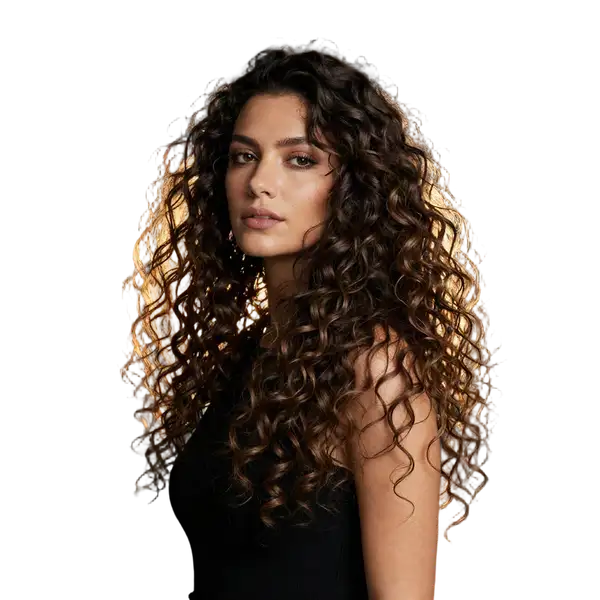
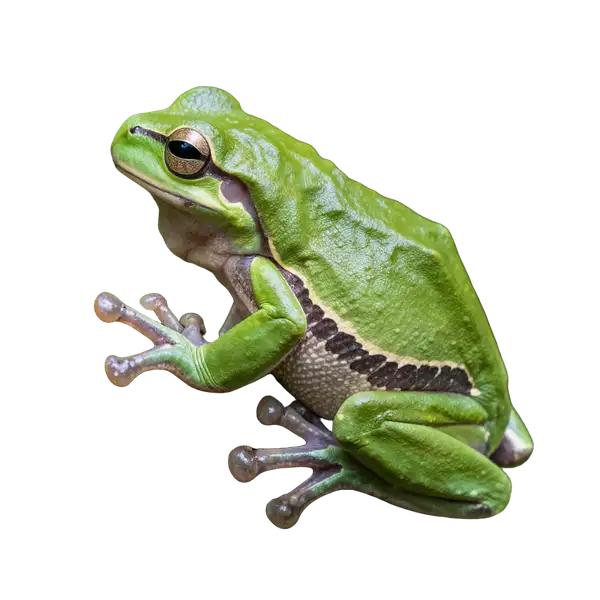
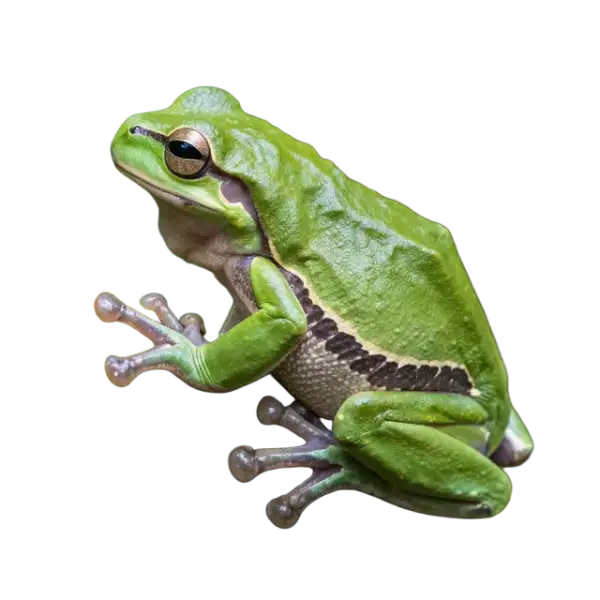
BiRefNet, bir fotoğrafın öznesini arka planından ayırır ve saydam bir RGBA görsel ya da yalnızca ham alpha matte döndürür. Öne çıkan yanı kenar kalitesidir: matte sert bir açık/kapalı eşiği değil, gerçekten yumuşaktır; bu sayede arkadan aydınlatılmış saç, kürk ve file, aralarından arka planın göründüğü ayrı teller olarak gelir, birbirine yapışmış bir siluet olarak değil. Tek bir endpoint on bir özel amaçlı checkpoint taşır — genel, portre, matting, yüksek detay ve lite kademeleri ile topluluk yapımı bir anime fine-tune’u — böylece öznenize uyanı seçersiniz. Tipik işler: e-ticaret kesitleri, kompozit plakaları, çıkartmalar ve sonraki düzenleme adımları için maske çıkarma.

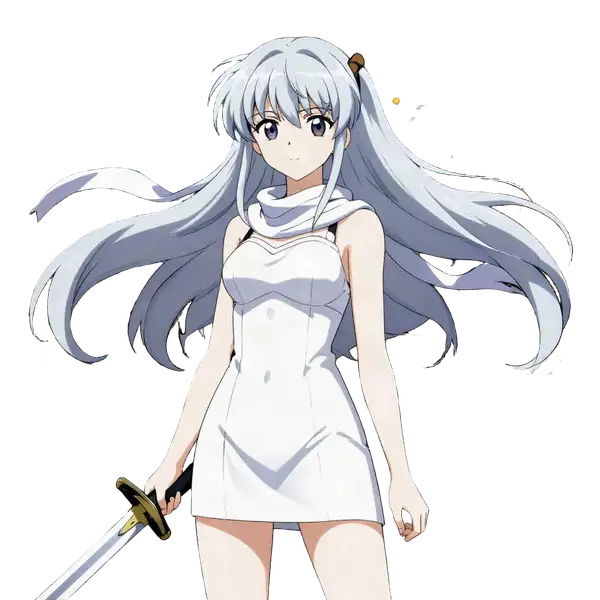
## En uygun olduğu işler - Saç ya da kürkün kesimden sağ çıkması gereken portre ve evcil hayvan fotoğrafları — `variant: "portrait"` ya da `"matting"` - Çevresine karışan özneler — model düşük kontrastlı ön planları bulmak için eğitilmiştir - Anime ve illüstre karakterler, bu iş için ayrılmış `toonout` checkpoint’i ile - Kompozit ya da VFX için ham alpha matte — `output_format: "mask"`

## Şu durumlarda başka bir model seçin - Arka planın bir metin açıklamasından üretilmesini ya da değiştirilmesini istiyorsanız — bu modelin prompt girdisi yoktur; `bria/background/replace` kullanın - Öznenin yeni bir arka plan için yeniden aydınlatılması gerekiyorsa — `lllyasviel/iclight/v2` kullanın - Bir video dosyasını kesiyorsanız — bu endpoint yalnızca durağan görsel ve animasyonlu GIF/WebP alır - Verdiğinizden daha büyük bir görsel istiyorsanız — kesit, girdinin boyutlarında döner; ayrıca upscale edin

## İpuçları - Özneniz bir uzmana uymuyorsa `variant` alanını `general` bırakın: insanlar için `portrait`, saç ve kürk için `matting`, düz renkli illüstrasyon için `toonout`, hacim için `lite`. - `general-hr`, `matting-hr` ve `lite-2k` daha doğru bir matte için daha yüksek bir iç çözünürlükte çalışır; dönen dosya yine girdinizin boyutundadır. - `refine_fg`, yumuşak kenarlardaki arka plan rengini çeker — açık bir arka plana kompozit yaparken kullanın; `mask` çıktısında yok sayılır. - Kenarda bir saçak kalırsa `mask_offset` kesimi bir iki piksel büyütür ya da küçültür; `mask_blur` kenarı yumuşatır. - Faturalandırma hesaplama süresini izler: varsayılan bir `general` çalıştırması yarım sentin altındadır; daha hafif varyantlar ya da daha küçük bir `resolution` daha ucuzdur.

## Sınırlamalar - Animasyonlu GIF/WebP girdileri kare kare işlenir, dolayısıyla maliyet kare sayısıyla ölçeklenir - `toonout`, BiRefNet üzerine eklenmiş topluluk yapımı bir fine-tune’dur; özgün checkpoint’lerden biri değildir

ModelRunner JavaScript client ile çalıştırmak için: ```js import { modelrunner } from "@modelrunner/client";

const result = await modelrunner.subscribe("zhengpeng7/birefnet", { input: { image: "https://media.modelrunner.ai/rJ3Rl8kf4LLzo6SBVlH6n.png", variant: "matting", refine_fg: true, }, }); ```