
Ana içeriğe geç
xai avatarı

Grok Imagine Image Edit API

xai/grok-imagine/image/edit

Bir ila üç referans görseli metin talimatıyla düzenleyin; özgün kompozisyon korunur ve değiştirilmiş görsel size döner.

düzenleme
0.022

Model girdisi

Input

Text description of the desired edit.

  • https://media.modelrunner.ai/BDA9CryQ9f2lcm5ldQ16Y.jpeg

List of URLs of the images to edit. A maximum of 3 images are supported.

Additional Settings

Customize your input with more control.

Min: 1 - Max: 4

The number of images to generate. Each generated image is billed.

Aspect ratio of the edited image. When set to `auto` (the default), the output preserves the aspect ratio of the first input image.

Output resolution tier: 1k (standard) or 2k (high resolution).

The image file format of the output.

You need to be logged in to run this model and view results.
Log in

Model çıktısı

Output

Generated image output
Generated in 13.542 seconds
Logs (1 lines)

Örnek istekler

Örnekler

Example output 1Example output 2Example output 3Example output 4

Grok Imagine Image Edit API

Grok Imagine Image Edit is a image-to-image AI model by xai. On ModelRunner it runs through a REST API or via MCP from any AI assistant, at $0.022 per image.

POST https://queue.modelrunner.run/xai/grok-imagine/image/edit

cURL

# Submit a request to the queue. Input fields go at the top level of the
# body. The optional reserved "metadata" object holds your own flat string
# tags — stored on the request, never sent to the model; filter later with
# GET https://queue.modelrunner.run/requests?metadata=<url-encoded JSON>.
curl -X POST https://queue.modelrunner.run/xai/grok-imagine/image/edit \
  -H "Authorization: Key $MRUN_API_KEY" \
  -H "Content-Type: application/json" \
  -d '{
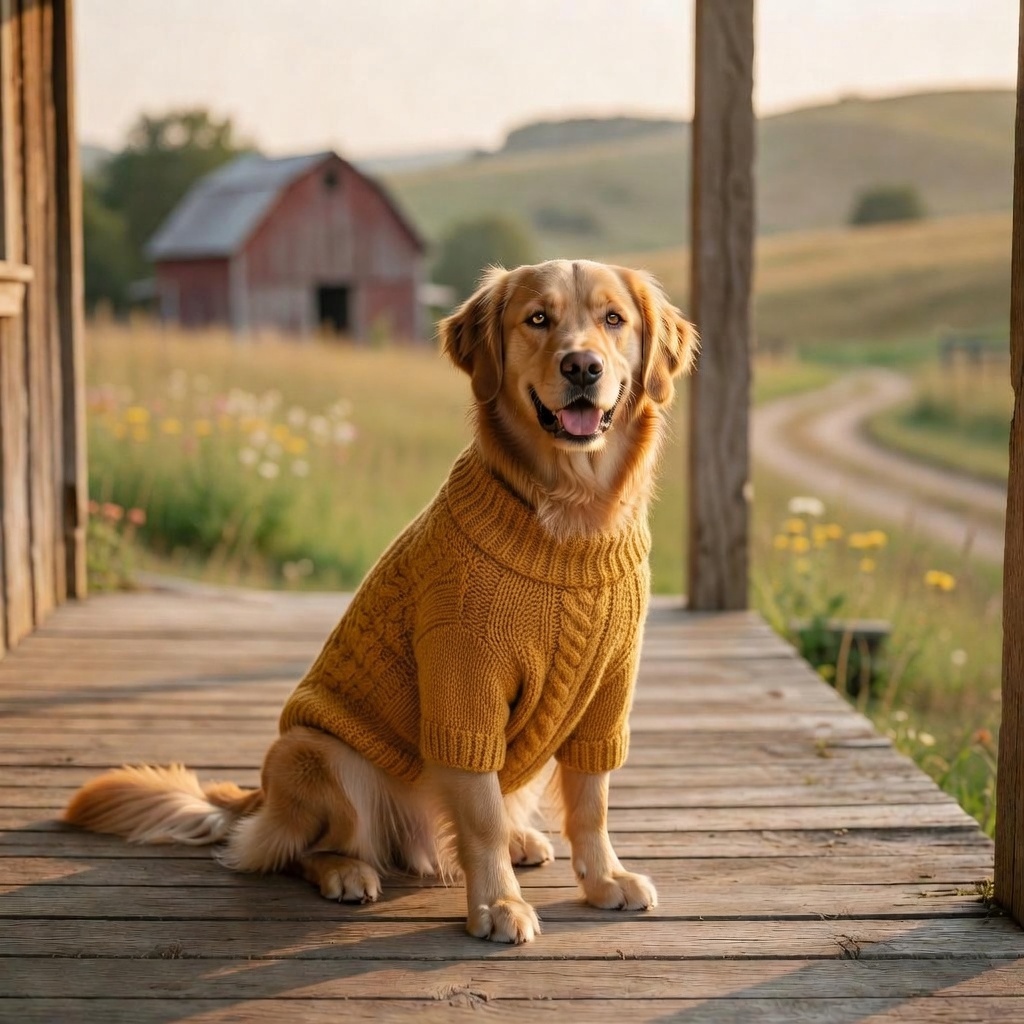
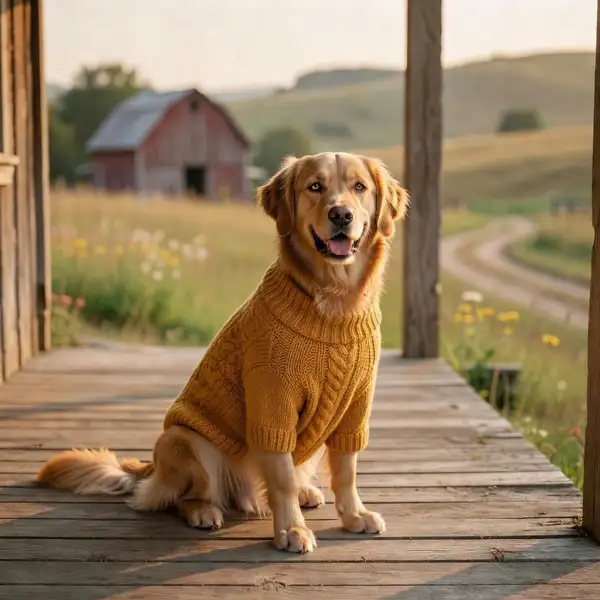
    "prompt": "dress the dog in a small hand-knitted mustard-yellow sweater, keep the cozy porch setting",
    "image_urls": [
      "https://media.modelrunner.ai/BDA9CryQ9f2lcm5ldQ16Y.jpeg"
    ],
    "num_images": 1,
    "resolution": "1k",
    "aspect_ratio": "auto",
    "output_format": "jpeg",
    "metadata": {
      "project": "my-project"
    }
  }'
# → { "request_id": "...", "status_url": "...", "response_url": "..." }

# Poll status_url until "COMPLETED", then fetch the result
curl "https://queue.modelrunner.run/xai/grok-imagine/image/edit/requests/$REQUEST_ID/status" \
  -H "Authorization: Key $MRUN_API_KEY"
curl "https://queue.modelrunner.run/xai/grok-imagine/image/edit/requests/$REQUEST_ID" \
  -H "Authorization: Key $MRUN_API_KEY"

JavaScript

import { modelrunner } from "@modelrunner/client";

const result = await modelrunner.subscribe("xai/grok-imagine/image/edit", {
  input: {
    "prompt": "dress the dog in a small hand-knitted mustard-yellow sweater, keep the cozy porch setting",
    "image_urls": [
      "https://media.modelrunner.ai/BDA9CryQ9f2lcm5ldQ16Y.jpeg"
    ],
    "num_images": 1,
    "resolution": "1k",
    "aspect_ratio": "auto",
    "output_format": "jpeg"
  },
});
console.log(result);

Python

import os
import requests

headers = {"Authorization": f"Key {os.environ['MRUN_API_KEY']}"}

submitted = requests.post(
    "https://queue.modelrunner.run/xai/grok-imagine/image/edit",
    headers=headers,
    json={
      "prompt": "dress the dog in a small hand-knitted mustard-yellow sweater, keep the cozy porch setting",
      "image_urls": [
        "https://media.modelrunner.ai/BDA9CryQ9f2lcm5ldQ16Y.jpeg"
      ],
      "num_images": 1,
      "resolution": "1k",
      "aspect_ratio": "auto",
      "output_format": "jpeg"
    },
).json()

# Poll submitted["status_url"] until "COMPLETED", then:
result = requests.get(submitted["response_url"], headers=headers).json()

Input parameters

Input parameters of Grok Imagine Image Edit
NameTypeRequiredDescription
promptstringyesText description of the desired edit.
image_urlsarrayyesList of URLs of the images to edit. A maximum of 3 images are supported.
num_imagesintegernoThe number of images to generate. Each generated image is billed. Default: 1.
aspect_ratioenumnoAspect ratio of the edited image. When set to auto (the default), the output preserves the aspect ratio of the first input image. One of: auto, 2:1, 20:9, 19.5:9, 16:9, 4:3, 3:2, 1:1, 2:3, 3:4, 9:16, 9:19.5, 9:20, 1:2. Default: "auto".
resolutionenumnoOutput resolution tier: 1k (standard) or 2k (high resolution). One of: 1k, 2k. Default: "1k".
output_formatenumnoThe image file format of the output. One of: jpeg, png, webp. Default: "jpeg".

Machine-readable: OpenAPI schema · llms.txt

Use Grok Imagine Image Edit from Claude & Cursor (MCP)

Point Claude Code, Claude Desktop, Cursor, or any MCP client at the ModelRunner MCP server and Grok Imagine Image Edit becomes a tool your assistant can call directly — it authorizes via OAuth (no API key in config) and runs this model with the run_model tool using the endpoint xai/grok-imagine/image/edit.

MCP client config (Claude Desktop, Cursor)

{
  "mcpServers": {
    "modelrunner": {
      "command": "npx",
      "args": ["-y", "mcp-remote", "https://mcp.modelrunner.run/mcp"]
    }
  }
}

Claude Code

claude mcp add --transport http modelrunner https://mcp.modelrunner.run/mcp

Then ask your assistant, for example: “Run xai/grok-imagine/image/edit on ModelRunner to generate image”. MCP setup guide.

Model Detayları

Model Detayları

Grok Imagine Image Edit, mevcut görselleri metin talimatıyla değiştirir. En fazla üç referans görsel (`image_urls`) verin ve istediğiniz değişikliği `prompt` alanında tarif edin — bir nesne ekleyin ya da kaldırın, yeniden tarzlayın, ışığı ya da rengi ayarlayın, mekânı değiştirin — model de düzenlenmiş görseli döndürür. Varsayılan olarak (`aspect_ratio: "auto"`) çıktı, ilk girdi görselinin en-boy oranını korur; böylece sonuç özgün kadraja sadık kalır. Fotogerçekçi ve stilize düzenlemelerin altından kalkar, ayrıntılı ve çok parçalı talimatları izler ve tek bir istekte düzenlemenin bir ila dört varyasyonunu döndürebilir.

## En uygun olduğu işler - Mevcut bir fotoğrafı yazılı bir talimatla düzenlemek (bir nesne eklemek, kaldırmak ya da değiştirmek) - Kompozisyonunu ve öznesini koruyarak bir görseli yeniden tarzlamak ya da yeniden aydınlatmak - Ürün ve pazarlama görsellerinde renkleri, arka planları ya da detayları ayarlamak - En fazla üç referans görseli tek bir düzenlenmiş sonuçta birleştirmek ya da birbiriyle uyumlu hale getirmek - Tek bir istekte aynı kaynağın birkaç düzenleme varyasyonunu üretmek (`num_images` en fazla 4)

## Şu durumlarda başka bir model seçin - Düzenlenecek bir referans olmadan sıfırdan görsel oluşturmak istiyorsanız — bir text-to-image modeli kullanın - Açıkça belirlenmiş bir maske bölgesine dayalı, piksel hassasiyetinde inpainting gerekiyorsa — maske tabanlı bir inpainting modeli kullanın - Görseli canlandırıp harekete geçirmeniz gerekiyorsa — bir image-to-video modeli kullanın - Raster görsel yerine vektör/SVG çıktı gerekiyorsa — bir vektörleştirme modeli kullanın

## İpuçları - `image_urls` içinde en az bir görsel zorunludur; referans görseli olmayan bir çağrı reddedilir - `prompt` alanında yalnızca istediğiniz değişikliği tarif edin — sahnenin tamamını yeniden anlatmanıza gerek yok - İlk girdi görselinin kadrajını korumak için `aspect_ratio` alanını `auto` bırakın; açık bir oranı (ör. `16:9`, `9:16`, `1:1`) yalnızca yeniden çerçevelemek istediğinizde ayarlayın - Baskı ya da büyük ekranlar için daha fazla ayrıntı gerektiğinde `resolution` değerini `2k` yapın; `1k` daha hızlı olan standart kademedir - Birkaç düzenleme varyasyonunu aynı anda karşılaştırmak için `num_images` değerini artırın — üretilen her görsel faturalandırılır

## Gelişmiş Yapılandırma - `image_urls` en fazla 3 referans görsel URL’si kabul eder; `aspect_ratio` `auto` olduğunda en-boy oranını ilk görsel belirler. - `output_format` dosya türünü seçer: `jpeg` (varsayılan, en küçük), `png` (kayıpsız) ya da `webp` (şeffaflık destekli, kompakt).

ModelRunner JavaScript client ile çalıştırmak için: ```js import { modelrunner } from "@modelrunner/client";

const result = await modelrunner.subscribe("xai/grok-imagine/image/edit", { input: { prompt: "add a small red knitted bandana around the dog's neck", image_urls: ["https://media.modelrunner.ai/BDA9CryQ9f2lcm5ldQ16Y.jpeg"], aspect_ratio: "auto", resolution: "1k", num_images: 1, }, }); ```