
Ana içeriğe geç
wan-video avatarı

Wan 3.0 Image to Video API

wan-video/wan/v3.0/image-to-video

Durağan bir fotoğrafı 480P, 720P ya da 1080P’de 30 saniyeye kadar bir klibe dönüştürün; isterseniz son kareyi de sabitleyin, model de iki görsel arasındaki hareketi üretir — uyumlu bir ses bandı da dahil.

Çözünürlüğe göre fiyatlandırılır

Model girdisi

Input

The opening frame the video animates from. JPEG or PNG (alpha channel not supported); width and height each between 240 and 8000 px, aspect ratio between 1:8 and 8:1, up to 20 MB.

Optional description of the motion and camera movement to animate. The scene is already fixed by the opening frame, so describe what moves rather than re-describing the picture. Chinese and English are supported, up to 20,000 characters.

Optional closing frame. Supply it and the model generates the transition from the opening frame to this one; it cannot be used on its own, without an opening frame. Same formats and size limits as the opening frame, and it should share its aspect ratio.

Output video resolution. 480P bills at $0.05 per second of finished video, 720P at $0.10, and 1080P (the default) at $0.20, so draft at 480P and re-run the keeper higher.

Min: 2 - Max: 30

Length of the generated video in whole seconds (2-30). Cost scales directly with this value.

Additional Settings

Customize your input with more control.

Frame shape of the generated video. The default `adaptive` pins no particular shape; set an explicit ratio when the delivery slot is fixed.

Whether the delivered clip carries an audio track. On by default; set it to false for a silent video. The price is the same either way.

Min: 0 - Max: 2147483647

Random seed for reproducible results. Omit for a different clip each run.

You need to be logged in to run this model and view results.
Log in

Model çıktısı

Output

Loading
Generated in 618.598 seconds
Logs (1 lines)

Örnek istekler

Örnekler

Example output 1Example output 2

Model fiyatlandırması

Fiyatlandırma

Fiyat, çıktı videonuzun hedef çözünürlüğüne göre değişir.

480P
$0.05
çıktı videosunun saniyesi başına
yani yaklaşık $1 ile 20 saniye
720P
$0.1
çıktı videosunun saniyesi başına
yani yaklaşık $1 ile 10 saniye
1080P
$0.2
çıktı videosunun saniyesi başına
yani yaklaşık $1 ile 5 saniye

Wan 3.0 Image to Video API

Wan 3.0 Image to Video is a image-to-video AI model by wan-video. On ModelRunner it runs through a REST API or via MCP from any AI assistant, at $0.2 per second of video.

POST https://queue.modelrunner.run/wan-video/wan/v3.0/image-to-video

cURL

# Submit a request to the queue. Input fields go at the top level of the
# body. The optional reserved "metadata" object holds your own flat string
# tags — stored on the request, never sent to the model; filter later with
# GET https://queue.modelrunner.run/requests?metadata=<url-encoded JSON>.
curl -X POST https://queue.modelrunner.run/wan-video/wan/v3.0/image-to-video \
  -H "Authorization: Key $MRUN_API_KEY" \
  -H "Content-Type: application/json" \
  -d '{
    "audio": true,
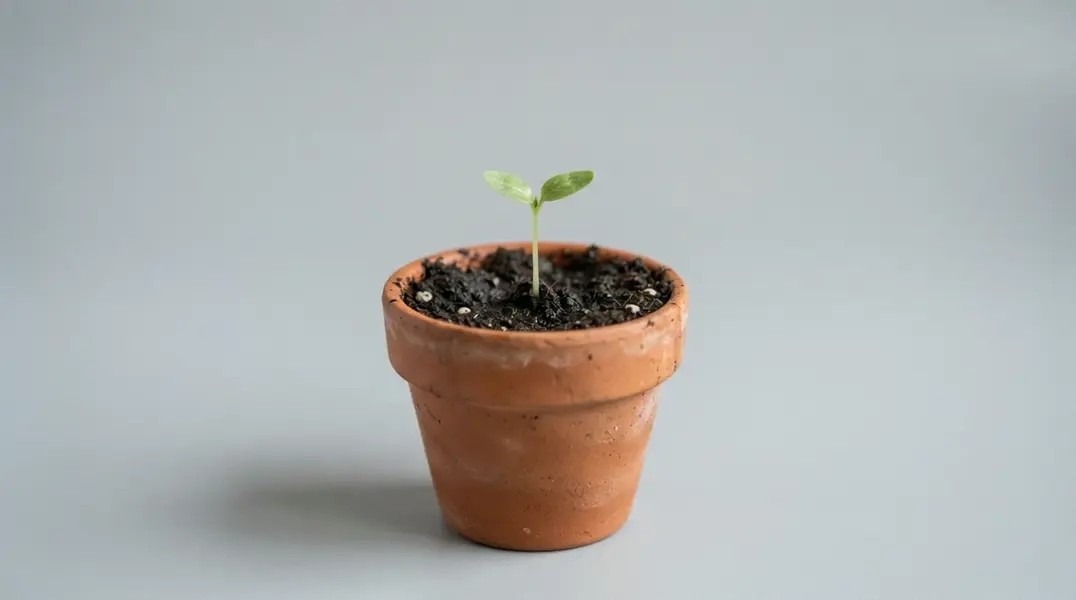
    "prompt": "The plant grows and opens into full bloom, petals unfurling, one continuous time-lapse.",
    "duration": 10,
    "resolution": "720P",
    "aspect_ratio": "adaptive",
    "end_image_url": "https://media.modelrunner.ai/wvwMFm20HXDjTzNG0yu19.jpeg",
    "start_image_url": "https://media.modelrunner.ai/8GJHgzkT56lyndCqndaN4.jpeg",
    "metadata": {
      "project": "my-project"
    }
  }'
# → { "request_id": "...", "status_url": "...", "response_url": "..." }

# Poll status_url until "COMPLETED", then fetch the result
curl "https://queue.modelrunner.run/wan-video/wan/v3.0/image-to-video/requests/$REQUEST_ID/status" \
  -H "Authorization: Key $MRUN_API_KEY"
curl "https://queue.modelrunner.run/wan-video/wan/v3.0/image-to-video/requests/$REQUEST_ID" \
  -H "Authorization: Key $MRUN_API_KEY"

JavaScript

import { modelrunner } from "@modelrunner/client";

const result = await modelrunner.subscribe("wan-video/wan/v3.0/image-to-video", {
  input: {
    "audio": true,
    "prompt": "The plant grows and opens into full bloom, petals unfurling, one continuous time-lapse.",
    "duration": 10,
    "resolution": "720P",
    "aspect_ratio": "adaptive",
    "end_image_url": "https://media.modelrunner.ai/wvwMFm20HXDjTzNG0yu19.jpeg",
    "start_image_url": "https://media.modelrunner.ai/8GJHgzkT56lyndCqndaN4.jpeg"
  },
});
console.log(result);

Python

import os
import requests

headers = {"Authorization": f"Key {os.environ['MRUN_API_KEY']}"}

submitted = requests.post(
    "https://queue.modelrunner.run/wan-video/wan/v3.0/image-to-video",
    headers=headers,
    json={
      "audio": true,
      "prompt": "The plant grows and opens into full bloom, petals unfurling, one continuous time-lapse.",
      "duration": 10,
      "resolution": "720P",
      "aspect_ratio": "adaptive",
      "end_image_url": "https://media.modelrunner.ai/wvwMFm20HXDjTzNG0yu19.jpeg",
      "start_image_url": "https://media.modelrunner.ai/8GJHgzkT56lyndCqndaN4.jpeg"
    },
).json()

# Poll submitted["status_url"] until "COMPLETED", then:
result = requests.get(submitted["response_url"], headers=headers).json()

Input parameters

Input parameters of Wan 3.0 Image to Video
NameTypeRequiredDescription
start_image_urlstring (uri)yesThe opening frame the video animates from. JPEG or PNG (alpha channel not supported); width and height each between 240 and 8000 px, aspect ratio between 1:8 and 8:1, up to 20 MB.
promptstringnoOptional description of the motion and camera movement to animate. The scene is already fixed by the opening frame, so describe what moves rather than re-describing the picture. Chinese and English are supported, up to 20,000 characters.
end_image_urlstring (uri)noOptional closing frame. Supply it and the model generates the transition from the opening frame to this one; it cannot be used on its own, without an opening frame. Same formats and size limits as the opening frame, and it should share its aspect ratio.
resolutionenumnoOutput video resolution. 480P bills at $0.05 per second of finished video, 720P at $0.10, and 1080P (the default) at $0.20, so draft at 480P and re-run the keeper higher. One of: 480P, 720P, 1080P. Default: "1080P".
durationintegernoLength of the generated video in whole seconds (2-30). Cost scales directly with this value. Default: 5.
aspect_ratioenumnoFrame shape of the generated video. The default adaptive pins no particular shape; set an explicit ratio when the delivery slot is fixed. One of: 16:9, 9:16, 1:1, 4:3, 3:4, adaptive. Default: "adaptive".
audiobooleannoWhether the delivered clip carries an audio track. On by default; set it to false for a silent video. The price is the same either way. Default: true.
seedintegernoRandom seed for reproducible results. Omit for a different clip each run.

Machine-readable: OpenAPI schema · llms.txt

Use Wan 3.0 Image to Video from Claude & Cursor (MCP)

Point Claude Code, Claude Desktop, Cursor, or any MCP client at the ModelRunner MCP server and Wan 3.0 Image to Video becomes a tool your assistant can call directly — it authorizes via OAuth (no API key in config) and runs this model with the run_model tool using the endpoint wan-video/wan/v3.0/image-to-video.

MCP client config (Claude Desktop, Cursor)

{
  "mcpServers": {
    "modelrunner": {
      "command": "npx",
      "args": ["-y", "mcp-remote", "https://mcp.modelrunner.run/mcp"]
    }
  }
}

Claude Code

claude mcp add --transport http modelrunner https://mcp.modelrunner.run/mcp

Then ask your assistant, for example: “Run wan-video/wan/v3.0/image-to-video on ModelRunner to generate video”. MCP setup guide.

Model Detayları

Model Detayları

Wan 3.0 Image to Video, durağan bir fotoğrafı 480P, 720P ya da 1080P’de 2 ile 30 saniye arası bir klibe dönüştürür; klip sessiz değil, bir ses bandıyla gelir. İlk kare olarak bir görsel ve isterseniz hareketi anlatan kısa bir prompt verin. İkinci bir görseli son kare olarak eklerseniz model ikisi arasındaki geçişi üretir; böylece bir çekimin hem başlangıç hem de bitiş durumu sabitlenmiş olur. Öne çıkan yeteneği süredir: tek bir çağrı, tek seferde 30 saniyeye kadar video üretir — Wan 2.7 neslinin 15 saniyelik tavanının iki katı. Böylece bütün bir çekim, daha kısa çekimlerin uç uca eklenmesiyle değil, tek istekte gelir.

## En uygun olduğu işler - Durağan bir fotoğrafı, packshot’ı, illüstrasyonu ya da konsept çizimi hareketli bir çekime dönüştürmek - İlk ve son kare çekimleri: başlangıç görselini ve bitiş görselini sabitleyip aradaki hareketi modele bırakmak - Uzun klipler: birbirine eklenmiş birkaç kısa klip yerine tek parça 20 ile 30 saniyelik bir animasyon - İçinde insan olan, tek tek yüzlerin ve mimiklerin okunması gereken çekimler - Ucuz yineleme: 480P’de taslak çıkarıp aynı görselleri 1080P’de yeniden çalıştırmak

## Şu durumlarda başka bir model seçin - Verdiğiniz bir ses kaydına lip-sync gerekiyorsa. Bu varyant ses girdisi kabul etmez; ağız hareketini kendi kaydınıza göre zamanlayan `wan-video/wan/v2.7/image-to-video/audio-driven` modelini kullanın - Klipleriniz 1080P’de 15 saniye ya da daha kısaysa ve sizin için en önemlisi fiyatsa: bu koşullarda `wan-video/wan/v2.7/image-to-video` saniye başına $0.15 faturalandırır (bu modelde ise $0.20) ve preview aşamasında değil, genel kullanıma açıktır - Canlandıracak bir fotoğrafınız yoksa ve yazılı bir açıklamadan başlıyorsanız — bu durumda bir text-to-video modeli kullanın - Bir içeriği hariç tutmak için negative prompt gerekiyorsa. Burada böyle bir alan yoktur; bunun yerine ne istediğinizi tarif edin

## İpuçları - Prompt isteğe bağlıdır ve hareketi yönlendirmenin yolu odur: ilk kare sahneyi zaten belirler, bu yüzden görüntüyü yeniden tarif etmek yerine neyin hareket ettiğini anlatın - `end_image_url` ile aynı öznenin farklı bir durumunu gösteren ikinci bir görsel verin; klip, ilkinden ikincisine kesintisiz tek bir dönüşüm olarak akar - `audio` varsayılan olarak açıktır ve ek ücret getirmez; yalnızca görüntü istiyorsanız `false` yapın

ModelRunner JavaScript client ile çalıştırmak için: ```js import { modelrunner } from "@modelrunner/client";

const result = await modelrunner.subscribe("wan-video/wan/v3.0/image-to-video", { input: { start_image_url: "https://media.modelrunner.ai/example-open-frame.jpg", prompt: "She turns toward the window and smiles as the light shifts across her face", resolution: "720P", duration: 8, }, }); ```