




Ana içeriğe geç
stability-ai avatarı

Stable Diffusion 3.5 Large Turbo API

stability-ai/stable-diffusion-v3.5-large-turbo

Metin prompt’undan yalnızca birkaç adımda yüksek kaliteli görseller üretin — Stable Diffusion 3.5 ailesinin en hızlı ve en düşük maliyetli kademesi.

görsel megapikseli başına 0.015

Model girdisi

Input

The text prompt describing the image to generate.

The size of the generated image. Choose a preset (e.g. 'square_hd', 'portrait_16_9') or pass a custom {width, height} object.

Min: 1 - Max: 12

The number of inference steps to perform. This is a few-step distilled model: the default is 4 and the maximum is 12. Raising it can add detail at the cost of speed.

Additional Settings

Customize your input with more control.

Min: 0 - Max: 20

The CFG (Classifier Free Guidance) scale. This model is guidance-distilled and defaults to 0; raising it is usually unnecessary and can reduce quality.

Describe what you do NOT want to appear in the image.

The same seed and the same prompt given to the same version of the model will output the same image every time.

The format of the generated image.

Safety checker can only be disabled on API call

You need to be logged in to run this model and view results.
Log in

Model çıktısı

Output

Generated image output
Generated in 1.177 seconds
Logs (1 lines)

Örnek istekler

Örnekler

Example output 1Example output 2Example output 3Example output 4Example output 5

Stable Diffusion 3.5 Large Turbo API

Stable Diffusion 3.5 Large Turbo is a text-to-image AI model by stability-ai. On ModelRunner it runs through a REST API or via MCP from any AI assistant, at $0.015 per megapixel.

POST https://queue.modelrunner.run/stability-ai/stable-diffusion-v3.5-large-turbo

cURL

# Submit a request to the queue. Input fields go at the top level of the
# body. The optional reserved "metadata" object holds your own flat string
# tags — stored on the request, never sent to the model; filter later with
# GET https://queue.modelrunner.run/requests?metadata=<url-encoded JSON>.
curl -X POST https://queue.modelrunner.run/stability-ai/stable-diffusion-v3.5-large-turbo \
  -H "Authorization: Key $MRUN_API_KEY" \
  -H "Content-Type: application/json" \
  -d '{
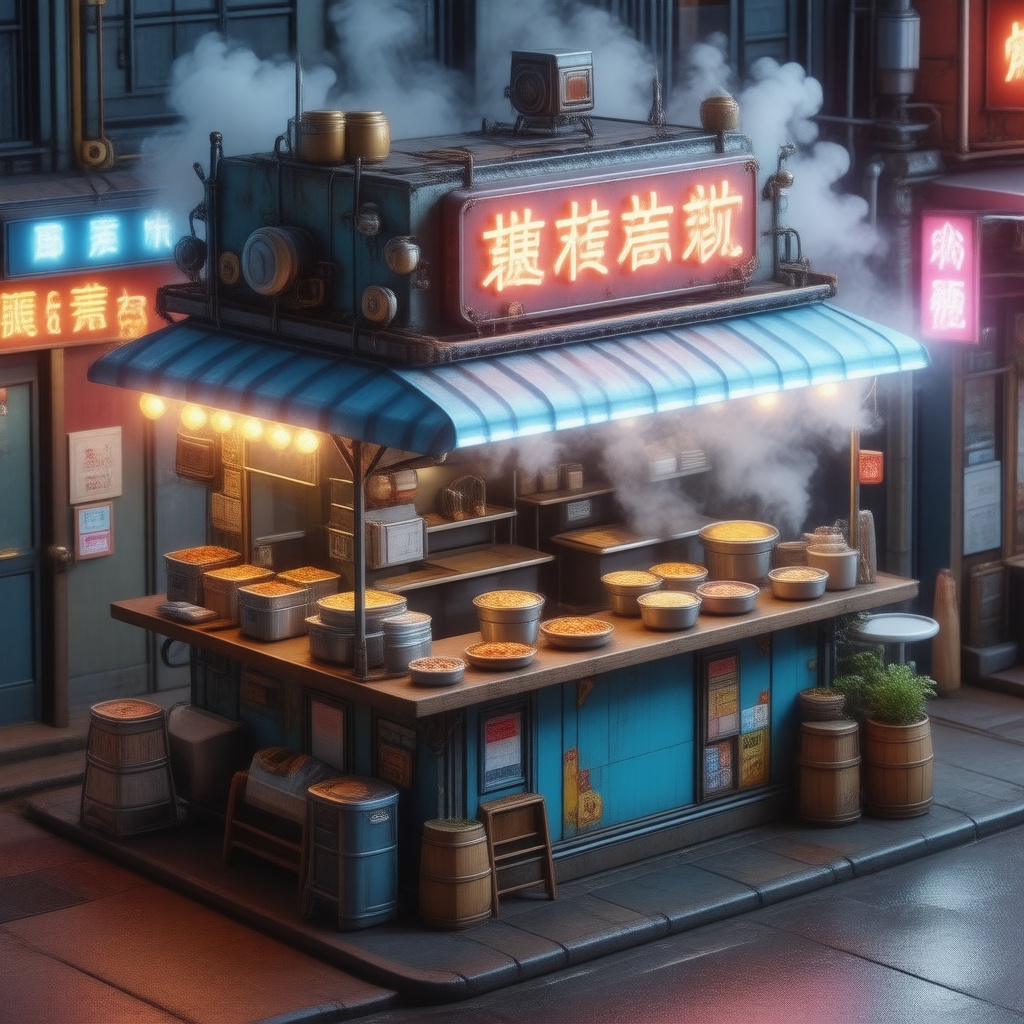
    "prompt": "an isometric miniature cyberpunk street food stall at night, neon signage, glowing steam, highly detailed 3D render",
    "image_size": "square_hd",
    "output_format": "jpeg",
    "guidance_scale": 0,
    "negative_prompt": "",
    "num_inference_steps": 4,
    "enable_safety_checker": true,
    "metadata": {
      "project": "my-project"
    }
  }'
# → { "request_id": "...", "status_url": "...", "response_url": "..." }

# Poll status_url until "COMPLETED", then fetch the result
curl "https://queue.modelrunner.run/stability-ai/stable-diffusion-v3.5-large-turbo/requests/$REQUEST_ID/status" \
  -H "Authorization: Key $MRUN_API_KEY"
curl "https://queue.modelrunner.run/stability-ai/stable-diffusion-v3.5-large-turbo/requests/$REQUEST_ID" \
  -H "Authorization: Key $MRUN_API_KEY"

JavaScript

import { modelrunner } from "@modelrunner/client";

const result = await modelrunner.subscribe("stability-ai/stable-diffusion-v3.5-large-turbo", {
  input: {
    "prompt": "an isometric miniature cyberpunk street food stall at night, neon signage, glowing steam, highly detailed 3D render",
    "image_size": "square_hd",
    "output_format": "jpeg",
    "guidance_scale": 0,
    "negative_prompt": "",
    "num_inference_steps": 4,
    "enable_safety_checker": true
  },
});
console.log(result);

Python

import os
import requests

headers = {"Authorization": f"Key {os.environ['MRUN_API_KEY']}"}

submitted = requests.post(
    "https://queue.modelrunner.run/stability-ai/stable-diffusion-v3.5-large-turbo",
    headers=headers,
    json={
      "prompt": "an isometric miniature cyberpunk street food stall at night, neon signage, glowing steam, highly detailed 3D render",
      "image_size": "square_hd",
      "output_format": "jpeg",
      "guidance_scale": 0,
      "negative_prompt": "",
      "num_inference_steps": 4,
      "enable_safety_checker": true
    },
).json()

# Poll submitted["status_url"] until "COMPLETED", then:
result = requests.get(submitted["response_url"], headers=headers).json()

Input parameters

Input parameters of Stable Diffusion 3.5 Large Turbo
NameTypeRequiredDescription
promptstringyesThe text prompt describing the image to generate.
image_sizeenumnoThe size of the generated image. Choose a preset (e.g. 'square_hd', 'portrait_16_9') or pass a custom {width, height} object. One of: square_hd, square, portrait_4_3, portrait_16_9, landscape_4_3, landscape_16_9. Default: "landscape_4_3".
num_inference_stepsintegernoThe number of inference steps to perform. This is a few-step distilled model: the default is 4 and the maximum is 12. Raising it can add detail at the cost of speed. Default: 4.
guidance_scalenumbernoThe CFG (Classifier Free Guidance) scale. This model is guidance-distilled and defaults to 0; raising it is usually unnecessary and can reduce quality. Default: 0.
negative_promptstringnoDescribe what you do NOT want to appear in the image. Default: "".
seedintegernoThe same seed and the same prompt given to the same version of the model will output the same image every time.
output_formatenumnoThe format of the generated image. One of: jpeg, png. Default: "jpeg".
enable_safety_checkerbooleannoIf set to true, the safety checker will be enabled. Default: true.

Machine-readable: OpenAPI schema · llms.txt

Use Stable Diffusion 3.5 Large Turbo from Claude & Cursor (MCP)

Point Claude Code, Claude Desktop, Cursor, or any MCP client at the ModelRunner MCP server and Stable Diffusion 3.5 Large Turbo becomes a tool your assistant can call directly — it authorizes via OAuth (no API key in config) and runs this model with the run_model tool using the endpoint stability-ai/stable-diffusion-v3.5-large-turbo.

MCP client config (Claude Desktop, Cursor)

{
  "mcpServers": {
    "modelrunner": {
      "command": "npx",
      "args": ["-y", "mcp-remote", "https://mcp.modelrunner.run/mcp"]
    }
  }
}

Claude Code

claude mcp add --transport http modelrunner https://mcp.modelrunner.run/mcp

Then ask your assistant, for example: “Run stability-ai/stable-diffusion-v3.5-large-turbo on ModelRunner to generate image”. MCP setup guide.

Model Detayları

Model Detayları

Stable Diffusion 3.5 Large Turbo, bir metin prompt’unu yalnızca birkaç inference adımında yüksek kaliteli bir görsele dönüştürür. Stability AI tarafından geliştirilen 8 milyar parametreli Multimodal Diffusion Transformer (MMDiT) modelinin damıtılmış, hız için optimize edilmiş kademesidir: ailenin güçlü prompt uyumunu, doğru tipografisini ve fotogerçekçilikten illüstrasyona uzanan stil yelpazesini korur, ama standart Large modelinden çok daha hızlı ve ucuza üretir — görsel başına yaklaşık 4 adım ve kabaca 2 saniye. Tarif edici bir prompt verin ve bir görsel boyutu seçin; model tek bir görsel döndürür. En güçlü yanı, megapiksel başına düşük fiyatla sunduğu throughput’tur; bu da onu yüksek hacimli, düşük latency gerektiren ya da bütçeye duyarlı text-to-image işleri için varsayılan tercih yapar.

## En uygun olduğu işler - Bir metin açıklamasından hızlı ve yüksek hacimli görsel üretimi - Düşük latency ile neredeyse gerçek zamanlı görsel ön izlemeleri ve yineleme - SD 3.5 ailesindeki en düşük megapiksel başı fiyatla, bütçeye duyarlı batch üretim - Görsel içinde okunaklı metin, tabela ve tipografi basmak - Bir prompt’tan konsept çizim, illüstrasyon ve pazarlama görselleri

## Şu durumlarda başka bir model seçin - En yüksek sadakat ya da karmaşık, çok özneli prompt’larda en güçlü uyum gerekiyorsa — standart Stable Diffusion 3.5 Large modelini kullanın - Kalite ile maliyet arasında denge ve daha fazla inference adımı payı istiyorsanız — 2.5B parametreli Stable Diffusion 3.5 Medium modelini kullanın - Sıfırdan üretmek yerine mevcut bir görseli düzenlemek, yeniden tarzlamak ya da inpaint etmek istiyorsanız — bir görsel düzenleme modeli kullanın - Mevcut bir görseli büyütmeniz ya da ona detay eklemeniz gerekiyorsa — bir upscaling modeli kullanın - Video ya da animasyon gerekiyorsa — bir text-to-video modeli kullanın

## İpuçları - Az adımlı, damıtılmış bir model olduğu için `num_inference_steps` varsayılan olarak 4’tür ve en fazla 12 olabilir; 8-12 aralığına doğru yükseltmek biraz hız kaybı karşılığında ince detay katabilir, ama buna nadiren gerek duyarsınız - Model guidance-distilled olduğu için `guidance_scale` varsayılan olarak 0’dır — en iyi sonuç için 0’da bırakın; yükseltmek genellikle gereksizdir ve görsel kalitesini düşürebilir - Özne, mekân, ışık ve stil konusunda net olun; burada ayrıntılı bir prompt, yüksek guidance değerinden daha çok işe yarar - İstenmeyen öğeleri dışarıda bırakmak için `negative_prompt` kullanın (ör. "blurry, extra fingers, watermark") - `image_size` alanına bir hazır ayar ("square_hd", "portrait_16_9", "landscape_4_3", …) verin ya da özel bir `{ width, height }` nesnesi geçin

ModelRunner JavaScript client ile çalıştırmak için: ```js import { modelrunner } from "@modelrunner/client";

const result = await modelrunner.subscribe("stability-ai/stable-diffusion-v3.5-large-turbo", { input: { prompt: "a serene mountain lake at golden hour, mist over the water, photorealistic", image_size: "landscape_4_3", num_inference_steps: 4, guidance_scale: 0, }, }); ```