
Ana içeriğe geç
recraft avatarı

Recraft V4 Pro API

recraft/v4/pro/text-to-image

Metin prompt’undan özenle işlenmiş, prodüksiyona hazır bir raster görsel üretin — Recraft V4’ün premium Pro kademesi; profesyonel kompozisyon, ışık ve malzeme için ayarlanmış.

0.25

Model girdisi

Input

The text description of the image to generate (subject, scene, lighting, mood). Output is a polished, production-ready raster image.

The size/aspect of the generated image. Pick a preset or supply an explicit width/height.

You need to be logged in to run this model and view results.
Log in

Model çıktısı

Output

Generated image output
Generated in 17.106 seconds
Logs (1 lines)

Örnek istekler

Örnekler

Example output 1Example output 2Example output 3Example output 4

Recraft V4 Pro API

Recraft V4 Pro is a text-to-image AI model by recraft. On ModelRunner it runs through a REST API or via MCP from any AI assistant, at $0.25 per image.

POST https://queue.modelrunner.run/recraft/v4/pro/text-to-image

cURL

# Submit a request to the queue. Input fields go at the top level of the
# body. The optional reserved "metadata" object holds your own flat string
# tags — stored on the request, never sent to the model; filter later with
# GET https://queue.modelrunner.run/requests?metadata=<url-encoded JSON>.
curl -X POST https://queue.modelrunner.run/recraft/v4/pro/text-to-image \
  -H "Authorization: Key $MRUN_API_KEY" \
  -H "Content-Type: application/json" \
  -d '{
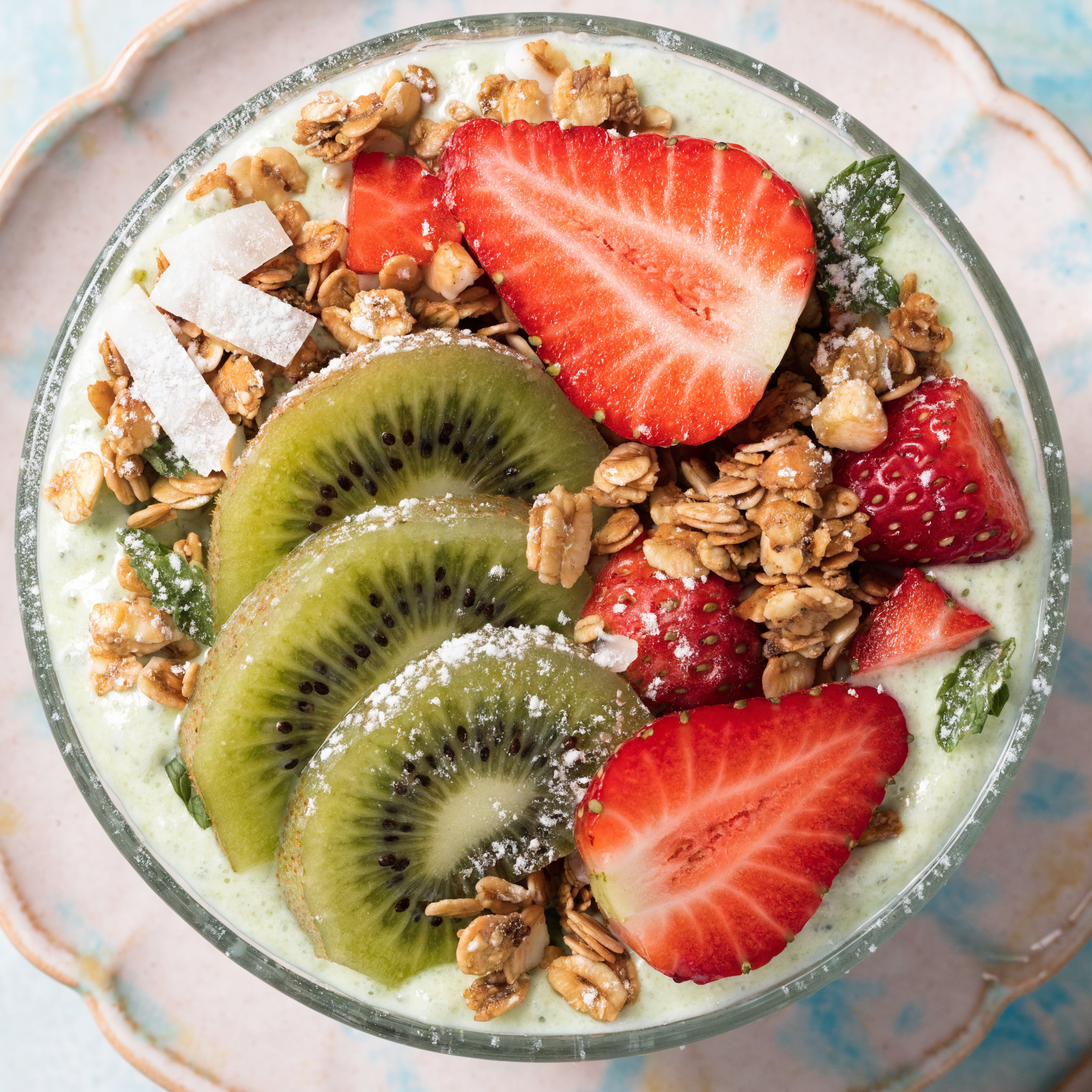
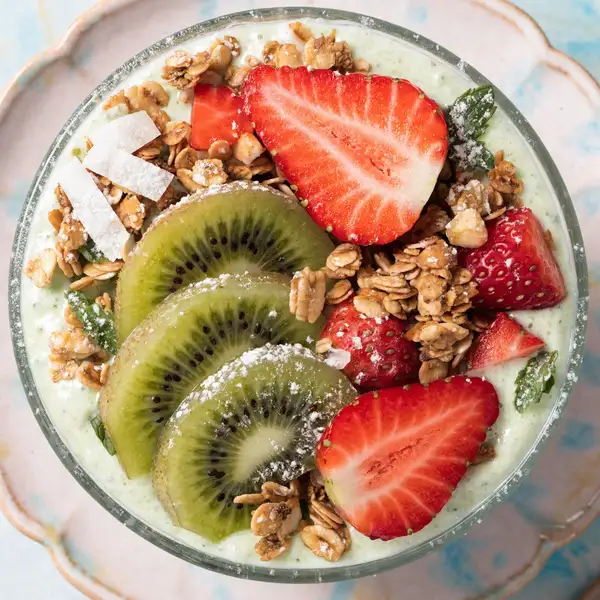
    "prompt": "a vibrant tropical smoothie bowl topped with sliced kiwi, strawberries, and toasted granola, overhead flat lay on a p…",
    "image_size": "square_hd",
    "metadata": {
      "project": "my-project"
    }
  }'
# → { "request_id": "...", "status_url": "...", "response_url": "..." }

# Poll status_url until "COMPLETED", then fetch the result
curl "https://queue.modelrunner.run/recraft/v4/pro/text-to-image/requests/$REQUEST_ID/status" \
  -H "Authorization: Key $MRUN_API_KEY"
curl "https://queue.modelrunner.run/recraft/v4/pro/text-to-image/requests/$REQUEST_ID" \
  -H "Authorization: Key $MRUN_API_KEY"

JavaScript

import { modelrunner } from "@modelrunner/client";

const result = await modelrunner.subscribe("recraft/v4/pro/text-to-image", {
  input: {
    "prompt": "a vibrant tropical smoothie bowl topped with sliced kiwi, strawberries, and toasted granola, overhead flat lay on a p…",
    "image_size": "square_hd"
  },
});
console.log(result);

Python

import os
import requests

headers = {"Authorization": f"Key {os.environ['MRUN_API_KEY']}"}

submitted = requests.post(
    "https://queue.modelrunner.run/recraft/v4/pro/text-to-image",
    headers=headers,
    json={
      "prompt": "a vibrant tropical smoothie bowl topped with sliced kiwi, strawberries, and toasted granola, overhead flat lay on a p…",
      "image_size": "square_hd"
    },
).json()

# Poll submitted["status_url"] until "COMPLETED", then:
result = requests.get(submitted["response_url"], headers=headers).json()

Input parameters

Input parameters of Recraft V4 Pro
NameTypeRequiredDescription
promptstringyesThe text description of the image to generate (subject, scene, lighting, mood). Output is a polished, production-ready raster image.
image_sizeenumnoThe size/aspect of the generated image. Pick a preset or supply an explicit width/height. One of: square_hd, square, portrait_4_3, portrait_16_9, landscape_4_3, landscape_16_9. Default: "square_hd".

Machine-readable: OpenAPI schema · llms.txt

Use Recraft V4 Pro from Claude & Cursor (MCP)

Point Claude Code, Claude Desktop, Cursor, or any MCP client at the ModelRunner MCP server and Recraft V4 Pro becomes a tool your assistant can call directly — it authorizes via OAuth (no API key in config) and runs this model with the run_model tool using the endpoint recraft/v4/pro/text-to-image.

MCP client config (Claude Desktop, Cursor)

{
  "mcpServers": {
    "modelrunner": {
      "command": "npx",
      "args": ["-y", "mcp-remote", "https://mcp.modelrunner.run/mcp"]
    }
  }
}

Claude Code

claude mcp add --transport http modelrunner https://mcp.modelrunner.run/mcp

Then ask your assistant, for example: “Run recraft/v4/pro/text-to-image on ModelRunner to generate image”. MCP setup guide.

Model Detayları

Model Detayları

Recraft V4 Pro, bir metin prompt’unu özenle işlenmiş, prodüksiyona hazır bir raster görsele dönüştürür. Recraft V4 ailesinin premium Pro kademesidir: profesyonel kompozisyon, ışık, malzeme ve estetik bütünlük için ayarlanmıştır; marka ve pazarlama ekiplerinin ihtiyaç duyduğu görsel inceliği ek rötuş gerektirmeden sunar. Özneyi, sahneyi ve atmosferi tarif edin; model tam çözünürlüklü bir raster görsel döndürür. Ayarlanacak bir stil ya da alt stil seçicisi yoktur — tasarım anlayışı modelin içine işlenmiştir, bu yüzden sonucu tamamen prompt’la ve seçtiğiniz çıktı boyutuyla yönlendirirsiniz.

## En uygun olduğu işler - Ek işlem gerektirmeden yayına hazır görünmesi gereken prodüksiyon kalitesinde marka ve kampanya görselleri - E-ticaret ve pazarlama için fotogerçekçi ürün çekimleri, hero görseller ve lifestyle sahneleri - Kompozisyonun ve ışığın özenle kurgulanmış görünmesi gereken editoryal ve reklam illüstrasyonları - Seçtiğiniz en-boy oranında (kare, dikey ya da yatay) poster, reklam ve sosyal medya kreatifleri - Geniş bir stil menüsünden çok tutarlı, bütünlüklü bir estetiğin önem taşıdığı markaya uygun görseller

## Şu durumlarda başka bir model seçin - Raster görsel yerine ölçeklenebilir SVG vektör çıktısı (logolar, ikonlar, düz amblemler) gerekiyorsa — `recraft/v4/pro/text-to-vector` kullanın - Adlandırılmış sanat stilleri ya da alt stillerden oluşan geniş bir kütüphaneden seçim yapmak istiyorsanız — `recraft/v3/text-to-image` kullanın - Prompt’tan üretmek yerine mevcut bir görseli düzenlemek ya da yeniden tarzlamak istiyorsanız — bir görsel düzenleme modeli kullanın - Durağan görsel değil video gerekiyorsa — bir text-to-video modeli kullanın

## İpuçları - Prompt’a en önemli ayrıntılarla başlayın: özne, mekân, ışık, kamera kadrajı ve atmosfer - `image_size` değerini hedef formatınıza göre ayarlayın — `square_hd`, `portrait_4_3`/`portrait_16_9` ya da `landscape_4_3`/`landscape_16_9`; kesin bir tuval için bir `{width, height}` nesnesi verin (her kenar en fazla 14142 px) - İstediğiniz görünümü doğrudan prompt’ta tarif edin — ayarlanacak ayrı bir stil kontrolü yoktur - Modelin malzeme render’ının hakkını vermesi için malzemeler ve yüzeyler (mat, parlak, metal, kumaş) konusunda net olun

## Sınırlamalar - Görsel içindeki küçük ve okunaklı olması gereken metin hâlâ kusurlu basılabilir - Çok büyük özel tuvaller üretim süresini uzatır ve zaman zaman ince detayları yumuşatabilir - Stil yalnızca prompt’la verildiği için çok belirli, adlandırılmış bir sanat stilini tutturmak için ifadeyi özenle seçmek gerekir — geniş bir stil kütüphanesi için V3 text-to-image modeli daha kolaydır

ModelRunner JavaScript client ile çalıştırmak için: ```js import { modelrunner } from "@modelrunner/client";

const result = await modelrunner.subscribe("recraft/v4/pro/text-to-image", { input: { prompt: "a single red apple on a clean white studio background, soft natural light, photorealistic product shot", image_size: "square_hd", }, }); ```