
Ana içeriğe geç
recraft avatarı

Recraft V3 API

recraft/v3/image-to-image

Mevcut bir görseli metin prompt’uyla profesyonel tasarım stillerinden oluşan geniş bir kütüphaneden dilediğiniz stilde yeniden tarzlayın; vektör bir stil seçtiğinizde gerçek vektör (SVG) çıktı alın.

düzenleme
0.04

Model girdisi

Input

The text prompt describing how to restyle or change the image.

URL of the source image to restyle (max 5MB, 16MP, 4096px per side).

Additional Settings

Customize your input with more control.

Min: 0 - Max: 1

How far the result departs from the original image (denoising strength). 0 stays close to the input, 1 transforms heavily.

The visual style to render. Pick a top-level family or a specific substyle. Any 'vector_illustration/*' style returns a true vector (SVG) file; all other styles return a raster image. Vector styles cost 2X as much.

Text describing elements to avoid in the result.

You need to be logged in to run this model and view results.
Log in

Model çıktısı

Output

Loading
Generated in 11.233 seconds
Logs (1 lines)

Örnek istekler

Örnekler

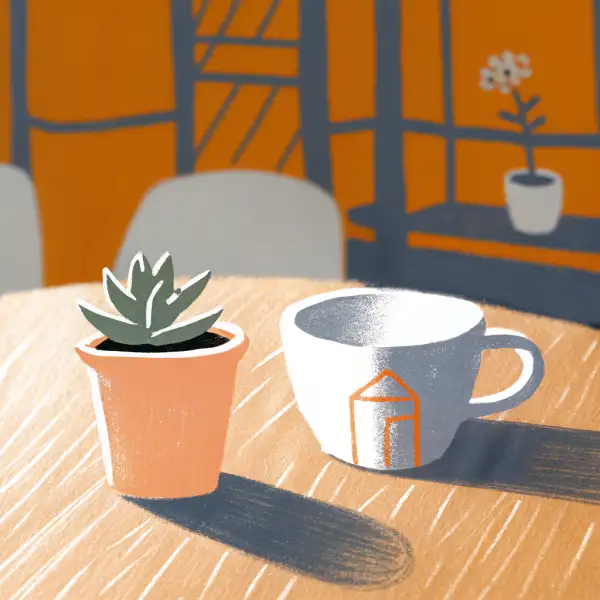
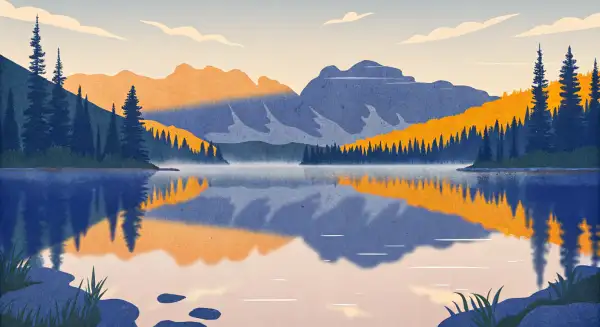
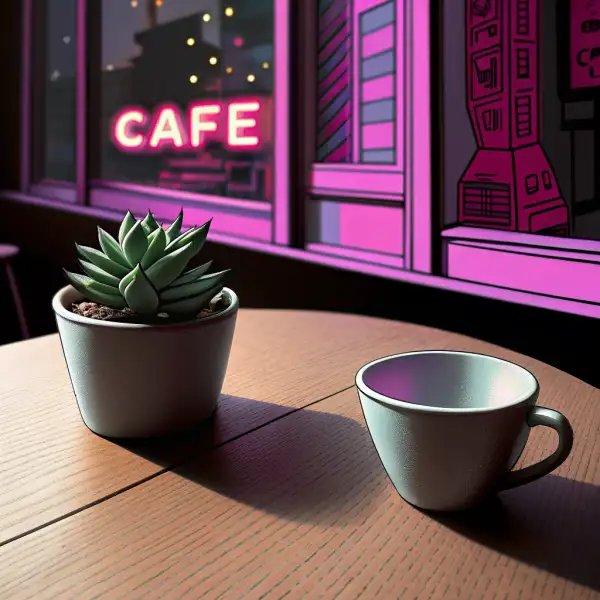
Example output 1Example output 2Example output 3

Recraft V3 API

Recraft V3 is a image-to-image AI model by recraft. On ModelRunner it runs through a REST API or via MCP from any AI assistant, at $0.04 per image.

POST https://queue.modelrunner.run/recraft/v3/image-to-image

cURL

# Submit a request to the queue. Input fields go at the top level of the
# body. The optional reserved "metadata" object holds your own flat string
# tags — stored on the request, never sent to the model; filter later with
# GET https://queue.modelrunner.run/requests?metadata=<url-encoded JSON>.
curl -X POST https://queue.modelrunner.run/recraft/v3/image-to-image \
  -H "Authorization: Key $MRUN_API_KEY" \
  -H "Content-Type: application/json" \
  -d '{
    "style": "digital_illustration/hand_drawn",
    "prompt": "Restyle this cafe still life as a cozy hand-drawn storybook illustration with warm tones and soft outlines",
    "strength": 0.55,
    "image_url": "https://media.modelrunner.ai/qpVDYUNXosDmWAFh-recraft-i2i-probe-source-coffee-cup.png",
    "metadata": {
      "project": "my-project"
    }
  }'
# → { "request_id": "...", "status_url": "...", "response_url": "..." }

# Poll status_url until "COMPLETED", then fetch the result
curl "https://queue.modelrunner.run/recraft/v3/image-to-image/requests/$REQUEST_ID/status" \
  -H "Authorization: Key $MRUN_API_KEY"
curl "https://queue.modelrunner.run/recraft/v3/image-to-image/requests/$REQUEST_ID" \
  -H "Authorization: Key $MRUN_API_KEY"

JavaScript

import { modelrunner } from "@modelrunner/client";

const result = await modelrunner.subscribe("recraft/v3/image-to-image", {
  input: {
    "style": "digital_illustration/hand_drawn",
    "prompt": "Restyle this cafe still life as a cozy hand-drawn storybook illustration with warm tones and soft outlines",
    "strength": 0.55,
    "image_url": "https://media.modelrunner.ai/qpVDYUNXosDmWAFh-recraft-i2i-probe-source-coffee-cup.png"
  },
});
console.log(result);

Python

import os
import requests

headers = {"Authorization": f"Key {os.environ['MRUN_API_KEY']}"}

submitted = requests.post(
    "https://queue.modelrunner.run/recraft/v3/image-to-image",
    headers=headers,
    json={
      "style": "digital_illustration/hand_drawn",
      "prompt": "Restyle this cafe still life as a cozy hand-drawn storybook illustration with warm tones and soft outlines",
      "strength": 0.55,
      "image_url": "https://media.modelrunner.ai/qpVDYUNXosDmWAFh-recraft-i2i-probe-source-coffee-cup.png"
    },
).json()

# Poll submitted["status_url"] until "COMPLETED", then:
result = requests.get(submitted["response_url"], headers=headers).json()

Input parameters

Input parameters of Recraft V3
NameTypeRequiredDescription
promptstringyesThe text prompt describing how to restyle or change the image.
image_urlstring (uri)yesURL of the source image to restyle (max 5MB, 16MP, 4096px per side).
strengthnumbernoHow far the result departs from the original image (denoising strength). 0 stays close to the input, 1 transforms heavily. Default: 0.5.
styleenumnoThe visual style to render. Pick a top-level family or a specific substyle. Any 'vector_illustration/*' style returns a true vector (SVG) file; all other styles return a raster image. Vector styles cost 2X as much. One of: any, realistic_image, digital_illustration, vector_illustration, realistic_image/b_and_w, realistic_image/enterprise, realistic_image/evening_light, realistic_image/faded_nostalgia, realistic_image/forest_life, realistic_image/hard_flash, realistic_image/hdr, realistic_image/motion_blur, realistic_image/mystic_naturalism, realistic_image/natural_light, realistic_image/natural_tones, realistic_image/organic_calm, realistic_image/real_life_glow, realistic_image/retro_realism, realistic_image/retro_snapshot, realistic_image/studio_portrait, realistic_image/urban_drama, realistic_image/village_realism, realistic_image/warm_folk, digital_illustration/2d_art_poster, digital_illustration/2d_art_poster_2, digital_illustration/antiquarian, digital_illustration/bold_fantasy, digital_illustration/child_book, digital_illustration/child_books, digital_illustration/cover, digital_illustration/crosshatch, digital_illustration/digital_engraving, digital_illustration/engraving_color, digital_illustration/expressionism, digital_illustration/freehand_details, digital_illustration/grain, digital_illustration/grain_20, digital_illustration/graphic_intensity, digital_illustration/hand_drawn, digital_illustration/hand_drawn_outline, digital_illustration/handmade_3d, digital_illustration/hard_comics, digital_illustration/infantile_sketch, digital_illustration/long_shadow, digital_illustration/modern_folk, digital_illustration/multicolor, digital_illustration/neon_calm, digital_illustration/noir, digital_illustration/nostalgic_pastel, digital_illustration/outline_details, digital_illustration/pastel_gradient, digital_illustration/pastel_sketch, digital_illustration/pop_art, digital_illustration/pop_renaissance, digital_illustration/seamless, digital_illustration/street_art, digital_illustration/tablet_sketch, digital_illustration/urban_glow, digital_illustration/urban_sketching, digital_illustration/vanilla_dreams, digital_illustration/young_adult_book, digital_illustration/young_adult_book_2, vector_illustration/bold_stroke, vector_illustration/chemistry, vector_illustration/colored_stencil, vector_illustration/contour_pop_art, vector_illustration/cosmics, vector_illustration/cutout, vector_illustration/depressive, vector_illustration/editorial, vector_illustration/emotional_flat, vector_illustration/engraving, vector_illustration/infographical, vector_illustration/line_art, vector_illustration/line_circuit, vector_illustration/linocut, vector_illustration/marker_outline, vector_illustration/mosaic, vector_illustration/naivector, vector_illustration/roundish_flat, vector_illustration/segmented_colors, vector_illustration/sharp_contrast, vector_illustration/thin, vector_illustration/vivid_shapes. Default: "realistic_image".
negative_promptstringnoText describing elements to avoid in the result.

Machine-readable: OpenAPI schema · llms.txt

Use Recraft V3 from Claude & Cursor (MCP)

Point Claude Code, Claude Desktop, Cursor, or any MCP client at the ModelRunner MCP server and Recraft V3 becomes a tool your assistant can call directly — it authorizes via OAuth (no API key in config) and runs this model with the run_model tool using the endpoint recraft/v3/image-to-image.

MCP client config (Claude Desktop, Cursor)

{
  "mcpServers": {
    "modelrunner": {
      "command": "npx",
      "args": ["-y", "mcp-remote", "https://mcp.modelrunner.run/mcp"]
    }
  }
}

Claude Code

claude mcp add --transport http modelrunner https://mcp.modelrunner.run/mcp

Then ask your assistant, for example: “Run recraft/v3/image-to-image on ModelRunner to generate image”. MCP setup guide.

Model Detayları

Model Detayları

Recraft V3 (Image to Image), mevcut bir görseli bir metin prompt’uyla birlikte alır ve adıyla seçilebilen profesyonel tasarım stillerinden oluşan geniş bir kütüphaneden herhangi bir stille yeniden render eder. Kaynak görseli `image_url` ile verin, neyin değişeceğini `prompt` içinde tarif edin ve görünümü `style` ile seçin; `strength` sonucun özgün görselden ne kadar ayrılacağını belirler (0 yakın kalır, 1 büyük ölçüde dönüştürür). En güçlü yanı text-to-image varyantıyla aynı derin stil kataloğudur — fotogerçekçi görünümler, dijital illüstrasyon ve vektör estetiği — ama bu kez sıfırdan üretim yerine kendi görselinizi yeniden tarzlamak ve dönüştürmek için uygulanır. Bir `vector_illustration/*` stili seçtiğinizde sonuç raster bir görsel değil, gerçek bir vektör (SVG) dosyası olur; bu da onu bir resmi temiz, ölçeklenebilir bir logoya ya da ikona dönüştürmek için çok uygun kılar. Varsayılan raster stiller (`realistic_image`, `digital_illustration`) standart bir webp görsel döndürür.

## En uygun olduğu işler - Bir fotoğrafı ya da illüstrasyonu kompozisyonunu koruyarak belirli bir sanat stiline (suluboya, line art, pop art, flat vektör) göre yeniden tarzlamak - Mevcut bir raster görseli ölçeklenebilir bir vektör (SVG) logoya ya da ikona dönüştürmek — bir `vector_illustration/*` stili seçin - Tutarlı bir marka görünümü için bilinçli olarak seçilmiş tek bir `style` değerini bütün bir kaynak görsel setine uygulamak - Düşük-orta bir `strength` değeriyle girdi görseline bağlı kalan fotogerçekçi temizlik ve görünüm değişiklikleri

## Şu durumlarda başka bir model seçin - Kaynak görseliniz yoksa ve yalnızca metinden üretmek istiyorsanız — Recraft V3 text-to-image varyantını kullanın - Tüm görseli yeniden tarzlamak yerine hassas, maske tabanlı inpainting ya da nesne kaldırma gerekiyorsa — bir inpainting ya da nesne silme modeli kullanın - Hareket ya da animasyon gerekiyorsa — bir image-to-video modeli kullanın - Tek çağrıda çok sayıda varyasyon gerekiyorsa — bu model istek başına tek görsel döndürür

## İpuçları - En etkili iki ayar `style` ve `strength`: özgün görselin yerleşimini ve kimliğini korumak için `strength` değerini düşük (0.2–0.4) tutun, daha güçlü bir stil dönüşümü için yükseltin (0.6–0.8) - Stil ailelerine (`realistic_image`, `digital_illustration`, `vector_illustration`) ve alt stillerine göz atın; ör. net çizgili ikonlar için `vector_illustration/line_art`, poster görünümü için `digital_illustration/pop_art` - Özellikle ölçekleyip yeniden renklendirebileceğiniz bir SVG istiyorsanız herhangi bir `vector_illustration/*` stilini seçin; diğer stil aileleri raster görsel döndürür - Yeniden tarzlama istediğiniz yönden saptığında istenmeyen öğelerden uzak durmak için `negative_prompt` kullanın

## Sınırlamalar - İstek başına tek görsel döndürür; batch ya da varyasyon sayısı ayarı yoktur - Seed kontrolü yoktur; bu yüzden bir çalıştırmayı birebir tekrarlayamazsınız - Vektör stiller SVG döndürür ve standart ücretin iki katı üzerinden faturalandırılır - İnce ve harfi harfine doğru yazılması gereken metinler ile kesin nesne sayıları yine de kusurlu olabilir

ModelRunner JavaScript client ile çalıştırmak için: ```js import { modelrunner } from "@modelrunner/client";

const result = await modelrunner.subscribe("recraft/v3/image-to-image", { input: { image_url: "https://media.modelrunner.ai/qpVDYUNXosDmWAFh-recraft-i2i-probe-source-coffee-cup.png", prompt: "restyle as a warm watercolor illustration", strength: 0.5, style: "digital_illustration/hand_drawn", }, }); ```