
Ana içeriğe geç
philz1337x avatarı

Clarity Upscaler API

philz1337x/clarity-upscaler

Görseli daha yüksek çözünürlüğe büyütürken ince detayları yaratıcı biçimde sentezleyin; isteğe bağlı bir prompt ve ayarlanabilir yaratıcılık-sadakat dengesiyle yönlendirin.

upscale
görsel megapikseli başına 0.03

Model girdisi

Input

The URL of the image to upscale.

Optional prompt that steers the kind of detail Clarity synthesizes while upscaling.

Min: 1 - Max: 4

How much to enlarge the image, from 1x to 4x. Output area and cost scale with this factor squared.

Additional Settings

Customize your input with more control.

Min: 0 - Max: 1

Denoise strength of the sampling: higher values invent more new detail, lower values stay closer to the source.

Min: 0 - Max: 1

Strength of the ControlNet holding the result to the original structure: higher values stay more faithful to the input.

Min: 0 - Max: 20

Classifier-free guidance scale for the diffusion sampling.

Min: 4 - Max: 50

Number of diffusion steps. More steps can add detail at the cost of speed.

Text describing detail to avoid synthesizing.

Random seed for reproducible generation.

Safety checker can only be disabled on API call

You need to be logged in to run this model and view results.
Log in

Model çıktısı

Output

Loading
Generated in 5.237 seconds
Logs (1 lines)

Örnek istekler

Örnekler

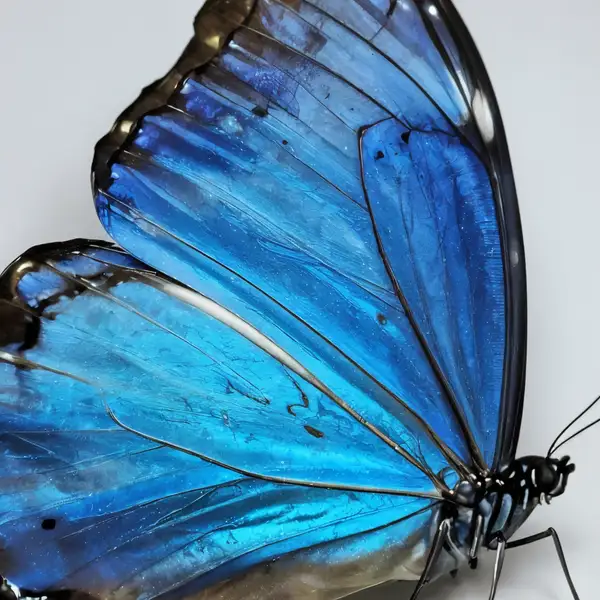
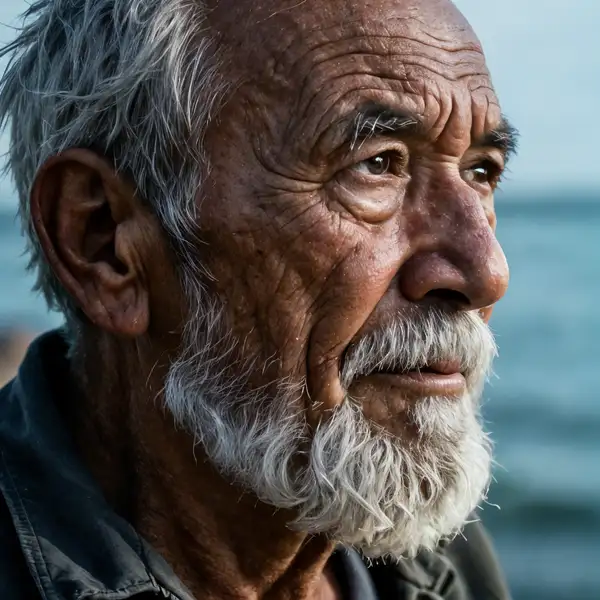
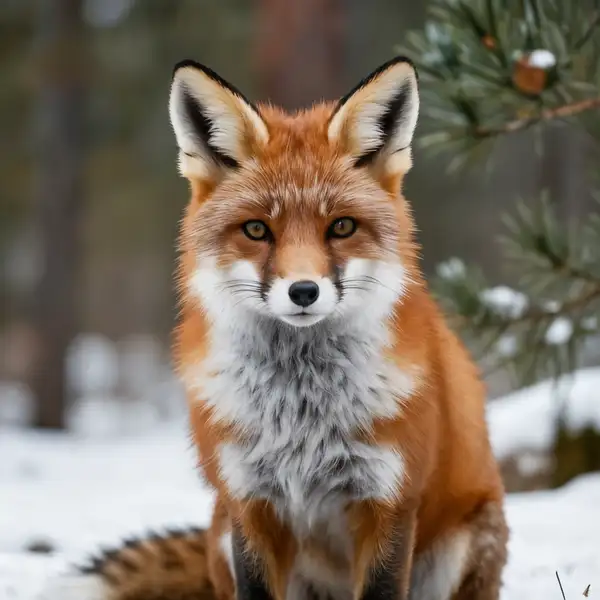
Example output 1Example output 2Example output 3

Clarity Upscaler API

Clarity Upscaler is a upscaler AI model by philz1337x. On ModelRunner it runs through a REST API or via MCP from any AI assistant, at $0.03 per megapixel.

POST https://queue.modelrunner.run/philz1337x/clarity-upscaler

cURL

# Submit a request to the queue. Input fields go at the top level of the
# body. The optional reserved "metadata" object holds your own flat string
# tags — stored on the request, never sent to the model; filter later with
# GET https://queue.modelrunner.run/requests?metadata=<url-encoded JSON>.
curl -X POST https://queue.modelrunner.run/philz1337x/clarity-upscaler \
  -H "Authorization: Key $MRUN_API_KEY" \
  -H "Content-Type: application/json" \
  -d '{
    "prompt": "vivid iridescent butterfly wing, intricate scales, masterpiece, best quality, highres",
    "image_url": "https://media.modelrunner.ai/Nk9FFI8lR17FfXqrIKloe.jpeg",
    "creativity": 0.35,
    "resemblance": 0.6,
    "guidance_scale": 4,
    "upscale_factor": 2,
    "negative_prompt": "(worst quality, low quality, normal quality:2)",
    "num_inference_steps": 18,
    "enable_safety_checker": true,
    "metadata": {
      "project": "my-project"
    }
  }'
# → { "request_id": "...", "status_url": "...", "response_url": "..." }

# Poll status_url until "COMPLETED", then fetch the result
curl "https://queue.modelrunner.run/philz1337x/clarity-upscaler/requests/$REQUEST_ID/status" \
  -H "Authorization: Key $MRUN_API_KEY"
curl "https://queue.modelrunner.run/philz1337x/clarity-upscaler/requests/$REQUEST_ID" \
  -H "Authorization: Key $MRUN_API_KEY"

JavaScript

import { modelrunner } from "@modelrunner/client";

const result = await modelrunner.subscribe("philz1337x/clarity-upscaler", {
  input: {
    "prompt": "vivid iridescent butterfly wing, intricate scales, masterpiece, best quality, highres",
    "image_url": "https://media.modelrunner.ai/Nk9FFI8lR17FfXqrIKloe.jpeg",
    "creativity": 0.35,
    "resemblance": 0.6,
    "guidance_scale": 4,
    "upscale_factor": 2,
    "negative_prompt": "(worst quality, low quality, normal quality:2)",
    "num_inference_steps": 18,
    "enable_safety_checker": true
  },
});
console.log(result);

Python

import os
import requests

headers = {"Authorization": f"Key {os.environ['MRUN_API_KEY']}"}

submitted = requests.post(
    "https://queue.modelrunner.run/philz1337x/clarity-upscaler",
    headers=headers,
    json={
      "prompt": "vivid iridescent butterfly wing, intricate scales, masterpiece, best quality, highres",
      "image_url": "https://media.modelrunner.ai/Nk9FFI8lR17FfXqrIKloe.jpeg",
      "creativity": 0.35,
      "resemblance": 0.6,
      "guidance_scale": 4,
      "upscale_factor": 2,
      "negative_prompt": "(worst quality, low quality, normal quality:2)",
      "num_inference_steps": 18,
      "enable_safety_checker": true
    },
).json()

# Poll submitted["status_url"] until "COMPLETED", then:
result = requests.get(submitted["response_url"], headers=headers).json()

Input parameters

Input parameters of Clarity Upscaler
NameTypeRequiredDescription
image_urlstring (uri)yesThe URL of the image to upscale.
promptstringnoOptional prompt that steers the kind of detail Clarity synthesizes while upscaling. Default: "masterpiece, best quality, highres".
upscale_factornumbernoHow much to enlarge the image, from 1x to 4x. Output area and cost scale with this factor squared. Default: 2.
creativitynumbernoDenoise strength of the sampling: higher values invent more new detail, lower values stay closer to the source. Default: 0.35.
resemblancenumbernoStrength of the ControlNet holding the result to the original structure: higher values stay more faithful to the input. Default: 0.6.
guidance_scalenumbernoClassifier-free guidance scale for the diffusion sampling. Default: 4.
num_inference_stepsintegernoNumber of diffusion steps. More steps can add detail at the cost of speed. Default: 18.
negative_promptstringnoText describing detail to avoid synthesizing. Default: "(worst quality, low quality, normal quality:2)".
seedintegernoRandom seed for reproducible generation.
enable_safety_checkerbooleannoWhether to run the safety checker on the output. Default: true.

Machine-readable: OpenAPI schema · llms.txt

Use Clarity Upscaler from Claude & Cursor (MCP)

Point Claude Code, Claude Desktop, Cursor, or any MCP client at the ModelRunner MCP server and Clarity Upscaler becomes a tool your assistant can call directly — it authorizes via OAuth (no API key in config) and runs this model with the run_model tool using the endpoint philz1337x/clarity-upscaler.

MCP client config (Claude Desktop, Cursor)

{
  "mcpServers": {
    "modelrunner": {
      "command": "npx",
      "args": ["-y", "mcp-remote", "https://mcp.modelrunner.run/mcp"]
    }
  }
}

Claude Code

claude mcp add --transport http modelrunner https://mcp.modelrunner.run/mcp

Then ask your assistant, for example: “Run philz1337x/clarity-upscaler on ModelRunner to generate upscaler”. MCP setup guide.

Model Detayları

Model Detayları

Clarity Upscaler yaratıcı bir süper çözünürlük modelidir: tek bir görsel verin, model çözünürlüğü artırırken yalnızca var olanı keskinleştirmekle kalmaz, akla yatkın ince detaylar da sentezler — cilt dokusu, saç, kumaş, bitki örtüsü, yüzey greni. İsteğe bağlı bir prompt, modelin üreteceği detayın türünü yönlendirir; iki ayar, `creativity` ve `resemblance`, ne kadar yeni detay uyduracağı ile özgün görsele ne kadar sadık kalacağı arasındaki dengeyi belirler. Çıktı boyutunu belirlemek için `upscale_factor` değerini 1 ile 4 arasında ayarlayın. Öne çıkan yanı detay üretimidir: sıradan bir restorasyon upscaler’ı görseli yumuşatıp gürültüsünü giderirken Clarity mikro detayları yeniden yorumlar; bu da onu fotoğrafları, illüstrasyonları ve yapay zekâ ile üretilmiş görselleri baskı ya da büyük ekranlar için büyütmeye çok uygun kılar.

## En uygun olduğu işler - Fotoğrafları ve çizimleri inandırıcı ince dokular ekleyerek 4x’e kadar büyütmek - Yalnızca gürültü gidermenin yetmediği, yeni detay üretilmesi gereken yumuşak ya da düşük çözünürlüklü görselleri keskinleştirmek - Yapay zekâ ile üretilmiş görselleri, yüzler, saçlar ve yüzeyler büyük boyutlarda da net görünecek şekilde büyütmek - Detay yoğunluğunun önemli olduğu baskı, poster ya da yüksek DPI’lı ekranlar için görsel hazırlamak - Bir prompt’la yönlendirilen stilize detay iyileştirme (ör. "masterpiece, best quality, highres")

## Şu durumlarda başka bir model seçin - İçeriği hiç değiştirmeyen, birebir ve artefaktsız bir büyütme gerekiyorsa — özgün görsele sadık bir restorasyon upscaler’ı kullanın; Clarity tasarımı gereği yeni detay üretir - Özne, gerçek kişiye benzeyecek şekilde yeniden kurulmasını istediğiniz bozulmuş bir yüzse — özel bir yüz restorasyonu modeli kullanın - Bir görseli metin prompt’uyla düzenlemek, yeniden tarzlamak ya da içeriğini değiştirmek istiyorsanız — bir görsel düzenleme ya da image-to-image üretim modeli kullanın - Video büyütmeniz gerekiyorsa — bir video upscaler’ı kullanın

## İpuçları - `creativity` (0–1, varsayılan 0.35) denoise gücüdür: daha fazla yeni detay ve daha stilize bir sonuç için yükseltin, kaynağa yakın kalmak için düşürün. - `resemblance` (0–1, varsayılan 0.6) sonucu özgün yapıya bağlı tutan ControlNet gücüdür: büyütülen görsel girdiden kayıyorsa yükseltin, yaratıcılığın öne çıkmasını istiyorsanız düşürün. - Sentezlenen detayın dokusunu ve stilini yönlendirmek için `prompt` kullanın; varsayılan `"masterpiece, best quality, highres"` genel amaçlı bir kalite ipucu olarak iş görür. - Çıktı çözünürlüğü, dolayısıyla maliyet, `upscale_factor` değerinin karesiyle artar — çözünürlük ihtiyacınızı karşılayan en küçük çarpanı kullanın.

## Sınırlamalar - Detay üretildiği için ince metinler, logolar ve birebir dokular aynen korunmak yerine değişebilir ya da uydurulabilir. - Gerçek fotoğraflarda yüksek `creativity` kimliği ve içeriği değiştirebilir; sadakat önemliyse düşük tutun.

ModelRunner JavaScript client ile çalıştırmak için: ```js import { modelrunner } from "@modelrunner/client";

const result = await modelrunner.subscribe("philz1337x/clarity-upscaler", { input: { image_url: "https://media.modelrunner.ai/x1EeTzzd4BjObqaa-h3ZTyV-t_3qwQd22KeC0F_ZbFB8fnL.jpg", upscale_factor: 2, creativity: 0.35, resemblance: 0.6, }, }); ```