

Ana içeriğe geç
google avatarı

Nano Banana 2 Lite Text to Image API

google/nano-banana-2-lite

Nano Banana ailesinin en düşük fiyatıyla metin prompt’undan 1K (kabaca 1 megapiksel) görseller üretin; kareden ultra geniş banner’a kadar 14 en-boy oranı.

0.034

Model girdisi

Input

The text prompt describing the image to generate. Describe subject, framing, lighting and style; quote any text you want rendered inside the image.

Shape of the generated image. Output is always 1K (roughly 1 megapixel, 1024x1024 for 1:1), so this changes the proportions only, never the resolution.

Additional Settings

Customize your input with more control.

Per-category content-blocking thresholds. Omit to use the service defaults. This setting can only be configured via the API.

You need to be logged in to run this model and view results.
Log in

Model çıktısı

Output

Generated image output
Generated in 3.49 seconds
Logs (1 lines)

Örnek istekler

Örnekler

Example output 1Example output 2

Nano Banana 2 Lite Text to Image API

Nano Banana 2 Lite Text to Image is a text-to-image AI model by google. On ModelRunner it runs through a REST API or via MCP from any AI assistant, at $0.034 per image.

POST https://queue.modelrunner.run/google/nano-banana-2-lite

cURL

# Submit a request to the queue. Input fields go at the top level of the
# body. The optional reserved "metadata" object holds your own flat string
# tags — stored on the request, never sent to the model; filter later with
# GET https://queue.modelrunner.run/requests?metadata=<url-encoded JSON>.
curl -X POST https://queue.modelrunner.run/google/nano-banana-2-lite \
  -H "Authorization: Key $MRUN_API_KEY" \
  -H "Content-Type: application/json" \
  -d '{
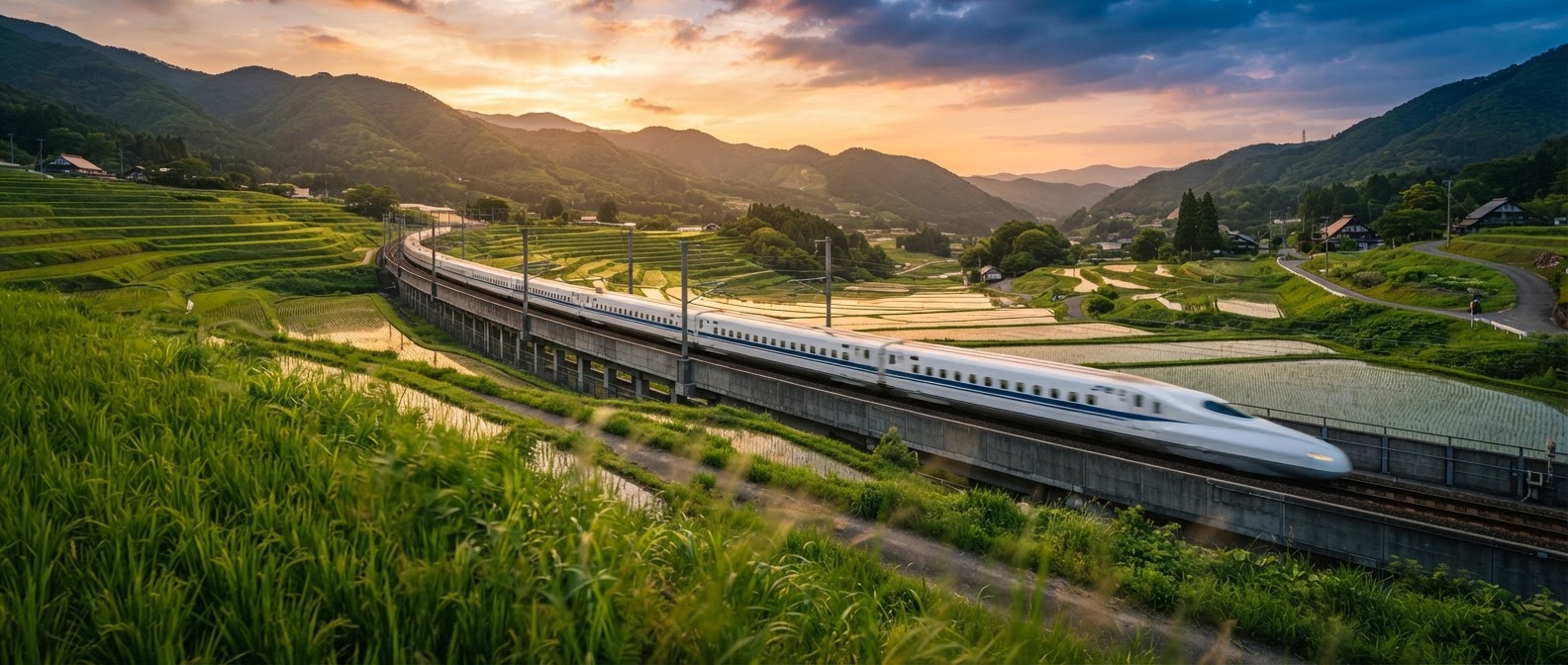
    "prompt": "An ultra-wide banner of a bullet train slicing through terraced rice paddies at golden hour, motion blur on the foreg…",
    "aspect_ratio": "21:9",
    "metadata": {
      "project": "my-project"
    }
  }'
# → { "request_id": "...", "status_url": "...", "response_url": "..." }

# Poll status_url until "COMPLETED", then fetch the result
curl "https://queue.modelrunner.run/google/nano-banana-2-lite/requests/$REQUEST_ID/status" \
  -H "Authorization: Key $MRUN_API_KEY"
curl "https://queue.modelrunner.run/google/nano-banana-2-lite/requests/$REQUEST_ID" \
  -H "Authorization: Key $MRUN_API_KEY"

JavaScript

import { modelrunner } from "@modelrunner/client";

const result = await modelrunner.subscribe("google/nano-banana-2-lite", {
  input: {
    "prompt": "An ultra-wide banner of a bullet train slicing through terraced rice paddies at golden hour, motion blur on the foreg…",
    "aspect_ratio": "21:9"
  },
});
console.log(result);

Python

import os
import requests

headers = {"Authorization": f"Key {os.environ['MRUN_API_KEY']}"}

submitted = requests.post(
    "https://queue.modelrunner.run/google/nano-banana-2-lite",
    headers=headers,
    json={
      "prompt": "An ultra-wide banner of a bullet train slicing through terraced rice paddies at golden hour, motion blur on the foreg…",
      "aspect_ratio": "21:9"
    },
).json()

# Poll submitted["status_url"] until "COMPLETED", then:
result = requests.get(submitted["response_url"], headers=headers).json()

Input parameters

Input parameters of Nano Banana 2 Lite Text to Image
NameTypeRequiredDescription
promptstringyesThe text prompt describing the image to generate. Describe subject, framing, lighting and style; quote any text you want rendered inside the image.
aspect_ratioenumnoShape of the generated image. Output is always 1K (roughly 1 megapixel, 1024x1024 for 1:1), so this changes the proportions only, never the resolution. One of: 1:1, 16:9, 9:16, 4:3, 3:4, 3:2, 2:3, 4:5, 5:4, 21:9, 1:4, 4:1, 1:8, 8:1. Default: "1:1".
safety_settingsarraynoPer-category content-blocking thresholds. Omit to use the service defaults. This setting can only be configured via the API.

Machine-readable: OpenAPI schema · llms.txt

Use Nano Banana 2 Lite Text to Image from Claude & Cursor (MCP)

Point Claude Code, Claude Desktop, Cursor, or any MCP client at the ModelRunner MCP server and Nano Banana 2 Lite Text to Image becomes a tool your assistant can call directly — it authorizes via OAuth (no API key in config) and runs this model with the run_model tool using the endpoint google/nano-banana-2-lite.

MCP client config (Claude Desktop, Cursor)

{
  "mcpServers": {
    "modelrunner": {
      "command": "npx",
      "args": ["-y", "mcp-remote", "https://mcp.modelrunner.run/mcp"]
    }
  }
}

Claude Code

claude mcp add --transport http modelrunner https://mcp.modelrunner.run/mcp

Then ask your assistant, for example: “Run google/nano-banana-2-lite on ModelRunner to generate image”. MCP setup guide.

Model Detayları

Model Detayları

Nano Banana 2 Lite, Nano Banana 2 ailesinin giriş kademesidir: bir metin prompt’unu tek bir 1K görsele (kabaca 1 megapiksel, kare için 1024x1024) dönüştürür ve bu aileyi çalıştırmanın en ucuz yoludur. Çözünürlük sabit olduğundan biçimi yalnızca `aspect_ratio` ile belirlersiniz — seçenekler de alışılmadık derecede geniştir: `1:1` ve `16:9` ile başlayıp `21:9` ve `4:1`, `8:1`, `1:4`, `1:8` gibi gerçek banner biçimlerine uzanan 14 oranı kapsar. Ailenin prompt uyumunu ve görsel içine metin basma becerisini yüksek hacimde istediğinizde tercih edin: taslak denemeler, thumbnail’ler, sosyal medya formatlarına kırpılmış görseller ve placeholder görseller.

## En uygun olduğu işler - 1K render’ın yettiği yüksek hacimli text-to-image üretimi - Daha yüksek çözünürlüklü bir render’a geçmeden önce prompt üzerinde ucuza yineleme yapmak - Ultra geniş banner’lar ve uzun, dikey skyscraper grafikler (`4:1`, `8:1`, `1:4`, `1:8`) - Sosyal medya formatları — `9:16` story’ler, `4:5` feed gönderileri, `16:9` kapak görselleri - Blog, uygulama ve sunumlar için anında üretilen placeholder görseller

## Şu durumlarda başka bir model seçin - 2K ya da 4K render gerekiyorsa — bu model yalnızca 1K üretir; daha yüksek çözünürlüklü bir text-to-image modeli kullanın - Yeni bir görsel oluşturmak yerine mevcut bir görseli değiştirmek istiyorsanız — referans görsel kabul eden bir görsel düzenleme modeli kullanın - Görselinizin web’deki güncel bilgiyi yansıtması gerekiyorsa — bu model üretim sırasında web’de arama yapamaz - Tek çağrıda birkaç varyasyon gerekiyorsa — her çalıştırma tam olarak bir görsel döndürür, bu yüzden birden fazla çalıştırma yapın

## İpuçları - Özneyi, kadrajı ve ışığı ayrı ifadelerle tarif edin; düzgün kurulmuş cümleler anahtar kelime listelerinden daha iyi sonuç verir - Önce en-boy oranını seçin: `8:1` ya da `1:8` oranında kadrajı gerçekten boydan boya kaplayan bir sahne tarif edin, yoksa kompozisyon kırpılmış gibi görünür - Görselde okunaklı metin için tam ifadeyi tırnak içine alın ve kısa tutun

## Sınırlamalar - Çıktı 1K’da sabittir; bu yüzden yoğun infografiklerde ve büyük boy baskılarda ince ayrıntılar kaybolur - Basılan metin uzadıkça metnin doğruluğu düşer - Uç oranlar arka plan öğelerini uzatabilir ya da tekrarlayabilir

## Güvenlik ve İçerik Denetimi `safety_settings` yalnızca API üzerinden ayarlanır ve her zarar kategorisi için bir engelleme eşiği belirler. Her öğe `{ category, threshold }` biçimindedir: `category` değeri `HARM_CATEGORY_HARASSMENT`, `HARM_CATEGORY_HATE_SPEECH`, `HARM_CATEGORY_SEXUALLY_EXPLICIT` ya da `HARM_CATEGORY_DANGEROUS_CONTENT`; `threshold` değeri ise `OFF`, `BLOCK_NONE`, `BLOCK_ONLY_HIGH`, `BLOCK_MEDIUM_AND_ABOVE` ya da `BLOCK_LOW_AND_ABOVE` olabilir. Alanı göndermezseniz servisin varsayılan ayarları kullanılır. Engellenen bir üretim görsel yerine hata döndürür.

ModelRunner JavaScript client ile çalıştırmak için: ```js import { modelrunner } from "@modelrunner/client";

const result = await modelrunner.subscribe("google/nano-banana-2-lite", { input: { prompt: "A minimalist banner of mountains at sunset, soft gradient sky, flat vector illustration", aspect_ratio: "4:1", }, }); ```