

google avatar

Nano Banana 2 Lite Text to Image API

google/nano-banana-2-lite

Generate 1K (roughly 1 megapixel) images from a text prompt at the lowest price in the Nano Banana family, with 14 aspect ratios from square to ultra-wide banner.

0.034

Model Input

Input

The text prompt describing the image to generate. Describe subject, framing, lighting and style; quote any text you want rendered inside the image.

Shape of the generated image. Output is always 1K (roughly 1 megapixel, 1024x1024 for 1:1), so this changes the proportions only, never the resolution.

Additional Settings

Customize your input with more control.

Per-category content-blocking thresholds. Omit to use the service defaults. This setting can only be configured via the API.

You need to be logged in to run this model and view results.
Log in

Model Output

Output

Generated image output
Generated in 3.49 seconds
Logs (1 lines)

Model Example Requests

Examples

Example output 1Example output 2

Nano Banana 2 Lite Text to Image API

Nano Banana 2 Lite Text to Image is a text-to-image AI model by google. On ModelRunner it runs through a REST API or via MCP from any AI assistant, at $0.034 per image.

POST https://queue.modelrunner.run/google/nano-banana-2-lite

cURL

# Submit a request to the queue. Input fields go at the top level of the
# body. The optional reserved "metadata" object holds your own flat string
# tags — stored on the request, never sent to the model; filter later with
# GET https://queue.modelrunner.run/requests?metadata=<url-encoded JSON>.
curl -X POST https://queue.modelrunner.run/google/nano-banana-2-lite \
  -H "Authorization: Key $MRUN_API_KEY" \
  -H "Content-Type: application/json" \
  -d '{
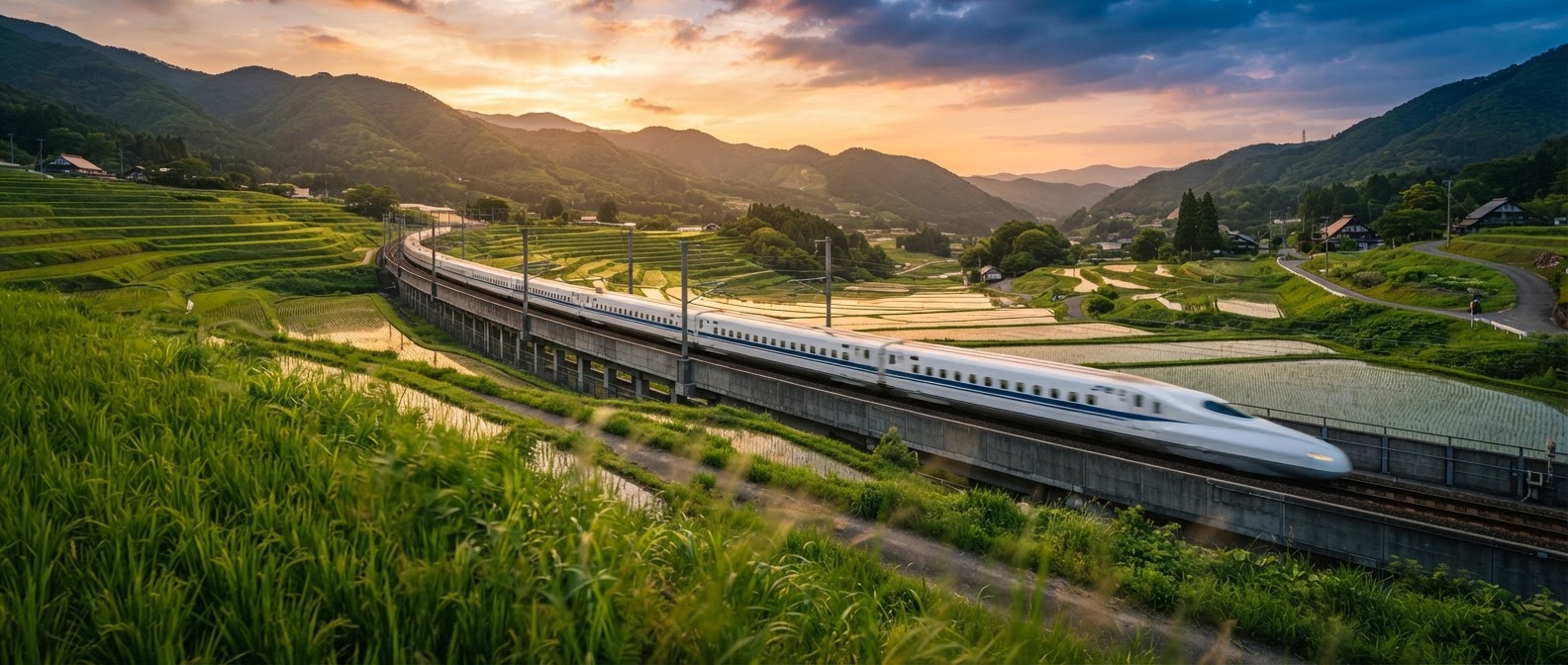
    "prompt": "An ultra-wide banner of a bullet train slicing through terraced rice paddies at golden hour, motion blur on the foreg…",
    "aspect_ratio": "21:9",
    "metadata": {
      "project": "my-project"
    }
  }'
# → { "request_id": "...", "status_url": "...", "response_url": "..." }

# Poll status_url until "COMPLETED", then fetch the result
curl "https://queue.modelrunner.run/google/nano-banana-2-lite/requests/$REQUEST_ID/status" \
  -H "Authorization: Key $MRUN_API_KEY"
curl "https://queue.modelrunner.run/google/nano-banana-2-lite/requests/$REQUEST_ID" \
  -H "Authorization: Key $MRUN_API_KEY"

JavaScript

import { modelrunner } from "@modelrunner/client";

const result = await modelrunner.subscribe("google/nano-banana-2-lite", {
  input: {
    "prompt": "An ultra-wide banner of a bullet train slicing through terraced rice paddies at golden hour, motion blur on the foreg…",
    "aspect_ratio": "21:9"
  },
});
console.log(result);

Python

import os
import requests

headers = {"Authorization": f"Key {os.environ['MRUN_API_KEY']}"}

submitted = requests.post(
    "https://queue.modelrunner.run/google/nano-banana-2-lite",
    headers=headers,
    json={
      "prompt": "An ultra-wide banner of a bullet train slicing through terraced rice paddies at golden hour, motion blur on the foreg…",
      "aspect_ratio": "21:9"
    },
).json()

# Poll submitted["status_url"] until "COMPLETED", then:
result = requests.get(submitted["response_url"], headers=headers).json()

Input parameters

NameTypeRequiredDescription
promptstringyesThe text prompt describing the image to generate. Describe subject, framing, lighting and style; quote any text you want rendered inside the image.
aspect_ratioenumnoShape of the generated image. Output is always 1K (roughly 1 megapixel, 1024x1024 for 1:1), so this changes the proportions only, never the resolution. Default: "1:1".
safety_settingsarraynoPer-category content-blocking thresholds. Omit to use the service defaults. This setting can only be configured via the API.

Machine-readable: OpenAPI schema · llms.txt

Use Nano Banana 2 Lite Text to Image from Claude & Cursor (MCP)

Point Claude Code, Claude Desktop, Cursor, or any MCP client at the ModelRunner MCP server and Nano Banana 2 Lite Text to Image becomes a tool your assistant can call directly — it authorizes via OAuth (no API key in config) and runs this model with the run_model tool using the endpoint google/nano-banana-2-lite.

MCP client config (Claude Desktop, Cursor)

{
  "mcpServers": {
    "modelrunner": {
      "command": "npx",
      "args": ["-y", "mcp-remote", "https://mcp.modelrunner.run/mcp"]
    }
  }
}

Claude Code

claude mcp add --transport http modelrunner https://mcp.modelrunner.run/mcp

Then ask your assistant, for example: “Run google/nano-banana-2-lite on ModelRunner to generate image”. MCP setup guide.

Model Details

Model Details

Nano Banana 2 Lite is the entry tier of the Nano Banana 2 family: it turns a text prompt into a single 1K image (roughly 1 megapixel, 1024x1024 for a square) and is the cheapest way to run this family. Resolution is fixed, so the only shape control is `aspect_ratio` — and it is unusually broad, covering 14 ratios from `1:1` and `16:9` through `21:9` and true banner shapes like `4:1`, `8:1`, `1:4` and `1:8`. Reach for it when you want the family's prompt following and in-image text at high volume: draft passes, thumbnails, social crops and placeholder art.

## Best for - High-volume text-to-image generation where a 1K render is enough - Iterating on a prompt cheaply before committing to a higher-resolution render - Ultra-wide banners and tall skyscraper graphics (`4:1`, `8:1`, `1:4`, `1:8`) - Social formats — `9:16` stories, `4:5` feed posts, `16:9` covers - Blog, app and slide placeholder imagery generated on demand

## Choose another model when - You need a 2K or 4K render — this model only produces 1K; use a higher-resolution text-to-image model - You want to change an existing picture rather than create one — use an image-editing model that accepts a reference image - Your image has to reflect live web information — this model cannot search the web while generating - You need several variations in one call — each run returns exactly one image, so issue multiple runs

## Tips - Give subject, framing and lighting each their own clause; structured sentences beat keyword lists - Choose the aspect ratio first: at `8:1` or `1:8` describe a scene that genuinely spans the frame, or the composition reads as a crop - For legible text inside the image, quote the exact string and keep it short

## Limitations - Fixed 1K output, so dense infographics and large-format prints lose fine detail - Text fidelity drops as the rendered string gets longer - Extreme ratios can stretch or repeat background elements

## Safety & Content Moderation `safety_settings` is API-only and sets a blocking threshold per harm category. Each entry is `{ category, threshold }` where `category` is one of `HARM_CATEGORY_HARASSMENT`, `HARM_CATEGORY_HATE_SPEECH`, `HARM_CATEGORY_SEXUALLY_EXPLICIT` or `HARM_CATEGORY_DANGEROUS_CONTENT`, and `threshold` is one of `OFF`, `BLOCK_NONE`, `BLOCK_ONLY_HIGH`, `BLOCK_MEDIUM_AND_ABOVE` or `BLOCK_LOW_AND_ABOVE`. Omit the field to use the service defaults. A blocked generation returns an error rather than an image.

To run via the ModelRunner JavaScript client: ```js import { modelrunner } from "@modelrunner/client";

const result = await modelrunner.subscribe("google/nano-banana-2-lite", { input: { prompt: "A minimalist banner of mountains at sunset, soft gradient sky, flat vector illustration", aspect_ratio: "4:1", }, }); ```