

Ana içeriğe geç
bytedance avatarı

Seedance 2.0 Fast Image to Video API

bytedance/seedance-v2-fast/image-to-video

Durağan bir görseli senkronize sesli kısa bir videoya dönüştürün — Seedance 2.0’ın daha hızlı ve daha düşük maliyetli kademesi, 720p’ye kadar.

Çözünürlüğe göre fiyatlandırılır

Model girdisi

Input

Describe what should happen from the first frame onwards: the action, the camera move, and the sound you want. English, Chinese, Japanese, Indonesian, Spanish and Portuguese prompts are all understood.

Still image used as the first frame of the clip. 300-6000 px on a side, under 30 MB, aspect ratio between 1:2.5 and 2.5:1.

Output resolution of the clip. This tier tops out at 720p; the higher resolution costs more per second of video.

Frame shape of the clip. adaptive keeps the shape of the supplied image; any other value re-frames it.

Min: 4 - Max: 15

Clip length in seconds.

Additional Settings

Customize your input with more control.

Generate a synchronized soundtrack (dialogue, ambience and sound effects) together with the picture. Set false for a silent clip; the price is the same either way.

You need to be logged in to run this model and view results.
Log in

Model çıktısı

Output

Loading
Generated in 87 seconds
Logs (1 lines)

Örnek istekler

Örnekler

Example output 1Example output 2

Model fiyatlandırması

Fiyatlandırma

Fiyat, çıktı videonuzun hedef çözünürlüğüne göre değişir.

480p
$0.084
çıktı videosunun saniyesi başına
yani yaklaşık $1 ile 12 saniye
720p
$0.181
çıktı videosunun saniyesi başına
yani yaklaşık $1 ile 6 saniye

Seedance 2.0 Fast Image to Video API

Seedance 2.0 Fast Image to Video is a image-to-video AI model by bytedance. On ModelRunner it runs through a REST API or via MCP from any AI assistant, at $0.181 per second of video.

POST https://queue.modelrunner.run/bytedance/seedance-v2-fast/image-to-video

cURL

# Submit a request to the queue. Input fields go at the top level of the
# body. The optional reserved "metadata" object holds your own flat string
# tags — stored on the request, never sent to the model; filter later with
# GET https://queue.modelrunner.run/requests?metadata=<url-encoded JSON>.
curl -X POST https://queue.modelrunner.run/bytedance/seedance-v2-fast/image-to-video \
  -H "Authorization: Key $MRUN_API_KEY" \
  -H "Content-Type: application/json" \
  -d '{
    "image": "https://media.modelrunner.ai/FwW2X1GWkn1va4rfgncnv.jpeg",
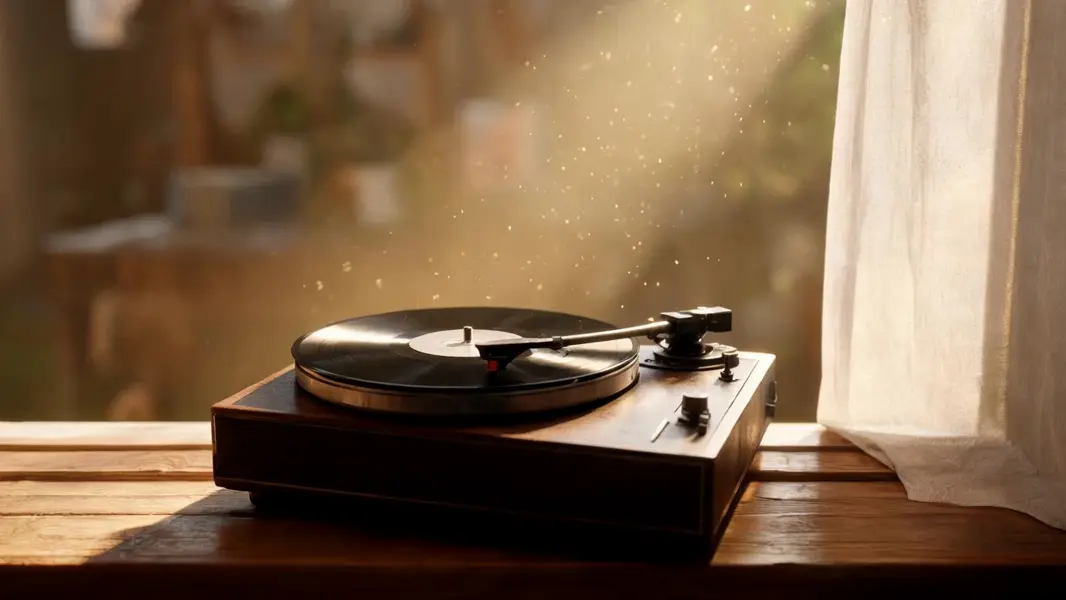
    "prompt": "The platter begins to turn and the record spins beneath the resting tonearm, dust drifting slowly through the shaft o…",
    "duration": 5,
    "resolution": "720p",
    "aspect_ratio": "adaptive",
    "generate_audio": true,
    "metadata": {
      "project": "my-project"
    }
  }'
# → { "request_id": "...", "status_url": "...", "response_url": "..." }

# Poll status_url until "COMPLETED", then fetch the result
curl "https://queue.modelrunner.run/bytedance/seedance-v2-fast/image-to-video/requests/$REQUEST_ID/status" \
  -H "Authorization: Key $MRUN_API_KEY"
curl "https://queue.modelrunner.run/bytedance/seedance-v2-fast/image-to-video/requests/$REQUEST_ID" \
  -H "Authorization: Key $MRUN_API_KEY"

JavaScript

import { modelrunner } from "@modelrunner/client";

const result = await modelrunner.subscribe("bytedance/seedance-v2-fast/image-to-video", {
  input: {
    "image": "https://media.modelrunner.ai/FwW2X1GWkn1va4rfgncnv.jpeg",
    "prompt": "The platter begins to turn and the record spins beneath the resting tonearm, dust drifting slowly through the shaft o…",
    "duration": 5,
    "resolution": "720p",
    "aspect_ratio": "adaptive",
    "generate_audio": true
  },
});
console.log(result);

Python

import os
import requests

headers = {"Authorization": f"Key {os.environ['MRUN_API_KEY']}"}

submitted = requests.post(
    "https://queue.modelrunner.run/bytedance/seedance-v2-fast/image-to-video",
    headers=headers,
    json={
      "image": "https://media.modelrunner.ai/FwW2X1GWkn1va4rfgncnv.jpeg",
      "prompt": "The platter begins to turn and the record spins beneath the resting tonearm, dust drifting slowly through the shaft o…",
      "duration": 5,
      "resolution": "720p",
      "aspect_ratio": "adaptive",
      "generate_audio": true
    },
).json()

# Poll submitted["status_url"] until "COMPLETED", then:
result = requests.get(submitted["response_url"], headers=headers).json()

Input parameters

Input parameters of Seedance 2.0 Fast Image to Video
NameTypeRequiredDescription
promptstringyesDescribe what should happen from the first frame onwards: the action, the camera move, and the sound you want. English, Chinese, Japanese, Indonesian, Spanish and Portuguese prompts are all understood.
imagestring (uri)yesStill image used as the first frame of the clip. 300-6000 px on a side, under 30 MB, aspect ratio between 1:2.5 and 2.5:1.
resolutionenumnoOutput resolution of the clip. This tier tops out at 720p; the higher resolution costs more per second of video. One of: 480p, 720p. Default: "720p".
aspect_ratioenumnoFrame shape of the clip. adaptive keeps the shape of the supplied image; any other value re-frames it. One of: 16:9, 4:3, 1:1, 3:4, 9:16, 21:9, adaptive. Default: "adaptive".
durationintegernoClip length in seconds. Default: 5.
generate_audiobooleannoGenerate a synchronized soundtrack (dialogue, ambience and sound effects) together with the picture. Set false for a silent clip; the price is the same either way. Default: true.

Machine-readable: OpenAPI schema · llms.txt

Use Seedance 2.0 Fast Image to Video from Claude & Cursor (MCP)

Point Claude Code, Claude Desktop, Cursor, or any MCP client at the ModelRunner MCP server and Seedance 2.0 Fast Image to Video becomes a tool your assistant can call directly — it authorizes via OAuth (no API key in config) and runs this model with the run_model tool using the endpoint bytedance/seedance-v2-fast/image-to-video.

MCP client config (Claude Desktop, Cursor)

{
  "mcpServers": {
    "modelrunner": {
      "command": "npx",
      "args": ["-y", "mcp-remote", "https://mcp.modelrunner.run/mcp"]
    }
  }
}

Claude Code

claude mcp add --transport http modelrunner https://mcp.modelrunner.run/mcp

Then ask your assistant, for example: “Run bytedance/seedance-v2-fast/image-to-video on ModelRunner to generate video”. MCP setup guide.

Model Detayları

Model Detayları

Seedance 2.0 Fast Image to Video, verdiğiniz bir durağan görseli canlandırır: görsel ilk kare olur, prompt sonrasında ne olacağını anlatır ve klip, ona uyan bir ses bandıyla döner — diyalog, ortam sesi ve ses efektleri sonradan dublajlanmak yerine görüntüyle birlikte üretilir. Seedance 2.0’ın hızlı ve daha düşük maliyetli kademesidir: aynı senkronize ses, 24 fps’de aynı 4 ile 15 saniye; ancak 720p ile sınırlıdır, saniye başına yaklaşık beşte bir daha ucuzdur ve sonucu belirgin biçimde daha hızlı döndürür. Prompt’lar İngilizce, Çince, Japonca, Endonezce, İspanyolca ve Portekizce anlaşılır.

## En uygun olduğu işler - Bir reklam ya da sosyal medya gönderisi için ürün fotoğrafını, posteri ya da packshot’ı canlandırmak - İllüstrasyonları, konsept çizimleri ve karakter görsellerini hareketli çekimlere dönüştürmek - Sabit bir kareye kamera hareketi eklemek — yavaş bir yaklaşma, öznenin etrafında dönüş, elde kamera salınımı - Son render’dan önce aynı durağan görsel üzerinde birkaç hareket prompt’unu ucuza denemek

## Şu durumlarda başka bir model seçin - 1080p ya da ailenin en iyi görüntü kalitesi gerekiyorsa — `bytedance/seedance-v2/image-to-video` kullanın - En ucuz klibi istiyorsanız ve 720p yeterliyse — en düşük maliyetli kademe `bytedance/seedance-v2-mini/image-to-video` - Kaynak görseliniz yoksa ve çekimin yalnızca prompt’tan kurulmasını istiyorsanız — `bytedance/seedance-v2-fast/text-to-video` kullanın - İlk karenin yanında son kareyi de sabitlemeniz, dokuz adede kadar referans görsel kullanmanız ya da mevcut bir görüntüyü yeniden tarzlamanız gerekiyorsa — yalnızca en üst kademede: `bytedance/seedance-v2/first-last-frame`, `bytedance/seedance-v2/reference-to-video`, `bytedance/seedance-v2/video-to-video` - Çalıştırmaların sabit bir seed ile tekrarlanabilir olması gerekiyorsa — seed girdisi yok, bu yüzden tekrar çalıştırmalar farklı sonuç verir

## İpuçları - Görüntüyü değil, hareketi tarif edin — durağan görsel özneyi zaten sabitler, bu yüzden prompt’u neyin hareket ettiğine ve neyin duyulduğuna ayırın - Kırpma istemiyorsanız `aspect_ratio` alanını `adaptive` bırakın; kaynak görselle çelişen açık bir oran, yeniden çerçevelemeyi zorunlu kılar - Kaynak görseller kenar başına 300–6000 px, 30 MB altı ve yaklaşık 2.5:1’den daha uçuk olmamalı - Sessiz bir klip için `generate_audio` alanını false yapın; fiyat her iki durumda da aynıdır - Kamera dilini prompt’a yazın — ayrı bir kamera kilidi kontrolü yok

## Sınırlamalar - İlk kareden uzaklaşan büyük hareketler, kaynak öznenin kimliğinden sapabilir - Kaynaktaki ince doku ve küçük metin, çekim hareket etmeye başlayınca yumuşar - Hızlı hareket ve kalabalıklar 480p’de bulanıklaşır; çok çekimli prompt’larda kıyafet ve ışık çekimden çekime kayar

ModelRunner JavaScript client ile çalıştırmak için: ```js import { modelrunner } from "@modelrunner/client";

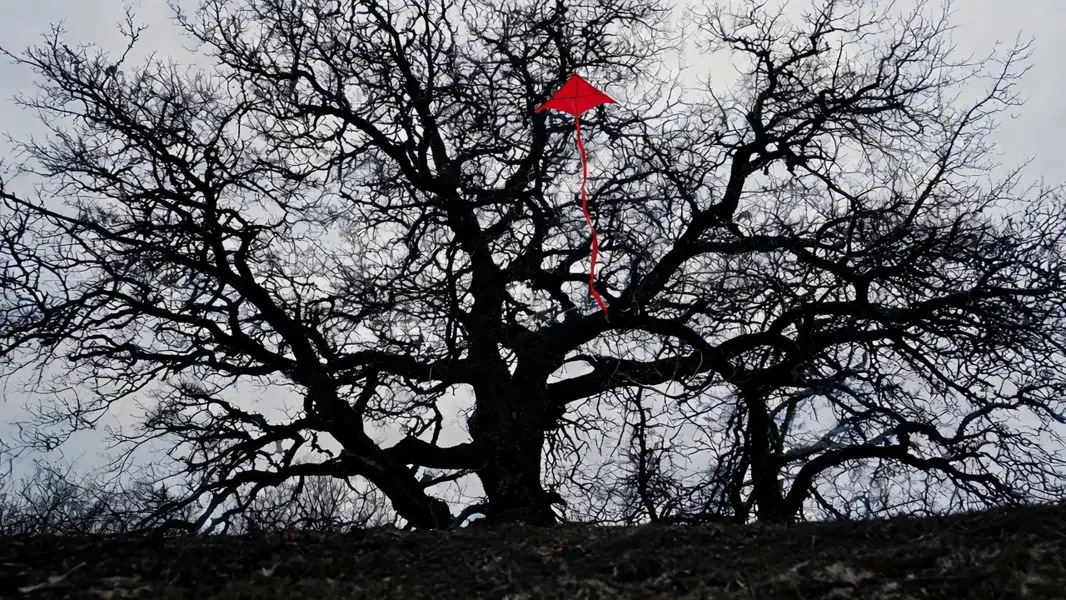
const result = await modelrunner.subscribe("bytedance/seedance-v2-fast/image-to-video", { input: { image: "https://media.modelrunner.ai/tjBYyLLFLpO4kt6L0HQTV.jpeg", prompt: "The wind rises and tugs at the trapped kite, its tail ribbon snapping loose and whipping sideways while the bare branches sway against the flat grey sky", resolution: "720p", aspect_ratio: "adaptive", duration: 6, generate_audio: true, }, }); ```