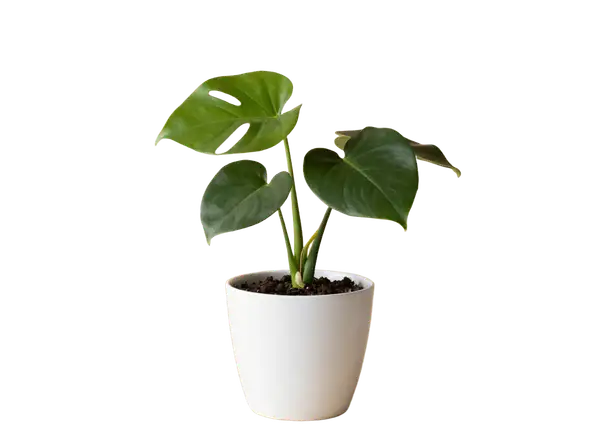
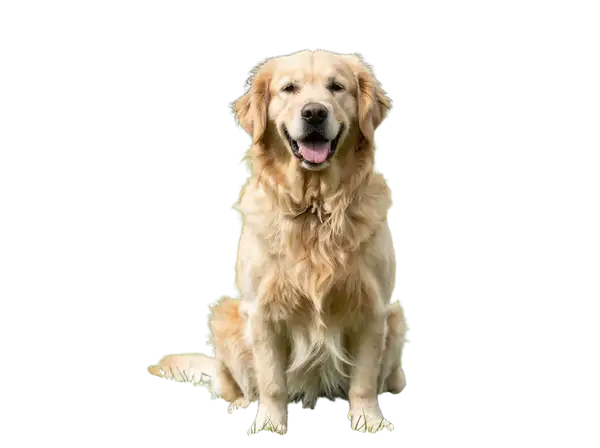
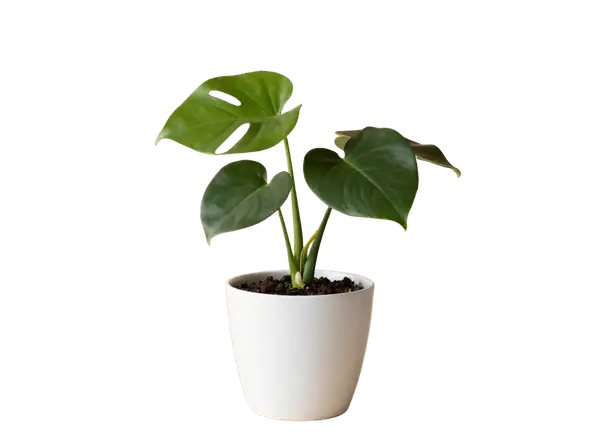
Bria Background Remove is a image-to-image AI model by bria. On ModelRunner it runs through a REST API or via MCP from any AI assistant, at $0.018 per image.
POST https://queue.modelrunner.run/bria/background/remove
cURL
# Submit a request to the queue. Input fields go at the top level of the
# body. The optional reserved "metadata" object holds your own flat string
# tags — stored on the request, never sent to the model; filter later with
# GET https://queue.modelrunner.run/requests?metadata=<url-encoded JSON>.
curl -X POST https://queue.modelrunner.run/bria/background/remove \
  -H "Authorization: Key $MRUN_API_KEY" \
  -H "Content-Type: application/json" \
  -d '{
    "image_url": "https://media.modelrunner.ai/dee9DF7XJw1eGo4y-monstera-plant-beige.png",
    "metadata": {
      "project": "my-project"
    }
  }'
# → { "request_id": "...", "status_url": "...", "response_url": "..." }

# Poll status_url until "COMPLETED", then fetch the result
curl "https://queue.modelrunner.run/bria/background/remove/requests/$REQUEST_ID/status" \
  -H "Authorization: Key $MRUN_API_KEY"
curl "https://queue.modelrunner.run/bria/background/remove/requests/$REQUEST_ID" \
  -H "Authorization: Key $MRUN_API_KEY"
JavaScript
import { modelrunner } from "@modelrunner/client";

const result = await modelrunner.subscribe("bria/background/remove", {
  input: {
    "image_url": "https://media.modelrunner.ai/dee9DF7XJw1eGo4y-monstera-plant-beige.png"
  },
});
console.log(result);
Python
import os
import requests

headers = {"Authorization": f"Key {os.environ['MRUN_API_KEY']}"}

submitted = requests.post(
    "https://queue.modelrunner.run/bria/background/remove",
    headers=headers,
    json={
      "image_url": "https://media.modelrunner.ai/dee9DF7XJw1eGo4y-monstera-plant-beige.png"
    },
).json()

# Poll submitted["status_url"] until "COMPLETED", then:
result = requests.get(submitted["response_url"], headers=headers).json()
Input parameters
Input parameters of Bria Background Remove
Name
Type
Required
Description
image_url
string (uri)
yes
The source image to remove the background from. The subject is preserved and the background is replaced with transparency; the output keeps the input's dimensions.
Use Bria Background Remove from Claude & Cursor (MCP)
Point Claude Code, Claude Desktop, Cursor, or any MCP client at the ModelRunner MCP server and Bria Background Remove becomes a tool your assistant can call directly — it authorizes via OAuth (no API key in config) and runs this model with the run_model tool using the endpoint bria/background/remove.
claude mcp add --transport http modelrunner https://mcp.modelrunner.run/mcp
Then ask your assistant, for example: “Run bria/background/remove on ModelRunner to generate image”. MCP setup guide.
Model Detayları
Model Detayları
Bria Background Remove (RMBG 2.0), bir fotoğrafın ana öznesini ayırır ve arkasındaki her şeyi siler; özgün arka planın yerini bir alpha kanalının aldığı saydam bir PNG döndürür. Tek bir `image_url` verirsiniz ve girdiyle aynı boyutlarda temiz bir kesit alırsınız — prompt, maske ya da ince ayar gerekmez. Güçlü yanı saçta, kürkte ve ince detaylarda hassas kenar işlemesidir; Bria modelleri yalnızca tamamen lisanslı ticari verilerle eğitildiği için çıktılar ticari kullanımda güvenli ve risksizdir.\n\nTek girdi `image_url` alanıdır (JPEG, PNG, WebP, GIF ya da AVIF). Çıktı, öznenin korunduğu ve arka planın saydamlaştırıldığı bir PNG’dir; yeni bir arka plana kompozit etmeye, bir tasarıma eklemeye ya da düz bir rengin üzerine koymaya hazırdır.\n\n## En uygun olduğu işler\n- E-ticaret ya da katalog görselleri için bir ürünü, kişiyi ya da nesneyi arka planından ayırmak\n- Tasarım, sayfa düzeni ve kompozit işleri için saydam PNG görseller üretmek\n- Özneleri yeni bir arka plana ya da düz bir rengin üzerine yerleştirilmeye hazırlamak\n- Tutarlı ve ticari kullanıma onaylı kesitler gereken fotoğrafları toplu temizlemek\n\n## Şu durumlarda başka bir model seçin\n- Arka planı kaldırmak yerine değiştirmek ya da yeni bir arka plan üretmek istiyorsanız — bir generative fill ya da arka plan değiştirme modeli kullanın\n- Görseli daha büyük bir tuvale genişletmeniz ya da outpaint etmeniz gerekiyorsa — bir görsel genişletme modeli kullanın\n- Arka planı maskeleyip çıkarmak yerine öznenin piksellerini yeniden renklendirmek, yeniden tarzlamak ya da düzenlemek istiyorsanız — bir görsel düzenleme modeli kullanın\n- Kaynak fotoğraf olmadan, bir metin prompt’undan yepyeni bir görsel gerekiyorsa — bir text-to-image modeli kullanın\n\n## İpuçları\n- En temiz kenarlar için öznesi belirgin ve özne/arka plan kontrastı makul, net bir fotoğraf verin\n- Çıktı girdinin boyutlarını korur; belirli bir çözünürlük gerekiyorsa kaynak görseli göndermeden önce boyutlandırıp kırpın\n- Sonucu PNG (ya da alpha destekleyen başka bir format) olarak kaydedin veya kompozit edin — JPEG olarak düzleştirip kaydetmek saydamlığı siler\n\nModelRunner JavaScript client ile çalıştırmak için:\n```js\nimport { modelrunner } from \"@modelrunner/client\";\n\nconst result = await modelrunner.subscribe(\"bria/background/remove\", {\n input: {\n image_url: \"https://media.modelrunner.ai/example-subject.png\",\n },\n});\n```