
Ana içeriğe geç
black-forest-labs avatarı

FLUX.2 [pro] API

Metin prompt’undan en yüksek sadakat ve en üst düzey prompt uyumuyla production kalitesinde görseller üretin; ince ayar gerekmez.

Megapiksele göre fiyatlandırılır

Model girdisi

Input

The text prompt describing the image to generate.

The size of the generated image. Use a preset string (e.g. 'landscape_16_9') or a custom {width, height} object.

Additional Settings

Customize your input with more control.

The same seed and the same prompt given to the same version of the model will output the same image every time.

The safety tolerance level for the generated image. 1 being the most strict and 5 being the most permissive.

Safety checker can only be disabled on API call

The format of the generated image.

You need to be logged in to run this model and view results.
Log in

Model çıktısı

Output

Generated image output
Generated in 7.352 seconds
Logs (1 lines)

Örnek istekler

Örnekler

Example output 1Example output 2Example output 3Example output 4Example output 5

Model fiyatlandırması

Fiyatlandırma

Fiyat, çıktı görselinizin megapiksel sayısına göre değişir.

1 MP’ye kadar
$0.0300
görsel megapikseli başına
yani yaklaşık $1 ile 33 megapiksel
2 MP’ye kadar
$0.0450
görsel megapikseli başına
yani yaklaşık $1 ile 22 megapiksel
3 MP’ye kadar
$0.0600
görsel megapikseli başına
yani yaklaşık $1 ile 17 megapiksel
4 MP’ye kadar
$0.0750
görsel megapikseli başına
yani yaklaşık $1 ile 13 megapiksel
5 MP’ye kadar
$0.0900
görsel megapikseli başına
yani yaklaşık $1 ile 11 megapiksel

FLUX.2 [pro] API

FLUX.2 [pro] is a text-to-image AI model by black-forest-labs. On ModelRunner it runs through a REST API or via MCP from any AI assistant with pay-per-use pricing.

POST https://queue.modelrunner.run/black-forest-labs/flux-2/pro

cURL

# Submit a request to the queue. Input fields go at the top level of the
# body. The optional reserved "metadata" object holds your own flat string
# tags — stored on the request, never sent to the model; filter later with
# GET https://queue.modelrunner.run/requests?metadata=<url-encoded JSON>.
curl -X POST https://queue.modelrunner.run/black-forest-labs/flux-2/pro \
  -H "Authorization: Key $MRUN_API_KEY" \
  -H "Content-Type: application/json" \
  -d '{
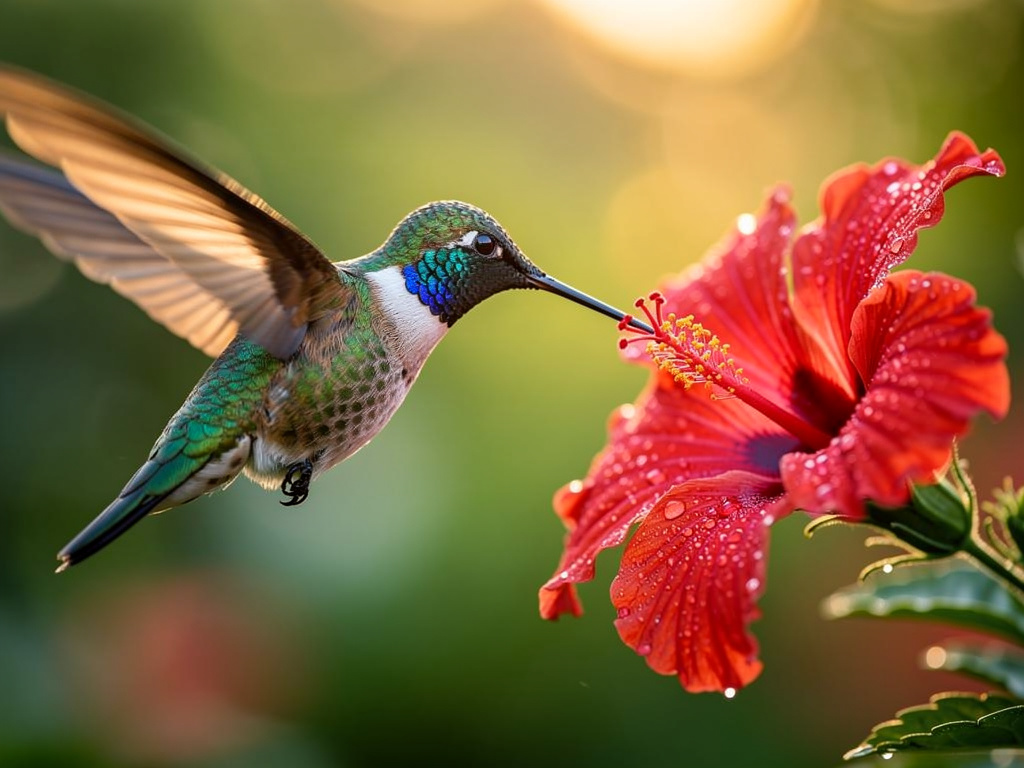
    "prompt": "A photorealistic close-up of a hummingbird hovering beside a dewy red hibiscus flower at dawn, iridescent feathers ca…",
    "image_size": "landscape_4_3",
    "output_format": "jpeg",
    "safety_tolerance": "2",
    "enable_safety_checker": true,
    "metadata": {
      "project": "my-project"
    }
  }'
# → { "request_id": "...", "status_url": "...", "response_url": "..." }

# Poll status_url until "COMPLETED", then fetch the result
curl "https://queue.modelrunner.run/black-forest-labs/flux-2/pro/requests/$REQUEST_ID/status" \
  -H "Authorization: Key $MRUN_API_KEY"
curl "https://queue.modelrunner.run/black-forest-labs/flux-2/pro/requests/$REQUEST_ID" \
  -H "Authorization: Key $MRUN_API_KEY"

JavaScript

import { modelrunner } from "@modelrunner/client";

const result = await modelrunner.subscribe("black-forest-labs/flux-2/pro", {
  input: {
    "prompt": "A photorealistic close-up of a hummingbird hovering beside a dewy red hibiscus flower at dawn, iridescent feathers ca…",
    "image_size": "landscape_4_3",
    "output_format": "jpeg",
    "safety_tolerance": "2",
    "enable_safety_checker": true
  },
});
console.log(result);

Python

import os
import requests

headers = {"Authorization": f"Key {os.environ['MRUN_API_KEY']}"}

submitted = requests.post(
    "https://queue.modelrunner.run/black-forest-labs/flux-2/pro",
    headers=headers,
    json={
      "prompt": "A photorealistic close-up of a hummingbird hovering beside a dewy red hibiscus flower at dawn, iridescent feathers ca…",
      "image_size": "landscape_4_3",
      "output_format": "jpeg",
      "safety_tolerance": "2",
      "enable_safety_checker": true
    },
).json()

# Poll submitted["status_url"] until "COMPLETED", then:
result = requests.get(submitted["response_url"], headers=headers).json()

Input parameters

Input parameters of FLUX.2 [pro]
NameTypeRequiredDescription
promptstringyesThe text prompt describing the image to generate.
image_sizeenumnoThe size of the generated image. Use a preset string (e.g. 'landscape_16_9') or a custom {width, height} object. One of: square_hd, square, portrait_4_3, portrait_16_9, landscape_4_3, landscape_16_9. Default: "landscape_4_3".
seedintegernoThe same seed and the same prompt given to the same version of the model will output the same image every time.
safety_toleranceenumnoThe safety tolerance level for the generated image. 1 being the most strict and 5 being the most permissive. One of: 1, 2, 3, 4, 5. Default: "2".
enable_safety_checkerbooleannoIf set to true, the safety checker will be enabled. Default: true.
output_formatenumnoThe format of the generated image. One of: jpeg, png. Default: "jpeg".

Machine-readable: OpenAPI schema · llms.txt

Use FLUX.2 [pro] from Claude & Cursor (MCP)

Point Claude Code, Claude Desktop, Cursor, or any MCP client at the ModelRunner MCP server and FLUX.2 [pro] becomes a tool your assistant can call directly — it authorizes via OAuth (no API key in config) and runs this model with the run_model tool using the endpoint black-forest-labs/flux-2/pro.

MCP client config (Claude Desktop, Cursor)

{
  "mcpServers": {
    "modelrunner": {
      "command": "npx",
      "args": ["-y", "mcp-remote", "https://mcp.modelrunner.run/mcp"]
    }
  }
}

Claude Code

claude mcp add --transport http modelrunner https://mcp.modelrunner.run/mcp

Then ask your assistant, for example: “Run black-forest-labs/flux-2/pro on ModelRunner to generate image”. MCP setup guide.

Model Detayları

Model Detayları

Black Forest Labs imzalı FLUX.2 [pro], metin prompt’unu production kalitesinde bir görsele dönüştürür. FLUX.2 ailesinin en üst kademesidir; sabit, ince ayarlı bir pipeline ile en yüksek sadakat, fotogerçekçilik ve prompt uyumu için tasarlanmıştır — siz prompt’u yazıp bir boyut seçersiniz, gerisini model halleder. Ayarlanacak guidance, adım sayısı ya da hızlandırma parametresi yoktur: model doğrudan açıklamadan tutarlı ve yüksek kaliteli çıktı hedefler. Bu da onu tek kullanımlık taslaklardan çok nihai çıktılar, marka kimliğine uygun görseller ve yüksek hacimli production pipeline’ları için güçlü bir varsayılan seçim yapar.

## En uygun olduğu işler - Sadakatin ve prompt uyumunun görsel başına maliyetten daha önemli olduğu nihai, production kalitesinde görseller - Tek bir açıklamadan fotogerçekçi sahneler, ürün ve editoryal çekimler ve ayrıntılı illüstrasyonlar - Sabit pipeline’ın prompt’lar arasında tutarlı sonuç verdiği yüksek hacimli ve API üzerinden yapılan üretim - İlk denemede profesyonel görünmesi gereken, marka kimliğine uygun pazarlama ve kampanya görselleri

## Şu durumlarda başka bir model seçin - Hızlı ve ucuz yineleme istiyorsanız ve biraz sadakatten ödün vermeye razıysanız — daha düşük maliyetli olan ve deneme için guidance/adım/hızlandırma ayarlarını açan FLUX.2 [dev] (`black-forest-labs/flux-2`) kullanın - Sıfırdan görsel üretmek yerine mevcut bir görseli düzenlemek, yeniden tarzlamak ya da değiştirmek istiyorsanız — bir görsel düzenleme / image-to-image modeli kullanın - Prompt’unuzdan video ya da animasyon istiyorsanız — bir text-to-video modeli kullanın

## İpuçları - Özne, kompozisyon, ışık ve stil konusunda net olun; [pro] ayrıntılı prompt’ları yakından izler - `image_size` değerini yerleşime göre seçin: geniş sahneler için `landscape_16_9` ya da `landscape_4_3`, dikey için `portrait_4_3` / `portrait_16_9`, sosyal medya için `square` / `square_hd`; ya da özel bir `{width, height}` nesnesi verin - `safety_tolerance` `"1"` (en sıkı) ile `"5"` (en serbest) arasında değişir, varsayılanı `"2"`; yalnızca zararsız prompt’lar engelleniyorsa yükseltin

ModelRunner JavaScript client ile çalıştırmak için: ```js import { modelrunner } from "@modelrunner/client";

const result = await modelrunner.subscribe("black-forest-labs/flux-2/pro", { input: { prompt: "a serene mountain lake at golden hour, mist over the water, photorealistic", image_size: "landscape_4_3", output_format: "jpeg", }, }); ```