
Ana içeriğe geç
alibaba avatarı

Qwen-Image 3.0 API

alibaba/qwen-image/v3.0/text-to-image

Metin prompt’undan görsel üretin; görsel içindeki metin 12 dilde yerleşik olarak basılır ve yaklaşık 10px’e kadar okunaklı kalır.

0.03

Model girdisi

Input

What to generate. Long, explicit prompts work best: name each element, where it sits, and the exact wording of any text that should appear in the image (put that wording in quotes). Any language. The ceiling is roughly 4500 tokens, and a longer prompt is rejected rather than trimmed.

Output shape and resolution, as an aspect-ratio + resolution preset. 'auto' lets the model choose a shape that suits the prompt. Every size costs the same, so pick the shape the design needs.

Additional Settings

Customize your input with more control.

Describe what should be kept out of the image.

Rewrite and expand the prompt before generating. On by default, and it markedly improves short or vague descriptions. Set it to false when you have written a long, precise prompt and want it used as-is.

Min: 0 - Max: 2147483647

Random seed for reproducible results. Omit for a different image each run.

Add a visible watermark to the generated image. Off by default.

You need to be logged in to run this model and view results.
Log in

Model çıktısı

Output

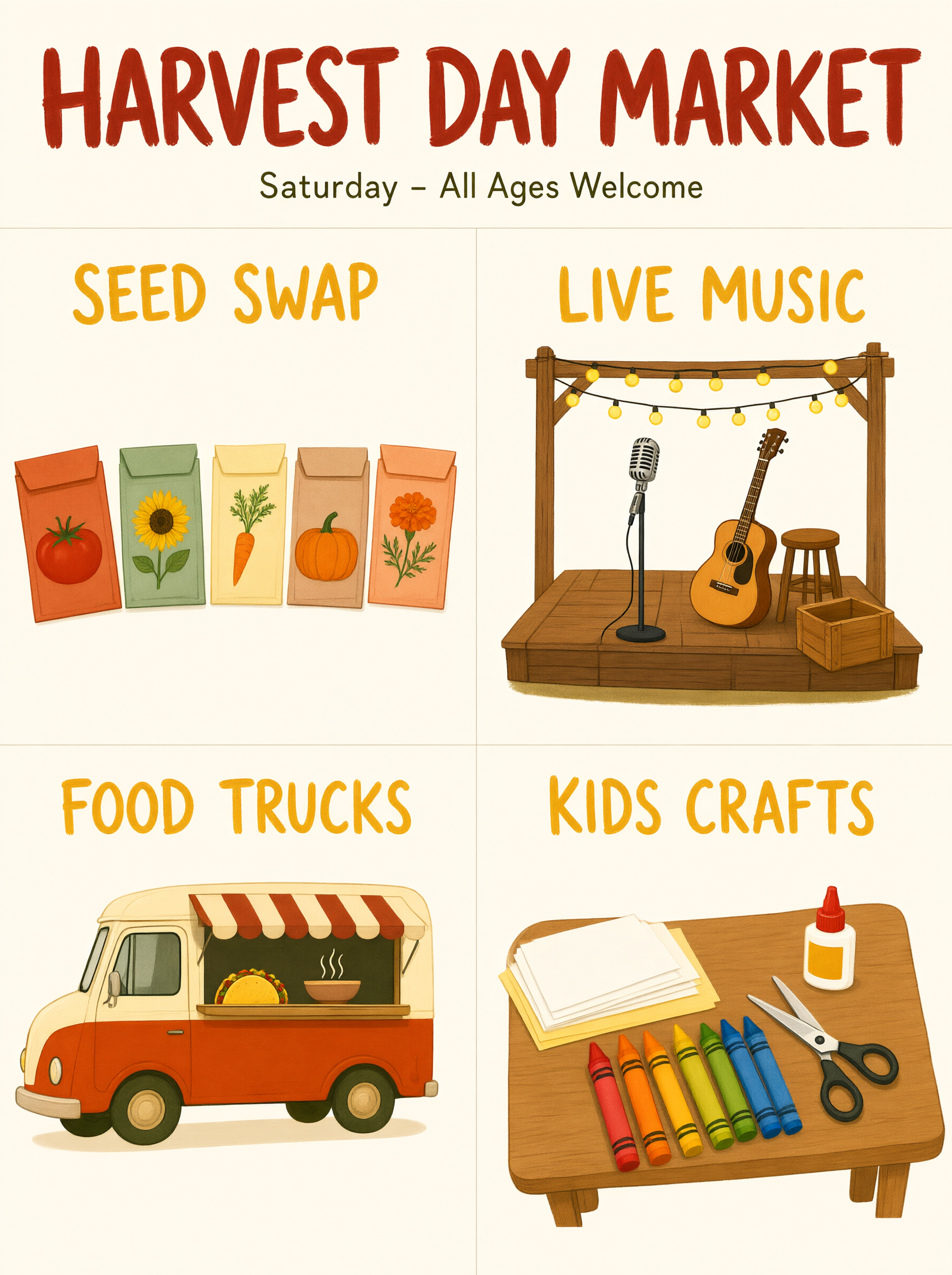
Generated image output
Generated in 96.049 seconds
Logs (1 lines)

Örnek istekler

Örnekler

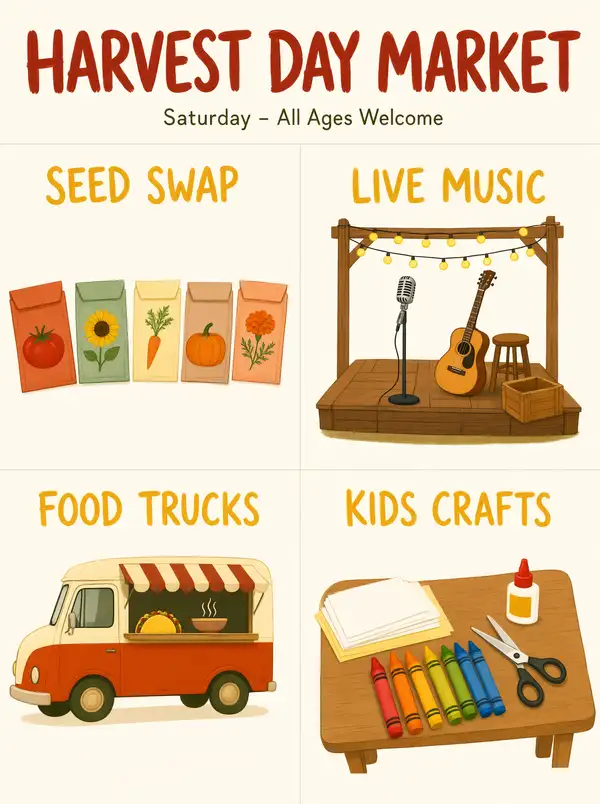
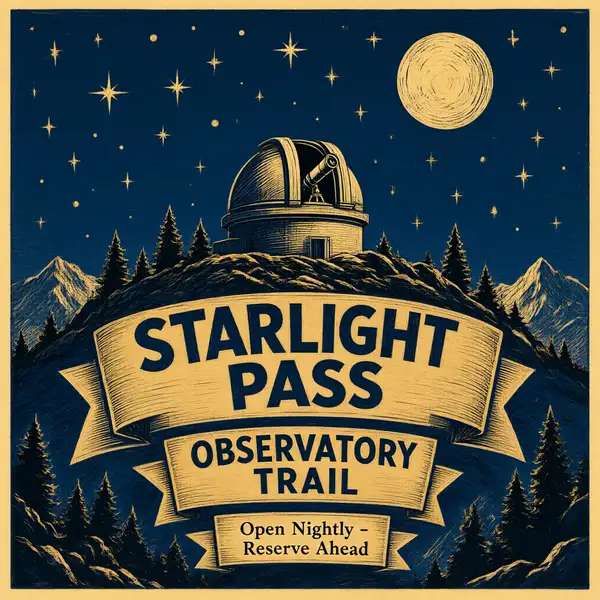
Example output 1Example output 2

Qwen-Image 3.0 API

Qwen-Image 3.0 is a text-to-image AI model by alibaba. On ModelRunner it runs through a REST API or via MCP from any AI assistant, at $0.03 per image.

POST https://queue.modelrunner.run/alibaba/qwen-image/v3.0/text-to-image

cURL

# Submit a request to the queue. Input fields go at the top level of the
# body. The optional reserved "metadata" object holds your own flat string
# tags — stored on the request, never sent to the model; filter later with
# GET https://queue.modelrunner.run/requests?metadata=<url-encoded JSON>.
curl -X POST https://queue.modelrunner.run/alibaba/qwen-image/v3.0/text-to-image \
  -H "Authorization: Key $MRUN_API_KEY" \
  -H "Content-Type: application/json" \
  -d '{
    "prompt": "A community harvest-festival poster laid out as a clean four-section grid. Top-left panel \u0027SEED SWAP\u0027 shows a row of …",
    "watermark": false,
    "parameters": {
      "size": "1024*1024",
      "negative_prompt": "blurry text, misspelled words, garbled glyphs, cluttered overlapping layout, watermark"
    },
    "prompt_extend": true,
    "metadata": {
      "project": "my-project"
    }
  }'
# → { "request_id": "...", "status_url": "...", "response_url": "..." }

# Poll status_url until "COMPLETED", then fetch the result
curl "https://queue.modelrunner.run/alibaba/qwen-image/v3.0/text-to-image/requests/$REQUEST_ID/status" \
  -H "Authorization: Key $MRUN_API_KEY"
curl "https://queue.modelrunner.run/alibaba/qwen-image/v3.0/text-to-image/requests/$REQUEST_ID" \
  -H "Authorization: Key $MRUN_API_KEY"

JavaScript

import { modelrunner } from "@modelrunner/client";

const result = await modelrunner.subscribe("alibaba/qwen-image/v3.0/text-to-image", {
  input: {
    "prompt": "A community harvest-festival poster laid out as a clean four-section grid. Top-left panel 'SEED SWAP' shows a row of …",
    "watermark": false,
    "parameters": {
      "size": "1024*1024",
      "negative_prompt": "blurry text, misspelled words, garbled glyphs, cluttered overlapping layout, watermark"
    },
    "prompt_extend": true
  },
});
console.log(result);

Python

import os
import requests

headers = {"Authorization": f"Key {os.environ['MRUN_API_KEY']}"}

submitted = requests.post(
    "https://queue.modelrunner.run/alibaba/qwen-image/v3.0/text-to-image",
    headers=headers,
    json={
      "prompt": "A community harvest-festival poster laid out as a clean four-section grid. Top-left panel 'SEED SWAP' shows a row of …",
      "watermark": false,
      "parameters": {
        "size": "1024*1024",
        "negative_prompt": "blurry text, misspelled words, garbled glyphs, cluttered overlapping layout, watermark"
      },
      "prompt_extend": true
    },
).json()

# Poll submitted["status_url"] until "COMPLETED", then:
result = requests.get(submitted["response_url"], headers=headers).json()

Input parameters

Input parameters of Qwen-Image 3.0
NameTypeRequiredDescription
promptstringyesWhat to generate. Long, explicit prompts work best: name each element, where it sits, and the exact wording of any text that should appear in the image (put that wording in quotes). Any language. The ceiling is roughly 4500 tokens, and a longer prompt is rejected rather than trimmed.
image_sizeenumnoOutput shape and resolution, as an aspect-ratio + resolution preset. 'auto' lets the model choose a shape that suits the prompt. Every size costs the same, so pick the shape the design needs. One of: auto, 1_1_1k, 1_1_2k, 4_3_1k, 4_3_2k, 3_4_1k, 3_4_2k, 16_9_1k, 16_9_2k, 9_16_1k, 9_16_2k. Default: "auto".
negative_promptstringnoDescribe what should be kept out of the image.
prompt_extendbooleannoRewrite and expand the prompt before generating. On by default, and it markedly improves short or vague descriptions. Set it to false when you have written a long, precise prompt and want it used as-is. Default: true.
seedintegernoRandom seed for reproducible results. Omit for a different image each run.
watermarkbooleannoAdd a visible watermark to the generated image. Off by default. Default: false.

Machine-readable: OpenAPI schema · llms.txt

Use Qwen-Image 3.0 from Claude & Cursor (MCP)

Point Claude Code, Claude Desktop, Cursor, or any MCP client at the ModelRunner MCP server and Qwen-Image 3.0 becomes a tool your assistant can call directly — it authorizes via OAuth (no API key in config) and runs this model with the run_model tool using the endpoint alibaba/qwen-image/v3.0/text-to-image.

MCP client config (Claude Desktop, Cursor)

{
  "mcpServers": {
    "modelrunner": {
      "command": "npx",
      "args": ["-y", "mcp-remote", "https://mcp.modelrunner.run/mcp"]
    }
  }
}

Claude Code

claude mcp add --transport http modelrunner https://mcp.modelrunner.run/mcp

Then ask your assistant, for example: “Run alibaba/qwen-image/v3.0/text-to-image on ModelRunner to generate image”. MCP setup guide.

Model Detayları

Model Detayları

Qwen-Image 3.0, yazılı bir açıklamayı bitmiş bir görsele dönüştürür. En güçlü yanı resmin içindeki metindir: metni 12 dilde yerleşik olarak basar ve yazıyı kabaca 10px’e kadar okunaklı tutar — İngilizce ve Çince ile sınırlı iddiasıyla 2.x neslinden belirgin bir adım ileri. Uzun ve yoğun prompt’ları da kaldırır — yaklaşık 4,500 token’a kadar — böylece tek bir istekte çok bölümlü bir poster, bir infografik ya da bir storyboard tanımlayabilir ve adını verdiğiniz her öğenin, biri diğerlerini gölgede bırakmadan yerine oturduğunu görebilirsiniz. `image_size` değerini `auto` olarak bırakırsanız model prompt’a uygun bir format seçer.

## En uygun olduğu işler - Metnin doğru yazılması ve okunaklı kalması gereken posterler, banner’lar, tabelalar ve albüm kapakları - Çok dilli, görsel içi metin tasarımı — aynı yerleşim, metinler başka bir yazı sisteminde - Yoğun, yapılandırılmış sayfa düzenleri: infografikler, gazete sayfaları, storyboard’lar, sınav kâğıtları, arayüz mockup’ları - Tek geçişte birkaç etiketli bölümü adıyla tanımlayan uzun, ayrıntılı prompt’lar - Yaklaşık 10px’te bile net çıkan küçük açıklama yazıları ve küçük puntolu metinler

## Şu durumlarda başka bir model seçin - Değiştirmek istediğiniz bir kaynak görseliniz varsa — bu varyant yalnızca metinden üretir ve görsel girdisi almaz; bir görsel düzenleme modeli kullanın (Qwen-Image 3.0 için ayrı bir düzenleme sürümü de planlanıyor) - Sahnenin hareket etmesi gerekiyorsa — bir text-to-video modeli kullanın - Tek bir çağrıdan birkaç varyasyon istiyorsanız — bu model istek başına tam olarak bir görsel döndürür

## İpuçları - Uzun ve açık yazın: her öğeyi, konumunu ve varsa metnin tam ifadesini tırnak içinde belirtin - `prompt_extend` varsayılan olarak açıktır ve prompt’unuzu önce yeniden yazar; bu, kısa açıklamalarda çok işe yarar. Prompt’unuz zaten kesinse ve olduğu gibi kullanılmasını istiyorsanız `false` yapın - `image_size`, en-boy oranı + çözünürlük hazır ayarıdır (`16_9_2k`, `3_4_1k`, …); seçimi modele bırakmak için `auto` verin — her boyutun fiyatı aynıdır, bu yüzden en ucuzunu değil, tasarımın gerektirdiği formatı seçin - Alternatifler almak için farklı bir `seed` ile yeniden çalıştırın

## Sınırlamalar - İstek başına bir görsel - Kabaca 4,500 token’ı aşan prompt’lar kırpılmaz, reddedilir

ModelRunner JavaScript client ile çalıştırmak için: ```js import { modelrunner } from "@modelrunner/client";

const result = await modelrunner.subscribe("alibaba/qwen-image/v3.0/text-to-image", { input: { prompt: "A neighbourhood bakery window at first light. A hand-lettered card in the glass reads 'MORNING LOAF - SOURDOUGH AT SEVEN', with a small price list underneath in neat 10px type. Warm interior light, misted pane, shot from the pavement.", image_size: "1_1_1k", }, }); ```