
Ana içeriğe geç
alibaba avatarı

Happy Horse 1.1 Reference to Video API

alibaba/happy-horse/v1.1/reference-to-video

En fazla dokuz referans fotoğraftan 3-15 saniyelik bir video üretin — her fotoğrafa prompt’ta sırasına göre seslenin; belirli bir karakter, ürün ya da aksesuar çekimde tanınır kalsın.

Çözünürlüğe göre fiyatlandırılır

Model girdisi

Input

First reference subject - a person, a product, a prop or a location. Refer to it in the prompt as [Image 1]. At least one reference image is required. JPEG, JPG, PNG or WEBP; shortest side at least 400 px (720P or larger recommended); up to 20 MB.

Optional second reference subject, referred to in the prompt as [Image 2]. Same formats and size limits as [Image 1].

Optional third reference subject, referred to in the prompt as [Image 3]. Same formats and size limits as [Image 1].

Required. Describe the scene and the action, and refer to each reference image by position - [Image 1], [Image 2], and so on - naming the specific subject inside the bracket, for example 'the woman in the red dress in [Image 1]'. The numbering follows the reference image fields in order. Any language, up to 5000 characters (2500 for Chinese).

Frame shape (aspect ratio) of the generated video. The output's proportions come from this field, not from the reference images.

Output video resolution. 720P bills at $0.14 per second of finished video; 1080P (default) bills at $0.18 per second.

Min: 3 - Max: 15

Length of the generated video in whole seconds (3-15). Cost scales directly with this value.

Additional Settings

Customize your input with more control.

Optional fourth reference subject, referred to in the prompt as [Image 4]. Same formats and size limits as [Image 1].

Optional fifth reference subject, referred to in the prompt as [Image 5]. Same formats and size limits as [Image 1].

Optional sixth reference subject, referred to in the prompt as [Image 6]. Same formats and size limits as [Image 1].

Optional seventh reference subject, referred to in the prompt as [Image 7]. Same formats and size limits as [Image 1].

Optional eighth reference subject, referred to in the prompt as [Image 8]. Same formats and size limits as [Image 1].

Optional ninth reference subject, referred to in the prompt as [Image 9]. Nine is the maximum the model accepts. Same formats and size limits as [Image 1].

Min: 0 - Max: 2147483647

Random seed for reproducible results. Omit for a different clip each run.

You need to be logged in to run this model and view results.
Log in

Model çıktısı

Output

Loading
Generated in 126.197 seconds
Logs (1 lines)

Örnek istekler

Örnekler

Example output 1

Model fiyatlandırması

Fiyatlandırma

Fiyat, çıktı videonuzun hedef çözünürlüğüne göre değişir.

720P
$0.14
çıktı videosunun saniyesi başına
yani yaklaşık $1 ile 7 saniye
1080P
$0.18
çıktı videosunun saniyesi başına
yani yaklaşık $1 ile 6 saniye

Happy Horse 1.1 Reference to Video API

Happy Horse 1.1 Reference to Video is a image-to-video AI model by alibaba. On ModelRunner it runs through a REST API or via MCP from any AI assistant, at $0.18 per second of video.

POST https://queue.modelrunner.run/alibaba/happy-horse/v1.1/reference-to-video

cURL

# Submit a request to the queue. Input fields go at the top level of the
# body. The optional reserved "metadata" object holds your own flat string
# tags — stored on the request, never sent to the model; filter later with
# GET https://queue.modelrunner.run/requests?metadata=<url-encoded JSON>.
curl -X POST https://queue.modelrunner.run/alibaba/happy-horse/v1.1/reference-to-video \
  -H "Authorization: Key $MRUN_API_KEY" \
  -H "Content-Type: application/json" \
  -d '{
    "ratio": "21:9",
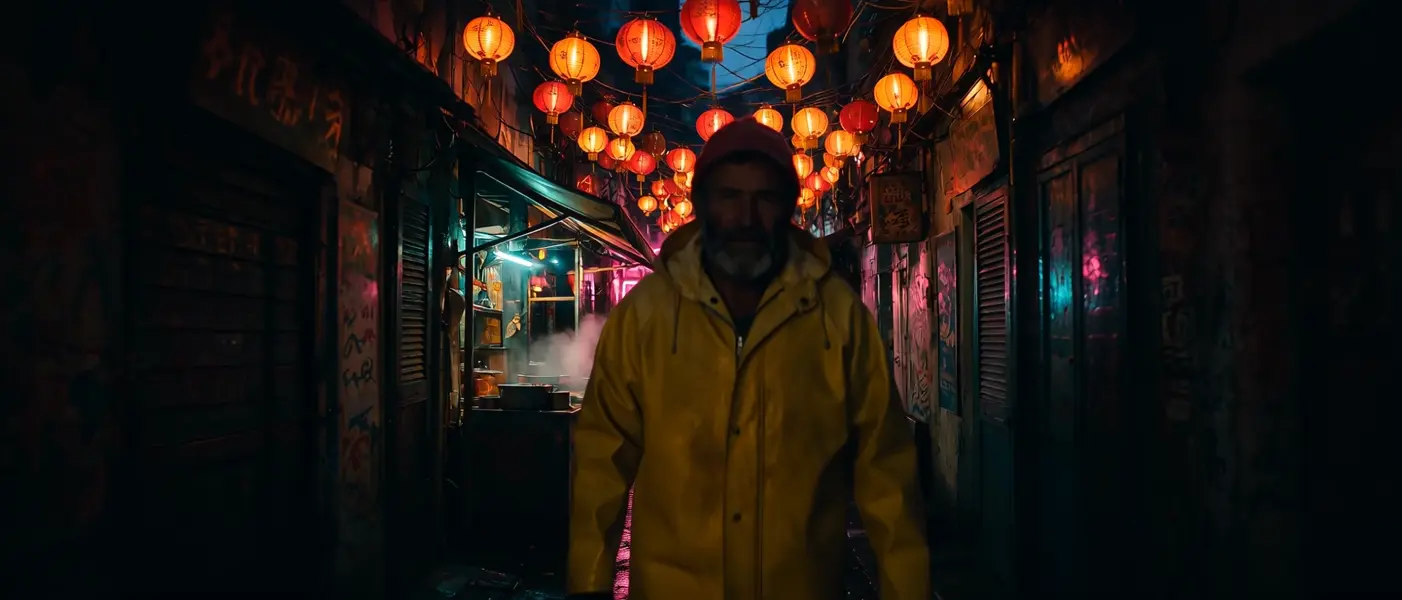
    "prompt": "[Image 1] walks slowly down the market street in [Image 2], glancing at the steaming food stall as he passes, lantern…",
    "duration": 5,
    "resolution": "1080P",
    "reference_image_1": "https://media.modelrunner.ai/TE497QS73QIpvExklJBdL.jpeg",
    "reference_image_2": "https://media.modelrunner.ai/6LBBIbihPDmLwAUFZ8EeF.jpeg",
    "metadata": {
      "project": "my-project"
    }
  }'
# → { "request_id": "...", "status_url": "...", "response_url": "..." }

# Poll status_url until "COMPLETED", then fetch the result
curl "https://queue.modelrunner.run/alibaba/happy-horse/v1.1/reference-to-video/requests/$REQUEST_ID/status" \
  -H "Authorization: Key $MRUN_API_KEY"
curl "https://queue.modelrunner.run/alibaba/happy-horse/v1.1/reference-to-video/requests/$REQUEST_ID" \
  -H "Authorization: Key $MRUN_API_KEY"

JavaScript

import { modelrunner } from "@modelrunner/client";

const result = await modelrunner.subscribe("alibaba/happy-horse/v1.1/reference-to-video", {
  input: {
    "ratio": "21:9",
    "prompt": "[Image 1] walks slowly down the market street in [Image 2], glancing at the steaming food stall as he passes, lantern…",
    "duration": 5,
    "resolution": "1080P",
    "reference_image_1": "https://media.modelrunner.ai/TE497QS73QIpvExklJBdL.jpeg",
    "reference_image_2": "https://media.modelrunner.ai/6LBBIbihPDmLwAUFZ8EeF.jpeg"
  },
});
console.log(result);

Python

import os
import requests

headers = {"Authorization": f"Key {os.environ['MRUN_API_KEY']}"}

submitted = requests.post(
    "https://queue.modelrunner.run/alibaba/happy-horse/v1.1/reference-to-video",
    headers=headers,
    json={
      "ratio": "21:9",
      "prompt": "[Image 1] walks slowly down the market street in [Image 2], glancing at the steaming food stall as he passes, lantern…",
      "duration": 5,
      "resolution": "1080P",
      "reference_image_1": "https://media.modelrunner.ai/TE497QS73QIpvExklJBdL.jpeg",
      "reference_image_2": "https://media.modelrunner.ai/6LBBIbihPDmLwAUFZ8EeF.jpeg"
    },
).json()

# Poll submitted["status_url"] until "COMPLETED", then:
result = requests.get(submitted["response_url"], headers=headers).json()

Input parameters

Input parameters of Happy Horse 1.1 Reference to Video
NameTypeRequiredDescription
reference_image_1string (uri)yesFirst reference subject - a person, a product, a prop or a location. Refer to it in the prompt as [Image 1]. At least one reference image is required. JPEG, JPG, PNG or WEBP; shortest side at least 400 px (720P or larger recommended); up to 20 MB.
reference_image_2string (uri)noOptional second reference subject, referred to in the prompt as [Image 2]. Same formats and size limits as [Image 1].
reference_image_3string (uri)noOptional third reference subject, referred to in the prompt as [Image 3]. Same formats and size limits as [Image 1].
promptstringyesRequired. Describe the scene and the action, and refer to each reference image by position - [Image 1], [Image 2], and so on - naming the specific subject inside the bracket, for example 'the woman in the red dress in [Image 1]'. The numbering follows the reference image fields in order. Any language, up to 5000 characters (2500 for Chinese).
ratioenumnoFrame shape (aspect ratio) of the generated video. The output's proportions come from this field, not from the reference images. One of: 16:9, 9:16, 4:3, 3:4, 1:1, 5:4, 4:5, 9:21, 21:9, 3:1, 1:3, 3.2:1, 1:3.2, 4:1, 1:4. Default: "16:9".
resolutionenumnoOutput video resolution. 720P bills at $0.14 per second of finished video; 1080P (default) bills at $0.18 per second. One of: 720P, 1080P. Default: "1080P".
durationintegernoLength of the generated video in whole seconds (3-15). Cost scales directly with this value. Default: 5.
reference_image_4string (uri)noOptional fourth reference subject, referred to in the prompt as [Image 4]. Same formats and size limits as [Image 1].
reference_image_5string (uri)noOptional fifth reference subject, referred to in the prompt as [Image 5]. Same formats and size limits as [Image 1].
reference_image_6string (uri)noOptional sixth reference subject, referred to in the prompt as [Image 6]. Same formats and size limits as [Image 1].
reference_image_7string (uri)noOptional seventh reference subject, referred to in the prompt as [Image 7]. Same formats and size limits as [Image 1].
reference_image_8string (uri)noOptional eighth reference subject, referred to in the prompt as [Image 8]. Same formats and size limits as [Image 1].
reference_image_9string (uri)noOptional ninth reference subject, referred to in the prompt as [Image 9]. Nine is the maximum the model accepts. Same formats and size limits as [Image 1].
seedintegernoRandom seed for reproducible results. Omit for a different clip each run.

Machine-readable: OpenAPI schema · llms.txt

Use Happy Horse 1.1 Reference to Video from Claude & Cursor (MCP)

Point Claude Code, Claude Desktop, Cursor, or any MCP client at the ModelRunner MCP server and Happy Horse 1.1 Reference to Video becomes a tool your assistant can call directly — it authorizes via OAuth (no API key in config) and runs this model with the run_model tool using the endpoint alibaba/happy-horse/v1.1/reference-to-video.

MCP client config (Claude Desktop, Cursor)

{
  "mcpServers": {
    "modelrunner": {
      "command": "npx",
      "args": ["-y", "mcp-remote", "https://mcp.modelrunner.run/mcp"]
    }
  }
}

Claude Code

claude mcp add --transport http modelrunner https://mcp.modelrunner.run/mcp

Then ask your assistant, for example: “Run alibaba/happy-horse/v1.1/reference-to-video on ModelRunner to generate video”. MCP setup guide.

Model Detayları

Model Detayları

Happy Horse 1.1 Reference to Video, en fazla dokuz referans fotoğraf ve yazılı bir sahne tarifinden video kurar. Her fotoğraf, prompt’ta sırasına göre seslendiğiniz ayrı bir öznedir — `[Image 1]`, `[Image 2]` — böylece ilk fotoğraftaki kadını ve ikincisindeki yelpazeyi adlandırır, referanslar ayırt edilmeden birbirine karışmak yerine ikisini de tek bir sahnede tanınır biçimde görürsünüz. Klipler 720P ya da 1080P’de 3 ile 15 saniye arasında sürer; `21:9` sinematikten `4:1` banner şeritlerine uzanan on beş kare biçimi vardır ve ses görüntüyle birlikte üretilir.

## En uygun olduğu işler - Belirli bir kişiyi, ürünü ya da aksesuarı yükleyip adlandırarak çekim boyunca tanınır tutmak - Birbirinden farklı birkaç özneyi — bir karakter, bir kıyafet, bir mekân — tek bir sahnede bir araya getirmek - Uç banner ve şerit kadrajları: `3:1`, `4:1`, `1:4` ve on iki kare biçimi daha - Çekim yapmak yerine packshot’lardan kurulan ürün ve moda klipleri

## Şu durumlarda başka bir model seçin - Tek bir fotoğrafınız varsa ve çekimin onunla açılması gerekiyorsa — `alibaba/happy-horse/v1.1/image-to-video` görselinizi ilk kare olarak kullanır - Hiç referans fotoğrafınız yoksa ve sahne yalnızca kelimelerden kurulacaksa — `alibaba/happy-horse/v1.1/text-to-video` kullanın - İlk ve son kareleri sabitlemeniz gerekiyorsa — `wan-video/wan/v2.7/image-to-video` bir başlangıç ve bir bitiş görseli kabul eder - Performansı yönlendirmesi gereken bir ses kaydınız varsa — `wan-video/wan/v2.7/image-to-video/audio-driven` lip-sync’i ve hareketi o klibe göre zamanlar

## İpuçları - Parantezle andığınız görseldeki öğeyi somut olarak adlandırın — tek başına `[Image 1]` değil, "`[Image 1]` içindeki kırmızı elbiseli kadın" - Alan sırası prompt sırasıdır: `reference_image_1` alanı `[Image 1]`, `reference_image_2` alanı `[Image 2]` olur ve bu böyle devam eder - `ratio` değerini bilinçli seçin — kare biçimi referans fotoğraflarınızdan değil, bu alandan gelir - Denemeleri `720P` ile yapın, beğendiğiniz sonucu `1080P` ile yeniden çalıştırın

## Sınırlamalar - Bir ile dokuz arasında referans fotoğraf: JPEG, JPG, PNG ya da WEBP; kısa kenar en az 400 px, her biri 20 MB altı - Prompt zorunludur — tek başına verilen referans fotoğraflar reddedilir - Referans fotoğraflar için yayımlanmış bir en-boy oranı sınırı yok; bu yüzden uç oranlı bir kaynak görsel test edilmemiştir - Altı şerit oranı (`3:1` ile `1:4` arası) kabul edilir, ancak yayımlanan parametre tablosunda yer almaz

ModelRunner JavaScript client ile çalıştırmak için: ```js import { modelrunner } from "@modelrunner/client";

const result = await modelrunner.subscribe("alibaba/happy-horse/v1.1/reference-to-video", { input: { reference_image_1: "https://media.modelrunner.ai/mszOvkXm9bhk9bEmJRsGy.jpeg", reference_image_2: "https://media.modelrunner.ai/g6ez6XYfi55kQUkDYLgjq.jpeg", prompt: "A gloved hand lifts the brass diving helmet from [Image 1] onto a workbench inside the lighthouse in [Image 2], rain streaking the window as the lamp turns behind it", ratio: "21:9", resolution: "1080P", duration: 5, }, }); ```