
alibaba avatar

Happy Horse 1.1 Reference to Video API

alibaba/happy-horse/v1.1/reference-to-video

Generate a 3-15 second video from up to nine reference photos, addressing each one positionally in the prompt so a specific character, product or prop stays recognizable in the shot.

Priced by resolution

Model Input

Input

First reference subject - a person, a product, a prop or a location. Refer to it in the prompt as [Image 1]. At least one reference image is required. JPEG, JPG, PNG or WEBP; shortest side at least 400 px (720P or larger recommended); up to 20 MB.

Optional second reference subject, referred to in the prompt as [Image 2]. Same formats and size limits as [Image 1].

Optional third reference subject, referred to in the prompt as [Image 3]. Same formats and size limits as [Image 1].

Required. Describe the scene and the action, and refer to each reference image by position - [Image 1], [Image 2], and so on - naming the specific subject inside the bracket, for example 'the woman in the red dress in [Image 1]'. The numbering follows the reference image fields in order. Any language, up to 5000 characters (2500 for Chinese).

Frame shape (aspect ratio) of the generated video. The output's proportions come from this field, not from the reference images.

Output video resolution. 720P bills at $0.14 per second of finished video; 1080P (default) bills at $0.18 per second.

Min: 3 - Max: 15

Length of the generated video in whole seconds (3-15). Cost scales directly with this value.

Additional Settings

Customize your input with more control.

Optional fourth reference subject, referred to in the prompt as [Image 4]. Same formats and size limits as [Image 1].

Optional fifth reference subject, referred to in the prompt as [Image 5]. Same formats and size limits as [Image 1].

Optional sixth reference subject, referred to in the prompt as [Image 6]. Same formats and size limits as [Image 1].

Optional seventh reference subject, referred to in the prompt as [Image 7]. Same formats and size limits as [Image 1].

Optional eighth reference subject, referred to in the prompt as [Image 8]. Same formats and size limits as [Image 1].

Optional ninth reference subject, referred to in the prompt as [Image 9]. Nine is the maximum the model accepts. Same formats and size limits as [Image 1].

Min: 0 - Max: 2147483647

Random seed for reproducible results. Omit for a different clip each run.

You need to be logged in to run this model and view results.
Log in

Model Output

Output

Loading
Generated in 126.197 seconds
Logs (1 lines)

Model Example Requests

Examples

Example output 1

Model Pricing

Pricing

Model pricing varies by the target resolution of your output video.

720P
$0.14
per second of output video
or around 7 seconds for $1
1080P
$0.18
per second of output video
or around 6 seconds for $1

Happy Horse 1.1 Reference to Video API

Happy Horse 1.1 Reference to Video is a image-to-video AI model by alibaba. On ModelRunner it runs through a REST API or via MCP from any AI assistant, at $0.18 per second of video.

POST https://queue.modelrunner.run/alibaba/happy-horse/v1.1/reference-to-video

cURL

# Submit a request to the queue. Input fields go at the top level of the
# body. The optional reserved "metadata" object holds your own flat string
# tags — stored on the request, never sent to the model; filter later with
# GET https://queue.modelrunner.run/requests?metadata=<url-encoded JSON>.
curl -X POST https://queue.modelrunner.run/alibaba/happy-horse/v1.1/reference-to-video \
  -H "Authorization: Key $MRUN_API_KEY" \
  -H "Content-Type: application/json" \
  -d '{
    "ratio": "21:9",
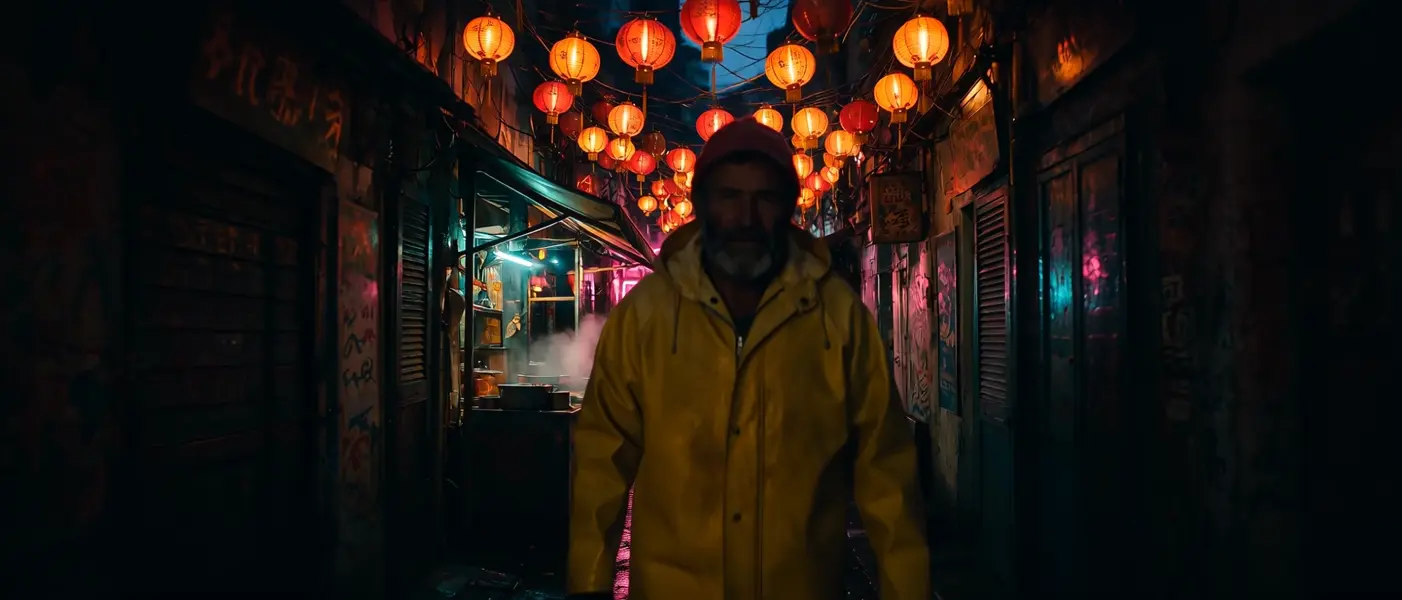
    "prompt": "[Image 1] walks slowly down the market street in [Image 2], glancing at the steaming food stall as he passes, lantern…",
    "duration": 5,
    "resolution": "1080P",
    "reference_image_1": "https://media.modelrunner.ai/TE497QS73QIpvExklJBdL.jpeg",
    "reference_image_2": "https://media.modelrunner.ai/6LBBIbihPDmLwAUFZ8EeF.jpeg",
    "metadata": {
      "project": "my-project"
    }
  }'
# → { "request_id": "...", "status_url": "...", "response_url": "..." }

# Poll status_url until "COMPLETED", then fetch the result
curl "https://queue.modelrunner.run/alibaba/happy-horse/v1.1/reference-to-video/requests/$REQUEST_ID/status" \
  -H "Authorization: Key $MRUN_API_KEY"
curl "https://queue.modelrunner.run/alibaba/happy-horse/v1.1/reference-to-video/requests/$REQUEST_ID" \
  -H "Authorization: Key $MRUN_API_KEY"

JavaScript

import { modelrunner } from "@modelrunner/client";

const result = await modelrunner.subscribe("alibaba/happy-horse/v1.1/reference-to-video", {
  input: {
    "ratio": "21:9",
    "prompt": "[Image 1] walks slowly down the market street in [Image 2], glancing at the steaming food stall as he passes, lantern…",
    "duration": 5,
    "resolution": "1080P",
    "reference_image_1": "https://media.modelrunner.ai/TE497QS73QIpvExklJBdL.jpeg",
    "reference_image_2": "https://media.modelrunner.ai/6LBBIbihPDmLwAUFZ8EeF.jpeg"
  },
});
console.log(result);

Python

import os
import requests

headers = {"Authorization": f"Key {os.environ['MRUN_API_KEY']}"}

submitted = requests.post(
    "https://queue.modelrunner.run/alibaba/happy-horse/v1.1/reference-to-video",
    headers=headers,
    json={
      "ratio": "21:9",
      "prompt": "[Image 1] walks slowly down the market street in [Image 2], glancing at the steaming food stall as he passes, lantern…",
      "duration": 5,
      "resolution": "1080P",
      "reference_image_1": "https://media.modelrunner.ai/TE497QS73QIpvExklJBdL.jpeg",
      "reference_image_2": "https://media.modelrunner.ai/6LBBIbihPDmLwAUFZ8EeF.jpeg"
    },
).json()

# Poll submitted["status_url"] until "COMPLETED", then:
result = requests.get(submitted["response_url"], headers=headers).json()

Input parameters

Input parameters of Happy Horse 1.1 Reference to Video
NameTypeRequiredDescription
reference_image_1string (uri)yesFirst reference subject - a person, a product, a prop or a location. Refer to it in the prompt as [Image 1]. At least one reference image is required. JPEG, JPG, PNG or WEBP; shortest side at least 400 px (720P or larger recommended); up to 20 MB.
reference_image_2string (uri)noOptional second reference subject, referred to in the prompt as [Image 2]. Same formats and size limits as [Image 1].
reference_image_3string (uri)noOptional third reference subject, referred to in the prompt as [Image 3]. Same formats and size limits as [Image 1].
promptstringyesRequired. Describe the scene and the action, and refer to each reference image by position - [Image 1], [Image 2], and so on - naming the specific subject inside the bracket, for example 'the woman in the red dress in [Image 1]'. The numbering follows the reference image fields in order. Any language, up to 5000 characters (2500 for Chinese).
ratioenumnoFrame shape (aspect ratio) of the generated video. The output's proportions come from this field, not from the reference images. One of: 16:9, 9:16, 4:3, 3:4, 1:1, 5:4, 4:5, 9:21, 21:9, 3:1, 1:3, 3.2:1, 1:3.2, 4:1, 1:4. Default: "16:9".
resolutionenumnoOutput video resolution. 720P bills at $0.14 per second of finished video; 1080P (default) bills at $0.18 per second. One of: 720P, 1080P. Default: "1080P".
durationintegernoLength of the generated video in whole seconds (3-15). Cost scales directly with this value. Default: 5.
reference_image_4string (uri)noOptional fourth reference subject, referred to in the prompt as [Image 4]. Same formats and size limits as [Image 1].
reference_image_5string (uri)noOptional fifth reference subject, referred to in the prompt as [Image 5]. Same formats and size limits as [Image 1].
reference_image_6string (uri)noOptional sixth reference subject, referred to in the prompt as [Image 6]. Same formats and size limits as [Image 1].
reference_image_7string (uri)noOptional seventh reference subject, referred to in the prompt as [Image 7]. Same formats and size limits as [Image 1].
reference_image_8string (uri)noOptional eighth reference subject, referred to in the prompt as [Image 8]. Same formats and size limits as [Image 1].
reference_image_9string (uri)noOptional ninth reference subject, referred to in the prompt as [Image 9]. Nine is the maximum the model accepts. Same formats and size limits as [Image 1].
seedintegernoRandom seed for reproducible results. Omit for a different clip each run.

Machine-readable: OpenAPI schema · llms.txt

Use Happy Horse 1.1 Reference to Video from Claude & Cursor (MCP)

Point Claude Code, Claude Desktop, Cursor, or any MCP client at the ModelRunner MCP server and Happy Horse 1.1 Reference to Video becomes a tool your assistant can call directly — it authorizes via OAuth (no API key in config) and runs this model with the run_model tool using the endpoint alibaba/happy-horse/v1.1/reference-to-video.

MCP client config (Claude Desktop, Cursor)

{
  "mcpServers": {
    "modelrunner": {
      "command": "npx",
      "args": ["-y", "mcp-remote", "https://mcp.modelrunner.run/mcp"]
    }
  }
}

Claude Code

claude mcp add --transport http modelrunner https://mcp.modelrunner.run/mcp

Then ask your assistant, for example: “Run alibaba/happy-horse/v1.1/reference-to-video on ModelRunner to generate video”. MCP setup guide.

Model Details

Model Details

Happy Horse 1.1 Reference to Video composes a video from up to nine reference photos and a written scene. Each photo is a subject the prompt addresses by position — `[Image 1]`, `[Image 2]` — so you can name the woman in the first photo and the fan in the second and get both, recognizably, in one scene rather than a blend of an undifferentiated reference pool. Clips run 3 to 15 seconds at 720P or 1080P, in fifteen frame shapes from `21:9` cinematic down to `4:1` banner strips, and audio is generated alongside the picture.

## Best for - Keeping a specific person, product or prop recognizable through a shot by uploading it and naming it - Composing several distinct subjects — a character, a garment, a location — into one scene - Extreme banner and strip crops: `3:1`, `4:1`, `1:4` and twelve more frame shapes - Product and fashion clips built from packshots instead of a shoot

## Choose another model when - You have one photo and the shot should open on it — `alibaba/happy-horse/v1.1/image-to-video` treats your image as the first frame - There are no reference photos at all and the scene comes only from words — use `alibaba/happy-horse/v1.1/text-to-video` - You need to pin the opening and closing frames — `wan-video/wan/v2.7/image-to-video` accepts a start and an end image - You have an audio track that should drive the performance — `wan-video/wan/v2.7/image-to-video/audio-driven` times lip-sync and motion to that clip

## Tips - Name the specific thing inside the bracket — "the woman in the red dress in `[Image 1]`", not `[Image 1]` on its own - Field order is prompt order: `reference_image_1` is `[Image 1]`, `reference_image_2` is `[Image 2]`, and so on - Set `ratio` deliberately — the frame shape comes from that field, not from your reference photos - Iterate at `720P`, then re-run the keeper at `1080P`

## Limitations - One to nine reference photos: JPEG, JPG, PNG or WEBP, shortest side at least 400 px, under 20 MB each - A prompt is required — reference photos on their own are rejected - No aspect-ratio limit is published for reference photos, so an extreme-shaped source image is untested - The six strip ratios (`3:1` through `1:4`) are accepted but are not in the published parameter table

To run via the ModelRunner JavaScript client: ```js import { modelrunner } from "@modelrunner/client";

const result = await modelrunner.subscribe("alibaba/happy-horse/v1.1/reference-to-video", { input: { reference_image_1: "https://media.modelrunner.ai/mszOvkXm9bhk9bEmJRsGy.jpeg", reference_image_2: "https://media.modelrunner.ai/g6ez6XYfi55kQUkDYLgjq.jpeg", prompt: "A gloved hand lifts the brass diving helmet from [Image 1] onto a workbench inside the lighthouse in [Image 2], rain streaking the window as the lamp turns behind it", ratio: "21:9", resolution: "1080P", duration: 5, }, }); ```