
philz1337x avatar

Clarity Upscaler API

philz1337x/clarity-upscaler

Upscale an image to higher resolution while creatively synthesizing fine detail, guided by an optional prompt and adjustable creativity-vs-fidelity controls.

upscale
0.03 per megapixel of image

Model Input

Input

The URL of the image to upscale.

Optional prompt that steers the kind of detail Clarity synthesizes while upscaling.

Min: 1 - Max: 4

How much to enlarge the image, from 1x to 4x. Output area and cost scale with this factor squared.

Additional Settings

Customize your input with more control.

Min: 0 - Max: 1

Denoise strength of the sampling: higher values invent more new detail, lower values stay closer to the source.

Min: 0 - Max: 1

Strength of the ControlNet holding the result to the original structure: higher values stay more faithful to the input.

Min: 0 - Max: 20

Classifier-free guidance scale for the diffusion sampling.

Min: 4 - Max: 50

Number of diffusion steps. More steps can add detail at the cost of speed.

Text describing detail to avoid synthesizing.

Random seed for reproducible generation.

Safety checker can only be disabled on API call

You need to be logged in to run this model and view results.
Log in

Model Output

Output

Loading
Generated in 5.237 seconds
Logs (1 lines)

Model Example Requests

Examples

Example output 1Example output 2Example output 3

Clarity Upscaler API

Clarity Upscaler is a upscaler AI model by philz1337x. On ModelRunner it runs through a REST API or via MCP from any AI assistant, at $0.03 per megapixel.

POST https://queue.modelrunner.run/philz1337x/clarity-upscaler

cURL

# Submit a request to the queue. Input fields go at the top level of the
# body. The optional reserved "metadata" object holds your own flat string
# tags — stored on the request, never sent to the model; filter later with
# GET https://queue.modelrunner.run/requests?metadata=<url-encoded JSON>.
curl -X POST https://queue.modelrunner.run/philz1337x/clarity-upscaler \
  -H "Authorization: Key $MRUN_API_KEY" \
  -H "Content-Type: application/json" \
  -d '{
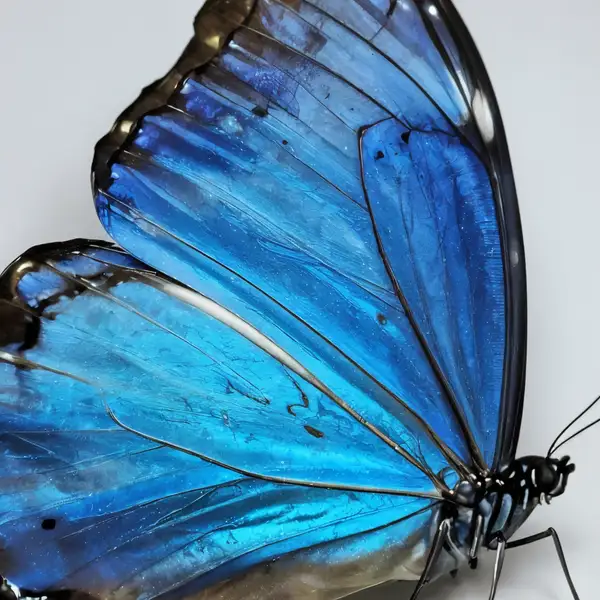
    "prompt": "vivid iridescent butterfly wing, intricate scales, masterpiece, best quality, highres",
    "image_url": "https://media.modelrunner.ai/Nk9FFI8lR17FfXqrIKloe.jpeg",
    "creativity": 0.35,
    "resemblance": 0.6,
    "guidance_scale": 4,
    "upscale_factor": 2,
    "negative_prompt": "(worst quality, low quality, normal quality:2)",
    "num_inference_steps": 18,
    "enable_safety_checker": true,
    "metadata": {
      "project": "my-project"
    }
  }'
# → { "request_id": "...", "status_url": "...", "response_url": "..." }

# Poll status_url until "COMPLETED", then fetch the result
curl "https://queue.modelrunner.run/philz1337x/clarity-upscaler/requests/$REQUEST_ID/status" \
  -H "Authorization: Key $MRUN_API_KEY"
curl "https://queue.modelrunner.run/philz1337x/clarity-upscaler/requests/$REQUEST_ID" \
  -H "Authorization: Key $MRUN_API_KEY"

JavaScript

import { modelrunner } from "@modelrunner/client";

const result = await modelrunner.subscribe("philz1337x/clarity-upscaler", {
  input: {
    "prompt": "vivid iridescent butterfly wing, intricate scales, masterpiece, best quality, highres",
    "image_url": "https://media.modelrunner.ai/Nk9FFI8lR17FfXqrIKloe.jpeg",
    "creativity": 0.35,
    "resemblance": 0.6,
    "guidance_scale": 4,
    "upscale_factor": 2,
    "negative_prompt": "(worst quality, low quality, normal quality:2)",
    "num_inference_steps": 18,
    "enable_safety_checker": true
  },
});
console.log(result);

Python

import os
import requests

headers = {"Authorization": f"Key {os.environ['MRUN_API_KEY']}"}

submitted = requests.post(
    "https://queue.modelrunner.run/philz1337x/clarity-upscaler",
    headers=headers,
    json={
      "prompt": "vivid iridescent butterfly wing, intricate scales, masterpiece, best quality, highres",
      "image_url": "https://media.modelrunner.ai/Nk9FFI8lR17FfXqrIKloe.jpeg",
      "creativity": 0.35,
      "resemblance": 0.6,
      "guidance_scale": 4,
      "upscale_factor": 2,
      "negative_prompt": "(worst quality, low quality, normal quality:2)",
      "num_inference_steps": 18,
      "enable_safety_checker": true
    },
).json()

# Poll submitted["status_url"] until "COMPLETED", then:
result = requests.get(submitted["response_url"], headers=headers).json()

Input parameters

NameTypeRequiredDescription
image_urlstring (uri)yesThe URL of the image to upscale.
promptstringnoOptional prompt that steers the kind of detail Clarity synthesizes while upscaling. Default: "masterpiece, best quality, highres".
upscale_factornumbernoHow much to enlarge the image, from 1x to 4x. Output area and cost scale with this factor squared. Default: 2.
creativitynumbernoDenoise strength of the sampling: higher values invent more new detail, lower values stay closer to the source. Default: 0.35.
resemblancenumbernoStrength of the ControlNet holding the result to the original structure: higher values stay more faithful to the input. Default: 0.6.
guidance_scalenumbernoClassifier-free guidance scale for the diffusion sampling. Default: 4.
num_inference_stepsintegernoNumber of diffusion steps. More steps can add detail at the cost of speed. Default: 18.
negative_promptstringnoText describing detail to avoid synthesizing. Default: "(worst quality, low quality, normal quality:2)".
seedintegernoRandom seed for reproducible generation.
enable_safety_checkerbooleannoWhether to run the safety checker on the output. Default: true.

Machine-readable: OpenAPI schema · llms.txt

Use Clarity Upscaler from Claude & Cursor (MCP)

Point Claude Code, Claude Desktop, Cursor, or any MCP client at the ModelRunner MCP server and Clarity Upscaler becomes a tool your assistant can call directly — it authorizes via OAuth (no API key in config) and runs this model with the run_model tool using the endpoint philz1337x/clarity-upscaler.

MCP client config (Claude Desktop, Cursor)

{
  "mcpServers": {
    "modelrunner": {
      "command": "npx",
      "args": ["-y", "mcp-remote", "https://mcp.modelrunner.run/mcp"]
    }
  }
}

Claude Code

claude mcp add --transport http modelrunner https://mcp.modelrunner.run/mcp

Then ask your assistant, for example: “Run philz1337x/clarity-upscaler on ModelRunner to generate upscaler”. MCP setup guide.

Model Details

Model Details

Clarity Upscaler is a creative super-resolution model: feed it one image and it raises the resolution while synthesizing plausible fine detail — skin texture, hair, fabric, foliage, surface grain — rather than just sharpening what's already there. An optional prompt steers the kind of detail it invents, and two dials, `creativity` and `resemblance`, trade off how much new detail it hallucinates against how faithfully it stays to the original. Set `upscale_factor` from 1 to 4 to control the output size. The standout is detail generation: where a plain restoration upscaler smooths and de-noises, Clarity reimagines micro-detail, making it well suited to enlarging photos, illustrations, and AI-generated images for print or large displays.

## Best for - Enlarging photos and artwork up to 4x while adding believable fine texture - Sharpening soft or low-resolution images that need invented detail, not just denoise - Upscaling AI-generated images so faces, hair, and surfaces read crisp at large sizes - Prepping images for print, posters, or high-DPI displays where detail density matters - Stylized detail enhancement guided by a prompt (e.g. "masterpiece, best quality, highres")

## Choose another model when - You need an exact, artifact-free enlargement that never alters content — use a faithful restoration upscaler, since Clarity invents detail by design - The subject is a degraded face you want reconstructed to match the real person — use a dedicated face-restoration model - You want to edit, restyle, or change the content of an image from a text prompt — use an image-editing or image-to-image generation model - You need to upscale video — use a video upscaler

## Tips - `creativity` (0–1, default 0.35) is the denoise strength: raise it for more invented detail and a more stylized result, lower it to stay close to the source. - `resemblance` (0–1, default 0.6) is the ControlNet strength holding the result to the original structure: raise it if the upscale drifts from the input, lower it to let creativity dominate. - Use `prompt` to bias the texture and style of the synthesized detail; the default `"masterpiece, best quality, highres"` works as a general-purpose quality cue. - Output resolution and therefore cost scale with `upscale_factor` squared — use the smallest factor that meets your resolution need.

## Limitations - Because detail is generated, fine text, logos, and exact textures can be altered or invented rather than reproduced. - High `creativity` on real photos can shift identity and content; keep it low when faithfulness matters.

To run via the ModelRunner JavaScript client: ```js import { modelrunner } from "@modelrunner/client";

const result = await modelrunner.subscribe("philz1337x/clarity-upscaler", { input: { image_url: "https://media.modelrunner.ai/x1EeTzzd4BjObqaa-h3ZTyV-t_3qwQd22KeC0F_ZbFB8fnL.jpg", upscale_factor: 2, creativity: 0.35, resemblance: 0.6, }, }); ```