
bria avatar

Bria Expand API

bria/expand

Expand (outpaint) an image onto a larger canvas, generating new surroundings that match the original — with commercially safe outputs.

extend
0.04

Model Input

Input

The source image to expand. New content is generated around it to fill the larger canvas.

Aspect ratio used to place and scale the source inside the new canvas. Set this OR both original_image_size and original_image_location.

Optional text describing what should appear in the newly generated area around the source.

Random seed for reproducibility. The same seed and inputs produce the same result.

Optional text describing what to avoid in the generated area.

You need to be logged in to run this model and view results.
Log in

Model Output

Output

Loading
Generated in 14.881 seconds
Logs (1 lines)

Model Example Requests

Examples

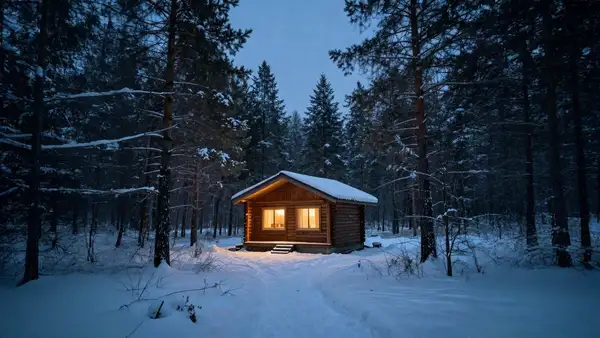
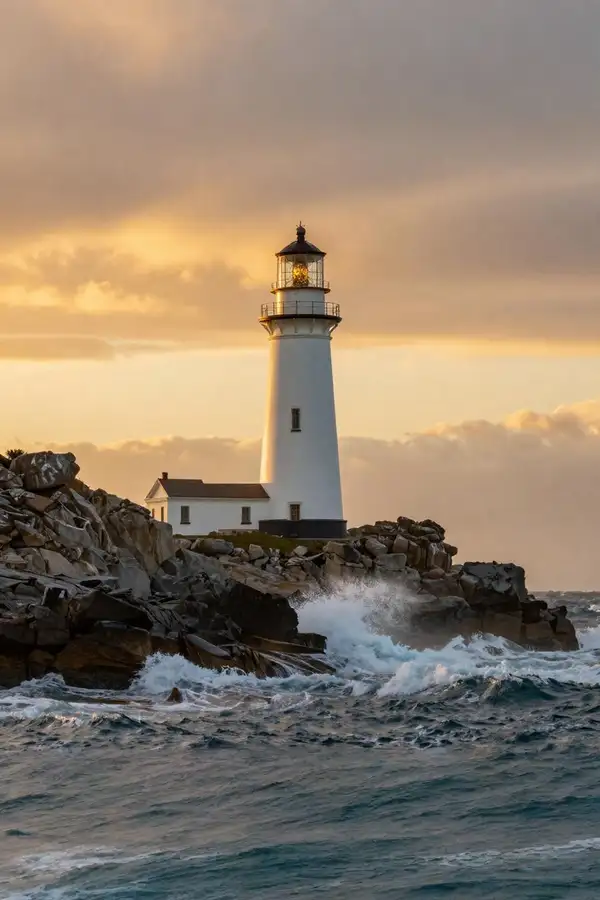
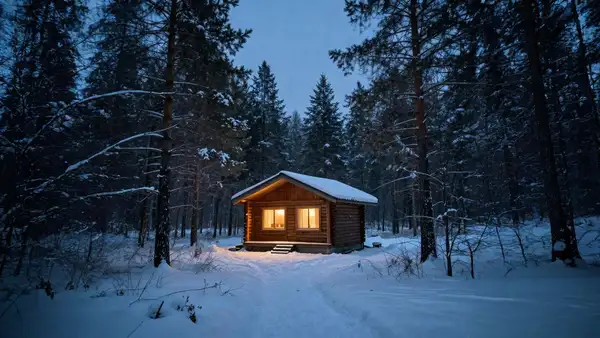
Example output 1Example output 2Example output 3

Bria Expand API

Bria Expand is a image-to-image AI model by bria. On ModelRunner it runs through a REST API or via MCP from any AI assistant, at $0.04 per image.

POST https://queue.modelrunner.run/bria/expand

cURL

# Submit a request to the queue. Input fields go at the top level of the
# body. The optional reserved "metadata" object holds your own flat string
# tags — stored on the request, never sent to the model; filter later with
# GET https://queue.modelrunner.run/requests?metadata=<url-encoded JSON>.
curl -X POST https://queue.modelrunner.run/bria/expand \
  -H "Authorization: Key $MRUN_API_KEY" \
  -H "Content-Type: application/json" \
  -d '{
    "seed": null,
    "prompt": "dramatic golden sunset sky above and rolling ocean waves below",
    "image_url": "https://media.modelrunner.ai/k0a6lUHQYlO4J5EFMFAyG.png",
    "canvas_size": [
      1024,
      1536
    ],
    "aspect_ratio": null,
    "negative_prompt": "",
    "original_image_size": [
      1024,
      1024
    ],
    "original_image_location": [
      0,
      256
    ],
    "metadata": {
      "project": "my-project"
    }
  }'
# → { "request_id": "...", "status_url": "...", "response_url": "..." }

# Poll status_url until "COMPLETED", then fetch the result
curl "https://queue.modelrunner.run/bria/expand/requests/$REQUEST_ID/status" \
  -H "Authorization: Key $MRUN_API_KEY"
curl "https://queue.modelrunner.run/bria/expand/requests/$REQUEST_ID" \
  -H "Authorization: Key $MRUN_API_KEY"

JavaScript

import { modelrunner } from "@modelrunner/client";

const result = await modelrunner.subscribe("bria/expand", {
  input: {
    "seed": null,
    "prompt": "dramatic golden sunset sky above and rolling ocean waves below",
    "image_url": "https://media.modelrunner.ai/k0a6lUHQYlO4J5EFMFAyG.png",
    "canvas_size": [
      1024,
      1536
    ],
    "aspect_ratio": null,
    "negative_prompt": "",
    "original_image_size": [
      1024,
      1024
    ],
    "original_image_location": [
      0,
      256
    ]
  },
});
console.log(result);

Python

import os
import requests

headers = {"Authorization": f"Key {os.environ['MRUN_API_KEY']}"}

submitted = requests.post(
    "https://queue.modelrunner.run/bria/expand",
    headers=headers,
    json={
      "seed": null,
      "prompt": "dramatic golden sunset sky above and rolling ocean waves below",
      "image_url": "https://media.modelrunner.ai/k0a6lUHQYlO4J5EFMFAyG.png",
      "canvas_size": [
        1024,
        1536
      ],
      "aspect_ratio": null,
      "negative_prompt": "",
      "original_image_size": [
        1024,
        1024
      ],
      "original_image_location": [
        0,
        256
      ]
    },
).json()

# Poll submitted["status_url"] until "COMPLETED", then:
result = requests.get(submitted["response_url"], headers=headers).json()

Input parameters

NameTypeRequiredDescription
image_urlstring (uri)yesThe source image to expand. New content is generated around it to fill the larger canvas.
canvas_sizearrayyesTarget size of the expanded canvas as [width, height] in pixels (total area under 5000x5000). Must be paired with either an aspect_ratio, or both original_image_size and original_image_location, so the model knows where to place the source inside the new canvas.
aspect_ratioenumnoAspect ratio used to place and scale the source inside the new canvas. Set this OR both original_image_size and original_image_location. Default: null.
original_image_sizearrayno[width, height] of the original image inside the canvas. Use together with original_image_location for exact placement (instead of aspect_ratio). Default: null.
original_image_locationarrayno[x, y] upper-left placement of the original in the expanded canvas. Use together with original_image_size for exact placement (instead of aspect_ratio). Default: null.
promptstringnoOptional text describing what should appear in the newly generated area around the source. Default: "".
seedintegernoRandom seed for reproducibility. The same seed and inputs produce the same result. Default: null.
negative_promptstringnoOptional text describing what to avoid in the generated area. Default: "".

Machine-readable: OpenAPI schema · llms.txt

Use Bria Expand from Claude & Cursor (MCP)

Point Claude Code, Claude Desktop, Cursor, or any MCP client at the ModelRunner MCP server and Bria Expand becomes a tool your assistant can call directly — it authorizes via OAuth (no API key in config) and runs this model with the run_model tool using the endpoint bria/expand.

MCP client config (Claude Desktop, Cursor)

{
  "mcpServers": {
    "modelrunner": {
      "command": "npx",
      "args": ["-y", "mcp-remote", "https://mcp.modelrunner.run/mcp"]
    }
  }
}

Claude Code

claude mcp add --transport http modelrunner https://mcp.modelrunner.run/mcp

Then ask your assistant, for example: “Run bria/expand on ModelRunner to generate image”. MCP setup guide.

Model Details

Model Details

Bria Expand grows an image beyond its original borders, generating new content that extends the scene outward to fill a larger canvas. You supply a source image, choose the target `canvas_size` (the final `[width, height]` in pixels), and tell the model how the original should sit inside that canvas — either by picking an `aspect_ratio` or by giving the original's size and placement. Expand then paints believable surroundings into the new area, matching the lighting, perspective, color, and texture of the source so the result looks like one continuous photo rather than a pasted-in border. Because Bria models are trained exclusively on fully licensed data, the outputs are safe and risk-free for commercial use.

A working request always needs `image_url` plus `canvas_size`, and then EITHER an `aspect_ratio` OR both `original_image_size` and `original_image_location` so the model knows where to place the source inside the new canvas. An optional `prompt` lets you steer what appears in the generated area.

## Best for - Outpainting / uncropping a photo so a tight crop gains headroom or background - Reframing an image to a new aspect ratio (e.g. square to widescreen) without distorting the subject - Extending a product or scene shot to leave room for text, logos, or layout - Producing commercially cleared expanded versions of existing photos

## Choose another model when - You want to fill or replace a specific masked region inside the existing frame rather than add new area around it — use a generative-fill / inpainting model - You need a brand-new image from a text prompt with no source photo — use a text-to-image model - You want to recolor or restyle the existing pixels rather than extend the canvas — use an image-editing / colorization model

## Tips - Set `canvas_size` larger than the source so there is room to expand; keep the total area under 5000x5000 - Use `aspect_ratio` for the simplest path — the model centers and scales the original for you; reach for `original_image_size` + `original_image_location` only when you need exact placement - Add a short `prompt` to guide what fills the new area (e.g. "sandy beach extending to the horizon") - Reuse a `seed` to reproduce a result, or change it to explore alternatives

To run via the ModelRunner JavaScript client: ```js import { modelrunner } from "@modelrunner/client";

const result = await modelrunner.subscribe("bria/expand", { input: { image_url: "https://media.modelrunner.ai/example-source.png", canvas_size: [1536, 1024], aspect_ratio: "16:9", prompt: "sandy beach extending to the horizon", }, }); ```