





black-forest-labs avatar

FLUX.2 [flex] API

black-forest-labs/flux-2/flex

Generate images from a text prompt with adjustable inference steps and guidance scale for fine-tuned control over speed, fidelity, and text rendering.

Priced by megapixels

Model Input

Input

The text prompt describing the image to generate.

The size of the generated image. Use a preset string (e.g. 'landscape_16_9') or a custom {width, height} object.

Additional Settings

Customize your input with more control.

The same seed and the same prompt given to the same version of the model will output the same image every time.

The safety tolerance level for the generated image. 1 being the most strict and 5 being the most permissive.

Safety checker can only be disabled on API call

The format of the generated image.

Min: 1.5 - Max: 10

The guidance scale to use for generation. Higher values follow the prompt more literally; lower values give the model more freedom.

Min: 2 - Max: 50

The number of inference steps. More steps generally improve fidelity at the cost of speed.

You need to be logged in to run this model and view results.
Log in

Model Output

Output

Generated image output
Generated in 9.044 seconds
Logs (1 lines)

Model Example Requests

Examples

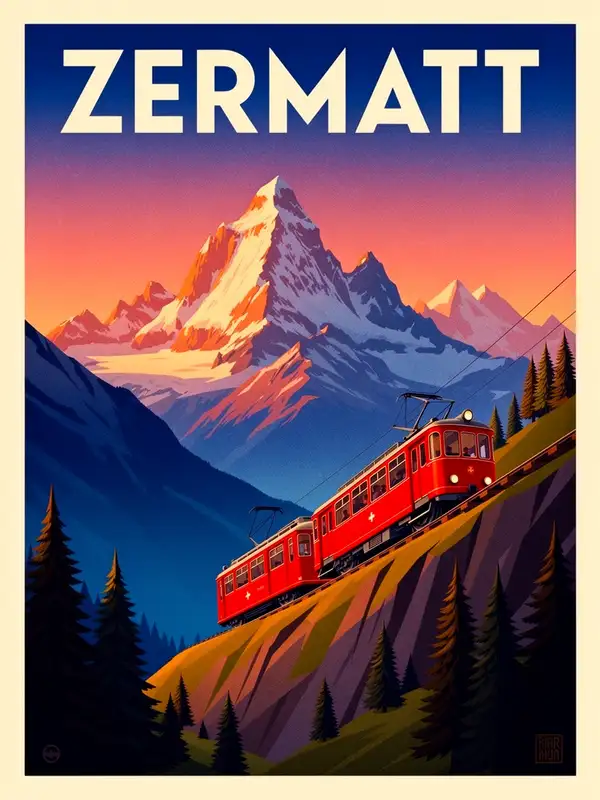
Example output 1Example output 2Example output 3Example output 4Example output 5

Model Pricing

Pricing

Model pricing varies by the megapixel count of your output image.

Up to 1 MP
$0.0500
per megapixel of image
or around 20 megapixels for $1
Up to 2 MP
$0.1000
per megapixel of image
or around 10 megapixels for $1
Up to 3 MP
$0.1500
per megapixel of image
or around 7 megapixels for $1
Up to 4 MP
$0.2000
per megapixel of image
or around 5 megapixels for $1
Up to 5 MP
$0.2500
per megapixel of image
or around 4 megapixels for $1

FLUX.2 [flex] API

FLUX.2 [flex] is a text-to-image AI model by black-forest-labs. On ModelRunner it runs through a REST API or via MCP from any AI assistant with pay-per-use pricing.

POST https://queue.modelrunner.run/black-forest-labs/flux-2/flex

cURL

# Submit a request to the queue
curl -X POST https://queue.modelrunner.run/black-forest-labs/flux-2/flex \
  -H "Authorization: Key $MRUN_API_KEY" \
  -H "Content-Type: application/json" \
  -d '{
    "input": {
      "prompt": "An intricate botanical illustration of a monstera leaf in the style of a 19th-century scientific field guide, fine in…",
      "image_size": "square_hd",
      "output_format": "png",
      "guidance_scale": 3,
      "safety_tolerance": "2",
      "num_inference_steps": 24,
      "enable_safety_checker": true
    }
  }'
# → { "request_id": "...", "status_url": "...", "response_url": "..." }

# Poll status_url until "COMPLETED", then fetch the result
curl "https://queue.modelrunner.run/black-forest-labs/flux-2/flex/requests/$REQUEST_ID/status" \
  -H "Authorization: Key $MRUN_API_KEY"
curl "https://queue.modelrunner.run/black-forest-labs/flux-2/flex/requests/$REQUEST_ID" \
  -H "Authorization: Key $MRUN_API_KEY"

JavaScript

import { modelrunner } from "@modelrunner/client";

const result = await modelrunner.subscribe("black-forest-labs/flux-2/flex", {
  input: {
    "prompt": "An intricate botanical illustration of a monstera leaf in the style of a 19th-century scientific field guide, fine in…",
    "image_size": "square_hd",
    "output_format": "png",
    "guidance_scale": 3,
    "safety_tolerance": "2",
    "num_inference_steps": 24,
    "enable_safety_checker": true
  },
});
console.log(result);

Python

import os
import requests

headers = {"Authorization": f"Key {os.environ['MRUN_API_KEY']}"}

submitted = requests.post(
    "https://queue.modelrunner.run/black-forest-labs/flux-2/flex",
    headers=headers,
    json={"input": {
      "prompt": "An intricate botanical illustration of a monstera leaf in the style of a 19th-century scientific field guide, fine in…",
      "image_size": "square_hd",
      "output_format": "png",
      "guidance_scale": 3,
      "safety_tolerance": "2",
      "num_inference_steps": 24,
      "enable_safety_checker": true
    }},
).json()

# Poll submitted["status_url"] until "COMPLETED", then:
result = requests.get(submitted["response_url"], headers=headers).json()

Input parameters

NameTypeRequiredDescription
promptstringyesThe text prompt describing the image to generate.
image_sizeenumnoThe size of the generated image. Use a preset string (e.g. 'landscape_16_9') or a custom {width, height} object. Default: "landscape_4_3".
seedintegernoThe same seed and the same prompt given to the same version of the model will output the same image every time.
safety_toleranceenumnoThe safety tolerance level for the generated image. 1 being the most strict and 5 being the most permissive. Default: "2".
enable_safety_checkerbooleannoIf set to true, the safety checker will be enabled. Default: true.
output_formatenumnoThe format of the generated image. Default: "jpeg".
guidance_scalenumbernoThe guidance scale to use for generation. Higher values follow the prompt more literally; lower values give the model more freedom. Default: 3.5.
num_inference_stepsintegernoThe number of inference steps. More steps generally improve fidelity at the cost of speed. Default: 28.

Machine-readable: OpenAPI schema · llms.txt

Use FLUX.2 [flex] from Claude & Cursor (MCP)

Point Claude Code, Claude Desktop, Cursor, or any MCP client at the ModelRunner MCP server and FLUX.2 [flex] becomes a tool your assistant can call directly — it authorizes via OAuth (no API key in config) and runs this model with the run_model tool using the endpoint black-forest-labs/flux-2/flex.

MCP client config (Claude Desktop, Cursor)

{
  "mcpServers": {
    "modelrunner": {
      "command": "npx",
      "args": ["-y", "mcp-remote", "https://mcp.modelrunner.run/mcp"]
    }
  }
}

Claude Code

claude mcp add --transport http modelrunner https://mcp.modelrunner.run/mcp

Then ask your assistant, for example: “Run black-forest-labs/flux-2/flex on ModelRunner to generate image”. MCP setup guide.

Model Details

Model Details

FLUX.2 [flex] turns a text prompt into a high-quality image from Black Forest Labs, and unlike the fixed-pipeline [pro] tier it exposes two power-user knobs — `num_inference_steps` and `guidance_scale` — so you can trade speed for precision on a per-request basis. Lower the step count for fast drafts, raise it for maximum detail, and dial guidance to control how tightly the image follows your wording. It also brings enhanced typography and text rendering, making it a strong pick when a design needs legible words or fine control over the sampling process. It sits between the lightweight [dev] tier and the fixed-pipeline [pro]/[max] tiers: more tunable than [pro], more capable than [dev].

## Best for - Prompts where you want to tune quality vs. speed yourself via step count and guidance - Designs that need legible typography and accurate in-image text rendering - Iterating from a fast low-step draft up to a high-step final render of the same prompt - Photorealistic scenes, product shots, and detailed illustrations from a single description - Prompt-adherence-sensitive work where you want to raise guidance for tighter results

## Choose another model when - You just want the best output with no knobs to set and cost is secondary — use FLUX.2 [pro] (`black-forest-labs/flux-2/pro`), which runs a fixed, tuned pipeline - You want the cheapest, fastest iteration and accept lower fidelity — use FLUX.2 [dev] (`black-forest-labs/flux-2`) - You want to edit, restyle, or modify an existing image rather than generate one from scratch — use an image-editing / image-to-image model - You want video or animation from your prompt — use a text-to-video model

## Tips - `num_inference_steps` ranges 2–50 (default 28): try 10–20 for rapid prototyping, 40–50 for maximum fidelity - `guidance_scale` ranges 1.5–10 (default 3.5): higher values follow the prompt more literally, lower values give the model more freedom - Pick `image_size` to match the layout: `landscape_16_9` / `landscape_4_3` for wide scenes, `portrait_4_3` / `portrait_16_9` for vertical, `square` / `square_hd` for social, or pass a custom `{width, height}` object - `safety_tolerance` runs from `"1"` (most strict) to `"5"` (most permissive), default `"2"`; raise it only if benign prompts are being blocked

To run via the ModelRunner JavaScript client: ```js import { modelrunner } from "@modelrunner/client";

const result = await modelrunner.subscribe("black-forest-labs/flux-2/flex", { input: { prompt: "a vintage travel poster for the Alps with bold legible title text, golden hour", image_size: "portrait_4_3", num_inference_steps: 40, guidance_scale: 4.5, output_format: "png", }, }); ```