
Ana içeriğe geç
tencent avatarı

HunyuanImage 3.0 Instruct API

tencent/hunyuan-image/v3/instruct/text-to-image

Uzun, karmaşık, çok parçalı açıklamaları yakından izlemek için geliştirilmiş instruction-tuned HunyuanImage 3.0 checkpoint’iyle metin prompt’undan yüksek çözünürlüklü görseller üretin.

görsel megapikseli başına 0.09

Model girdisi

Input

The text prompt describing the image you want to generate.

The size of the generated image. Use a preset, an explicit width/height object, or 'auto' to let the model choose.

Min: 1 - Max: 4

The number of images to generate. Each generated image is billed.

Additional Settings

Customize your input with more control.

Max: 20

The CFG scale. Higher values increase adherence to the prompt.

Whether to enable prompt expansion. This uses a large language model to expand the prompt with additional details while maintaining the original meaning. Enabled by default; disable it to have your exact wording honored.

Random seed for reproducible results. The same seed and prompt produce the same image; leave unset for a random seed.

Safety checker can only be disabled on API call

The format of the generated image.

You need to be logged in to run this model and view results.
Log in

Model çıktısı

Output

Generated image output
Generated in 61.577 seconds
Logs (1 lines)

Örnek istekler

Örnekler

Example output 1Example output 2Example output 3Example output 4

HunyuanImage 3.0 Instruct API

HunyuanImage 3.0 Instruct is a text-to-image AI model by tencent. On ModelRunner it runs through a REST API or via MCP from any AI assistant, at $0.09 per megapixel.

POST https://queue.modelrunner.run/tencent/hunyuan-image/v3/instruct/text-to-image

cURL

# Submit a request to the queue. Input fields go at the top level of the
# body. The optional reserved "metadata" object holds your own flat string
# tags — stored on the request, never sent to the model; filter later with
# GET https://queue.modelrunner.run/requests?metadata=<url-encoded JSON>.
curl -X POST https://queue.modelrunner.run/tencent/hunyuan-image/v3/instruct/text-to-image \
  -H "Authorization: Key $MRUN_API_KEY" \
  -H "Content-Type: application/json" \
  -d '{
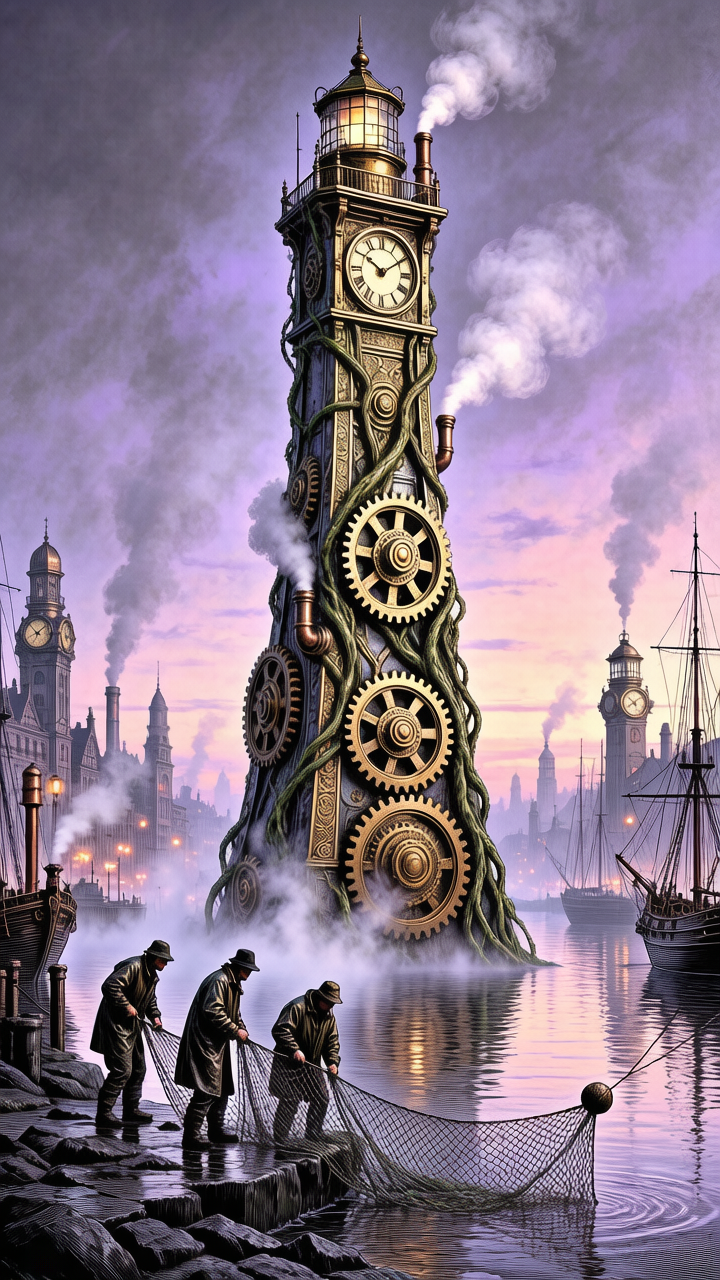
    "prompt": "A biomechanical clocktower rising from a foggy Victorian harbor, brass gears fused with living vines, three fishermen…",
    "image_size": "portrait_16_9",
    "num_images": 1,
    "output_format": "png",
    "guidance_scale": 3.5,
    "enable_safety_checker": true,
    "enable_prompt_expansion": true,
    "metadata": {
      "project": "my-project"
    }
  }'
# → { "request_id": "...", "status_url": "...", "response_url": "..." }

# Poll status_url until "COMPLETED", then fetch the result
curl "https://queue.modelrunner.run/tencent/hunyuan-image/v3/instruct/text-to-image/requests/$REQUEST_ID/status" \
  -H "Authorization: Key $MRUN_API_KEY"
curl "https://queue.modelrunner.run/tencent/hunyuan-image/v3/instruct/text-to-image/requests/$REQUEST_ID" \
  -H "Authorization: Key $MRUN_API_KEY"

JavaScript

import { modelrunner } from "@modelrunner/client";

const result = await modelrunner.subscribe("tencent/hunyuan-image/v3/instruct/text-to-image", {
  input: {
    "prompt": "A biomechanical clocktower rising from a foggy Victorian harbor, brass gears fused with living vines, three fishermen…",
    "image_size": "portrait_16_9",
    "num_images": 1,
    "output_format": "png",
    "guidance_scale": 3.5,
    "enable_safety_checker": true,
    "enable_prompt_expansion": true
  },
});
console.log(result);

Python

import os
import requests

headers = {"Authorization": f"Key {os.environ['MRUN_API_KEY']}"}

submitted = requests.post(
    "https://queue.modelrunner.run/tencent/hunyuan-image/v3/instruct/text-to-image",
    headers=headers,
    json={
      "prompt": "A biomechanical clocktower rising from a foggy Victorian harbor, brass gears fused with living vines, three fishermen…",
      "image_size": "portrait_16_9",
      "num_images": 1,
      "output_format": "png",
      "guidance_scale": 3.5,
      "enable_safety_checker": true,
      "enable_prompt_expansion": true
    },
).json()

# Poll submitted["status_url"] until "COMPLETED", then:
result = requests.get(submitted["response_url"], headers=headers).json()

Input parameters

Input parameters of HunyuanImage 3.0 Instruct
NameTypeRequiredDescription
promptstringyesThe text prompt describing the image you want to generate.
image_sizeenumnoThe size of the generated image. Use a preset, an explicit width/height object, or 'auto' to let the model choose. One of: auto, square_hd, square, portrait_4_3, portrait_16_9, landscape_4_3, landscape_16_9. Default: "auto".
num_imagesintegernoThe number of images to generate. Each generated image is billed. Default: 1.
guidance_scalenumbernoThe CFG scale. Higher values increase adherence to the prompt. Default: 3.5.
enable_prompt_expansionbooleannoWhether to enable prompt expansion. This uses a large language model to expand the prompt with additional details while maintaining the original meaning. Enabled by default; disable it to have your exact wording honored. Default: true.
seedintegernoRandom seed for reproducible results. The same seed and prompt produce the same image; leave unset for a random seed.
enable_safety_checkerbooleannoIf set to true, the safety checker will be enabled. Default: true.
output_formatenumnoThe format of the generated image. One of: jpeg, png. Default: "png".

Machine-readable: OpenAPI schema · llms.txt

Use HunyuanImage 3.0 Instruct from Claude & Cursor (MCP)

Point Claude Code, Claude Desktop, Cursor, or any MCP client at the ModelRunner MCP server and HunyuanImage 3.0 Instruct becomes a tool your assistant can call directly — it authorizes via OAuth (no API key in config) and runs this model with the run_model tool using the endpoint tencent/hunyuan-image/v3/instruct/text-to-image.

MCP client config (Claude Desktop, Cursor)

{
  "mcpServers": {
    "modelrunner": {
      "command": "npx",
      "args": ["-y", "mcp-remote", "https://mcp.modelrunner.run/mcp"]
    }
  }
}

Claude Code

claude mcp add --transport http modelrunner https://mcp.modelrunner.run/mcp

Then ask your assistant, for example: “Run tencent/hunyuan-image/v3/instruct/text-to-image on ModelRunner to generate image”. MCP setup guide.

Model Detayları

Model Detayları

HunyuanImage 3.0 Instruct, bir metin prompt’unu yüksek kaliteli bir görsele dönüştürür. 80 milyar parametreli HunyuanImage 3.0 temel modelinin instruction-tuned checkpoint’idir ve uzun, karmaşık, çok parçalı prompt’ları çözümleyip render’dan önce sahneyi planlayan dahili bir muhakeme adımına sahiptir. Böylece tek bir prompt’ta birden fazla özneyi, uzamsal ilişkileri, ışığı ve stili tek tek yazdığınızda sonuç, her talimatı ham bir diffusion geçişine göre daha sadık biçimde izler. En-boy oranını `image_size` ile ayarlayın (`square_hd`, `portrait_16_9`, `landscape_16_9` gibi hazır ayarlar, açıkça bir `{width, height}` ya da seçimi modele bırakmak için `auto`); `num_images` ile de çağrı başına en fazla dört varyasyon üretin.

Bu varyantta prompt genişletme varsayılan olarak açıktır: bir dil modeli, üretimden önce kısa prompt’ları detaylandırır. Yazdığınız ifadenin kelimesi kelimesine korunmasını istediğinizde `enable_prompt_expansion` alanını `false` yapın. Bu varyant negative prompt ya da denoising adımı kontrolü sunmaz — muhakeme adımı bunu kendi içinde halleder — bu yüzden örnekleyiciyi yönlendirmekten çok ne istediğinizi tarif etmeye göre ayarlanmıştır.

## En uygun olduğu işler - Birden fazla öznenin, uzamsal yerleşimin, ışığın ve atmosferin birlikte tutması gereken uzun, zengin ayrıntılı prompt’lar - Sıradan bir text-to-image modelinin bir kısmını atlamaya eğilimli olduğu karmaşık, çok parçalı talimatlar - Ayrıntılı bir yazılı açıklamadan fotogerçekçi ve stilize görseller - Bir brief’ten konsept çizim, editoryal illüstrasyon, poster ve pazarlama görselleri - Kare olmayan en-boy oranlarında, aralarından seçmek için aynı anda birkaç kompozisyon varyantı üretmek

## Şu durumlarda başka bir model seçin - Sıfırdan üretmek yerine mevcut bir görseli düzenlemek, yeniden tarzlamak ya da değiştirmek istiyorsanız — bir görsel düzenleme modeli kullanın - Dönüştürmek istediğiniz bir referans fotoğrafınız varsa ve yapısını korumak istiyorsanız — bir image-to-image modeli kullanın - Örnekleyiciyi doğrudan yönlendirmek için negative prompt ya da inference adımı kontrolü gerekiyorsa — bu varyant bunları sunmaz; temel HunyuanImage 3.0 text-to-image varyantını kullanın - En ucuz ve en hızlı taslaklar gerekiyorsa ve biraz sadakatten ödün verebiliyorsanız — damıtılmış, hızlı bir text-to-image modeli kullanın - Video gerekiyorsa — bir text-to-video ya da image-to-video modeli kullanın

## İpuçları - Net ve betimleyici prompt’lar yazın, her gereksinimi açıkça belirtin; muhakeme adımı kısa anahtar kelime listelerinden çok yapılandırılmış, eksiksiz talimatları ödüllendirir - Kısa brief’lerde `enable_prompt_expansion` alanını açık bırakın (varsayılan); prompt’unuz zaten kesinse ve kelimesi kelimesine korunmasını istiyorsanız `false` yapın - Yaygın en-boy oranları için `image_size` hazır ayarlarını kullanın, kesin bir tuval için açıkça bir `{width, height}` nesnesi verin ya da boyutları modelin seçmesi için `auto` kullanın - Üretilen her görsel megapiksel başına faturalanır; bu yüzden daha büyük boyutlar ve daha yüksek `num_images` daha pahalıya gelir

ModelRunner JavaScript client ile çalıştırmak için: ```js import { modelrunner } from "@modelrunner/client";

const result = await modelrunner.subscribe("tencent/hunyuan-image/v3/instruct/text-to-image", { input: { prompt: "a snow leopard on a rocky ledge at golden hour, telephoto compression, sharp fur detail, cinematic lighting", image_size: "landscape_16_9", num_images: 1, output_format: "png", }, }); ```