



Ana içeriğe geç
recraft avatarı

Recraft V4 API

recraft/v4/text-to-vector

Metin prompt’undan gerçek, ölçeklenebilir bir vektör (SVG) grafik üretin — her boyutta keskin kalan logolar, ikonlar ve marka illüstrasyonları için ideal.

0.08

Model girdisi

Input

The text description of the vector graphic to generate (e.g. a logo, icon, or illustration). Output is a scalable SVG.

The size/aspect of the generated vector graphic. Pick a preset or supply an explicit width/height.

You need to be logged in to run this model and view results.
Log in

Model çıktısı

Output

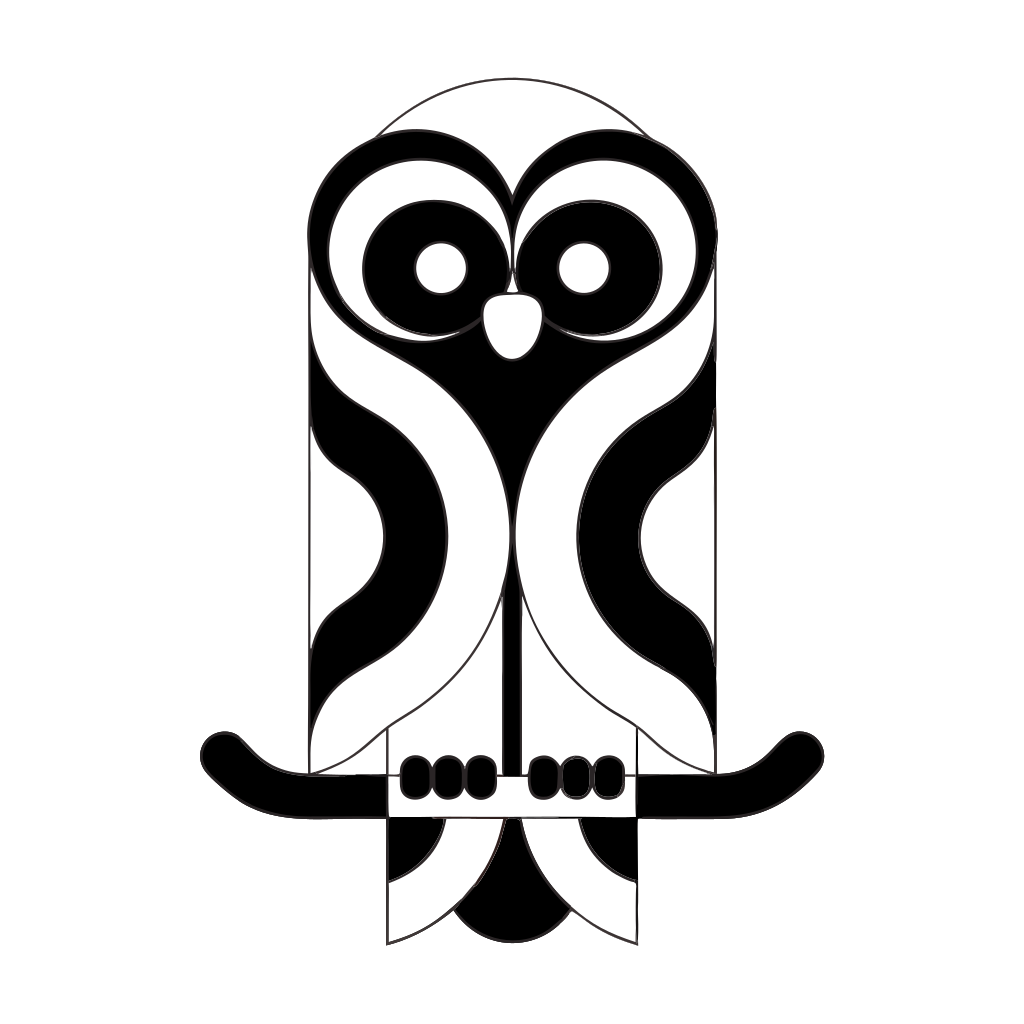
Generated image output
Generated in 16.297 seconds
Logs (1 lines)

Örnek istekler

Örnekler

Example output 1Example output 2Example output 3Example output 4

Recraft V4 API

Recraft V4 is a text-to-image AI model by recraft. On ModelRunner it runs through a REST API or via MCP from any AI assistant, at $0.08 per image.

POST https://queue.modelrunner.run/recraft/v4/text-to-vector

cURL

# Submit a request to the queue. Input fields go at the top level of the
# body. The optional reserved "metadata" object holds your own flat string
# tags — stored on the request, never sent to the model; filter later with
# GET https://queue.modelrunner.run/requests?metadata=<url-encoded JSON>.
curl -X POST https://queue.modelrunner.run/recraft/v4/text-to-vector \
  -H "Authorization: Key $MRUN_API_KEY" \
  -H "Content-Type: application/json" \
  -d '{
    "prompt": "a friendly line-art owl mascot icon perched on a branch, single bold outline, flat two-tone vector illustration",
    "image_size": "square",
    "metadata": {
      "project": "my-project"
    }
  }'
# → { "request_id": "...", "status_url": "...", "response_url": "..." }

# Poll status_url until "COMPLETED", then fetch the result
curl "https://queue.modelrunner.run/recraft/v4/text-to-vector/requests/$REQUEST_ID/status" \
  -H "Authorization: Key $MRUN_API_KEY"
curl "https://queue.modelrunner.run/recraft/v4/text-to-vector/requests/$REQUEST_ID" \
  -H "Authorization: Key $MRUN_API_KEY"

JavaScript

import { modelrunner } from "@modelrunner/client";

const result = await modelrunner.subscribe("recraft/v4/text-to-vector", {
  input: {
    "prompt": "a friendly line-art owl mascot icon perched on a branch, single bold outline, flat two-tone vector illustration",
    "image_size": "square"
  },
});
console.log(result);

Python

import os
import requests

headers = {"Authorization": f"Key {os.environ['MRUN_API_KEY']}"}

submitted = requests.post(
    "https://queue.modelrunner.run/recraft/v4/text-to-vector",
    headers=headers,
    json={
      "prompt": "a friendly line-art owl mascot icon perched on a branch, single bold outline, flat two-tone vector illustration",
      "image_size": "square"
    },
).json()

# Poll submitted["status_url"] until "COMPLETED", then:
result = requests.get(submitted["response_url"], headers=headers).json()

Input parameters

Input parameters of Recraft V4
NameTypeRequiredDescription
promptstringyesThe text description of the vector graphic to generate (e.g. a logo, icon, or illustration). Output is a scalable SVG.
image_sizeenumnoThe size/aspect of the generated vector graphic. Pick a preset or supply an explicit width/height. One of: square_hd, square, portrait_4_3, portrait_16_9, landscape_4_3, landscape_16_9. Default: "square_hd".

Machine-readable: OpenAPI schema · llms.txt

Use Recraft V4 from Claude & Cursor (MCP)

Point Claude Code, Claude Desktop, Cursor, or any MCP client at the ModelRunner MCP server and Recraft V4 becomes a tool your assistant can call directly — it authorizes via OAuth (no API key in config) and runs this model with the run_model tool using the endpoint recraft/v4/text-to-vector.

MCP client config (Claude Desktop, Cursor)

{
  "mcpServers": {
    "modelrunner": {
      "command": "npx",
      "args": ["-y", "mcp-remote", "https://mcp.modelrunner.run/mcp"]
    }
  }
}

Claude Code

claude mcp add --transport http modelrunner https://mcp.modelrunner.run/mcp

Then ask your assistant, for example: “Run recraft/v4/text-to-vector on ModelRunner to generate image”. MCP setup guide.

Model Detayları

Model Detayları

Recraft V4, bir metin prompt’unu gerçek bir vektör grafiğe dönüştürür: raster bir görsel değil, ölçeklenebilir bir SVG dosyası. Tasarım işleri için geliştirilmiş, vektör üretimine özel bir modeldir — favicon’dan billboard’a kadar her boyutta keskin kalan logolar, ikonlar, amblemler ve düz illüstrasyonlar. Çıktı gerçek SVG olduğu için onu herhangi bir vektör editöründe açıp kalite kaybı olmadan yeniden renklendirebilir, yeniden boyutlandırabilir ya da path’leri düzenleyebilirsiniz. Vektör estetiği modelin içine işlenmiştir; ne istediğinizi tarif etmeniz yeterli — ayarlanacak bir stil ya da alt stil seçicisi yoktur.

## En uygun olduğu işler - Temiz biçimde ölçeklenmesi ve SVG olarak düzenlenebilir kalması gereken logolar, logotipler ve uygulama ikonları - Marka ve pazarlama materyalleri için düz tasarım illüstrasyonları, çıkartmalar ve spot grafikler - Tutarlı, geometrik vektör şekillerin önem taşıdığı ikon setleri ve piktogramlar - Sınırsız ölçeklenebilirlik gerektiren baskıya hazır işler (poster, ambalaj, tabela) - Sonradan bir vektör editöründe yeniden renklendirmeyi ya da üzerinde ince ayar yapmayı planladığınız tasarım öğeleri

## Şu durumlarda başka bir model seçin - Düz vektör çizim yerine fotogerçekçi ya da resimsel bir raster görsel istiyorsanız — genel bir text-to-image modeli kullanın - Elinizde zaten raster bir logo ya da eskiz varsa ve yalnızca SVG’ye çevrilmesi gerekiyorsa — bir vektörleştirme modeli (`recraft/vectorize`) kullanın - Metinden üretmek yerine mevcut bir görseli düzenlemeniz ya da yeniden tarzlamanız gerekiyorsa — bir image-to-image modeli kullanın - Adlandırılmış sanat stilleri ya da alt stillerden oluşan geniş bir kütüphane gerekiyorsa — stil seçici sunan `recraft/v3/text-to-image` modelini kullanın

## İpuçları - Grafiği düz tasarım terimleriyle tarif edin ("flat vector", "line icon", "minimal geometric", "two-color"); model tam da bu tür SVG çıktı için tasarlanmıştır - Prompt’ları tek ve net bir özneye odaklı tutun; sade, ikonik kompozisyonlar en temiz vektör sonucunu verir - Kadrajı `image_size` ile belirleyin (ör. ikon ve logolar için `square_hd`, banner’lar için `landscape_16_9`) - Kalite kaybı olmadan yeniden renklendirmek ya da boyutlandırmak için dönen `.svg` dosyasını bir vektör editöründe açın

## Sınırlamalar - İstek başına tek bir grafik döndürür; batch ya da varyasyon sayısı seçeneği yoktur - Seed kontrolü yoktur, bu yüzden çalıştırmalar birebir tekrarlanamaz - En çok temiz, ikonik vektör çizimlere uygundur — çok detaylı ya da fotogerçekçi sahneler tasarım amacının dışında kalır - Görsel içine basılan küçük ve harfi harfine doğru yazılması gereken metinler yine de kusurlu çıkabilir

ModelRunner JavaScript client ile çalıştırmak için: ```js import { modelrunner } from "@modelrunner/client";

const result = await modelrunner.subscribe("recraft/v4/text-to-vector", { input: { prompt: "a minimalist geometric fox logo, two colors, flat vector", image_size: "square_hd", }, }); ```