
Ana içeriğe geç
kuaishou avatarı

Kling 2.5 Turbo Pro Text-to-Video API

kuaishou/kling-video/v2.5-turbo/text-to-video

Metin prompt’undan kısa ve sinematik bir video üretin — pürüzsüz, akıcı hareket ve güçlü prompt uyumuyla.

üretilen video için saniye başına 0.07

Model girdisi

Input

Text description of the video to generate.

Length of the generated video in seconds.

The aspect ratio of the generated video frame.

Describe content to avoid in the generated video.

Min: 0 - Max: 1

How strongly the video follows the prompt. Higher values increase prompt adherence; lower values allow more creative motion.

You need to be logged in to run this model and view results.
Log in

Model çıktısı

Output

Loading
Generated in 76.468 seconds
Logs (1 lines)

Örnek istekler

Örnekler

Example output 1Example output 2

Kling 2.5 Turbo Pro Text-to-Video API

Kling 2.5 Turbo Pro Text-to-Video is a text-to-video AI model by kuaishou. On ModelRunner it runs through a REST API or via MCP from any AI assistant, at $0.07 per second of video.

POST https://queue.modelrunner.run/kuaishou/kling-video/v2.5-turbo/text-to-video

cURL

# Submit a request to the queue. Input fields go at the top level of the
# body. The optional reserved "metadata" object holds your own flat string
# tags — stored on the request, never sent to the model; filter later with
# GET https://queue.modelrunner.run/requests?metadata=<url-encoded JSON>.
curl -X POST https://queue.modelrunner.run/kuaishou/kling-video/v2.5-turbo/text-to-video \
  -H "Authorization: Key $MRUN_API_KEY" \
  -H "Content-Type: application/json" \
  -d '{
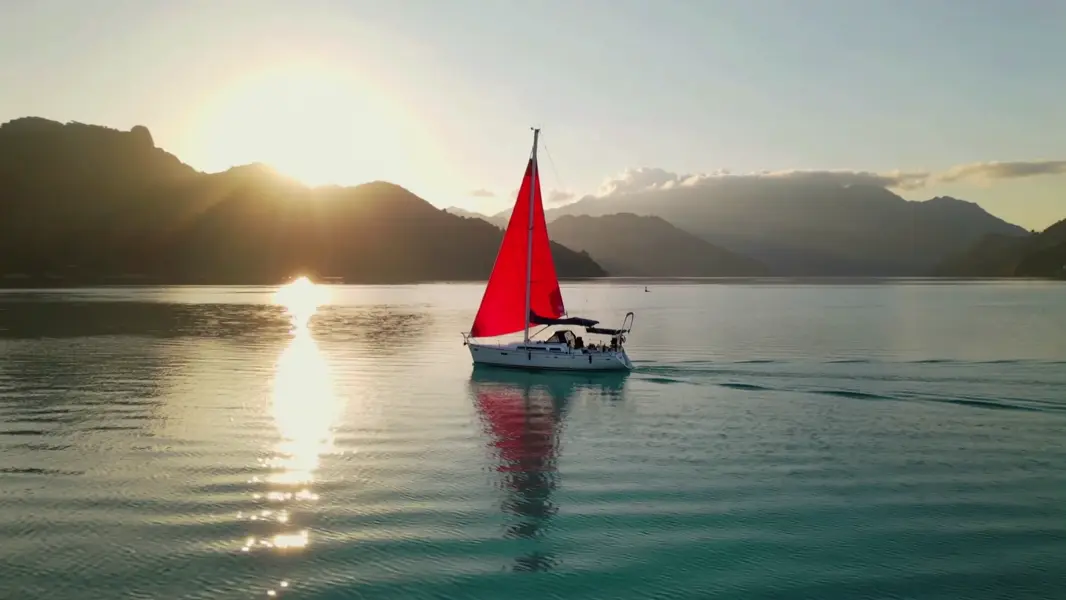
    "prompt": "A lone red sailboat glides across a calm turquoise bay at sunrise, the camera slowly tracking alongside as light glin…",
    "duration": "5",
    "cfg_scale": 0.5,
    "aspect_ratio": "16:9",
    "negative_prompt": "blur, distort, and low quality",
    "metadata": {
      "project": "my-project"
    }
  }'
# → { "request_id": "...", "status_url": "...", "response_url": "..." }

# Poll status_url until "COMPLETED", then fetch the result
curl "https://queue.modelrunner.run/kuaishou/kling-video/v2.5-turbo/text-to-video/requests/$REQUEST_ID/status" \
  -H "Authorization: Key $MRUN_API_KEY"
curl "https://queue.modelrunner.run/kuaishou/kling-video/v2.5-turbo/text-to-video/requests/$REQUEST_ID" \
  -H "Authorization: Key $MRUN_API_KEY"

JavaScript

import { modelrunner } from "@modelrunner/client";

const result = await modelrunner.subscribe("kuaishou/kling-video/v2.5-turbo/text-to-video", {
  input: {
    "prompt": "A lone red sailboat glides across a calm turquoise bay at sunrise, the camera slowly tracking alongside as light glin…",
    "duration": "5",
    "cfg_scale": 0.5,
    "aspect_ratio": "16:9",
    "negative_prompt": "blur, distort, and low quality"
  },
});
console.log(result);

Python

import os
import requests

headers = {"Authorization": f"Key {os.environ['MRUN_API_KEY']}"}

submitted = requests.post(
    "https://queue.modelrunner.run/kuaishou/kling-video/v2.5-turbo/text-to-video",
    headers=headers,
    json={
      "prompt": "A lone red sailboat glides across a calm turquoise bay at sunrise, the camera slowly tracking alongside as light glin…",
      "duration": "5",
      "cfg_scale": 0.5,
      "aspect_ratio": "16:9",
      "negative_prompt": "blur, distort, and low quality"
    },
).json()

# Poll submitted["status_url"] until "COMPLETED", then:
result = requests.get(submitted["response_url"], headers=headers).json()

Input parameters

Input parameters of Kling 2.5 Turbo Pro Text-to-Video
NameTypeRequiredDescription
promptstringyesText description of the video to generate.
durationenumnoLength of the generated video in seconds. One of: 5, 10. Default: "5".
aspect_ratioenumnoThe aspect ratio of the generated video frame. One of: 16:9, 9:16, 1:1. Default: "16:9".
negative_promptstringnoDescribe content to avoid in the generated video. Default: "blur, distort, and low quality".
cfg_scalenumbernoHow strongly the video follows the prompt. Higher values increase prompt adherence; lower values allow more creative motion. Default: 0.5.

Machine-readable: OpenAPI schema · llms.txt

Use Kling 2.5 Turbo Pro Text-to-Video from Claude & Cursor (MCP)

Point Claude Code, Claude Desktop, Cursor, or any MCP client at the ModelRunner MCP server and Kling 2.5 Turbo Pro Text-to-Video becomes a tool your assistant can call directly — it authorizes via OAuth (no API key in config) and runs this model with the run_model tool using the endpoint kuaishou/kling-video/v2.5-turbo/text-to-video.

MCP client config (Claude Desktop, Cursor)

{
  "mcpServers": {
    "modelrunner": {
      "command": "npx",
      "args": ["-y", "mcp-remote", "https://mcp.modelrunner.run/mcp"]
    }
  }
}

Claude Code

claude mcp add --transport http modelrunner https://mcp.modelrunner.run/mcp

Then ask your assistant, for example: “Run kuaishou/kling-video/v2.5-turbo/text-to-video on ModelRunner to generate video”. MCP setup guide.

Model Detayları

Model Detayları

Kling 2.5 Turbo Pro, yazılı bir prompt’u akıcı ve doğal hareketlerle, tarif ettiğinize sıkı sıkıya bağlı kalan kısa ve sinematik bir klibe dönüştürür. Prompt’unuzdaki aksiyonun, öznenin ve sahnenin ekranda net biçimde karşılık bulduğu hızlı ve yüksek kaliteli text-to-video için ayarlanmıştır. Yatay, dikey ya da kare yayına uyması için 5 ya da 10 saniyelik bir klip ve 16:9, 9:16 ya da 1:1 en-boy oranı seçin.

## En uygun olduğu işler - Tek bir betimleyici prompt’u özenli bir tanıtıcı çekime ya da hero çekime dönüştürmek - Yalnızca metinden sosyal medyaya hazır dikey (9:16) klipler ve kare (1:1) döngüler - Kamera hareketi ve atmosferik ayrıntı içeren sinematik yatay (16:9) b-roll - Aksiyonu tam oturtmak için prompt’u tekrar tekrar düzenlediğiniz hızlı konsept ve storyboard çalışmaları

## Şu durumlarda başka bir model seçin - Yalnızca metinden üretmek yerine mevcut bir fotoğrafı ya da başlangıç karesini canlandırmak istiyorsanız — bir image-to-video modeli kullanın - Hareket değil, tek bir durağan görsel gerekiyorsa — bir text-to-image modeli kullanın - 10 saniyeden uzun kliplere ya da kare kare hassas zaman çizelgesi kontrolüne ihtiyacınız varsa — uzun formatlı videoya yönelik özel bir araç kullanın

## İpuçları - Özneyi, aksiyonu ve mekânı tek ve tutarlı bir cümlede tarif edin; somut hareket fiilleri ("yavaşça pan yapıyor", "ileri atılıyor") ekrandaki harekete iyi yansır - Bulanıklık, bükülme ya da düşük kaliteli doku gibi tekrar eden artefaktları bastırmak için `negative_prompt` kullanın - Prompt’a daha sıkı uyum için `cfg_scale` değerini 1’e doğru yükseltin; daha serbest ve yaratıcı hareket için 0’a doğru düşürün (varsayılan 0.5 dengeli bir başlangıç noktasıdır) - `aspect_ratio` değerini klibin yayınlanacağı yere göre seçin — story/reels için 9:16, yatay için 16:9, feed döngüleri için 1:1

ModelRunner JavaScript client ile çalıştırmak için: ```js import { modelrunner } from "@modelrunner/client";

const result = await modelrunner.subscribe("kuaishou/kling-video/v2.5-turbo/text-to-video", { input: { prompt: "A serene mountain lake reflecting clouds at golden hour, gentle ripples on the water", duration: "5", aspect_ratio: "16:9", }, }); ```