

Ana içeriğe geç
bytedance avatarı

Seedance 2.5 First & Last Frame API

bytedance/seedance-v2.5/first-last-frame

Bir görselle başlayıp başka bir görselle biten bir video üretin — çekimin iki ucunu da sabitleyin, senkronize sesli ve 30 saniyeye kadar süren tek bir çekim alın.

Çözünürlüğe göre fiyatlandırılır

Model girdisi

Input

Describe what happens BETWEEN the two supplied frames: the action, the camera move, and the sound. The opening and closing frames are already fixed by the images, so spend the prompt on the transit between them rather than on re-describing either end.

Still image used as the FIRST frame of the clip. 300-6000 px on a side, under 30 MB, aspect ratio between 1:2.5 and 2.5:1. JPEG, PNG, WebP, BMP, TIFF, GIF, HEIC and HEIF are accepted. The finished clip takes its shape from the supplied frames.

Still image used as the LAST frame of the clip. Same formats and size limits as the first frame. Use a frame that shares the first frame's scene and subject, and give it the same aspect ratio: the model generates the transit between the two images, it does not cut between unrelated shots.

Output resolution of the clip. 720p costs more per second of video than 480p.

Clip length in seconds, from 4 to 30. Leave at -1 (the default) to let the model choose an appropriate whole-second length inside that range. Billing is per second of finished video, so -1 makes the cost of a run variable.

Additional Settings

Customize your input with more control.

Generate a synchronized soundtrack (dialogue, ambience and sound effects) together with the picture. Set false for a silent clip; the price is the same either way.

Frame shape of the clip. adaptive is the only value this model accepts: the clip always inherits the aspect ratio of the supplied frames, so a vertical pair produces a vertical clip. Crop both images before you send them if you need a different shape.

You need to be logged in to run this model and view results.
Log in

Model çıktısı

Output

Loading
Generated in 432 seconds
Logs (1 lines)

Örnek istekler

Örnekler

Example output 1

Model fiyatlandırması

Fiyatlandırma

Fiyat, çıktı videonuzun hedef çözünürlüğüne göre değişir.

480p
$0.154
çıktı videosunun saniyesi başına
yani yaklaşık $1 ile 6 saniye
720p
$0.347
çıktı videosunun saniyesi başına
yani yaklaşık $1 ile 3 saniye

Seedance 2.5 First & Last Frame API

Seedance 2.5 First & Last Frame is a image-to-video AI model by bytedance. On ModelRunner it runs through a REST API or via MCP from any AI assistant, at $0.347 per second of video.

POST https://queue.modelrunner.run/bytedance/seedance-v2.5/first-last-frame

cURL

# Submit a request to the queue. Input fields go at the top level of the
# body. The optional reserved "metadata" object holds your own flat string
# tags — stored on the request, never sent to the model; filter later with
# GET https://queue.modelrunner.run/requests?metadata=<url-encoded JSON>.
curl -X POST https://queue.modelrunner.run/bytedance/seedance-v2.5/first-last-frame \
  -H "Authorization: Key $MRUN_API_KEY" \
  -H "Content-Type: application/json" \
  -d '{
    "image": "https://media.modelrunner.ai/pyJMS2iOt5vEEKWQo5aWD.jpeg",
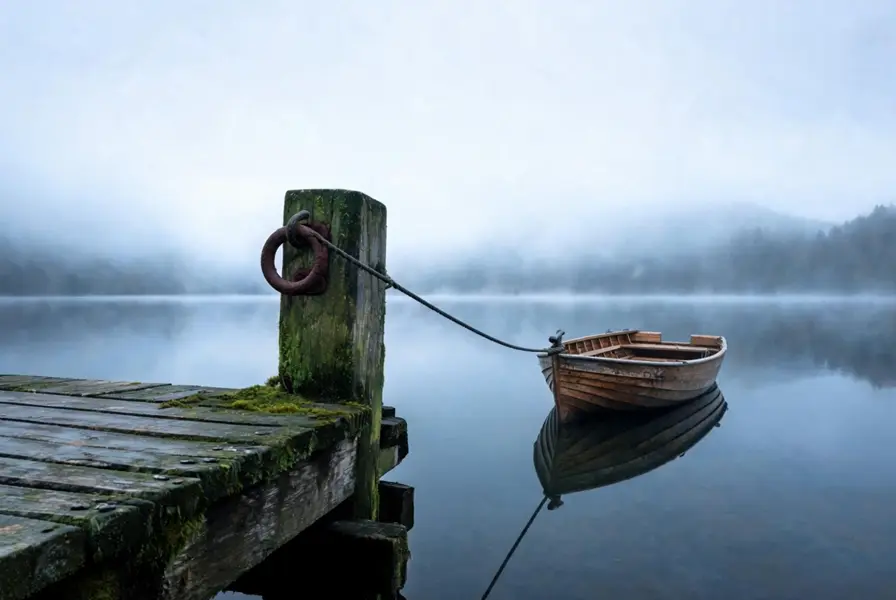
    "prompt": "The moored rowboat rocks gently on its line, ripples spreading out across the still water, the mooring rope creaking …",
    "duration": 5,
    "end_image": "https://media.modelrunner.ai/90cxOiEMl16l485iLZghi.jpeg",
    "resolution": "720p",
    "aspect_ratio": "adaptive",
    "generate_audio": true,
    "metadata": {
      "project": "my-project"
    }
  }'
# → { "request_id": "...", "status_url": "...", "response_url": "..." }

# Poll status_url until "COMPLETED", then fetch the result
curl "https://queue.modelrunner.run/bytedance/seedance-v2.5/first-last-frame/requests/$REQUEST_ID/status" \
  -H "Authorization: Key $MRUN_API_KEY"
curl "https://queue.modelrunner.run/bytedance/seedance-v2.5/first-last-frame/requests/$REQUEST_ID" \
  -H "Authorization: Key $MRUN_API_KEY"

JavaScript

import { modelrunner } from "@modelrunner/client";

const result = await modelrunner.subscribe("bytedance/seedance-v2.5/first-last-frame", {
  input: {
    "image": "https://media.modelrunner.ai/pyJMS2iOt5vEEKWQo5aWD.jpeg",
    "prompt": "The moored rowboat rocks gently on its line, ripples spreading out across the still water, the mooring rope creaking …",
    "duration": 5,
    "end_image": "https://media.modelrunner.ai/90cxOiEMl16l485iLZghi.jpeg",
    "resolution": "720p",
    "aspect_ratio": "adaptive",
    "generate_audio": true
  },
});
console.log(result);

Python

import os
import requests

headers = {"Authorization": f"Key {os.environ['MRUN_API_KEY']}"}

submitted = requests.post(
    "https://queue.modelrunner.run/bytedance/seedance-v2.5/first-last-frame",
    headers=headers,
    json={
      "image": "https://media.modelrunner.ai/pyJMS2iOt5vEEKWQo5aWD.jpeg",
      "prompt": "The moored rowboat rocks gently on its line, ripples spreading out across the still water, the mooring rope creaking …",
      "duration": 5,
      "end_image": "https://media.modelrunner.ai/90cxOiEMl16l485iLZghi.jpeg",
      "resolution": "720p",
      "aspect_ratio": "adaptive",
      "generate_audio": true
    },
).json()

# Poll submitted["status_url"] until "COMPLETED", then:
result = requests.get(submitted["response_url"], headers=headers).json()

Input parameters

Input parameters of Seedance 2.5 First & Last Frame
NameTypeRequiredDescription
promptstringyesDescribe what happens BETWEEN the two supplied frames: the action, the camera move, and the sound. The opening and closing frames are already fixed by the images, so spend the prompt on the transit between them rather than on re-describing either end.
imagestring (uri)yesStill image used as the FIRST frame of the clip. 300-6000 px on a side, under 30 MB, aspect ratio between 1:2.5 and 2.5:1. JPEG, PNG, WebP, BMP, TIFF, GIF, HEIC and HEIF are accepted. The finished clip takes its shape from the supplied frames.
end_imagestring (uri)yesStill image used as the LAST frame of the clip. Same formats and size limits as the first frame. Use a frame that shares the first frame's scene and subject, and give it the same aspect ratio: the model generates the transit between the two images, it does not cut between unrelated shots.
resolutionenumnoOutput resolution of the clip. 720p costs more per second of video than 480p. One of: 480p, 720p. Default: "720p".
durationintegernoClip length in seconds, from 4 to 30. Leave at -1 (the default) to let the model choose an appropriate whole-second length inside that range. Billing is per second of finished video, so -1 makes the cost of a run variable. Default: -1.
generate_audiobooleannoGenerate a synchronized soundtrack (dialogue, ambience and sound effects) together with the picture. Set false for a silent clip; the price is the same either way. Default: true.
aspect_ratioenumnoFrame shape of the clip. adaptive is the only value this model accepts: the clip always inherits the aspect ratio of the supplied frames, so a vertical pair produces a vertical clip. Crop both images before you send them if you need a different shape. One of: adaptive. Default: "adaptive".

Machine-readable: OpenAPI schema · llms.txt

Use Seedance 2.5 First & Last Frame from Claude & Cursor (MCP)

Point Claude Code, Claude Desktop, Cursor, or any MCP client at the ModelRunner MCP server and Seedance 2.5 First & Last Frame becomes a tool your assistant can call directly — it authorizes via OAuth (no API key in config) and runs this model with the run_model tool using the endpoint bytedance/seedance-v2.5/first-last-frame.

MCP client config (Claude Desktop, Cursor)

{
  "mcpServers": {
    "modelrunner": {
      "command": "npx",
      "args": ["-y", "mcp-remote", "https://mcp.modelrunner.run/mcp"]
    }
  }
}

Claude Code

claude mcp add --transport http modelrunner https://mcp.modelrunner.run/mcp

Then ask your assistant, for example: “Run bytedance/seedance-v2.5/first-last-frame on ModelRunner to generate video”. MCP setup guide.

Model Detayları

Model Detayları

Seedance 2.5 First & Last Frame, bir görselle başlayıp başka bir görselle biten bir klip üretir. İki durağan görseli de siz verirsiniz — `image` ilk kare, `end_image` son karedir — prompt ise arada olanları anlatır: aksiyonu, kamera hareketini ve sesi. Onu farklı kılan, iki ucu da sabitlemesidir: çekimin yalnızca nerede başlayacağına değil, nereye varacağına da siz karar verirsiniz. Tek bir çekim 24 fps’de 30 saniyeye kadar sürer; ortam sesi, efektler ve diyalogdan oluşan ses bandı sonradan dublajlanmak yerine görüntüyle birlikte üretilir ve ek ücrete yol açmaz. Klip, verdiğiniz karelerin biçimini de devralır: dikey bir çift, dikey bir klip verir. Çıktı 480p ya da 720p’dir.

## En uygun olduğu işler - Bir fotoğrafı diğerine morph etmek — bir ürünün öncesi ve sonrası, bir mevsim değişimi, bir dönüşüm - Storyboard çalışması: iki storyboard karesini sabitleyip aradaki çekimi üretmek - Uzun interpolasyonlar — kesintisiz tek bir çekimde 30 saniyeye kadar - Ortam sesinin sonradan eklenmek yerine baştan gömülü gelmesi gereken geçiş ve reveal çekimleri - Klip biçimini koruduğu için doğrudan kaynak çiftinden dikey ya da kare geçişler

## Şu durumlarda başka bir model seçin - 720p üzeri çıktı gerekiyorsa: bu nesil en fazla 720p verir, bu yüzden 1080p’ye çıkan `bytedance/seedance-v2/first-last-frame` kullanın - Varılacak bir son kareniz yoksa — `bytedance/seedance-v2.5/image-to-video` kullanın - Hiç kaynak görseliniz yoksa ve çekimin bir prompt’tan kurulmasını istiyorsanız — `bytedance/seedance-v2.5/text-to-video` kullanın - Tekrarlanabilir çalıştırmalar için sabit bir seed ya da kilitli bir kamera gerekiyorsa: bu nesilde iki girdi de yok

## İpuçları - İki kare aynı sahneyi ve özneyi paylaşmalı — model aralarındaki geçişi üretir, birbiriyle ilgisiz çekimler arasında kesme yapmaz - Yalnızca ortayı tarif edin: iki uç görsellerle sabitlenmiştir, bu yüzden prompt’u harekete, kameraya ve sese ayırın - Göndermeden önce iki görseli de kırpın — `aspect_ratio` yalnızca `adaptive` kabul eder, bu yüzden klip biçimini görsel çiftinden alır - Maliyet önemliyse `duration` değerini kendiniz belirleyin: faturalandırma bitmiş videonun saniyesi üzerindendir, `-1` ise toplamı 30 saniyeye kadar açık bırakır - Kaynak görseller kenar başına 300-6000 px ve 30 MB altı olmalı; JPEG, PNG, WebP, HEIC ve HEIF’in hepsi kabul edilir

ModelRunner JavaScript client ile çalıştırmak için: ```js import { modelrunner } from "@modelrunner/client";

const result = await modelrunner.subscribe("bytedance/seedance-v2.5/first-last-frame", { input: { image: "https://media.modelrunner.ai/pyJMS2iOt5vEEKWQo5aWD.jpeg", end_image: "https://media.modelrunner.ai/90cxOiEMl16l485iLZghi.jpeg", prompt: "The fog burns off the lake as the light turns golden, the moored rowboat rocking gently on its line and ripples spreading across the water", resolution: "720p", duration: 8, generate_audio: true, }, }); ```