
Ana içeriğe geç
bria avatarı

Bria Video Background Removal API

bria/video/background-removal

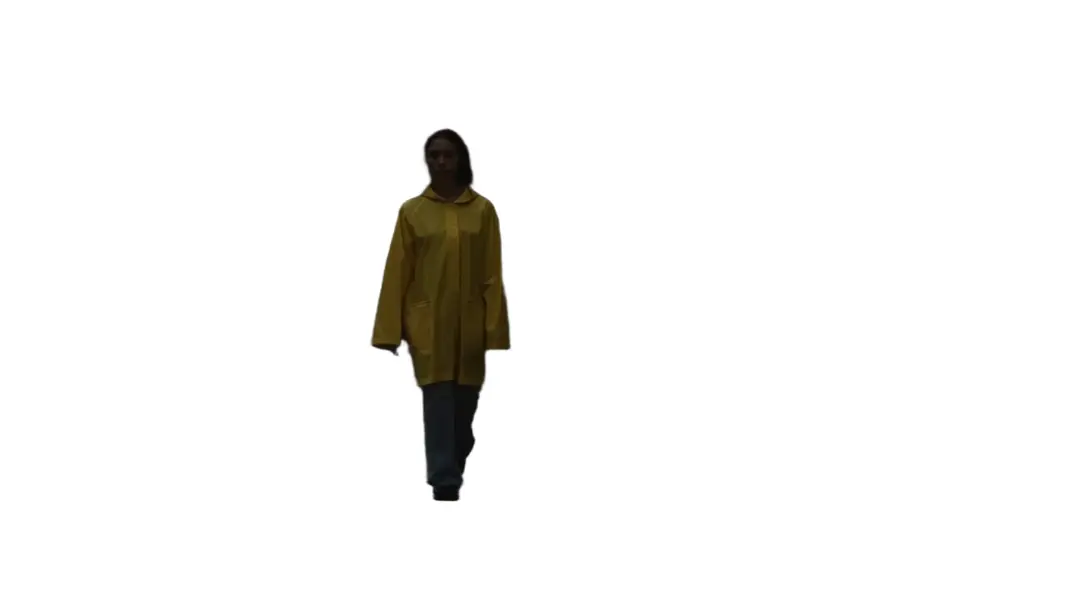
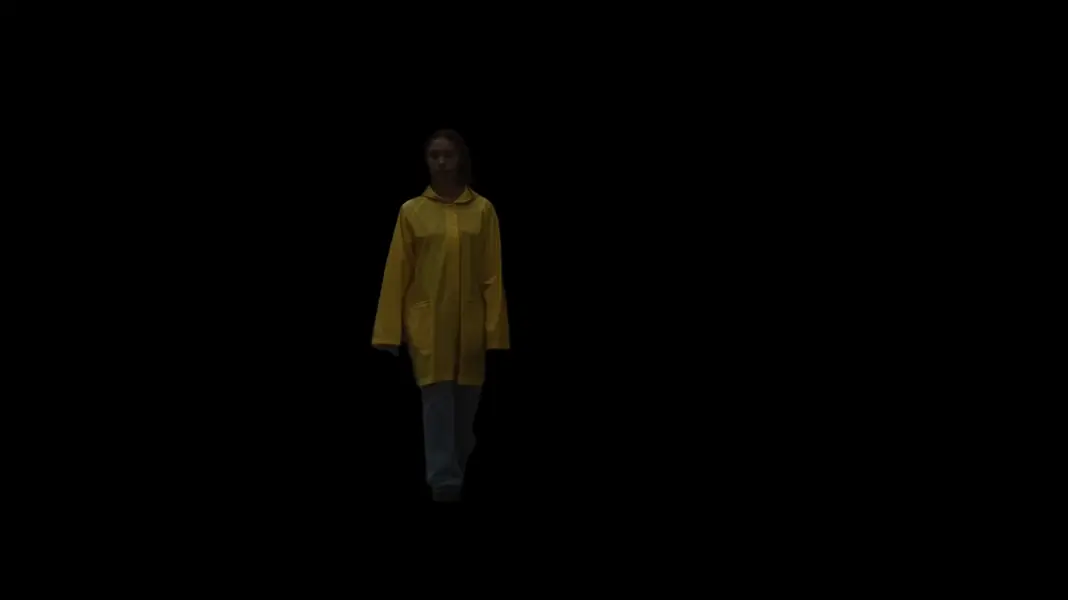
Videodaki arka planı otomatik olarak kaldırın ya da değiştirin — yeşil perde ya da elle rotoscoping gerekmez — çıktıyı saydam alpha ya da düz bir renk üzerinde alın.

arka plan kaldırma
üretilen video için saniye başına 0.0042

Model girdisi

Input

Input video to remove the background from. Must be under 4000x4000 resolution and shorter than 30 seconds.

If true, the audio track from the input video is preserved in the output.

Additional Settings

Customize your input with more control.

Fill behind the subject after the background is removed. Choose Transparent for an alpha-channel cutout, or a solid color to flatten the background.

Container and video codec of the output. Only alpha-capable containers (webm_vp9, mov_proresks) carry a transparent background.

You need to be logged in to run this model and view results.
Log in

Model çıktısı

Output

Loading
Generated in 18.673 seconds
Logs (1 lines)

Örnek istekler

Örnekler

Example output 1Example output 2

Bria Video Background Removal API

Bria Video Background Removal is a video-to-video AI model by bria. On ModelRunner it runs through a REST API or via MCP from any AI assistant, at $0.0042 per second of video.

POST https://queue.modelrunner.run/bria/video/background-removal

cURL

# Submit a request to the queue. Input fields go at the top level of the
# body. The optional reserved "metadata" object holds your own flat string
# tags — stored on the request, never sent to the model; filter later with
# GET https://queue.modelrunner.run/requests?metadata=<url-encoded JSON>.
curl -X POST https://queue.modelrunner.run/bria/video/background-removal \
  -H "Authorization: Key $MRUN_API_KEY" \
  -H "Content-Type: application/json" \
  -d '{
    "video_url": "https://media.modelrunner.ai/00eWLaMhCPsIt1hB-woman-yellow-raincoat-walking.mp4",
    "preserve_audio": false,
    "background_color": "Black",
    "output_container_and_codec": "mp4_h264",
    "metadata": {
      "project": "my-project"
    }
  }'
# → { "request_id": "...", "status_url": "...", "response_url": "..." }

# Poll status_url until "COMPLETED", then fetch the result
curl "https://queue.modelrunner.run/bria/video/background-removal/requests/$REQUEST_ID/status" \
  -H "Authorization: Key $MRUN_API_KEY"
curl "https://queue.modelrunner.run/bria/video/background-removal/requests/$REQUEST_ID" \
  -H "Authorization: Key $MRUN_API_KEY"

JavaScript

import { modelrunner } from "@modelrunner/client";

const result = await modelrunner.subscribe("bria/video/background-removal", {
  input: {
    "video_url": "https://media.modelrunner.ai/00eWLaMhCPsIt1hB-woman-yellow-raincoat-walking.mp4",
    "preserve_audio": false,
    "background_color": "Black",
    "output_container_and_codec": "mp4_h264"
  },
});
console.log(result);

Python

import os
import requests

headers = {"Authorization": f"Key {os.environ['MRUN_API_KEY']}"}

submitted = requests.post(
    "https://queue.modelrunner.run/bria/video/background-removal",
    headers=headers,
    json={
      "video_url": "https://media.modelrunner.ai/00eWLaMhCPsIt1hB-woman-yellow-raincoat-walking.mp4",
      "preserve_audio": false,
      "background_color": "Black",
      "output_container_and_codec": "mp4_h264"
    },
).json()

# Poll submitted["status_url"] until "COMPLETED", then:
result = requests.get(submitted["response_url"], headers=headers).json()

Input parameters

Input parameters of Bria Video Background Removal
NameTypeRequiredDescription
video_urlstring (uri)yesInput video to remove the background from. Must be under 4000x4000 resolution and shorter than 30 seconds.
preserve_audiobooleannoIf true, the audio track from the input video is preserved in the output. Default: true.
background_colorenumnoFill behind the subject after the background is removed. Choose Transparent for an alpha-channel cutout, or a solid color to flatten the background. One of: Transparent, Black, White, Gray, Red, Green, Blue, Yellow, Cyan, Magenta, Orange. Default: "Black".
output_container_and_codecenumnoContainer and video codec of the output. Only alpha-capable containers (webm_vp9, mov_proresks) carry a transparent background. One of: mp4_h265, mp4_h264, webm_vp9, mov_h265, mov_proresks, mkv_h265, mkv_h264, mkv_vp9, gif. Default: "mp4_h264".

Machine-readable: OpenAPI schema · llms.txt

Use Bria Video Background Removal from Claude & Cursor (MCP)

Point Claude Code, Claude Desktop, Cursor, or any MCP client at the ModelRunner MCP server and Bria Video Background Removal becomes a tool your assistant can call directly — it authorizes via OAuth (no API key in config) and runs this model with the run_model tool using the endpoint bria/video/background-removal.

MCP client config (Claude Desktop, Cursor)

{
  "mcpServers": {
    "modelrunner": {
      "command": "npx",
      "args": ["-y", "mcp-remote", "https://mcp.modelrunner.run/mcp"]
    }
  }
}

Claude Code

claude mcp add --transport http modelrunner https://mcp.modelrunner.run/mcp

Then ask your assistant, for example: “Run bria/video/background-removal on ModelRunner to generate video”. MCP setup guide.

Model Detayları

Model Detayları

Bria Video Background Removal (VRMBG 3.0), bir videonun arka planını kare kare ve otomatik olarak ayıklar; ne yeşil perde ne de elle rotoscoping gerekir. Bir video URL’si verdiğinizde model aynı klibi arka planı kaldırılmış olarak döndürür — ya kompozit için saydam bir alpha kanalıyla ya da seçtiğiniz düz bir renkle doldurulmuş olarak. Kaynaktaki ses varsayılan olarak korunur, klibin süresi de değişmez. Tamamen lisanslı veriyle eğitildiği için sonuçları ticari işlerde ve büyük ölçekte güvenle kullanabilirsiniz.

## En uygun olduğu işler - Sunum yapan birini, bir talking-head’i ya da podcast sunucusunu yeni bir sahneye kompozit edilebilsin diye kesit olarak ayırmak - Kurgucular, motion graphics ve overlay’ler için saydam arka planlı (alpha) klipler üretmek - Ürün ve e-ticaret videolarını düz renkli, dikkat dağıtmayan bir arka plana alarak sadeleştirmek - Yeşil perde önünde çekim yapmadan kalabalık bir arka planı tek bir düz renkle değiştirmek - Lisanslı eğitim verisinin önem taşıdığı, ticari açıdan güvenli video kesitleri

## Şu durumlarda başka bir model seçin - Arka planı video yerine durağan bir görselden kaldırmanız gerekiyorsa — bir görsel arka plan kaldırma modeli kullanın - Bir talking-head videosunun arka planını ayıklamak yerine lip-sync, yeniden seslendirme ya da dublaj yapmak istiyorsanız — bir video lip-sync modeli kullanın - Bir prompt’tan ya da durağan bir görselden yeni bir video üretmeniz gerekiyorsa — bir text-to-video ya da image-to-video modeli kullanın

## İpuçları - Girdi videosu 4000×4000 çözünürlüğün altında ve 30 saniyeden kısa olmalıdır. - Başka görüntülerin üzerine kompozit edilecek alpha kanallı bir kesit için `background_color: "Transparent"` seçin; arka planı düz renge çevirmek içinse 10 düz renkten birini seçin. - Varsayılan çıktı formatı `mp4_h264` (geniş uyumlu, opak). Saydamlık alpha destekleyen bir container gerektirir — `webm_vp9` ya da `mov_proresks` — bu yüzden `background_color: "Transparent"` değerini bunlardan biriyle birlikte kullanın; `mp4_h264`/`mp4_h265` ve `gif` alpha kanalı taşıyamaz. - Özgün ses bandını çıktıdan çıkarmak için `preserve_audio: false` ayarlayın.

## Gelişmiş Yapılandırma - `background_color` — özgün arka plan kaldırıldıktan sonra öznenin arkasına gelen dolgu. `Transparent` alpha kanallı bir kesit verir; diğer değerler (`Black`, `White`, `Gray`, `Red`, `Green`, `Blue`, `Yellow`, `Cyan`, `Magenta`, `Orange`) arka planı o düz renge çevirir. - `output_container_and_codec` — sonucun container’ı ve video codec’i. Seçenekler: `mp4_h265`, `mp4_h264` (varsayılan), `webm_vp9`, `mov_h265`, `mov_proresks`, `mkv_h265`, `mkv_h264`, `mkv_vp9`, `gif`. Saydam arka planı yalnızca alpha destekleyen container’lar (`webm_vp9`, `mov_proresks`) taşır.

```js import { modelrunner } from "@modelrunner/client";

const result = await modelrunner.subscribe("bria/video/background-removal", { input: { video_url: "https://media.modelrunner.ai/00eWLaMhCPsIt1hB-woman-yellow-raincoat-walking.mp4", background_color: "Transparent", output_container_and_codec: "webm_vp9", preserve_audio: true, }, }); ```