

zhengpeng7 avatar

BiRefNet Background Removal API

zhengpeng7/birefnet

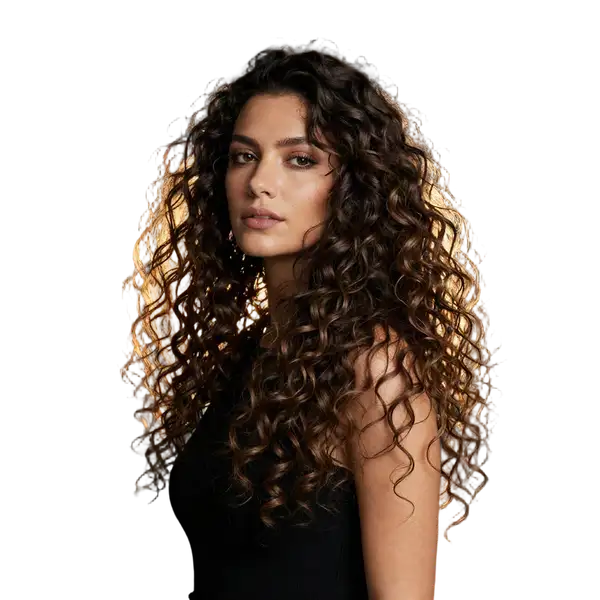
Remove the background from an image and get a transparent-PNG cutout, with 11 selectable checkpoints and a soft alpha matte that keeps individual hair strands separated.

remove backgroundmask

Model Input

Input

Source image to cut out. Still images (PNG, JPEG, WebP) are the normal case. An animated GIF or WebP is also accepted and comes back as an animated WebP with transparency, processed frame by frame — cost and turnaround scale with the frame count. Video files are not supported.

Which BiRefNet checkpoint to run. 'general' is the all-purpose default. Pick a specialist when your subject fits one: 'portrait' for people, 'matting' or 'dynamic-matting' for hair and fur, 'toonout' for anime and flat-colour illustration, 'lite' / 'lite-2k' / 'lite-matting' for a smaller, faster backbone. The '-hr' and '-2k' checkpoints infer at a higher internal resolution for a more accurate matte — the returned image is still the size of your input, never larger.

Additional Settings

Customize your input with more control.

'cutout' returns an RGBA image with the background removed. 'mask' returns the raw single-channel alpha matte instead, for pipelines that key the subject themselves.

Min: 0 - Max: 2048

Square inference resolution. 0 uses the chosen checkpoint's native resolution (1024, or 2048 for the HR and 2K checkpoints). This sets how finely the matte is computed, not the size of the returned image — the output always matches the input's dimensions. Higher values cost more compute time.

Refine foreground colours (FB blur fusion) so soft edges do not carry colour bleed from the original background. Worth enabling when compositing onto a light or strongly coloured backdrop. Ignored when output_format is 'mask'.

Min: 0 - Max: 64

Gaussian blur radius in pixels applied to the matte, softening the cut edge.

Min: -64 - Max: 64

Grow (positive) or shrink (negative) the matte by this many pixels. A small positive value removes a thin background fringe; a small negative value bites into the subject.

GPU inference precision. 'fp32' is full precision and the default; 'fp16' is somewhat faster and uses less memory, with negligible quality difference.

You need to be logged in to run this model and view results.
Log in

Model Output

Output

Loading
Generated in 1.838 seconds
Logs (1 lines)

Model Example Requests

Examples

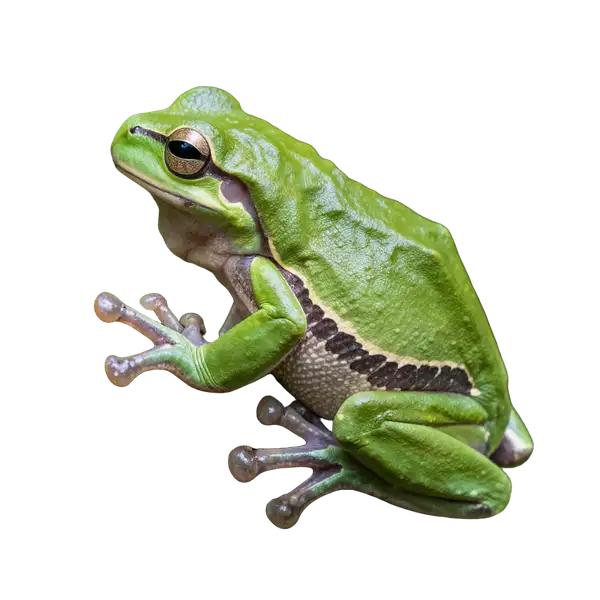
Example output 1Example output 2Example output 3Example output 4

BiRefNet Background Removal API

BiRefNet Background Removal is a image-to-image AI model by zhengpeng7. On ModelRunner it runs through a REST API or via MCP from any AI assistant, at about $0.004 per image.

POST https://queue.modelrunner.run/zhengpeng7/birefnet

cURL

# Submit a request to the queue. Input fields go at the top level of the
# body. The optional reserved "metadata" object holds your own flat string
# tags — stored on the request, never sent to the model; filter later with
# GET https://queue.modelrunner.run/requests?metadata=<url-encoded JSON>.
curl -X POST https://queue.modelrunner.run/zhengpeng7/birefnet \
  -H "Authorization: Key $MRUN_API_KEY" \
  -H "Content-Type: application/json" \
  -d '{
    "image": "https://media.modelrunner.ai/h21PxKtswi6QvBTA2imS1.png",
    "variant": "toonout",
    "mask_blur": 0,
    "precision": "fp32",
    "refine_fg": false,
    "resolution": 0,
    "mask_offset": 0,
    "output_format": "cutout",
    "metadata": {
      "project": "my-project"
    }
  }'
# → { "request_id": "...", "status_url": "...", "response_url": "..." }

# Poll status_url until "COMPLETED", then fetch the result
curl "https://queue.modelrunner.run/zhengpeng7/birefnet/requests/$REQUEST_ID/status" \
  -H "Authorization: Key $MRUN_API_KEY"
curl "https://queue.modelrunner.run/zhengpeng7/birefnet/requests/$REQUEST_ID" \
  -H "Authorization: Key $MRUN_API_KEY"

JavaScript

import { modelrunner } from "@modelrunner/client";

const result = await modelrunner.subscribe("zhengpeng7/birefnet", {
  input: {
    "image": "https://media.modelrunner.ai/h21PxKtswi6QvBTA2imS1.png",
    "variant": "toonout",
    "mask_blur": 0,
    "precision": "fp32",
    "refine_fg": false,
    "resolution": 0,
    "mask_offset": 0,
    "output_format": "cutout"
  },
});
console.log(result);

Python

import os
import requests

headers = {"Authorization": f"Key {os.environ['MRUN_API_KEY']}"}

submitted = requests.post(
    "https://queue.modelrunner.run/zhengpeng7/birefnet",
    headers=headers,
    json={
      "image": "https://media.modelrunner.ai/h21PxKtswi6QvBTA2imS1.png",
      "variant": "toonout",
      "mask_blur": 0,
      "precision": "fp32",
      "refine_fg": false,
      "resolution": 0,
      "mask_offset": 0,
      "output_format": "cutout"
    },
).json()

# Poll submitted["status_url"] until "COMPLETED", then:
result = requests.get(submitted["response_url"], headers=headers).json()

Input parameters

Input parameters of BiRefNet Background Removal
NameTypeRequiredDescription
imagestring (uri)yesSource image to cut out. Still images (PNG, JPEG, WebP) are the normal case. An animated GIF or WebP is also accepted and comes back as an animated WebP with transparency, processed frame by frame — cost and turnaround scale with the frame count. Video files are not supported.
variantenumnoWhich BiRefNet checkpoint to run. 'general' is the all-purpose default. Pick a specialist when your subject fits one: 'portrait' for people, 'matting' or 'dynamic-matting' for hair and fur, 'toonout' for anime and flat-colour illustration, 'lite' / 'lite-2k' / 'lite-matting' for a smaller, faster backbone. The '-hr' and '-2k' checkpoints infer at a higher internal resolution for a more accurate matte — the returned image is still the size of your input, never larger. One of: general, general-hr, portrait, matting, matting-hr, dynamic, dynamic-matting, lite, lite-2k, lite-matting, toonout. Default: "general".
output_formatenumno'cutout' returns an RGBA image with the background removed. 'mask' returns the raw single-channel alpha matte instead, for pipelines that key the subject themselves. One of: cutout, mask. Default: "cutout".
resolutionintegernoSquare inference resolution. 0 uses the chosen checkpoint's native resolution (1024, or 2048 for the HR and 2K checkpoints). This sets how finely the matte is computed, not the size of the returned image — the output always matches the input's dimensions. Higher values cost more compute time. Default: 0.
refine_fgbooleannoRefine foreground colours (FB blur fusion) so soft edges do not carry colour bleed from the original background. Worth enabling when compositing onto a light or strongly coloured backdrop. Ignored when output_format is 'mask'. Default: false.
mask_blurintegernoGaussian blur radius in pixels applied to the matte, softening the cut edge. Default: 0.
mask_offsetintegernoGrow (positive) or shrink (negative) the matte by this many pixels. A small positive value removes a thin background fringe; a small negative value bites into the subject. Default: 0.
precisionenumnoGPU inference precision. 'fp32' is full precision and the default; 'fp16' is somewhat faster and uses less memory, with negligible quality difference. One of: fp16, fp32. Default: "fp32".

Machine-readable: OpenAPI schema · llms.txt

Use BiRefNet Background Removal from Claude & Cursor (MCP)

Point Claude Code, Claude Desktop, Cursor, or any MCP client at the ModelRunner MCP server and BiRefNet Background Removal becomes a tool your assistant can call directly — it authorizes via OAuth (no API key in config) and runs this model with the run_model tool using the endpoint zhengpeng7/birefnet.

MCP client config (Claude Desktop, Cursor)

{
  "mcpServers": {
    "modelrunner": {
      "command": "npx",
      "args": ["-y", "mcp-remote", "https://mcp.modelrunner.run/mcp"]
    }
  }
}

Claude Code

claude mcp add --transport http modelrunner https://mcp.modelrunner.run/mcp

Then ask your assistant, for example: “Run zhengpeng7/birefnet on ModelRunner to generate image”. MCP setup guide.

Model Details

Model Details

BiRefNet separates the subject of a photo from its background and returns a transparent RGBA image, or the raw alpha matte on its own. Its standout is edge quality: the matte is genuinely soft rather than a hard on/off threshold, so backlit hair, fur and mesh come back as separated strands with background visible between them, not a blobbed silhouette. One endpoint carries eleven purpose-built checkpoints — general, portrait, matting, high-detail and lite tiers plus a community anime fine-tune — so you pick the one that matches your subject. Typical work: e-commerce cutouts, compositing plates, stickers, and mask extraction for downstream editing.

## Best for - Portraits and pet photos where hair or fur must survive the cut — `variant: "portrait"` or `"matting"` - Subjects that blend into their surroundings — the model is trained to find low-contrast foregrounds - Anime and illustrated characters, via the dedicated `toonout` checkpoint - The raw alpha matte for compositing or VFX — `output_format: "mask"`

## Choose another model when - You want a background generated or replaced from a text description — this model has no prompt input; use `bria/background/replace` - You need the subject relit for a new backdrop — use `lllyasviel/iclight/v2` - You are cutting out a video file — this endpoint takes still images and animated GIF/WebP only - You want a bigger image than you put in — the cutout returns at the input's dimensions; upscale separately

## Tips - Leave `variant` at `general` unless your subject fits a specialist: `portrait` for people, `matting` for hair and fur, `toonout` for flat-colour illustration, `lite` for throughput. - `general-hr`, `matting-hr` and `lite-2k` infer at a higher internal resolution for a more accurate matte; the file returned is still the size of your input. - `refine_fg` pulls background colour out of soft edges — use it when compositing onto a light backdrop; ignored for `mask` output. - `mask_offset` grows or shrinks the cut a pixel or two if a fringe survives; `mask_blur` softens the edge. - Billing follows compute time: a default `general` run costs under half a cent; lighter variants or a smaller `resolution` cost less.

## Limitations - Animated GIF/WebP inputs are processed frame by frame, so cost scales with frame count - `toonout` is a community fine-tune layered on BiRefNet, not one of the original checkpoints

To run via the ModelRunner JavaScript client: ```js import { modelrunner } from "@modelrunner/client";

const result = await modelrunner.subscribe("zhengpeng7/birefnet", { input: { image: "https://media.modelrunner.ai/rJ3Rl8kf4LLzo6SBVlH6n.png", variant: "matting", refine_fg: true, }, }); ```