
recraft avatar

Recraft V3 API

recraft/v3/image-to-image

Restyle an existing image into any of a large library of professional design styles from a text prompt, with true vector (SVG) output when a vector style is selected.

edit
0.04

Model Input

Input

The text prompt describing how to restyle or change the image.

URL of the source image to restyle (max 5MB, 16MP, 4096px per side).

Additional Settings

Customize your input with more control.

Min: 0 - Max: 1

How far the result departs from the original image (denoising strength). 0 stays close to the input, 1 transforms heavily.

The visual style to render. Pick a top-level family or a specific substyle. Any 'vector_illustration/*' style returns a true vector (SVG) file; all other styles return a raster image. Vector styles cost 2X as much.

Text describing elements to avoid in the result.

You need to be logged in to run this model and view results.
Log in

Model Output

Output

Loading
Generated in 11.019 seconds
Logs (1 lines)

Model Example Requests

Examples

Example output 1Example output 2Example output 3

Recraft V3 API

Recraft V3 is a image-to-image AI model by recraft. On ModelRunner it runs through a REST API or via MCP from any AI assistant, at $0.04 per image.

POST https://queue.modelrunner.run/recraft/v3/image-to-image

cURL

# Submit a request to the queue. Input fields go at the top level of the
# body. The optional reserved "metadata" object holds your own flat string
# tags — stored on the request, never sent to the model; filter later with
# GET https://queue.modelrunner.run/requests?metadata=<url-encoded JSON>.
curl -X POST https://queue.modelrunner.run/recraft/v3/image-to-image \
  -H "Authorization: Key $MRUN_API_KEY" \
  -H "Content-Type: application/json" \
  -d '{
    "style": "digital_illustration/urban_glow",
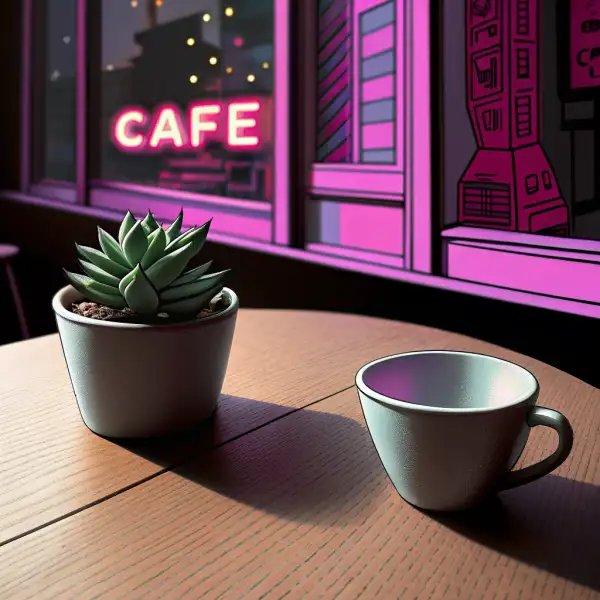
    "prompt": "Transform this cafe scene into a vibrant neon-lit urban night setting with glowing signage",
    "strength": 0.6,
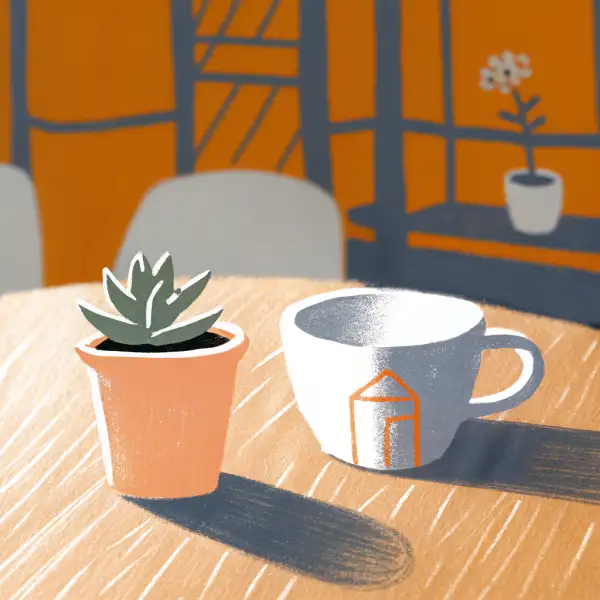
    "image_url": "https://media.modelrunner.ai/qpVDYUNXosDmWAFh-recraft-i2i-probe-source-coffee-cup.png",
    "metadata": {
      "project": "my-project"
    }
  }'
# → { "request_id": "...", "status_url": "...", "response_url": "..." }

# Poll status_url until "COMPLETED", then fetch the result
curl "https://queue.modelrunner.run/recraft/v3/image-to-image/requests/$REQUEST_ID/status" \
  -H "Authorization: Key $MRUN_API_KEY"
curl "https://queue.modelrunner.run/recraft/v3/image-to-image/requests/$REQUEST_ID" \
  -H "Authorization: Key $MRUN_API_KEY"

JavaScript

import { modelrunner } from "@modelrunner/client";

const result = await modelrunner.subscribe("recraft/v3/image-to-image", {
  input: {
    "style": "digital_illustration/urban_glow",
    "prompt": "Transform this cafe scene into a vibrant neon-lit urban night setting with glowing signage",
    "strength": 0.6,
    "image_url": "https://media.modelrunner.ai/qpVDYUNXosDmWAFh-recraft-i2i-probe-source-coffee-cup.png"
  },
});
console.log(result);

Python

import os
import requests

headers = {"Authorization": f"Key {os.environ['MRUN_API_KEY']}"}

submitted = requests.post(
    "https://queue.modelrunner.run/recraft/v3/image-to-image",
    headers=headers,
    json={
      "style": "digital_illustration/urban_glow",
      "prompt": "Transform this cafe scene into a vibrant neon-lit urban night setting with glowing signage",
      "strength": 0.6,
      "image_url": "https://media.modelrunner.ai/qpVDYUNXosDmWAFh-recraft-i2i-probe-source-coffee-cup.png"
    },
).json()

# Poll submitted["status_url"] until "COMPLETED", then:
result = requests.get(submitted["response_url"], headers=headers).json()

Input parameters

NameTypeRequiredDescription
promptstringyesThe text prompt describing how to restyle or change the image.
image_urlstring (uri)yesURL of the source image to restyle (max 5MB, 16MP, 4096px per side).
strengthnumbernoHow far the result departs from the original image (denoising strength). 0 stays close to the input, 1 transforms heavily. Default: 0.5.
styleenumnoThe visual style to render. Pick a top-level family or a specific substyle. Any 'vector_illustration/*' style returns a true vector (SVG) file; all other styles return a raster image. Vector styles cost 2X as much. Default: "realistic_image".
negative_promptstringnoText describing elements to avoid in the result.

Machine-readable: OpenAPI schema · llms.txt

Use Recraft V3 from Claude & Cursor (MCP)

Point Claude Code, Claude Desktop, Cursor, or any MCP client at the ModelRunner MCP server and Recraft V3 becomes a tool your assistant can call directly — it authorizes via OAuth (no API key in config) and runs this model with the run_model tool using the endpoint recraft/v3/image-to-image.

MCP client config (Claude Desktop, Cursor)

{
  "mcpServers": {
    "modelrunner": {
      "command": "npx",
      "args": ["-y", "mcp-remote", "https://mcp.modelrunner.run/mcp"]
    }
  }
}

Claude Code

claude mcp add --transport http modelrunner https://mcp.modelrunner.run/mcp

Then ask your assistant, for example: “Run recraft/v3/image-to-image on ModelRunner to generate image”. MCP setup guide.

Model Details

Model Details

Recraft V3 (Image to Image) takes an existing image plus a text prompt and re-renders it in any of a large library of professional, named design styles. Provide the source image with `image_url`, describe what to change in `prompt`, and pick a look with `style`; `strength` controls how far the result departs from the original (0 stays close, 1 transforms heavily). Its standout strength is the same deep style catalog as the text-to-image variant — photoreal looks, digital illustration, and vector aesthetics — now applied as a restyle/transform of your own image rather than a from-scratch generation. When you pick a `vector_illustration/*` style the result is a true vector (SVG) file rather than a raster image, which makes it well suited to turning a picture into a clean, scalable logo or icon. Default raster styles (`realistic_image`, `digital_illustration`) return a standard webp image.

## Best for - Restyling a photo or illustration into a specific art style (watercolor, line art, pop art, flat vector) while keeping its composition - Converting an existing raster image into a scalable vector (SVG) logo or icon — pick a `vector_illustration/*` style - Applying one consistent, deliberately chosen `style` across a whole set of source images for a coherent brand look - Photoreal cleanups and look changes that stay anchored to the input image via a low-to-mid `strength`

## Choose another model when - You have no source image and want to generate purely from text — use the Recraft V3 text-to-image variant - You need precise, mask-based inpainting or object removal rather than a whole-image restyle — use an inpaint/eraser model - You need motion or animation — use an image-to-video model - You need many variations in a single call — this model returns one image per request

## Tips - The two biggest levers are `style` and `strength`: keep `strength` low (0.2–0.4) to preserve the original's layout and identity, raise it (0.6–0.8) for a stronger stylistic transformation - Browse the style families (`realistic_image`, `digital_illustration`, `vector_illustration`) and their substyles, e.g. `vector_illustration/line_art` for crisp line icons or `digital_illustration/pop_art` for a poster look - Choose any `vector_illustration/*` style when you specifically want an SVG you can scale and recolor; other style families return raster images - Use `negative_prompt` to steer away from unwanted elements when the restyle drifts

## Limitations - Returns a single image per request; there is no batch or variation count - No seed control, so exact runs are not reproducible - Vector styles return SVG and bill at double the standard rate - Fine, precisely spelled text and exact object counts can still be imperfect

To run via the ModelRunner JavaScript client: ```js import { modelrunner } from "@modelrunner/client";

const result = await modelrunner.subscribe("recraft/v3/image-to-image", { input: { image_url: "https://media.modelrunner.ai/qpVDYUNXosDmWAFh-recraft-i2i-probe-source-coffee-cup.png", prompt: "restyle as a warm watercolor illustration", strength: 0.5, style: "digital_illustration/hand_drawn", }, }); ```