
openai avatar

GPT Image 2.5 Flare Edit API

openai/gpt-image-2.5/flare/edit

Edit an existing image from a text instruction — it changes only what you ask for and leaves subject, composition and background intact, with optional masking and a second reference image for compositing.

edit
0.0556

Model Input

Input

The edit instruction. Name the single change you want, then list what must stay the same — subject, layout, lighting, wording. Put any words you want rendered inside the image in quotes.

  • https://media.modelrunner.ai/RBnQU47YUtvzxzAk40HGq.png

One or two reference images. With one, the edit is applied to it; with two, elements from both can be combined into a single scene — address them in the prompt as 'image 1' and 'image 2'.

Additional Settings

Customize your input with more control.

Optional mask restricting the edit to one region. The mask should carry an alpha channel — transparent areas mark where changes are allowed — and match the reference image's size and format. Masking is prompt-guided, so the edited area may not follow the mask's shape exactly.

The aspect ratio and framing of the edited image. Match it to the source image's own aspect ratio unless you want the frame re-composed.

Min: 1 - Max: 4

How many edited images to generate from this request. Each image is charged as its own generation.

The file format of the edited image.

You need to be logged in to run this model and view results.
Log in

Model Output

Output

Generated image output
Generated in 19.792 seconds
Logs (1 lines)

Model Example Requests

Examples

Example output 1Example output 2

GPT Image 2.5 Flare Edit API

GPT Image 2.5 Flare Edit is a image-to-image AI model by openai. On ModelRunner it runs through a REST API or via MCP from any AI assistant, at $0.0556 per image.

POST https://queue.modelrunner.run/openai/gpt-image-2.5/flare/edit

cURL

# Submit a request to the queue. Input fields go at the top level of the
# body. The optional reserved "metadata" object holds your own flat string
# tags — stored on the request, never sent to the model; filter later with
# GET https://queue.modelrunner.run/requests?metadata=<url-encoded JSON>.
curl -X POST https://queue.modelrunner.run/openai/gpt-image-2.5/flare/edit \
  -H "Authorization: Key $MRUN_API_KEY" \
  -H "Content-Type: application/json" \
  -d '{
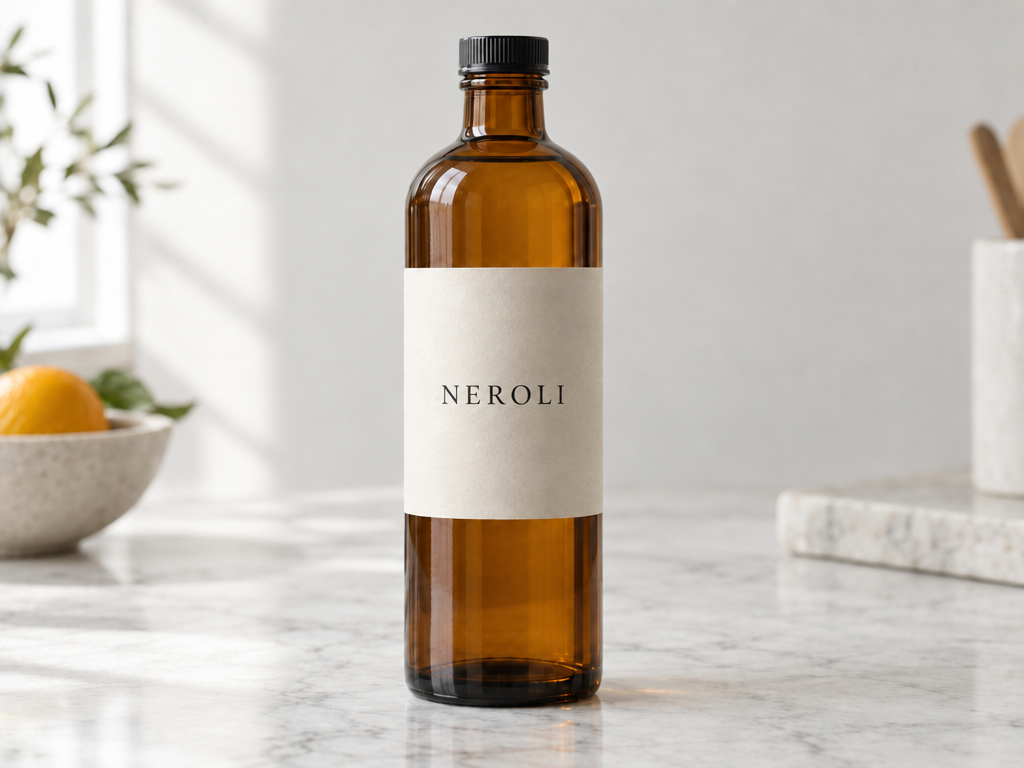
    "prompt": "Change only the label wording to read \"NEROLI\"; keep the amber glass bottle, its cap, the pale marble surface, the li…",
    "image_size": "landscape_4_3",
    "image_urls": [
      "https://media.modelrunner.ai/RBnQU47YUtvzxzAk40HGq.png"
    ],
    "num_images": 1,
    "output_format": "png",
    "metadata": {
      "project": "my-project"
    }
  }'
# → { "request_id": "...", "status_url": "...", "response_url": "..." }

# Poll status_url until "COMPLETED", then fetch the result
curl "https://queue.modelrunner.run/openai/gpt-image-2.5/flare/edit/requests/$REQUEST_ID/status" \
  -H "Authorization: Key $MRUN_API_KEY"
curl "https://queue.modelrunner.run/openai/gpt-image-2.5/flare/edit/requests/$REQUEST_ID" \
  -H "Authorization: Key $MRUN_API_KEY"

JavaScript

import { modelrunner } from "@modelrunner/client";

const result = await modelrunner.subscribe("openai/gpt-image-2.5/flare/edit", {
  input: {
    "prompt": "Change only the label wording to read \"NEROLI\"; keep the amber glass bottle, its cap, the pale marble surface, the li…",
    "image_size": "landscape_4_3",
    "image_urls": [
      "https://media.modelrunner.ai/RBnQU47YUtvzxzAk40HGq.png"
    ],
    "num_images": 1,
    "output_format": "png"
  },
});
console.log(result);

Python

import os
import requests

headers = {"Authorization": f"Key {os.environ['MRUN_API_KEY']}"}

submitted = requests.post(
    "https://queue.modelrunner.run/openai/gpt-image-2.5/flare/edit",
    headers=headers,
    json={
      "prompt": "Change only the label wording to read \"NEROLI\"; keep the amber glass bottle, its cap, the pale marble surface, the li…",
      "image_size": "landscape_4_3",
      "image_urls": [
        "https://media.modelrunner.ai/RBnQU47YUtvzxzAk40HGq.png"
      ],
      "num_images": 1,
      "output_format": "png"
    },
).json()

# Poll submitted["status_url"] until "COMPLETED", then:
result = requests.get(submitted["response_url"], headers=headers).json()

Input parameters

Input parameters of GPT Image 2.5 Flare Edit
NameTypeRequiredDescription
promptstringyesThe edit instruction. Name the single change you want, then list what must stay the same — subject, layout, lighting, wording. Put any words you want rendered inside the image in quotes.
image_urlsarrayyesOne or two reference images. With one, the edit is applied to it; with two, elements from both can be combined into a single scene — address them in the prompt as 'image 1' and 'image 2'.
mask_urlstring (uri)noOptional mask restricting the edit to one region. The mask should carry an alpha channel — transparent areas mark where changes are allowed — and match the reference image's size and format. Masking is prompt-guided, so the edited area may not follow the mask's shape exactly.
image_sizeenumnoThe aspect ratio and framing of the edited image. Match it to the source image's own aspect ratio unless you want the frame re-composed. One of: square_hd, square, portrait_4_3, portrait_16_9, landscape_4_3, landscape_16_9. Default: "landscape_4_3".
num_imagesintegernoHow many edited images to generate from this request. Each image is charged as its own generation. Default: 1.
output_formatenumnoThe file format of the edited image. One of: jpeg, png, webp. Default: "png".

Machine-readable: OpenAPI schema · llms.txt

Use GPT Image 2.5 Flare Edit from Claude & Cursor (MCP)

Point Claude Code, Claude Desktop, Cursor, or any MCP client at the ModelRunner MCP server and GPT Image 2.5 Flare Edit becomes a tool your assistant can call directly — it authorizes via OAuth (no API key in config) and runs this model with the run_model tool using the endpoint openai/gpt-image-2.5/flare/edit.

MCP client config (Claude Desktop, Cursor)

{
  "mcpServers": {
    "modelrunner": {
      "command": "npx",
      "args": ["-y", "mcp-remote", "https://mcp.modelrunner.run/mcp"]
    }
  }
}

Claude Code

claude mcp add --transport http modelrunner https://mcp.modelrunner.run/mcp

Then ask your assistant, for example: “Run openai/gpt-image-2.5/flare/edit on ModelRunner to generate image”. MCP setup guide.

Model Details

Model Details

GPT Image 2.5 Flare Edit takes one or two reference images plus a written instruction and returns an edited image. Its defining strength is precision: it changes only what the instruction asks for and keeps the subject, composition and background intact, so one edit does not quietly redraw the rest of the frame. Add a mask to confine the change to a single region, or pass a second reference so elements from both pictures land in one composited scene.

## Best for - Changing one detail in a photo — a colour, an object, a line of wording — while everything else stays as shot - Adding, removing or replacing objects in product and marketing images by describing the change - Inpainting a marked region: replacing or filling just the area your mask covers - Compositing a subject from one picture into the scene, style or background of a second

## Choose another model when - You are making a picture from scratch — at least one reference image is required here; use a text-to-image model - The edit must be clipped exactly to a mask boundary — masking here is prompt-guided and may not follow the mask's shape precisely - You need more than two reference images in one request — use an editing model with a larger reference limit

## Tips - Separate the change from the constraints: say "change only X", then list what must stay — identity, layout, lighting, labels - With two references, address them by number and role: "image 1" the scene, "image 2" the subject to insert - Match `image_size` to the source image's aspect ratio for a precision edit; a different ratio makes the model re-compose the frame - Give the mask an alpha channel and the same size and format as the image it masks

## Limitations - Every request runs at the standard high-quality setting; the extra-detail tiers are not selectable - `image_size` offers six named presets only — no custom width and height - Repeated edits can drift details you meant to keep — each request is independent, so restate the constraints every pass - Content filtering applies to every request and cannot be relaxed

To run via the ModelRunner JavaScript client: ```js import { modelrunner } from "@modelrunner/client";

const result = await modelrunner.subscribe("openai/gpt-image-2.5/flare/edit", { input: { prompt: 'Change only the bottle label to read "LAVENDER"; keep the bottle, marble surface, lighting and framing exactly as they are.', image_urls: ["https://media.modelrunner.ai/RBnQU47YUtvzxzAk40HGq.png"], image_size: "landscape_4_3", output_format: "png", }, }); ```