

Model Details
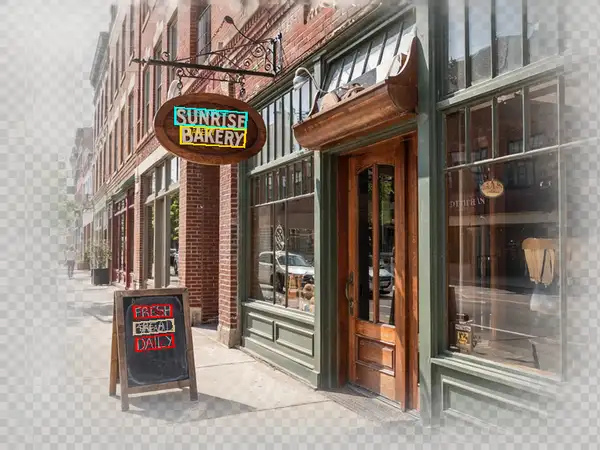
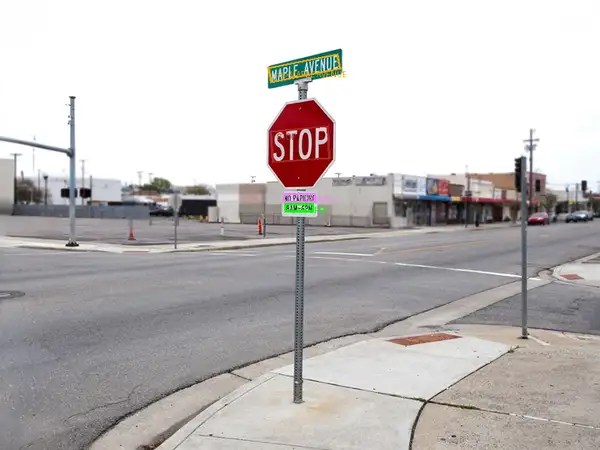
Florence-2 Large OCR with Region finds where text appears in a photo, reads it, and returns the same image with each detected text region drawn as a labeled box showing the recognized text. Give it one image URL and you get back an annotated picture that marks every text region it located — signage, labels, headings, printed lines — alongside structured per-region results (each box's position and the text it read). It needs no prompt and no tuning: one image in, one annotated image out. Built on Microsoft's Florence-2 vision-language foundation model, it combines detection and recognition in a single pass so you can see both *what* the text says and *where* it sits in the frame.
## Best for - Reading and locating text on signage, product labels, receipts, and document photos - Visualizing where text sits in an image with labeled boxes for review or QA - Checking text placement and coverage on packaging, ads, or UI screenshots - Spatially-grounded OCR where you need both the transcript and its position, not just a flat string
## Choose another model when - You only want the raw transcript with no boxes or coordinates — use a plain OCR / text-recognition model that returns text - You want to detect non-text objects (people, vehicles, items) rather than text — use an object detection model - You want a written caption or description of the scene instead of text regions — use an image captioning model
## Tips - Feed a clear, reasonably high-resolution photo; small or low-contrast text is easier to read with more pixels. - The returned image is a standard PNG with the text-region boxes and labels already rendered, so you can display or compare it directly against the original. - There are no thresholds or prompts to set — every run on the same image is deterministic. - Best on printed or signage-style text; dense paragraphs and cursive handwriting are harder.
## Limitations - Reads printed and display text well; small, blurry, stylized, or handwritten text may be missed or misread. - Overlapping or tightly packed text regions can be merged or split. - Very rotated or heavily skewed text may be located but read less reliably.
To run via the ModelRunner JavaScript client: ```js import { modelrunner } from "@modelrunner/client";
const result = await modelrunner.subscribe("microsoft/florence-2-large/ocr-with-region", { input: { image_url: "https://media.modelrunner.ai/example-storefront-sign.png", }, }); ```