
Model Details
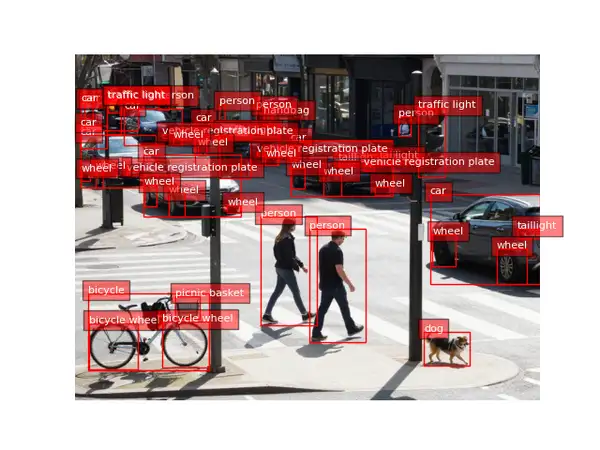
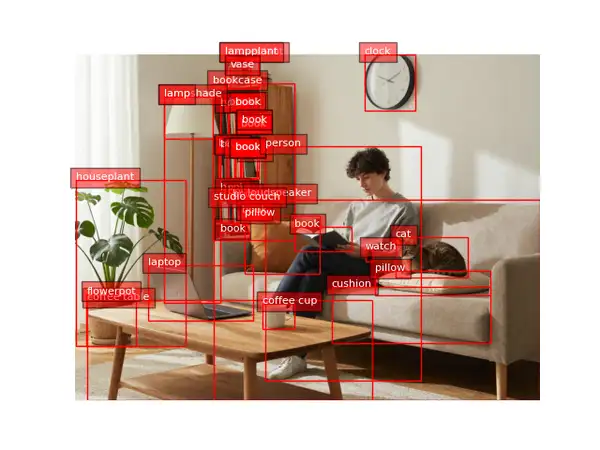
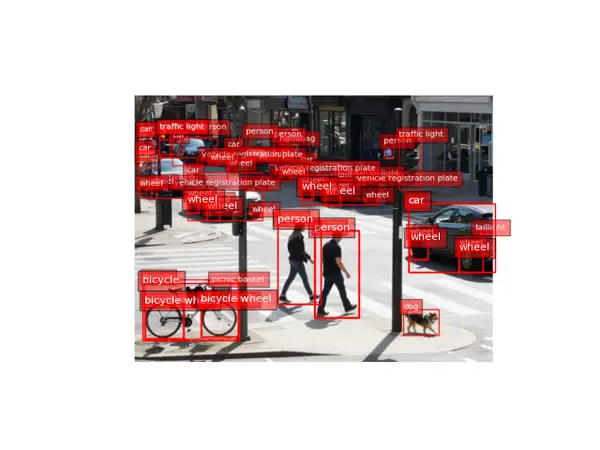
Florence-2 Large Object Detection finds the objects in a photo and returns the same image with labeled bounding boxes drawn over each detection. Give it one image URL and you get back an annotated picture marking every object it found — people, vehicles, animals, and common everyday items — each box tagged with a category label. It needs no prompt and no tuning: one image in, one annotated image out. Built on Microsoft's Florence-2 vision-language foundation model, it covers a broad open vocabulary of everyday object categories in a single pass, which makes it a quick way to see and verify what is in an image.
## Best for - Annotating a photo with labeled boxes around every detected object for review or QA - Getting a fast visual inventory of what appears in a scene (people, cars, animals, objects) - Producing before/after detection overlays to sanity-check coverage on a dataset - Lightweight scene understanding where a drawn, human-readable result matters more than raw coordinates
## Choose another model when - You want to read or transcribe text in the image rather than detect objects — use an OCR model - You want a written caption or description of the scene instead of boxes — use an image captioning model - You want to detect only one specific named thing via a text query — use an open-vocabulary / grounding detector - You want to segment objects into pixel masks rather than boxes — use an image segmentation model
## Tips - Feed a clear, reasonably high-resolution photo; small or heavily occluded objects are easier to detect with more pixels. - The returned image is a standard PNG with boxes and labels already rendered, so you can display or compare it directly against the original. - There are no thresholds or prompts to set — every run on the same image is deterministic.
## Limitations - Detects from a fixed open vocabulary of common categories; rare or domain-specific objects may be missed or mislabeled. - Very small, blurry, or overlapping objects can be merged or dropped.
To run via the ModelRunner JavaScript client: ```js import { modelrunner } from "@modelrunner/client";
const result = await modelrunner.subscribe("microsoft/florence-2-large/object-detection", { input: { image_url: "https://media.modelrunner.ai/example-scene.png", }, }); ```