


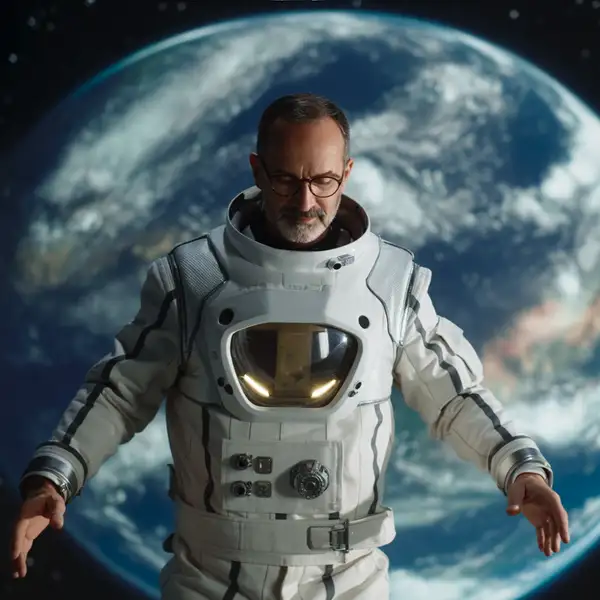
Model Details
Ideogram Character takes a single reference image of a person or character plus a text prompt and generates new images that keep that character's identity consistent — the same face, proportions, and distinctive traits — placed into whatever scene, pose, or style the prompt describes. Provide one clear reference portrait and describe the new shot, and it renders the same character on a rooftop, in a comic panel, in a product ad, or across a story sequence without redrawing them from scratch each time. Its standout strength is character consistency: unlike a plain text-to-image model, the output stays recognizably the same individual from image to image.
## Best for - Character-consistent storytelling: comics, storyboards, and illustrated narratives that reuse the same protagonist across panels - Branding and mascots that must look identical across a campaign or asset set - Placing one person or character into new scenes, outfits, poses, or lighting from a single reference photo - Producing on-model or in-scene images that all read as the same individual across a series of runs
## Choose another model when - You want to restyle or edit the reference image itself while keeping its composition — use an image-to-image editing model - You need generation from a text prompt alone with no character to preserve — use a text-to-image model - You need to preserve a scene or object rather than a person's identity — this model is tuned for character/subject consistency - You need the character animated in motion — use an image-to-video model
## Tips - Provide one clear, high-resolution reference image; only the first `reference_image_urls` entry is used, so extra references are ignored - Describe the new scene, pose, wardrobe, and mood in the prompt — the reference supplies identity, the prompt supplies everything else - Use `rendering_speed` to trade cost and speed against quality: TURBO for quick drafts, QUALITY for final hero images - Put any words you want rendered inside the image in quotes in the prompt
## Advanced Configuration
### rendering_speed Controls the speed/quality/cost tradeoff. `TURBO` is fastest and cheapest, `BALANCED` (the default) is the middle ground, and `QUALITY` is best but slowest. This affects both latency and per-image cost.
### style Sets the overall look: `AUTO` lets the model choose, `REALISTIC` biases toward photographic results, and `FICTION` biases toward stylized/illustrative results. Cannot be combined with `style_codes`.
To run via the ModelRunner JavaScript client: ```js import { modelrunner } from "@modelrunner/client";
const result = await modelrunner.subscribe("ideogram/character", { input: { prompt: "the same woman standing on a city rooftop at golden hour, wind in her hair, cinematic", reference_image_urls: ["https://media.modelrunner.ai/example-portrait.png"], rendering_speed: "BALANCED", style: "REALISTIC", }, }); ```