

google avatar

Veo 3.1 Reference to Video API

google/veo-3.1/reference-to-video

Generate high-fidelity, cinematic videos with synchronized audio by using text prompts and up to three reference images to guide visual style and content.

0.4 per second of output video

Model Input

Input

The text description for the video. Supports audio cues.

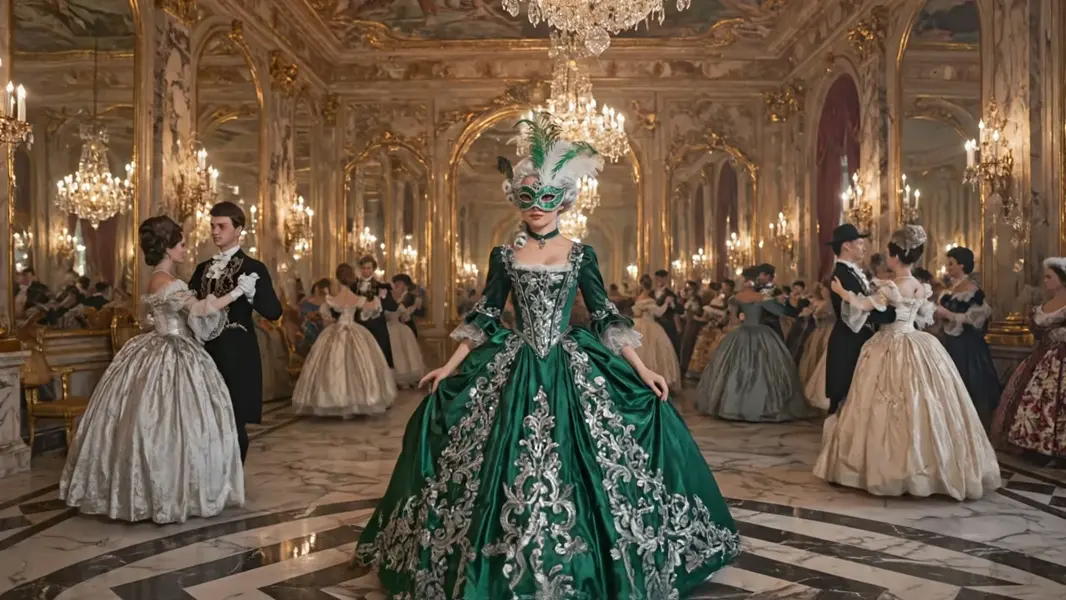
  • https://media.modelrunner.ai/HOj9dXLe1fRrByfSH5Xt1.jpeg
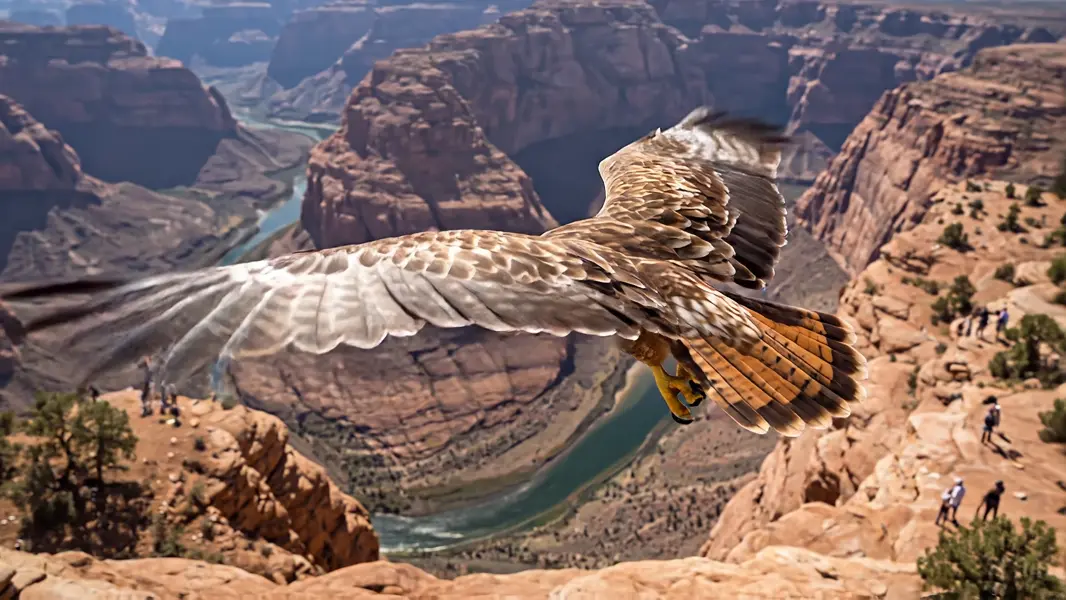
  • https://media.modelrunner.ai/sk5zqUmH0C0mg0xUVWoSs.jpeg

Up to three images to be used as style and content references. Content is guided by the images.

Video resolution

You need to be logged in to run this model and view results.
Log in

Model Output

Output

Loading
Logs (1 lines)

Model Example Requests

Examples

Example output 1Example output 2

Veo 3.1 Reference to Video API

Veo 3.1 Reference to Video is a image-to-video AI model by google. On ModelRunner it runs through a REST API or via MCP from any AI assistant, at $0.4 per second of video.

POST https://queue.modelrunner.run/google/veo-3.1/reference-to-video

cURL

# Submit a request to the queue. Input fields go at the top level of the
# body. The optional reserved "metadata" object holds your own flat string
# tags — stored on the request, never sent to the model; filter later with
# GET https://queue.modelrunner.run/requests?metadata=<url-encoded JSON>.
curl -X POST https://queue.modelrunner.run/google/veo-3.1/reference-to-video \
  -H "Authorization: Key $MRUN_API_KEY" \
  -H "Content-Type: application/json" \
  -d '{
    "prompt": "A woman in a masquerade mask glides across a polished ballroom floor, her silk gown rustling with each step. The came…",
    "resolution": "720p",
    "negative_prompt": "Modern clothing, digital clocks, plastic materials, blurry faces, poorly rendered hands.",
    "reference_image_urls": [
      "https://media.modelrunner.ai/HOj9dXLe1fRrByfSH5Xt1.jpeg",
      "https://media.modelrunner.ai/sk5zqUmH0C0mg0xUVWoSs.jpeg"
    ],
    "metadata": {
      "project": "my-project"
    }
  }'
# → { "request_id": "...", "status_url": "...", "response_url": "..." }

# Poll status_url until "COMPLETED", then fetch the result
curl "https://queue.modelrunner.run/google/veo-3.1/reference-to-video/requests/$REQUEST_ID/status" \
  -H "Authorization: Key $MRUN_API_KEY"
curl "https://queue.modelrunner.run/google/veo-3.1/reference-to-video/requests/$REQUEST_ID" \
  -H "Authorization: Key $MRUN_API_KEY"

JavaScript

import { modelrunner } from "@modelrunner/client";

const result = await modelrunner.subscribe("google/veo-3.1/reference-to-video", {
  input: {
    "prompt": "A woman in a masquerade mask glides across a polished ballroom floor, her silk gown rustling with each step. The came…",
    "resolution": "720p",
    "negative_prompt": "Modern clothing, digital clocks, plastic materials, blurry faces, poorly rendered hands.",
    "reference_image_urls": [
      "https://media.modelrunner.ai/HOj9dXLe1fRrByfSH5Xt1.jpeg",
      "https://media.modelrunner.ai/sk5zqUmH0C0mg0xUVWoSs.jpeg"
    ]
  },
});
console.log(result);

Python

import os
import requests

headers = {"Authorization": f"Key {os.environ['MRUN_API_KEY']}"}

submitted = requests.post(
    "https://queue.modelrunner.run/google/veo-3.1/reference-to-video",
    headers=headers,
    json={
      "prompt": "A woman in a masquerade mask glides across a polished ballroom floor, her silk gown rustling with each step. The came…",
      "resolution": "720p",
      "negative_prompt": "Modern clothing, digital clocks, plastic materials, blurry faces, poorly rendered hands.",
      "reference_image_urls": [
        "https://media.modelrunner.ai/HOj9dXLe1fRrByfSH5Xt1.jpeg",
        "https://media.modelrunner.ai/sk5zqUmH0C0mg0xUVWoSs.jpeg"
      ]
    },
).json()

# Poll submitted["status_url"] until "COMPLETED", then:
result = requests.get(submitted["response_url"], headers=headers).json()

Input parameters

NameTypeRequiredDescription
promptstringyesThe text description for the video. Supports audio cues.
reference_image_urlsarrayyesUp to three images to be used as style and content references. Content is guided by the images. Default: [].
resolutionenumnoVideo resolution Default: "720p".

Machine-readable: OpenAPI schema · llms.txt

Use Veo 3.1 Reference to Video from Claude & Cursor (MCP)

Point Claude Code, Claude Desktop, Cursor, or any MCP client at the ModelRunner MCP server and Veo 3.1 Reference to Video becomes a tool your assistant can call directly — it authorizes via OAuth (no API key in config) and runs this model with the run_model tool using the endpoint google/veo-3.1/reference-to-video.

MCP client config (Claude Desktop, Cursor)

{
  "mcpServers": {
    "modelrunner": {
      "command": "npx",
      "args": ["-y", "mcp-remote", "https://mcp.modelrunner.run/mcp"]
    }
  }
}

Claude Code

claude mcp add --transport http modelrunner https://mcp.modelrunner.run/mcp

Then ask your assistant, for example: “Run google/veo-3.1/reference-to-video on ModelRunner to generate video”. MCP setup guide.

Model Details

Model Details

# Veo 3.1 Reference-to-Video

This advanced video generation model enables users to create high-quality, realistic videos that are visually guided by specific reference images. Unlike standard text-to-video approaches, this model accepts up to three input images (Reference Images) alongside a text prompt, allowing for precise control over the visual style, character appearance, color palette, and composition of the final output.

### Key Capabilities

* **Image-Based Direction:** Supply 1 to 3 images to acting as distinct visual anchors. The model synthesizes these references to ensure the generated video maintains consistency with your provided art direction or subject matter. * **Cinematic Realism:** Captures complex visual details, lighting effects, and camera movements, rendering outputs in either 720p or 1080p resolution. * **Native Audio Generation:** The model understands the semantic content of the scene to generate synchronized audio tracks—including sound effects and ambient noise—that match the action unfolding in the video. * **Precise Control:** Use the text prompt to direct the *action* and *movement* within the scene, while relying on the reference images to define the *aesthetics* and *objects*.

### Use Cases

This tool is ideal for creative professionals, marketers, and storytellers who need to animate static assets. Use cases include bringing concept art to life, creating consistent social media content from product photos, or visualizing storyboard frames with specific stylistic constraints. By bridging the gap between static imagery and dynamic video, it allows for a seamless workflow where brand identity or artistic vision remains intact across the generation process.

### Technical Details

The model generates videos at 24 frames per second. While the text prompt drives the narrative progression, the reference images restrict the visual drift often seen in generative AI, ensuring the output adheres to the supplied visual context. The output includes a single video file with an integrated audio track.

To run via ModelRunner javascript client, use the following code:

```javascript import { modelrunner } from "@modelrunner/client";

const result = await modelrunner.subscribe('google/veo-3.1-reference-to-video', { input: { "prompt": "A cinematic drone shot panning over the futuristic city, neon lights reflecting on wet pavement.", "image_urls": [ "https://example.com/images/cyberpunk_city_visual_ref.jpg", "https://example.com/images/neon_color_palette.jpg" ], "negative_prompt": "blurry, low resolution, distorted, cartoon", "resolution": "1080p", "seed": 12345 } }); ```