
depth-anything avatar

Depth Anything V2 API

Turn a single photo into a grayscale depth map for ControlNet conditioning, 3D, and relighting — no prompt, no tuning.

depth estimation
0.01

Model Input

Input

URL of the image to generate a depth map from.

You need to be logged in to run this model and view results.
Log in

Model Output

Output

Loading
Generated in 2.076 seconds
Logs (1 lines)

Model Example Requests

Examples

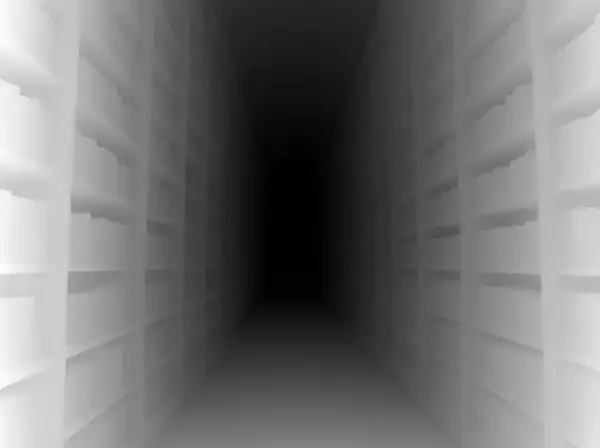
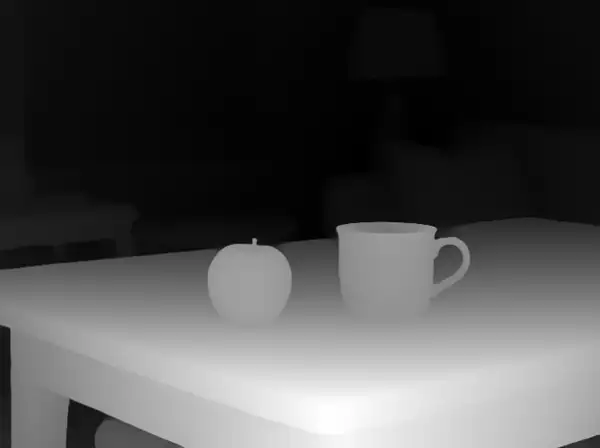
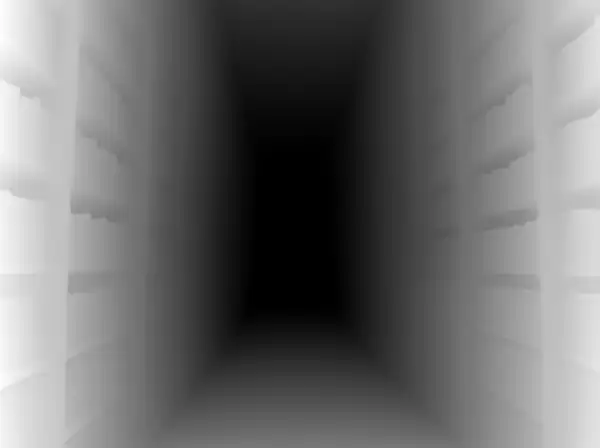
Example output 1Example output 2Example output 3

Depth Anything V2 API

Depth Anything V2 is a image-to-image AI model by depth-anything. On ModelRunner it runs through a REST API or via MCP from any AI assistant, at $0.01 per image.

POST https://queue.modelrunner.run/depth-anything/v2

cURL

# Submit a request to the queue. Input fields go at the top level of the
# body. The optional reserved "metadata" object holds your own flat string
# tags — stored on the request, never sent to the model; filter later with
# GET https://queue.modelrunner.run/requests?metadata=<url-encoded JSON>.
curl -X POST https://queue.modelrunner.run/depth-anything/v2 \
  -H "Authorization: Key $MRUN_API_KEY" \
  -H "Content-Type: application/json" \
  -d '{
    "image_url": "https://media.modelrunner.ai/4caJAfjuR3QOtlJPrQl5J.png",
    "metadata": {
      "project": "my-project"
    }
  }'
# → { "request_id": "...", "status_url": "...", "response_url": "..." }

# Poll status_url until "COMPLETED", then fetch the result
curl "https://queue.modelrunner.run/depth-anything/v2/requests/$REQUEST_ID/status" \
  -H "Authorization: Key $MRUN_API_KEY"
curl "https://queue.modelrunner.run/depth-anything/v2/requests/$REQUEST_ID" \
  -H "Authorization: Key $MRUN_API_KEY"

JavaScript

import { modelrunner } from "@modelrunner/client";

const result = await modelrunner.subscribe("depth-anything/v2", {
  input: {
    "image_url": "https://media.modelrunner.ai/4caJAfjuR3QOtlJPrQl5J.png"
  },
});
console.log(result);

Python

import os
import requests

headers = {"Authorization": f"Key {os.environ['MRUN_API_KEY']}"}

submitted = requests.post(
    "https://queue.modelrunner.run/depth-anything/v2",
    headers=headers,
    json={
      "image_url": "https://media.modelrunner.ai/4caJAfjuR3QOtlJPrQl5J.png"
    },
).json()

# Poll submitted["status_url"] until "COMPLETED", then:
result = requests.get(submitted["response_url"], headers=headers).json()

Input parameters

NameTypeRequiredDescription
image_urlstring (uri)yesURL of the image to generate a depth map from.

Machine-readable: OpenAPI schema · llms.txt

Use Depth Anything V2 from Claude & Cursor (MCP)

Point Claude Code, Claude Desktop, Cursor, or any MCP client at the ModelRunner MCP server and Depth Anything V2 becomes a tool your assistant can call directly — it authorizes via OAuth (no API key in config) and runs this model with the run_model tool using the endpoint depth-anything/v2.

MCP client config (Claude Desktop, Cursor)

{
  "mcpServers": {
    "modelrunner": {
      "command": "npx",
      "args": ["-y", "mcp-remote", "https://mcp.modelrunner.run/mcp"]
    }
  }
}

Claude Code

claude mcp add --transport http modelrunner https://mcp.modelrunner.run/mcp

Then ask your assistant, for example: “Run depth-anything/v2 on ModelRunner to generate image”. MCP setup guide.

Model Details

Model Details

Depth Anything V2 performs monocular depth estimation: give it one photo and it returns a grayscale depth map where brighter pixels are nearer and darker pixels are farther. It needs no prompt, no camera data, and no manual tuning — a single image URL in, a single depth-map image URL out at the same dimensions. Built on the Depth Anything V2 foundation model for monocular depth (NeurIPS 2024), it produces clean, robust depth across indoor scenes, outdoor landscapes, portraits, and synthetic renders, which is why it is a go-to preprocessor for depth-conditioned image generation.\n\n## Best for\n- Generating a depth-map control image to drive ControlNet / depth-conditioned diffusion pipelines\n- Estimating per-pixel relative depth from an ordinary photo with no depth sensor\n- Building depth passes for 2.5D parallax, relighting, fog, and compositing\n- Pre-processing reference photos into depth maps for 3D reconstruction or scene understanding\n- Producing consistent depth conditioning across a batch of stills for a uniform look\n\n## Choose another model when\n- You want edge/line conditioning rather than depth — use a Canny or line-art preprocessor\n- You want to generate or edit the photo itself rather than estimate its depth — use a text-to-image or image-editing model\n- You need a textured 3D mesh as output rather than a 2D depth image — use an image-to-3D model\n- You need true metric depth in real-world units — this estimates relative depth, not calibrated distances\n\n## Tips\n- Feed the highest-resolution source you have; the depth map is returned at the input's dimensions, so detail in equals detail out.\n- Photos with clear foreground/background separation produce the most usable maps for downstream conditioning.\n- The output is a standard grayscale image you can pass straight into a depth ControlNet as the control image.\n\n## Limitations\n- Estimates relative, not metric, depth — values are comparable within one image, not across images.\n- Thin structures, reflective and transparent surfaces, and extreme close-ups can be ambiguous.\n\nTo run via the ModelRunner JavaScript client:\n```js\nimport { modelrunner } from \"@modelrunner/client\";\n\nconst result = await modelrunner.subscribe(\"depth-anything/v2\", {\n input: {\n image_url: \"https://media.modelrunner.ai/example-scene.png\",\n },\n});\n```