



bytedance avatar

Seedream 5.0 Lite Text to Image API

bytedance/seedream-v5/text-to-image

Generate sharp 2K images from a text prompt with the fast, affordable Lite tier of Seedream 5.0.

0.035

Model Input

Input

Text prompt describing the image to generate.

Output image dimensions as WxH pixels, which set both resolution and aspect ratio. All options are 2K-class (~3.7-4.3 megapixels); this tier does not produce smaller images. Price is flat regardless of the value chosen.

You need to be logged in to run this model and view results.
Log in

Model Output

Output

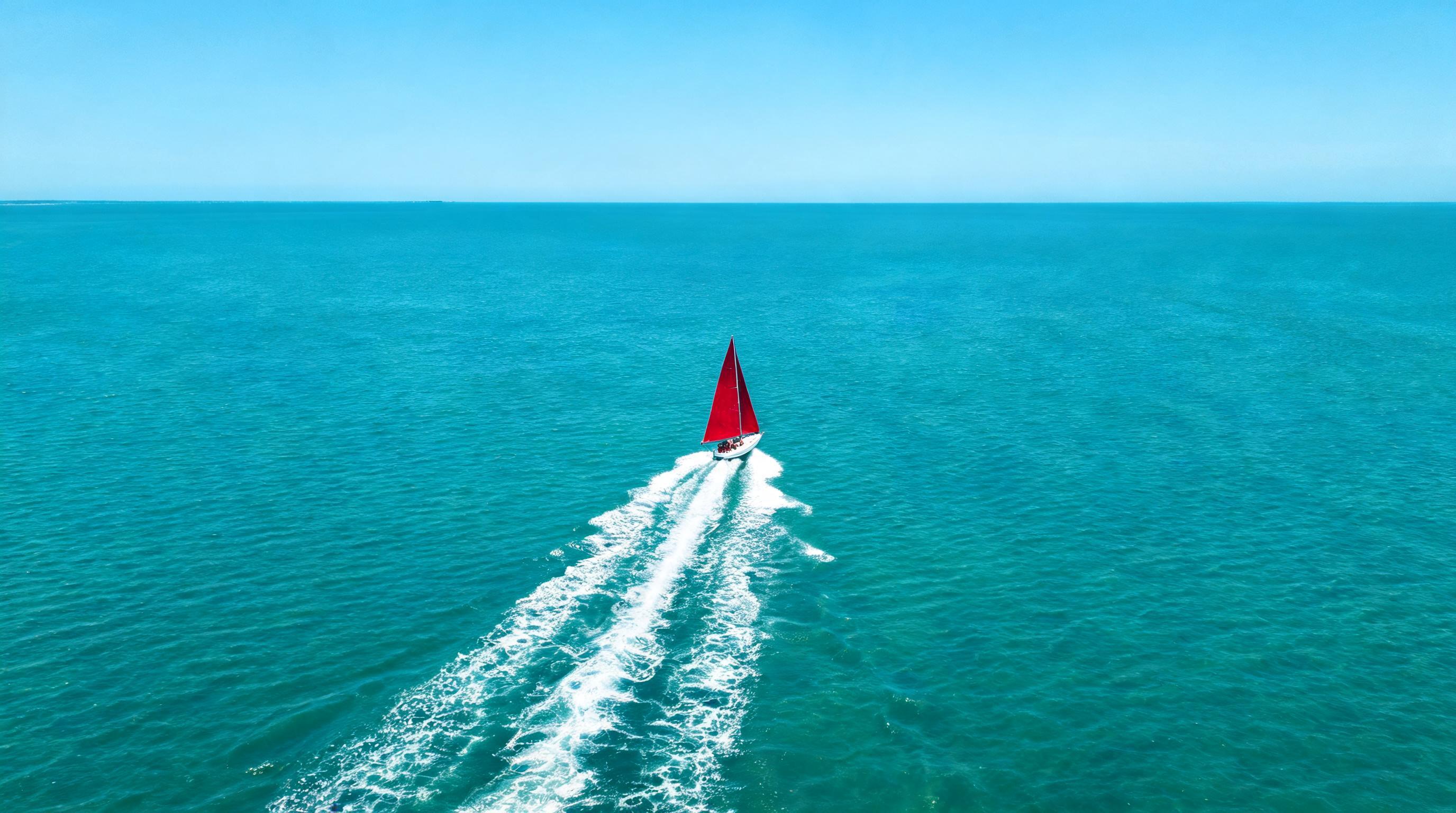
Generated image output
Generated in 22.602 seconds
Logs (1 lines)

Model Example Requests

Examples

Example output 1Example output 2Example output 3

Seedream 5.0 Lite Text to Image API

Seedream 5.0 Lite Text to Image is a text-to-image AI model by bytedance. On ModelRunner it runs through a REST API or via MCP from any AI assistant, at $0.035 per image.

POST https://queue.modelrunner.run/bytedance/seedream-v5/text-to-image

cURL

# Submit a request to the queue. Input fields go at the top level of the
# body. The optional reserved "metadata" object holds your own flat string
# tags — stored on the request, never sent to the model; filter later with
# GET https://queue.modelrunner.run/requests?metadata=<url-encoded JSON>.
curl -X POST https://queue.modelrunner.run/bytedance/seedream-v5/text-to-image \
  -H "Authorization: Key $MRUN_API_KEY" \
  -H "Content-Type: application/json" \
  -d '{
    "size": "2752x1536",
    "prompt": "A lone crimson sailboat crossing a vast turquoise bay at midday, high aerial view, sharp white wake trailing behind, …",
    "metadata": {
      "project": "my-project"
    }
  }'
# → { "request_id": "...", "status_url": "...", "response_url": "..." }

# Poll status_url until "COMPLETED", then fetch the result
curl "https://queue.modelrunner.run/bytedance/seedream-v5/text-to-image/requests/$REQUEST_ID/status" \
  -H "Authorization: Key $MRUN_API_KEY"
curl "https://queue.modelrunner.run/bytedance/seedream-v5/text-to-image/requests/$REQUEST_ID" \
  -H "Authorization: Key $MRUN_API_KEY"

JavaScript

import { modelrunner } from "@modelrunner/client";

const result = await modelrunner.subscribe("bytedance/seedream-v5/text-to-image", {
  input: {
    "size": "2752x1536",
    "prompt": "A lone crimson sailboat crossing a vast turquoise bay at midday, high aerial view, sharp white wake trailing behind, …"
  },
});
console.log(result);

Python

import os
import requests

headers = {"Authorization": f"Key {os.environ['MRUN_API_KEY']}"}

submitted = requests.post(
    "https://queue.modelrunner.run/bytedance/seedream-v5/text-to-image",
    headers=headers,
    json={
      "size": "2752x1536",
      "prompt": "A lone crimson sailboat crossing a vast turquoise bay at midday, high aerial view, sharp white wake trailing behind, …"
    },
).json()

# Poll submitted["status_url"] until "COMPLETED", then:
result = requests.get(submitted["response_url"], headers=headers).json()

Input parameters

NameTypeRequiredDescription
promptstringyesText prompt describing the image to generate.
sizeenumnoOutput image dimensions as WxH pixels, which set both resolution and aspect ratio. All options are 2K-class (~3.7-4.3 megapixels); this tier does not produce smaller images. Price is flat regardless of the value chosen. Default: "2048x2048".

Machine-readable: OpenAPI schema · llms.txt

Use Seedream 5.0 Lite Text to Image from Claude & Cursor (MCP)

Point Claude Code, Claude Desktop, Cursor, or any MCP client at the ModelRunner MCP server and Seedream 5.0 Lite Text to Image becomes a tool your assistant can call directly — it authorizes via OAuth (no API key in config) and runs this model with the run_model tool using the endpoint bytedance/seedream-v5/text-to-image.

MCP client config (Claude Desktop, Cursor)

{
  "mcpServers": {
    "modelrunner": {
      "command": "npx",
      "args": ["-y", "mcp-remote", "https://mcp.modelrunner.run/mcp"]
    }
  }
}

Claude Code

claude mcp add --transport http modelrunner https://mcp.modelrunner.run/mcp

Then ask your assistant, for example: “Run bytedance/seedream-v5/text-to-image on ModelRunner to generate image”. MCP setup guide.

Model Details

Model Details

Seedream 5.0 Lite Text-to-Image turns a written prompt into a high-resolution still image. It is the fast, affordable tier of the Seedream 5.0 line: strong prompt following and accurate in-image text at a flat price per image, with every output rendered at 2K-class resolution (roughly 3.7-4.3 megapixels).

## Best for - Turning a detailed written description into a finished image - Rendering legible, correctly spelled in-image text (posters, logos, mockups, ads) - Photorealistic scenes, product shots, concept art, and illustration - High-volume generation where a flat, predictable per-image price matters

## Choose another model when - You want to edit, restyle, or composite an existing image — use `bytedance/seedream-v5/edit` - You need the highest fidelity, or output below 2K — use `bytedance/seedream-v5-pro/text-to-image` - You need a video rather than a still image — use a text-to-video model

## Tips - `size` sets both resolution and aspect ratio. Every option is 2K-class; this tier does not produce smaller images, and the price is the same for all of them - Put any text you want rendered inside quotation marks in the prompt for the most accurate spelling - Describe subject, style, lighting, and composition explicitly — the model follows detailed prompts closely

To run via the ModelRunner JavaScript client: ```js import { modelrunner } from "@modelrunner/client";

const result = await modelrunner.subscribe("bytedance/seedream-v5/text-to-image", { input: { prompt: "a serene mountain lake at golden hour, photorealistic, sharp reflection", size: "2048x2048", }, }); ```