
Model Details
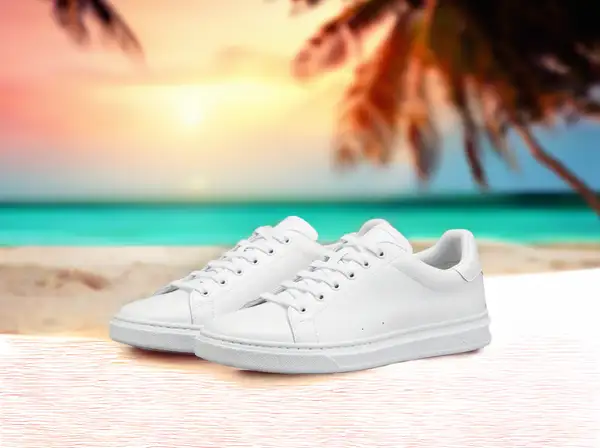
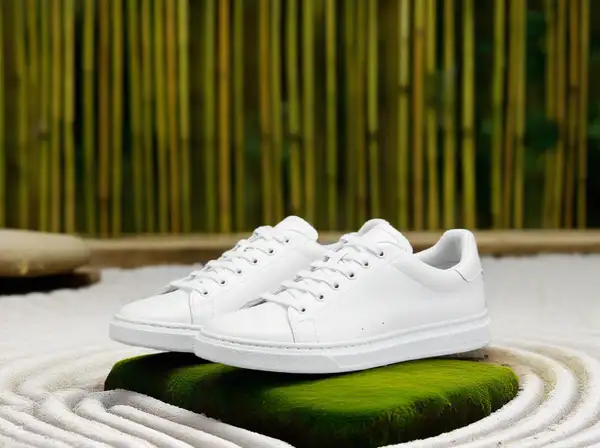
Bria Background Replace keeps the main subject of a photo exactly as it is and generates a brand-new background around it. You pass the source image plus a `prompt` describing the scene you want behind the subject — "a sunlit modern living room", "a sandy beach at golden hour", "a clean studio backdrop" — and get back a composited image at the same dimensions, with the foreground preserved and a freshly generated background. Instead of a prompt you can supply a `ref_image_url` reference image whose background style and colors the model matches. Because Bria models are trained exclusively on fully licensed commercial data, the outputs are safe and risk-free for commercial use.
The primary input is `image_url` (the subject photo) together with `prompt`. Either a non-empty `prompt` OR a `ref_image_url` must be provided — not both: use `prompt` to describe a new background in words, or `ref_image_url` to match an existing reference background. The output is a single image with the original subject kept and the new background generated.
## Best for - Dropping a product, person, or object into a new scene without re-shooting - Generating on-brand studio, lifestyle, or environment backdrops for e-commerce and catalogs - Swapping a busy or off-brand background for a clean, described one while keeping the subject pixel-accurate - Matching the background style of a reference image across many product shots
## Choose another model when - You want to remove the background entirely and get a transparent-PNG cutout rather than a new background — use a background-removal model - You want to relight the subject to match new lighting rather than replace the scene behind it — use a relighting model - You want to fill or edit a specific masked region inside the image rather than swap the whole background — use a generative-fill / inpainting model - You need a brand-new image from a text prompt with no source photo — use a text-to-image model
## Tips - Describe the background concretely in `prompt` (setting, lighting, time of day, materials); the subject is preserved automatically, so describe the scene, not the subject - Provide EITHER `prompt` OR `ref_image_url`, never both — sending only `image_url` is rejected - The output keeps the input's dimensions, so size and crop your source before sending if you need a specific resolution - Leave `refine_prompt` and `fast` at their defaults for a good speed/quality balance; turn `fast` off if you want maximum quality
To run via the ModelRunner JavaScript client: ```js import { modelrunner } from "@modelrunner/client";
const result = await modelrunner.subscribe("bria/background/replace", { input: { image_url: "https://media.modelrunner.ai/example-subject.png", prompt: "a sunlit modern living room with hardwood floors and a large window", }, }); ```