
topazlabs avatar

Topaz Upscale Image API

topazlabs/upscale/image

Upscale and enhance your images using a variety of powerful AI models. Increase resolution up to 4x, restore details, and use specialized modes for photos, CGI, and text, with optional face enhancement for professional-quality results.

upscale
Priced by megapixels

Model Input

Input

Url of the image to be upscaled

Model to use for image enhancement.

Min: 1 - Max: 4

Factor to upscale the video by (e.g. 2.0 doubles width and height)

Output format of the upscaled image.

Subject detection mode for the image enhancement.

Whether to apply face enhancement to the image.

Min: 0 - Max: 1

Creativity level for face enhancement. 0.0 means no creativity, 1.0 means maximum creativity. Ignored if face ehnancement is disabled.

Min: 0 - Max: 1

Strength of the face enhancement. 0.0 means no enhancement, 1.0 means maximum enhancement. Ignored if face ehnancement is disabled.

You need to be logged in to run this model and view results.
Log in

Model Output

Output

Fill in the input form and click submit to see the output
Logs (1 lines)

Model Example Requests

Examples

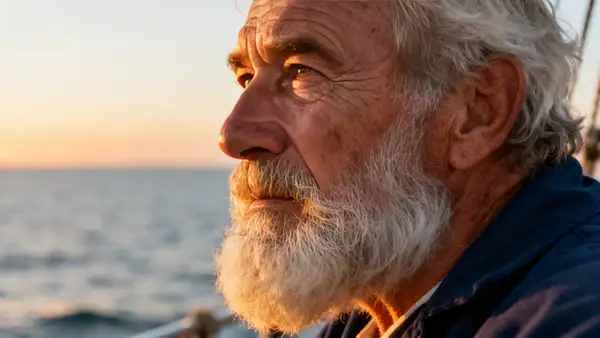
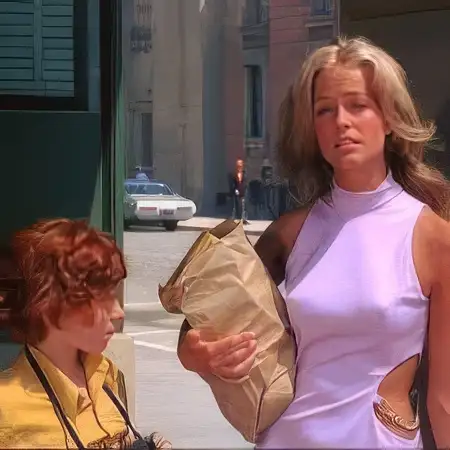
Example output 1Example output 2

Model Pricing

Pricing

Model pricing varies by the megapixel count of your output image.

Up to 24 MP
$0.0800
per megapixel of image
or around 13 megapixels for $1
Up to 48 MP
$0.1600
per megapixel of image
or around 6 megapixels for $1
Up to 96 MP
$0.3200
per megapixel of image
or around 3 megapixels for $1
Up to 512 MP
$1.3600
per megapixel of image
or around $1.36 per megapixel

Topaz Upscale Image API

Topaz Upscale Image is a upscaler AI model by topazlabs. On ModelRunner it runs through a REST API or via MCP from any AI assistant with pay-per-use pricing.

POST https://queue.modelrunner.run/topazlabs/upscale/image

cURL

# Submit a request to the queue. Input fields go at the top level of the
# body. The optional reserved "metadata" object holds your own flat string
# tags — stored on the request, never sent to the model; filter later with
# GET https://queue.modelrunner.run/requests?metadata=<url-encoded JSON>.
curl -X POST https://queue.modelrunner.run/topazlabs/upscale/image \
  -H "Authorization: Key $MRUN_API_KEY" \
  -H "Content-Type: application/json" \
  -d '{
    "image_url": "https://example.com/input.jpg",
    "metadata": {
      "project": "my-project"
    }
  }'
# → { "request_id": "...", "status_url": "...", "response_url": "..." }

# Poll status_url until "COMPLETED", then fetch the result
curl "https://queue.modelrunner.run/topazlabs/upscale/image/requests/$REQUEST_ID/status" \
  -H "Authorization: Key $MRUN_API_KEY"
curl "https://queue.modelrunner.run/topazlabs/upscale/image/requests/$REQUEST_ID" \
  -H "Authorization: Key $MRUN_API_KEY"

JavaScript

import { modelrunner } from "@modelrunner/client";

const result = await modelrunner.subscribe("topazlabs/upscale/image", {
  input: {
    "image_url": "https://example.com/input.jpg"
  },
});
console.log(result);

Python

import os
import requests

headers = {"Authorization": f"Key {os.environ['MRUN_API_KEY']}"}

submitted = requests.post(
    "https://queue.modelrunner.run/topazlabs/upscale/image",
    headers=headers,
    json={
      "image_url": "https://example.com/input.jpg"
    },
).json()

# Poll submitted["status_url"] until "COMPLETED", then:
result = requests.get(submitted["response_url"], headers=headers).json()

Input parameters

NameTypeRequiredDescription
image_urlstring (uri)yesUrl of the image to be upscaled
modelenumnoModel to use for image enhancement. Default: "Standard V2".
upscale_factornumbernoFactor to upscale the video by (e.g. 2.0 doubles width and height) Default: 2.
crop_to_fillbooleannoCrop To Fill Default: false.
output_formatenumnoOutput format of the upscaled image. Default: "jpeg".
subject_detectionenumnoSubject detection mode for the image enhancement. Default: "All".
face_enhancementbooleannoWhether to apply face enhancement to the image. Default: true.
face_enhancement_creativitynumbernoCreativity level for face enhancement. 0.0 means no creativity, 1.0 means maximum creativity. Ignored if face ehnancement is disabled. Default: 0.
face_enhancement_strengthnumbernoStrength of the face enhancement. 0.0 means no enhancement, 1.0 means maximum enhancement. Ignored if face ehnancement is disabled. Default: 0.8.

Machine-readable: OpenAPI schema · llms.txt

Use Topaz Upscale Image from Claude & Cursor (MCP)

Point Claude Code, Claude Desktop, Cursor, or any MCP client at the ModelRunner MCP server and Topaz Upscale Image becomes a tool your assistant can call directly — it authorizes via OAuth (no API key in config) and runs this model with the run_model tool using the endpoint topazlabs/upscale/image.

MCP client config (Claude Desktop, Cursor)

{
  "mcpServers": {
    "modelrunner": {
      "command": "npx",
      "args": ["-y", "mcp-remote", "https://mcp.modelrunner.run/mcp"]
    }
  }
}

Claude Code

claude mcp add --transport http modelrunner https://mcp.modelrunner.run/mcp

Then ask your assistant, for example: “Run topazlabs/upscale/image on ModelRunner to generate upscaler”. MCP setup guide.

Model Details

Model Details

Elevate your images with powerful and accurate enhancement. This model uses advanced AI to upscale, restore, and refine your photos, producing professional-grade results. Whether you're working with low-resolution files, vintage photos, or digital art, you can significantly improve clarity, detail, and overall quality.

Choose from a variety of specialized enhancement models tailored to your specific needs: * **Standard V2 & High Fidelity V2:** Excellent all-rounders for general photo enhancement. * **Low Resolution V2:** Specifically designed to recover details in very small or compressed images. * **CGI:** Perfect for sharpening and upscaling computer-generated or anime-style images. * **Text Refine:** Improves the legibility of text within your images. * **Recovery & Redefine:** Powerful tools for restoring details and reducing artifacts in noisy or degraded photos.

You can increase the image resolution by up to 4x the original size using the `upscale_factor`. For portraits, enable `face_enhancement` to intelligently reconstruct facial features, adjusting the `strength` and `creativity` to achieve a natural look. The model also allows you to focus the enhancement on the foreground or background with `subject_detection`, giving you precise control over the final output. This is the ideal tool for photographers, designers, and anyone looking to prepare images for high-resolution displays and print.

### Example Usage To run this model using the ModelRunner JavaScript client, use the following code:

```javascript import { modelrunner } from "@modelrunner/client";

const result = await modelrunner.subscribe('topazlabs/upscale/image', { input: { "image_url": "https://storage.googleapis.com/falserverless/model_tests/codeformer/codeformer_poor_1.jpeg", "model": "High Fidelity V2", "upscale_factor": 4, "face_enhancement": true, "face_enhancement_strength": 0.9 } }); ```