
tencentarc avatar

GFPGAN API

tencentarc/gfpgan

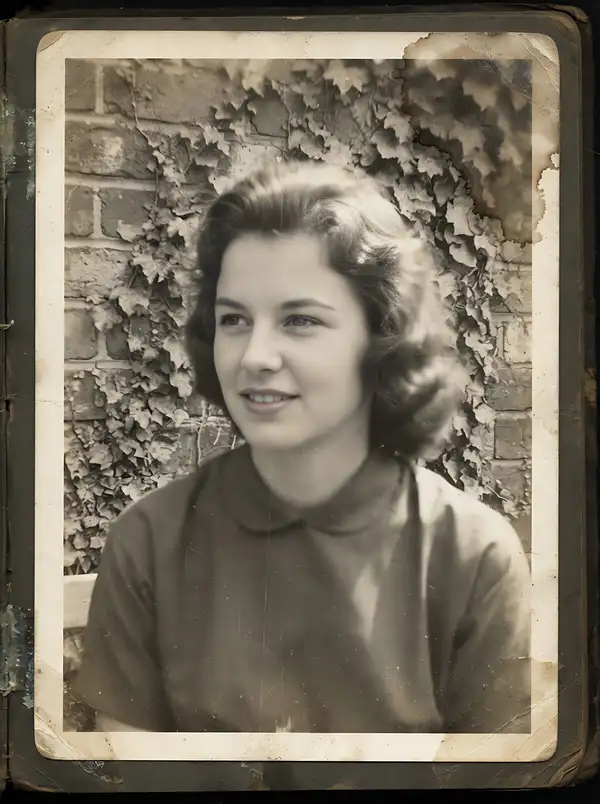
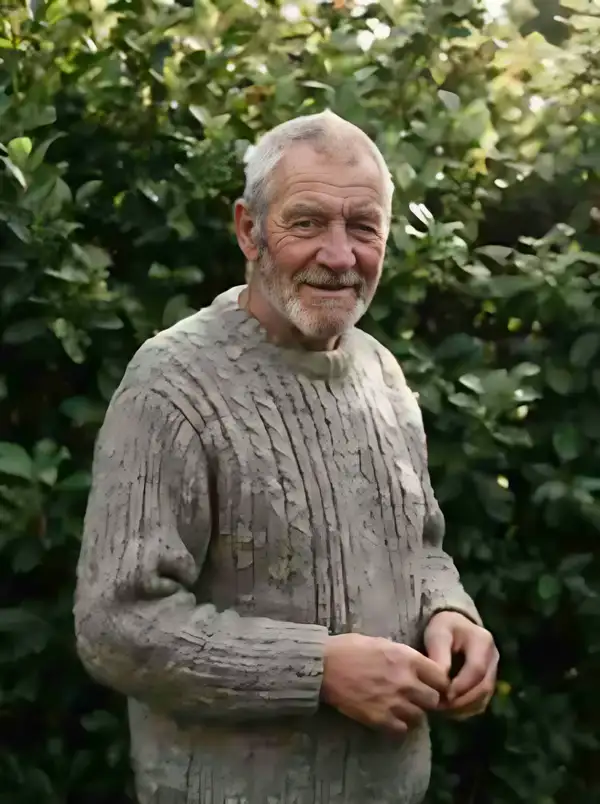
Restore blurry, old or AI-generated faces in a photo and get back a sharper image at twice the size or more, with the whole frame enhanced rather than just the face.

refineupscale
L40S
0.0017385

Model Input

Input

URL of the photo to restore. It works on genuinely degraded faces - blurry, low-resolution, heavily compressed, scanned, faded, or a face an image generator rendered badly - and needs no prompt or description of the damage. Every face detected in the frame is restored and the rest of the picture is enhanced at the same time; there is no way to restrict restoration to one subject. An image with no detectable face still succeeds and is still billed: it comes back as a general upscale rather than an error.

Additional Settings

Customize your input with more control.

Which restoration checkpoint runs. v1.4 (the default) produces more detail and better identity than v1.3; v1.3 gives more natural results and copes better with very low-quality input but is less sharp; v1.2 is sharper and adds a beauty-makeup effect but can look unnatural.

Min: 1 - Max: 4

Post-restoration resize - and it does NOT behave like a plain output multiplier. Restoration always runs at a fixed 2x, and this value then resizes that result off the dimensions of the image that WENT INTO restoration - normally the file you uploaded - so measured against the file you sent: 1 returns 0.50x, 2 returns 2.00x, 3 returns 1.50x, 4 returns 2.00x. The default 2 is therefore both the largest result available and, for an image 300 px tall or taller, the only value that behaves as its name suggests; every other value is a plain interpolation of the already-restored image and adds no detail. One rule compounds with this: an image under 300 px tall is enlarged 2x before restoration begins, so the resize measures off that enlarged copy and each figure above doubles for such an input (1 -> 1.00x, 2 -> 4.00x, 3 -> 3.00x, 4 -> 4.00x). File size grows with the square of the resulting dimensions and the output format is not selectable.

You need to be logged in to run this model and view results.
Log in

Model Output

Output

Loading
Generated in 1.902 seconds
Logs (1 lines)

Model Example Requests

Examples

Example output 1Example output 2

GFPGAN API

GFPGAN is a image-to-image AI model by tencentarc. On ModelRunner it runs through a REST API or via MCP from any AI assistant, at about $0.0017385 per image.

POST https://queue.modelrunner.run/tencentarc/gfpgan

cURL

# Submit a request to the queue. Input fields go at the top level of the
# body. The optional reserved "metadata" object holds your own flat string
# tags — stored on the request, never sent to the model; filter later with
# GET https://queue.modelrunner.run/requests?metadata=<url-encoded JSON>.
curl -X POST https://queue.modelrunner.run/tencentarc/gfpgan \
  -H "Authorization: Key $MRUN_API_KEY" \
  -H "Content-Type: application/json" \
  -d '{
    "image": "https://media.modelrunner.ai/rBY4CCSIeEMxJi5LFGxFn.jpeg",
    "scale": 2,
    "version": "v1.4",
    "metadata": {
      "project": "my-project"
    }
  }'
# → { "request_id": "...", "status_url": "...", "response_url": "..." }

# Poll status_url until "COMPLETED", then fetch the result
curl "https://queue.modelrunner.run/tencentarc/gfpgan/requests/$REQUEST_ID/status" \
  -H "Authorization: Key $MRUN_API_KEY"
curl "https://queue.modelrunner.run/tencentarc/gfpgan/requests/$REQUEST_ID" \
  -H "Authorization: Key $MRUN_API_KEY"

JavaScript

import { modelrunner } from "@modelrunner/client";

const result = await modelrunner.subscribe("tencentarc/gfpgan", {
  input: {
    "image": "https://media.modelrunner.ai/rBY4CCSIeEMxJi5LFGxFn.jpeg",
    "scale": 2,
    "version": "v1.4"
  },
});
console.log(result);

Python

import os
import requests

headers = {"Authorization": f"Key {os.environ['MRUN_API_KEY']}"}

submitted = requests.post(
    "https://queue.modelrunner.run/tencentarc/gfpgan",
    headers=headers,
    json={
      "image": "https://media.modelrunner.ai/rBY4CCSIeEMxJi5LFGxFn.jpeg",
      "scale": 2,
      "version": "v1.4"
    },
).json()

# Poll submitted["status_url"] until "COMPLETED", then:
result = requests.get(submitted["response_url"], headers=headers).json()

Input parameters

Input parameters of GFPGAN
NameTypeRequiredDescription
imagestring (uri)yesURL of the photo to restore. It works on genuinely degraded faces - blurry, low-resolution, heavily compressed, scanned, faded, or a face an image generator rendered badly - and needs no prompt or description of the damage. Every face detected in the frame is restored and the rest of the picture is enhanced at the same time; there is no way to restrict restoration to one subject. An image with no detectable face still succeeds and is still billed: it comes back as a general upscale rather than an error.
versionenumnoWhich restoration checkpoint runs. v1.4 (the default) produces more detail and better identity than v1.3; v1.3 gives more natural results and copes better with very low-quality input but is less sharp; v1.2 is sharper and adds a beauty-makeup effect but can look unnatural. One of: v1.2, v1.3, v1.4. Default: "v1.4".
scalenumbernoPost-restoration resize - and it does NOT behave like a plain output multiplier. Restoration always runs at a fixed 2x, and this value then resizes that result off the dimensions of the image that WENT INTO restoration - normally the file you uploaded - so measured against the file you sent: 1 returns 0.50x, 2 returns 2.00x, 3 returns 1.50x, 4 returns 2.00x. The default 2 is therefore both the largest result available and, for an image 300 px tall or taller, the only value that behaves as its name suggests; every other value is a plain interpolation of the already-restored image and adds no detail. One rule compounds with this: an image under 300 px tall is enlarged 2x before restoration begins, so the resize measures off that enlarged copy and each figure above doubles for such an input (1 -> 1.00x, 2 -> 4.00x, 3 -> 3.00x, 4 -> 4.00x). File size grows with the square of the resulting dimensions and the output format is not selectable. Default: 2.

Machine-readable: OpenAPI schema · llms.txt

Use GFPGAN from Claude & Cursor (MCP)

Point Claude Code, Claude Desktop, Cursor, or any MCP client at the ModelRunner MCP server and GFPGAN becomes a tool your assistant can call directly — it authorizes via OAuth (no API key in config) and runs this model with the run_model tool using the endpoint tencentarc/gfpgan.

MCP client config (Claude Desktop, Cursor)

{
  "mcpServers": {
    "modelrunner": {
      "command": "npx",
      "args": ["-y", "mcp-remote", "https://mcp.modelrunner.run/mcp"]
    }
  }
}

Claude Code

claude mcp add --transport http modelrunner https://mcp.modelrunner.run/mcp

Then ask your assistant, for example: “Run tencentarc/gfpgan on ModelRunner to generate image”. MCP setup guide.

Model Details

Model Details

GFPGAN restores faces in damaged photographs. Send one image and every detected face comes back reconstructed, the rest of the picture enhanced alongside it, at twice the input's width and height or more. It is a blind restoration model — no prompt, no description of what went wrong — so it handles the mixed blur, noise, compression and scanning damage of real photographs as well as the smeared faces image generators produce. Because the background is enhanced too, you get a better version of the whole photo, not a sharpened face crop pasted onto an untouched original.

## Best for - Rescuing old, faded or scratched family photos after scanning - Sharpening a blurry, small or heavily compressed portrait - Repairing distorted or smeared faces in AI-generated images - Cleaning up a whole scanned scene — face, clothing and background together - Enlarging a small portrait while its facial detail is rebuilt

## Choose another model when - You need per-request control over the restoration. The identity-versus-quality blend is fixed and every detected face is always restored — `sczhou/codeformer` exposes `fidelity` and `only_center_face` for those two jobs. - You want real added detail past 2x. This model adds none beyond 2x, and `scale` cannot lift that ceiling. Use a dedicated upscaler such as `nightmareai/real-esrgan-upscaler` instead. - The picture has no face in it. The run still succeeds and is still billed, returning a plain upscale — reach for an upscaler instead.

## Tips - Leave `version` at `v1.4` unless the result disappoints: it gives more detail and better identity than `v1.3`, which is gentler on very low-quality input; `v1.2` is sharper but can look unnatural. - Send the most degraded copy you have, not one you already sharpened — there is little to rebuild in an already-clean studio portrait. - Leave `scale` at `2`: it resizes off what went into restoration, not the result, so `1` returns a smaller image than the default and nothing returns more than the default.

## Limitations - Very large uploads can exhaust GPU memory, because the whole frame is enhanced untiled in one pass. - Every result is a PNG with no compression control, and file size grows with the square of the resulting dimensions: a 4 MP photo already returns roughly a 14 MB file at the default `scale`.

To run via the ModelRunner JavaScript client: ```js import { modelrunner } from "@modelrunner/client";

const result = await modelrunner.subscribe("tencentarc/gfpgan", { input: { image: "https://media.modelrunner.ai/rBY4CCSIeEMxJi5LFGxFn.jpeg", version: "v1.4", scale: 2, }, }); ```