
meituan-longcat avatar

LongCat-Video t2v API

meituan-longcat/longcat-video-t2v-480p

Turn plain text into cinematic, on-brand video. Describe the scene and camera feel; LongCat generates smooth, consistent shots with adjustable length, FPS, and quality.

0.02 per second of output video

Model Input

Input

The prompt to guide the video generation.

Min: 17 - Max: 961

The number of frames to generate.

The output type of the generated video.

The write mode of the generated video.

The aspect ratio of the generated video.

Min: 1 - Max: 60

The frame rate of the generated video.

The quality of the generated video.

Safety checker can only be disabled on API call

Min: 2 - Max: 16

The number of inference steps to use.

The seed for the random number generator.

You need to be logged in to run this model and view results.
Log in

Model Output

Output

Loading
Logs (1 lines)

Model Example Requests

Examples

Example output 1

LongCat-Video t2v API

LongCat-Video t2v is a text-to-video AI model by meituan-longcat. On ModelRunner it runs through a REST API or via MCP from any AI assistant, at $0.02 per second of video.

POST https://queue.modelrunner.run/meituan-longcat/longcat-video-t2v-480p

cURL

# Submit a request to the queue. Input fields go at the top level of the
# body. The optional reserved "metadata" object holds your own flat string
# tags — stored on the request, never sent to the model; filter later with
# GET https://queue.modelrunner.run/requests?metadata=<url-encoded JSON>.
curl -X POST https://queue.modelrunner.run/meituan-longcat/longcat-video-t2v-480p \
  -H "Authorization: Key $MRUN_API_KEY" \
  -H "Content-Type: application/json" \
  -d '{
    "fps": 15,
    "seed": 0,
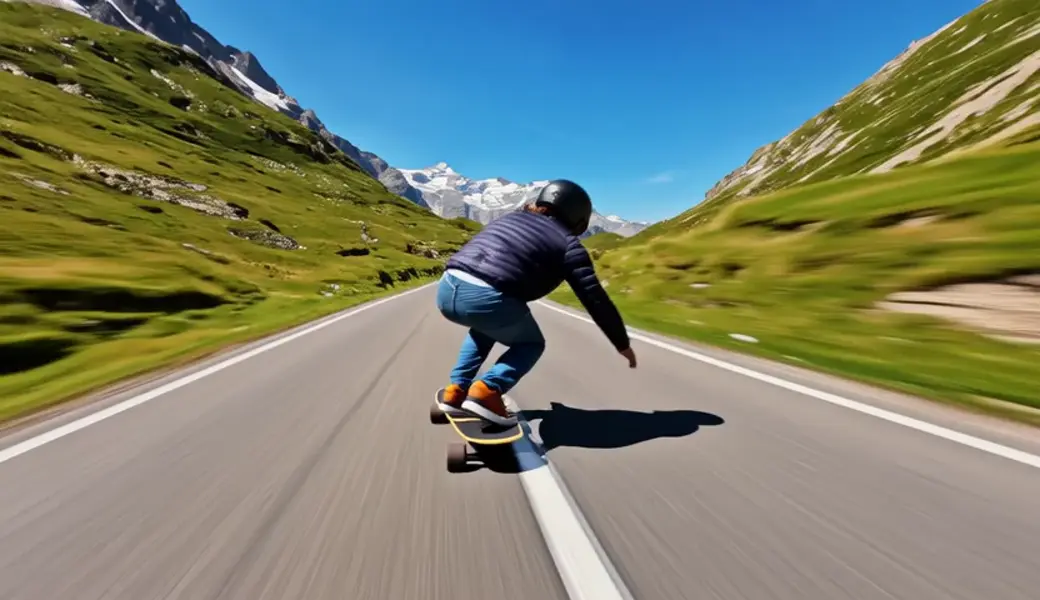
    "prompt": "Realistic, cinematic filming style. An advanced skateboarder in a dark full-face helmet, deep-colored windbreaker, bl…",
    "num_frames": 162,
    "aspect_ratio": "16:9",
    "video_quality": "high",
    "video_write_mode": "balanced",
    "video_output_type": "X264 (.mp4)",
    "num_inference_steps": 15,
    "enable_safety_checker": false,
    "metadata": {
      "project": "my-project"
    }
  }'
# → { "request_id": "...", "status_url": "...", "response_url": "..." }

# Poll status_url until "COMPLETED", then fetch the result
curl "https://queue.modelrunner.run/meituan-longcat/longcat-video-t2v-480p/requests/$REQUEST_ID/status" \
  -H "Authorization: Key $MRUN_API_KEY"
curl "https://queue.modelrunner.run/meituan-longcat/longcat-video-t2v-480p/requests/$REQUEST_ID" \
  -H "Authorization: Key $MRUN_API_KEY"

JavaScript

import { modelrunner } from "@modelrunner/client";

const result = await modelrunner.subscribe("meituan-longcat/longcat-video-t2v-480p", {
  input: {
    "fps": 15,
    "seed": 0,
    "prompt": "Realistic, cinematic filming style. An advanced skateboarder in a dark full-face helmet, deep-colored windbreaker, bl…",
    "num_frames": 162,
    "aspect_ratio": "16:9",
    "video_quality": "high",
    "video_write_mode": "balanced",
    "video_output_type": "X264 (.mp4)",
    "num_inference_steps": 15,
    "enable_safety_checker": false
  },
});
console.log(result);

Python

import os
import requests

headers = {"Authorization": f"Key {os.environ['MRUN_API_KEY']}"}

submitted = requests.post(
    "https://queue.modelrunner.run/meituan-longcat/longcat-video-t2v-480p",
    headers=headers,
    json={
      "fps": 15,
      "seed": 0,
      "prompt": "Realistic, cinematic filming style. An advanced skateboarder in a dark full-face helmet, deep-colored windbreaker, bl…",
      "num_frames": 162,
      "aspect_ratio": "16:9",
      "video_quality": "high",
      "video_write_mode": "balanced",
      "video_output_type": "X264 (.mp4)",
      "num_inference_steps": 15,
      "enable_safety_checker": false
    },
).json()

# Poll submitted["status_url"] until "COMPLETED", then:
result = requests.get(submitted["response_url"], headers=headers).json()

Input parameters

NameTypeRequiredDescription
promptstringyesThe prompt to guide the video generation.
num_framesintegernoThe number of frames to generate. Default: 162.
video_output_typeenumnoThe output type of the generated video. Default: "X264 (.mp4)".
video_write_modeenumnoThe write mode of the generated video. Default: "balanced".
aspect_ratioenumnoThe aspect ratio of the generated video. Default: "16:9".
fpsintegernoThe frame rate of the generated video. Default: 15.
video_qualityenumnoThe quality of the generated video. Default: "high".
enable_safety_checkerbooleannoWhether to enable safety checker. Can't be disabled in web UI. Default: true.
num_inference_stepsintegernoThe number of inference steps to use. Default: 12.
seedintegernoThe seed for the random number generator. Default: 0.

Machine-readable: OpenAPI schema · llms.txt

Use LongCat-Video t2v from Claude & Cursor (MCP)

Point Claude Code, Claude Desktop, Cursor, or any MCP client at the ModelRunner MCP server and LongCat-Video t2v becomes a tool your assistant can call directly — it authorizes via OAuth (no API key in config) and runs this model with the run_model tool using the endpoint meituan-longcat/longcat-video-t2v-480p.

MCP client config (Claude Desktop, Cursor)

{
  "mcpServers": {
    "modelrunner": {
      "command": "npx",
      "args": ["-y", "mcp-remote", "https://mcp.modelrunner.run/mcp"]
    }
  }
}

Claude Code

claude mcp add --transport http modelrunner https://mcp.modelrunner.run/mcp

Then ask your assistant, for example: “Run meituan-longcat/longcat-video-t2v-480p on ModelRunner to generate video”. MCP setup guide.

Model Details

Model Details

**LongCat-Video (Text-to-Video) turns plain language into polished motion.** Describe the scene you want—subjects, action, mood, and camera—and it generates a smooth, on-brand clip that looks like it was shot on set, not assembled from slides.

## How it works (for creators, not technicians)

You write a prompt in natural language. For example:

* “Product hero on a marble table; slow push-in; soft studio lighting; reflections on polished metal; minimal, luxury mood.” * “Cozy living room; morning light through windows; a cat jumps onto the sofa; gentle handheld camera; warm, cinematic tone.”

LongCat-Video translates that description into a coherent shot with consistent framing, lighting, and motion—ideal for product reels, teasers, explainers, and social posts.

## Directing the shot in plain language

* **Subject & action:** What’s in frame and what happens (“stainless steel watch rotating,” “barista pours latte art”). * **Camera feel:** Push-in, pull-back, orbit, dolly, crane, handheld, timelapse. * **Lighting & mood:** Soft studio, high-contrast, neon, natural daylight, golden hour. * **Style cues:** “Premium commercial,” “documentary,” “anime opening,” “stop-motion vibe.” * **Composition & scale:** Close-up, medium, wide; center-framed vs. rule-of-thirds.

Start simple, then iterate—each small prompt change nudges the look and motion.

## Timing & quality controls

* **`num_frames`** — Sets clip length. More frames = longer video. * **`fps`** — Playback speed (frames per second).

* **24–30 FPS** feels like live-action footage (great for products and demos). * **12–15 FPS** gives a stylized animation feel and smaller files. * **`num_inference_steps`** — Speed vs. polish.

* Fewer steps for fast drafts; more steps for cleaner finals. * **`seed`** — Repeatability. Use a seed to aim for similar motion and look across variations. Omit it for more variety.

## Output options

Choose how the file is delivered based on your workflow:

* **`video_output_type`** — Container/codec. * **`video_quality`** — Visual fidelity / bitrate level. * **`video_write_mode`** — Faster export vs. smaller file size.

These options let you create quick internal previews or high-quality clips ready for publishing.

## Prompt examples (copy/paste and adapt)

* “Matte-black earbuds on a linen fabric; slow top-down orbit, soft bounce light, subtle depth of field; premium commercial tone.” * “Urban rooftop at sunset; athlete ties shoes, camera dolly right then slight tilt up; crisp, energetic, motivational feel.” * “Cozy tabletop scene; pour-over coffee with visible steam; gentle push-in, natural morning light, warm color grade.”

## Common use cases

* **Product explainers & hero shots:** Script smooth, controlled motions that fit your brand. * **Brand bumpers & intros:** Generate short, memorable openers without a full production crew. * **Storyboard & previz:** Test timing, blocking, and mood before committing to a live shoot. * **Social ads & teasers:** Turn a short text brief into scroll-stopping vertical video. * **Mood films & style tests:** Explore lighting, camera language, and art direction quickly.

**Tip:** Keep prompts concrete (“slow push-in,” “soft top-light,” “center-framed close-up”) and iterate in small steps for the most predictable, on-brand results.