
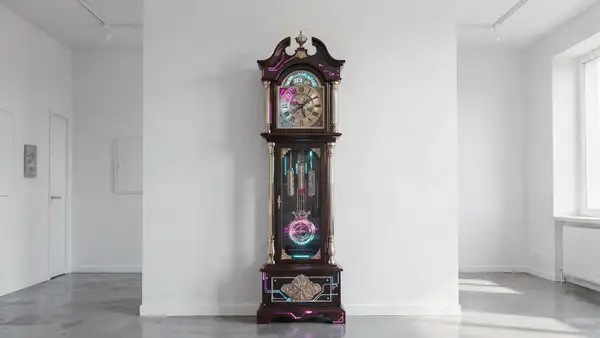
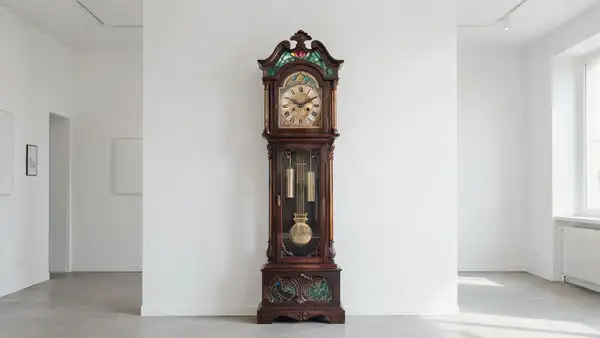
Model Details
Ideogram V4 Image-to-Image takes a reference image plus a text prompt and produces a new image that restyles, edits, or reinterprets the original while keeping its composition recognizable. Feed it a photo, sketch, or finished design and a prompt describing the change — a new art style, a different mood, corrected wording — and it returns a reworked version. Its standout strength, shared across the Ideogram V4 family, is rendering accurate, legible text inside the image: ask for a redesigned poster, a product label, or a sign with real words and the spelling and typography stay coherent.
## Best for - Restyling or recoloring a photo (e.g. a snapshot into a watercolor or vintage-poster look) - Changing the mood or setting of an image while keeping its layout - Adding or correcting on-image text — menus, covers, ads, packaging, signage - Pushing a rough sketch or comp toward a finished marketing visual
## Choose another model when - You want to generate an image from a text prompt with no source image — use the text-to-image variant `ideogram/ideogram-v4` - You need to change only a masked region and leave the rest untouched — use a generative-fill / inpainting model
## Tips - Put any words you want rendered inside the image in quotes in your prompt, e.g. a sign reading `"GRAND OPENING"`. - The `strength` knob trades fidelity-to-reference against prompt influence: low values (e.g. `0.3`) stay close to the original composition for a light restyle; high values (toward `1.0`) follow the prompt more aggressively and drift further from the input. Start around the `0.8` default and lower it if the result strays too far. - Provide a clear, high-resolution reference image for the cleanest results.
## Advanced Configuration
### strength How much to transform the input image, from `0` to `1` (default `0.8`). Higher values follow the prompt and drift further from the reference; lower values preserve the original composition and detail. Lower it for a subtle restyle, raise it when the prompt should dominate.
### rendering_speed The speed/quality/cost tradeoff: `TURBO` (fastest, cheapest), `BALANCED` (default), `QUALITY` (best but slowest and most expensive). It affects both generation time and per-image cost — pick `TURBO` for drafts, `QUALITY` for final hero images.
### expansion_model Ideogram's "Magic Prompt", which enriches your prompt with extra descriptive detail before generation. Options are `None`, `Medium` (default), and `Large` — `Large` applies the most enrichment, `None` uses your prompt exactly as written. Use a larger value for short, sparse prompts and `None` when you want literal adherence.
To run via the ModelRunner JavaScript client: ```js import { modelrunner } from "@modelrunner/client";
const result = await modelrunner.subscribe("ideogram/ideogram-v4/image-to-image", { input: { image_url: "https://media.modelrunner.ai/example-input.jpg", prompt: "restyle this as a vintage travel poster that reads \"VISIT MARS\"", strength: 0.7, rendering_speed: "QUALITY", }, }); ```