

bytedance avatar

Seedream V4.5 Image Editing API

bytedance/seedream-v4.5/edit

Advanced image editing model by ByteDance that uses text prompts and up to 10 reference images to stylize, transform, and seamlessly composite visuals.

edit
0.04

Model Input

Input

The text prompt used to edit the image.

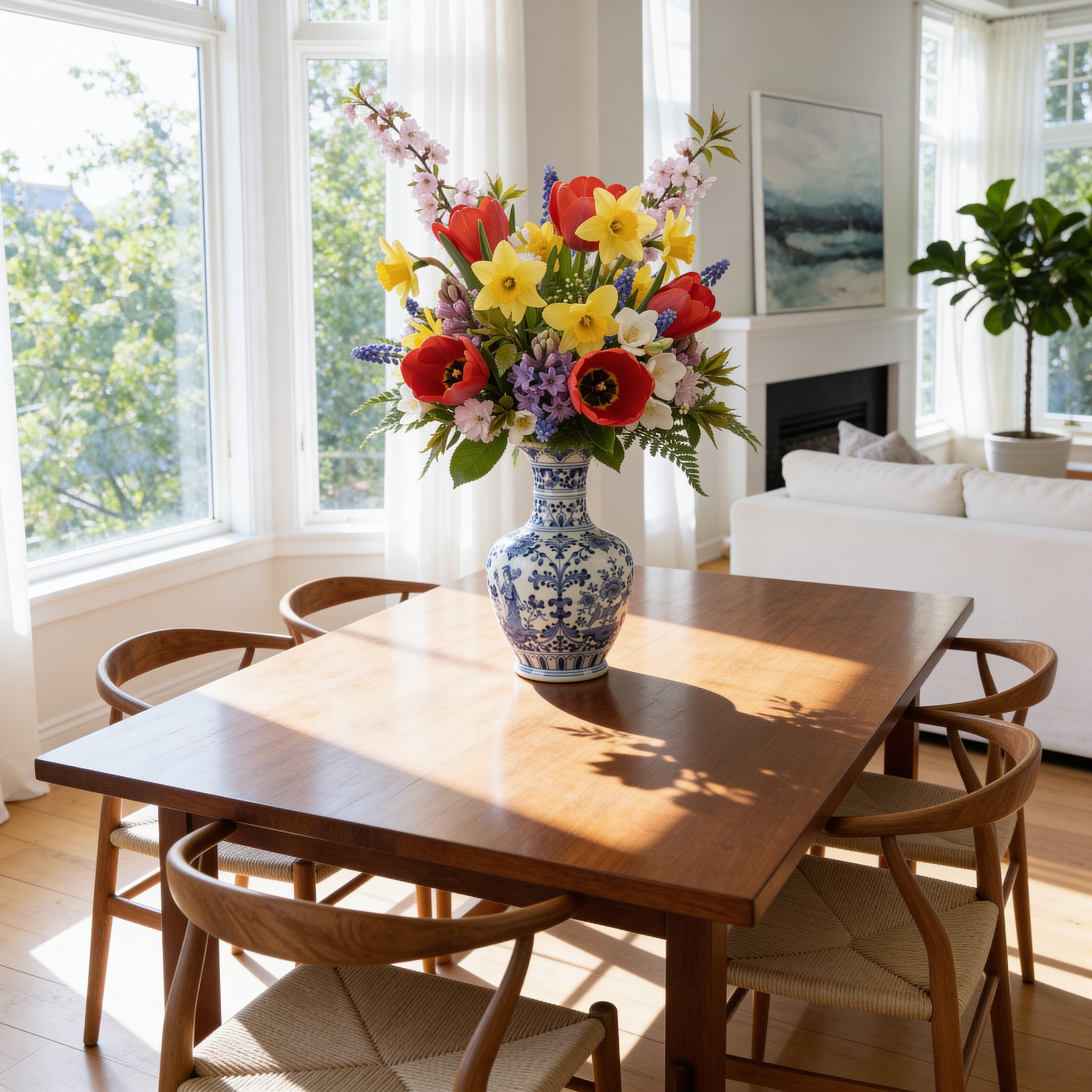
  • https://media.modelrunner.ai/tuI1u7vLynspoSrwOi8D2.png
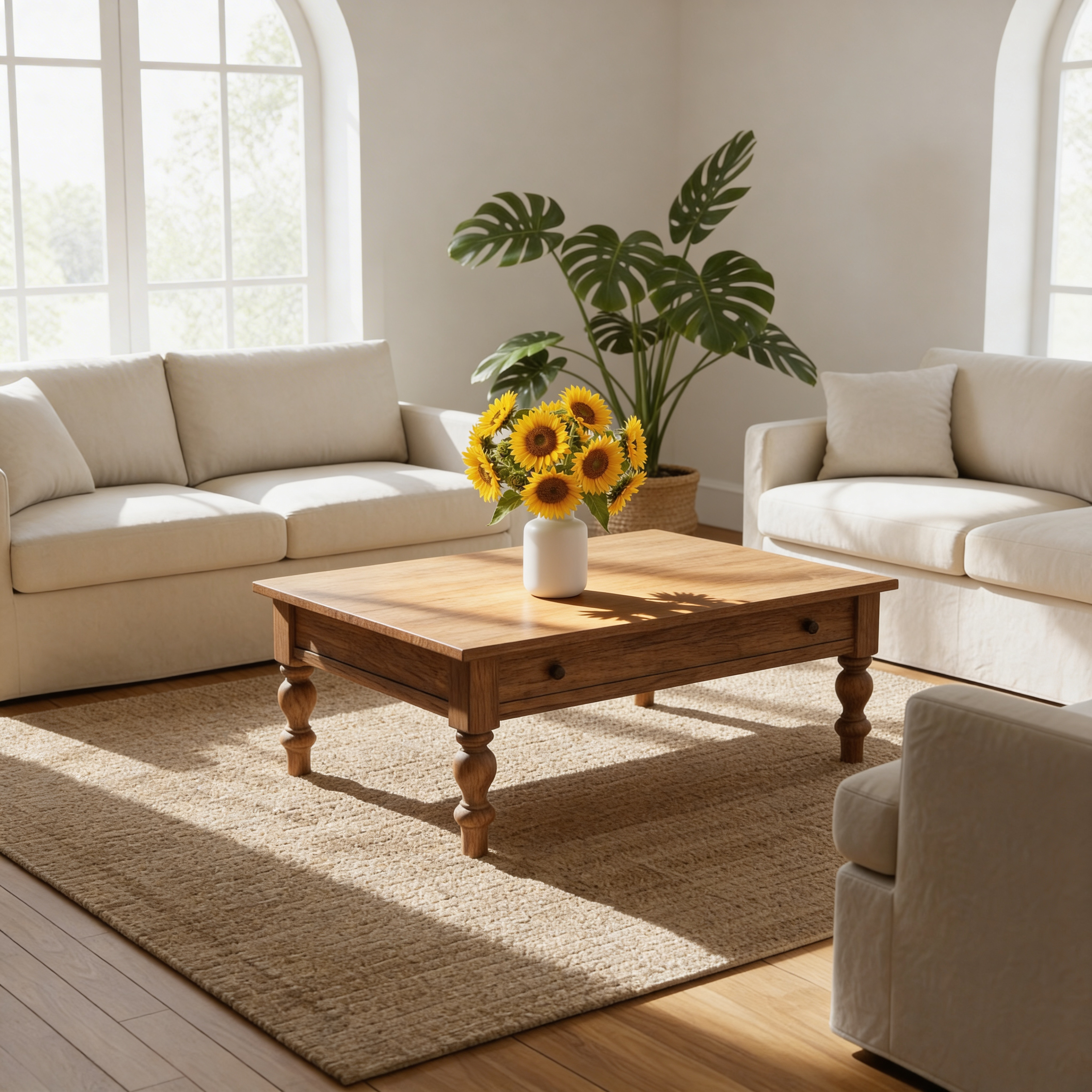
  • https://media.modelrunner.ai/A7XjPSntU3DuZMWM7uvHK.png

List of URLs of input images for editing. Presently, up to 10 image inputs are allowed. If over 10 images are sent, only the last 10 will be used.

The size of the generated image. Use a preset string (e.g. '4_3_1k') or a custom {width, height} object.

Safety checker can only be disabled on API call

Min: 1 - Max: 4

The number of images to generate. Each generated image is billed.

Random seed to control the stochasticity of image generation.

You need to be logged in to run this model and view results.
Log in

Model Output

Output

Generated image output
Generated in 159.227 seconds
Logs (1 lines)

Model Example Requests

Examples

Example output 1Example output 2Example output 3

Seedream V4.5 Image Editing API

Seedream V4.5 Image Editing is a image-to-image AI model by bytedance. On ModelRunner it runs through a REST API or via MCP from any AI assistant, at $0.04 per image.

POST https://queue.modelrunner.run/bytedance/seedream-v4.5/edit

cURL

# Submit a request to the queue. Input fields go at the top level of the
# body. The optional reserved "metadata" object holds your own flat string
# tags — stored on the request, never sent to the model; filter later with
# GET https://queue.modelrunner.run/requests?metadata=<url-encoded JSON>.
curl -X POST https://queue.modelrunner.run/bytedance/seedream-v4.5/edit \
  -H "Authorization: Key $MRUN_API_KEY" \
  -H "Content-Type: application/json" \
  -d '{
    "seed": 841920,
    "prompt": "Place the sunflower vase from the second image onto the center of the wooden coffee table from the first image. Ensur…",
    "image_size": "auto_4K",
    "image_urls": [
      "https://media.modelrunner.ai/tuI1u7vLynspoSrwOi8D2.png",
      "https://media.modelrunner.ai/A7XjPSntU3DuZMWM7uvHK.png"
    ],
    "max_images": 2,
    "num_images": 2,
    "enable_safety_checker": true,
    "metadata": {
      "project": "my-project"
    }
  }'
# → { "request_id": "...", "status_url": "...", "response_url": "..." }

# Poll status_url until "COMPLETED", then fetch the result
curl "https://queue.modelrunner.run/bytedance/seedream-v4.5/edit/requests/$REQUEST_ID/status" \
  -H "Authorization: Key $MRUN_API_KEY"
curl "https://queue.modelrunner.run/bytedance/seedream-v4.5/edit/requests/$REQUEST_ID" \
  -H "Authorization: Key $MRUN_API_KEY"

JavaScript

import { modelrunner } from "@modelrunner/client";

const result = await modelrunner.subscribe("bytedance/seedream-v4.5/edit", {
  input: {
    "seed": 841920,
    "prompt": "Place the sunflower vase from the second image onto the center of the wooden coffee table from the first image. Ensur…",
    "image_size": "auto_4K",
    "image_urls": [
      "https://media.modelrunner.ai/tuI1u7vLynspoSrwOi8D2.png",
      "https://media.modelrunner.ai/A7XjPSntU3DuZMWM7uvHK.png"
    ],
    "max_images": 2,
    "num_images": 2,
    "enable_safety_checker": true
  },
});
console.log(result);

Python

import os
import requests

headers = {"Authorization": f"Key {os.environ['MRUN_API_KEY']}"}

submitted = requests.post(
    "https://queue.modelrunner.run/bytedance/seedream-v4.5/edit",
    headers=headers,
    json={
      "seed": 841920,
      "prompt": "Place the sunflower vase from the second image onto the center of the wooden coffee table from the first image. Ensur…",
      "image_size": "auto_4K",
      "image_urls": [
        "https://media.modelrunner.ai/tuI1u7vLynspoSrwOi8D2.png",
        "https://media.modelrunner.ai/A7XjPSntU3DuZMWM7uvHK.png"
      ],
      "max_images": 2,
      "num_images": 2,
      "enable_safety_checker": true
    },
).json()

# Poll submitted["status_url"] until "COMPLETED", then:
result = requests.get(submitted["response_url"], headers=headers).json()

Input parameters

Input parameters of Seedream V4.5 Image Editing
NameTypeRequiredDescription
promptstringyesThe text prompt used to edit the image.
image_urlsarrayyesList of URLs of input images for editing. Presently, up to 10 image inputs are allowed. If over 10 images are sent, only the last 10 will be used.
image_sizeenumnoThe size of the generated image. Use a preset string (e.g. '4_3_1k') or a custom {width, height} object. One of: 1_1_512, 1_1_1k, 1_1_2k, 1_1_4k, 16_9_512, 16_9_1k, 16_9_2k, 16_9_4k, 9_16_512, 9_16_1k, 9_16_2k, 9_16_4k, 4_3_512, 4_3_1k, 4_3_2k, 4_3_4k, 3_4_512, 3_4_1k, 3_4_2k, 3_4_4k, 3_2_512, 3_2_1k, 3_2_2k, 3_2_4k, 2_3_512, 2_3_1k, 2_3_2k, 2_3_4k, 4_5_512, 4_5_1k, 4_5_2k, 4_5_4k, 5_4_512, 5_4_1k, 5_4_2k, 5_4_4k, 4_1_512, 4_1_1k, 4_1_2k, 4_1_4k, 1_4_512, 1_4_1k, 1_4_2k, 1_4_4k, 8_1_512, 8_1_1k, 8_1_2k, 8_1_4k, 1_8_512, 1_8_1k, 1_8_2k, 1_8_4k, 21_9_512, 21_9_1k, 21_9_2k, 21_9_4k, auto. Default: "4_3_2k".
enable_safety_checkerbooleannoIf set to true, the safety checker will be enabled. This setting can only be configured via the API. Default: true.
num_imagesintegernoThe number of images to generate. Each generated image is billed. Default: 1.
seedintegernoRandom seed to control the stochasticity of image generation.

Machine-readable: OpenAPI schema · llms.txt

Use Seedream V4.5 Image Editing from Claude & Cursor (MCP)

Point Claude Code, Claude Desktop, Cursor, or any MCP client at the ModelRunner MCP server and Seedream V4.5 Image Editing becomes a tool your assistant can call directly — it authorizes via OAuth (no API key in config) and runs this model with the run_model tool using the endpoint bytedance/seedream-v4.5/edit.

MCP client config (Claude Desktop, Cursor)

{
  "mcpServers": {
    "modelrunner": {
      "command": "npx",
      "args": ["-y", "mcp-remote", "https://mcp.modelrunner.run/mcp"]
    }
  }
}

Claude Code

claude mcp add --transport http modelrunner https://mcp.modelrunner.run/mcp

Then ask your assistant, for example: “Run bytedance/seedream-v4.5/edit on ModelRunner to generate image”. MCP setup guide.

Model Details

Model Details

Seedream 4.5 Image Editing is a next-generation model by ByteDance that integrates image generation and advanced editing capabilities into a single, unified architecture. This specific variant focuses exclusively on advanced image-to-image transformation and stylization, allowing users to modify existing images with precise text prompts. Whether you are running it directly through the UI to download results instantly or integrating it into your applications, Seedream provides high-fidelity, creative visual adjustments.

A standout feature of this model is its ability to ingest multiple reference images simultaneously. By providing up to 10 input images, you can instruct the model to blend elements, replace specific products, or transfer styles across your references. This makes it incredibly powerful for e-commerce, advertising, and creative design tasks where you need to combine a product from one image, a background from another, and layout instructions from a third.

**Features** - **Multi-Image Processing**: Supply up to 10 input images to serve as references for your edit. - **Text-Guided Transformations**: Use natural language prompts to dictate exactly how the input images should be altered, combined, or stylized. - **Unified Architecture**: High-quality structural understanding allows for realistic product replacements and composite creations.

**What it’s good at** - Replacing subjects or products seamlessly within an existing scene. - Transferring visual styles across multiple reference photos. - Combining disparate elements into a single, cohesive composition.

## Advanced Configuration

**Multi-Image Generation (`max_images`)** When you need the model to output multiple edited variations per generation cycle, you can adjust the `max_images` parameter. Setting this above `1` enables multi-image output. The model will perform `num_images` generations and potentially return up to `max_images` images per generation. Your total output will range between `num_images` and `max_images * num_images`. Note that the combined total of input images and output images cannot exceed 15.

```javascript // Example of configuring max_images input: { max_images: 2, num_images: 1 } ```

To run this model via the ModelRunner JavaScript client:

```javascript import { modelrunner } from "@modelrunner/client";

const result = await modelrunner.subscribe("bytedance/seedream-v4.5/edit", { input: { prompt: "Replace the product in Figure 1 with that in Figure 2. For the title copy the text in Figure 3 to the top of the screen, the title should have a clear contrast with the background but not be overly eye-catching.", image_urls: [ "https://example.com/inputs/seedream_edit_input_1.png", "https://example.com/inputs/seedream_edit_input_2.png", "https://example.com/inputs/seedream_edit_input_3.png" ], image_size: "auto_4K", max_images: 1 } });

console.log(result.data); ```