

bytedance avatar

Seedream v4 API

bytedance/seedream-v4

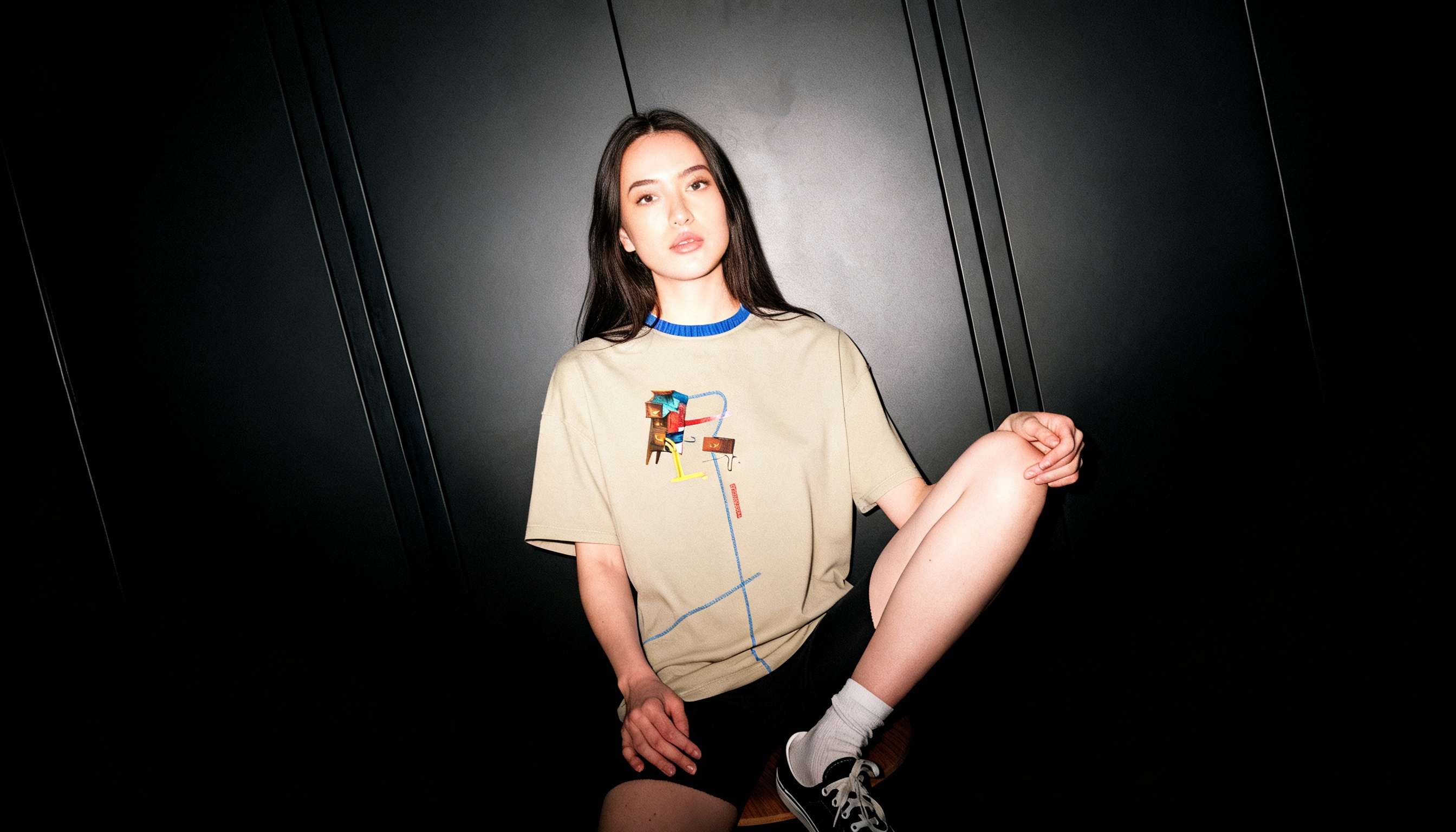
Seedream 4.0 is a next-generation image creation model that unifies generation and editing in a single architecture, enabling advanced multimodal reasoning and reference consistency while delivering stunning 4K images with significantly faster inference.

edit
L40S
0.03

Model Input

Input

Text prompt for image generation

  • https://media.modelrunner.ai/riwy3Bb4PuJbAe1OKPuDY.png
  • https://media.modelrunner.ai/kOtI9UT6LL3PkebP

Input image(s) for image-to-image generation. List of 1-10 images for single or multi-reference generation.

The size of the generated image. Use a preset string (e.g. '4_3_1k') or a custom {width, height} object.

Group image generation mode. 'disabled' generates a single image. 'auto' lets the model decide whether to generate multiple related images (e.g., story scenes, character variations).

Min: 1 - Max: 4

Maximum number of images to generate. Each generated image is billed.

Min: -1 - Max: 2147483647

Random seed for the model. If set to -1, a random seed will be used.

You need to be logged in to run this model and view results.
Log in

Model Output

Output

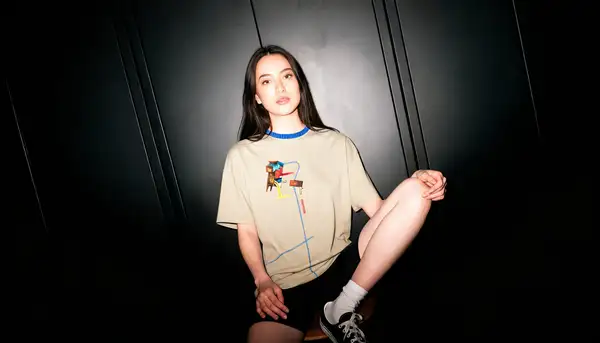
Generated image output
Generated in 17.877 seconds
Logs (1 lines)

Model Example Requests

Examples

Example output 1Example output 2

Seedream v4 API

Seedream v4 is a image-to-image AI model by bytedance. On ModelRunner it runs through a REST API or via MCP from any AI assistant, at $0.03 per image.

POST https://queue.modelrunner.run/bytedance/seedream-v4

cURL

# Submit a request to the queue. Input fields go at the top level of the
# body. The optional reserved "metadata" object holds your own flat string
# tags — stored on the request, never sent to the model; filter later with
# GET https://queue.modelrunner.run/requests?metadata=<url-encoded JSON>.
curl -X POST https://queue.modelrunner.run/bytedance/seedream-v4 \
  -H "Authorization: Key $MRUN_API_KEY" \
  -H "Content-Type: application/json" \
  -d '{
    "seed": -1,
    "size": "2K",
    "width": 2048,
    "height": 2048,
    "prompt": "A realistic photo of the provided woman model, with her t-shirt seamlessly replaced by the given t-shirt image. The n…",
    "image_urls": [
      "https://media.modelrunner.ai/riwy3Bb4PuJbAe1OKPuDY.png",
      "https://media.modelrunner.ai/kOtI9UT6LL3PkebP"
    ],
    "max_images": 1,
    "num_outputs": 1,
    "aspect_ratio": "match_input_image",
    "sequential_image_generation": "disabled",
    "metadata": {
      "project": "my-project"
    }
  }'
# → { "request_id": "...", "status_url": "...", "response_url": "..." }

# Poll status_url until "COMPLETED", then fetch the result
curl "https://queue.modelrunner.run/bytedance/seedream-v4/requests/$REQUEST_ID/status" \
  -H "Authorization: Key $MRUN_API_KEY"
curl "https://queue.modelrunner.run/bytedance/seedream-v4/requests/$REQUEST_ID" \
  -H "Authorization: Key $MRUN_API_KEY"

JavaScript

import { modelrunner } from "@modelrunner/client";

const result = await modelrunner.subscribe("bytedance/seedream-v4", {
  input: {
    "seed": -1,
    "size": "2K",
    "width": 2048,
    "height": 2048,
    "prompt": "A realistic photo of the provided woman model, with her t-shirt seamlessly replaced by the given t-shirt image. The n…",
    "image_urls": [
      "https://media.modelrunner.ai/riwy3Bb4PuJbAe1OKPuDY.png",
      "https://media.modelrunner.ai/kOtI9UT6LL3PkebP"
    ],
    "max_images": 1,
    "num_outputs": 1,
    "aspect_ratio": "match_input_image",
    "sequential_image_generation": "disabled"
  },
});
console.log(result);

Python

import os
import requests

headers = {"Authorization": f"Key {os.environ['MRUN_API_KEY']}"}

submitted = requests.post(
    "https://queue.modelrunner.run/bytedance/seedream-v4",
    headers=headers,
    json={
      "seed": -1,
      "size": "2K",
      "width": 2048,
      "height": 2048,
      "prompt": "A realistic photo of the provided woman model, with her t-shirt seamlessly replaced by the given t-shirt image. The n…",
      "image_urls": [
        "https://media.modelrunner.ai/riwy3Bb4PuJbAe1OKPuDY.png",
        "https://media.modelrunner.ai/kOtI9UT6LL3PkebP"
      ],
      "max_images": 1,
      "num_outputs": 1,
      "aspect_ratio": "match_input_image",
      "sequential_image_generation": "disabled"
    },
).json()

# Poll submitted["status_url"] until "COMPLETED", then:
result = requests.get(submitted["response_url"], headers=headers).json()

Input parameters

NameTypeRequiredDescription
promptstringyesText prompt for image generation
image_urlsarraynoInput image(s) for image-to-image generation. List of 1-10 images for single or multi-reference generation. Default: [].
image_sizeenumnoThe size of the generated image. Use a preset string (e.g. '4_3_1k') or a custom {width, height} object. Default: "4_3_1k".
sequential_image_generationenumnoGroup image generation mode. 'disabled' generates a single image. 'auto' lets the model decide whether to generate multiple related images (e.g., story scenes, character variations). Default: "disabled".
max_imagesintegernoMaximum number of images to generate. Each generated image is billed. Default: 1.
seedintegernoRandom seed for the model. If set to -1, a random seed will be used. Default: -1.

Machine-readable: OpenAPI schema · llms.txt

Use Seedream v4 from Claude & Cursor (MCP)

Point Claude Code, Claude Desktop, Cursor, or any MCP client at the ModelRunner MCP server and Seedream v4 becomes a tool your assistant can call directly — it authorizes via OAuth (no API key in config) and runs this model with the run_model tool using the endpoint bytedance/seedream-v4.

MCP client config (Claude Desktop, Cursor)

{
  "mcpServers": {
    "modelrunner": {
      "command": "npx",
      "args": ["-y", "mcp-remote", "https://mcp.modelrunner.run/mcp"]
    }
  }
}

Claude Code

claude mcp add --transport http modelrunner https://mcp.modelrunner.run/mcp

Then ask your assistant, for example: “Run bytedance/seedream-v4 on ModelRunner to generate image”. MCP setup guide.

Model Details

Model Details

# Seedream 4.0 User Guide

Seedream 4.0 is a next-generation image creation model that integrates **text-to-image generation, image editing, reference-based generation, and multi-image creation** into a single unified architecture. Compared with its predecessor, Seedream 3.0, Seedream 4.0 delivers **significantly faster inference speeds**, sharper rendering, and the ability to produce **high-definition images up to 4K resolution**.

This makes it a versatile tool for both creative professionals and technical users, capable of handling tasks that require **knowledge-based reasoning, reference consistency, and stylistic precision**.

---

## General Guidelines

For best results when using Seedream 4.0, follow these practices:

1. **Describe scenes naturally** Use subject + action + environment, plus style keywords if needed. - ✅ *“A girl in a lavish dress walking under a parasol along a tree-lined path, in the style of a Monet oil painting.”* - ⚠️ *“Girl, umbrella, tree-lined street, oil painting texture.”*

2. **Clarify your purpose** State the application scenario (logo, poster, storyboard, etc.). - ✅ *“Design a logo for a gaming company. The logo features a dog playing with a game controller. The company name `PITBULL` is written on it.”*

3. **Use precise style cues** Apply keywords or reference images for stylistic consistency.

4. **Render text with accuracy** Place important text inside **quotation marks**. - ✅ *“Generate a poster with the title `Seedream 4.0`.”*

5. **Give clear editing instructions** Specify the element to change and what should stay the same. - ✅ *“Dress the tallest panda in pink Peking Opera costume, keeping its pose unchanged.”*

> 💡 **Tip:** Compared with Seedream 3.0, the new version understands prompts better. Use **concise and precise prompts** instead of stacking excessive adjectives.

---

## Key Capabilities

### 1. Text-to-Image - Generate scenes, artworks, or technical visuals from natural language. - Strong in **knowledge-based illustrations** (formulas, diagrams, education). - Use cases: **artworks, posters, product design, educational visuals, marketing assets.**

### 2. Image-to-Image & Editing - Perform **addition, deletion, replacement, or modification** with prompts. - Supports **arrows, bounding boxes, and doodles** to mark editing regions. - Use cases: **product photography edits, ad revisions, character redesigns.**

### 3. Reference-Based Generation - Extract **style, identity, or product features** from a reference image. - Works for **character continuity, brand design, and style transfer.** - Can transform sketches or floor plans into **photorealistic results or UI mockups.**

### 4. Multi-Image Input & Output - Combine images for **subject replacement, style transfer, or composite editing.** - Generate **series of images with consistent characters and style.** - Use cases: **storyboarding, emoji packs, comic creation, IP product sets.**

---

## Example Use Cases

- 🎨 **Creative Design** – Generate multiple logo variations for brand identity. - 📘 **Education** – Convert formulas or scientific concepts into clear diagrams. - 🎬 **Entertainment** – Create a storyboard with consistent characters across panels. - 🏡 **Interior Design** – Turn sketches or floor plans into photorealistic rooms. - 📢 **Marketing** – Design posters, ads, and banners with accurate text rendering. - 🎮 **Gaming & Animation** – Keep character design consistent across poses and scenes.

---

## Tips for Better Results

- Start with a **short, clear prompt** → refine step by step. - Avoid vague pronouns like *“this”* or *“that one”*. - Use **reference images** when continuity or style consistency is important. - For text, always use **double quotes**. - When editing, explicitly state what must stay unchanged.