

bytedance avatar

Seedance 2.0 Text to Video API

bytedance/seedance-v2/text-to-video

Generate a short video with synchronized audio straight from a text prompt — dialogue, ambience, and sound effects are produced together with the picture at up to 1080p.

0.227 per second of output video

Model Input

Input

Describe the scene, the action, the camera move, and the sound you want. English, Chinese, Japanese, Indonesian, Spanish and Portuguese prompts are all understood.

Output resolution of the clip. Higher resolutions cost more per second of video.

Frame shape of the clip. Use adaptive to let the model pick the framing.

Min: 4 - Max: 15

Clip length in seconds.

Additional Settings

Customize your input with more control.

Generate a synchronized soundtrack (dialogue, ambience and sound effects) together with the picture. Set false for a silent clip; the price is the same either way.

You need to be logged in to run this model and view results.
Log in

Model Output

Output

Loading
Generated in 138 seconds
Logs (1 lines)

Model Example Requests

Examples

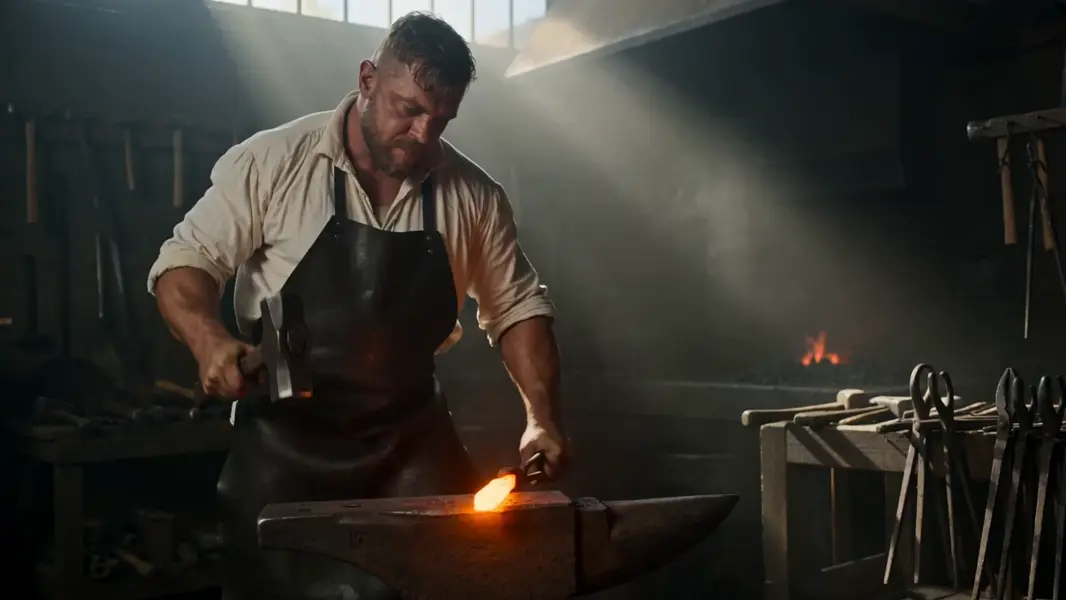
Example output 1

Seedance 2.0 Text to Video API

Seedance 2.0 Text to Video is a text-to-video AI model by bytedance. On ModelRunner it runs through a REST API or via MCP from any AI assistant, at $0.227 per second of video.

POST https://queue.modelrunner.run/bytedance/seedance-v2/text-to-video

cURL

# Submit a request to the queue. Input fields go at the top level of the
# body. The optional reserved "metadata" object holds your own flat string
# tags — stored on the request, never sent to the model; filter later with
# GET https://queue.modelrunner.run/requests?metadata=<url-encoded JSON>.
curl -X POST https://queue.modelrunner.run/bytedance/seedance-v2/text-to-video \
  -H "Authorization: Key $MRUN_API_KEY" \
  -H "Content-Type: application/json" \
  -d '{
    "prompt": "A blacksmith brings a hammer down on a bar of glowing orange steel, sparks scattering across a dim workshop as dust t…",
    "duration": 5,
    "resolution": "720p",
    "aspect_ratio": "16:9",
    "generate_audio": true,
    "metadata": {
      "project": "my-project"
    }
  }'
# → { "request_id": "...", "status_url": "...", "response_url": "..." }

# Poll status_url until "COMPLETED", then fetch the result
curl "https://queue.modelrunner.run/bytedance/seedance-v2/text-to-video/requests/$REQUEST_ID/status" \
  -H "Authorization: Key $MRUN_API_KEY"
curl "https://queue.modelrunner.run/bytedance/seedance-v2/text-to-video/requests/$REQUEST_ID" \
  -H "Authorization: Key $MRUN_API_KEY"

JavaScript

import { modelrunner } from "@modelrunner/client";

const result = await modelrunner.subscribe("bytedance/seedance-v2/text-to-video", {
  input: {
    "prompt": "A blacksmith brings a hammer down on a bar of glowing orange steel, sparks scattering across a dim workshop as dust t…",
    "duration": 5,
    "resolution": "720p",
    "aspect_ratio": "16:9",
    "generate_audio": true
  },
});
console.log(result);

Python

import os
import requests

headers = {"Authorization": f"Key {os.environ['MRUN_API_KEY']}"}

submitted = requests.post(
    "https://queue.modelrunner.run/bytedance/seedance-v2/text-to-video",
    headers=headers,
    json={
      "prompt": "A blacksmith brings a hammer down on a bar of glowing orange steel, sparks scattering across a dim workshop as dust t…",
      "duration": 5,
      "resolution": "720p",
      "aspect_ratio": "16:9",
      "generate_audio": true
    },
).json()

# Poll submitted["status_url"] until "COMPLETED", then:
result = requests.get(submitted["response_url"], headers=headers).json()

Input parameters

NameTypeRequiredDescription
promptstringyesDescribe the scene, the action, the camera move, and the sound you want. English, Chinese, Japanese, Indonesian, Spanish and Portuguese prompts are all understood.
resolutionenumnoOutput resolution of the clip. Higher resolutions cost more per second of video. Default: "720p".
aspect_ratioenumnoFrame shape of the clip. Use adaptive to let the model pick the framing. Default: "16:9".
durationintegernoClip length in seconds. Default: 5.
generate_audiobooleannoGenerate a synchronized soundtrack (dialogue, ambience and sound effects) together with the picture. Set false for a silent clip; the price is the same either way. Default: true.

Machine-readable: OpenAPI schema · llms.txt

Use Seedance 2.0 Text to Video from Claude & Cursor (MCP)

Point Claude Code, Claude Desktop, Cursor, or any MCP client at the ModelRunner MCP server and Seedance 2.0 Text to Video becomes a tool your assistant can call directly — it authorizes via OAuth (no API key in config) and runs this model with the run_model tool using the endpoint bytedance/seedance-v2/text-to-video.

MCP client config (Claude Desktop, Cursor)

{
  "mcpServers": {
    "modelrunner": {
      "command": "npx",
      "args": ["-y", "mcp-remote", "https://mcp.modelrunner.run/mcp"]
    }
  }
}

Claude Code

claude mcp add --transport http modelrunner https://mcp.modelrunner.run/mcp

Then ask your assistant, for example: “Run bytedance/seedance-v2/text-to-video on ModelRunner to generate video”. MCP setup guide.

Model Details

Model Details

Seedance 2.0 turns a written prompt into a short video clip with a matching soundtrack: dialogue, ambient noise, and sound effects are generated together with the picture rather than dubbed on afterwards, so what you hear lines up with what moves on screen. Clips run 4 to 15 seconds at 24 fps, from 480p up to 1080p, in seven frame shapes covering widescreen, square, vertical, and 21:9 cinematic. Prompts are understood in English, Chinese, Japanese, Indonesian, Spanish, and Portuguese, so you can describe the shot in the language you think in.

## Best for - Short social, ad, and trailer clips that need sound without a separate audio pass - Dialogue and singing shots where the voice has to match the mouth - Establishing shots, b-roll, and atmosphere plates with ambience already baked in - Cutting the same scene to 9:16, 1:1, and 16:9 for different placements - Multi-shot scene descriptions where the camera move is part of the prompt

## Choose another model when - You want to animate a photo you already have — use `bytedance/seedance-v2/image-to-video`, which takes your still as the first frame - You need runs to be reproducible from a fixed seed — there is no seed input here, so two identical prompts give different clips - You need a locked-off, perfectly static camera — camera lock is not offered on this generation - You need one take longer than 15 seconds, or several reference images to steer identity — render shorter shots and edit them together

## Tips - Describe the sound as explicitly as the picture ("gulls calling, waves on shingle") — the audio track follows the prompt - Set `generate_audio` to false for a silent clip; the price is unchanged either way - Iterate at `480p`, then re-run the keeper at `1080p` — resolution is the largest cost driver and duration the second - Put camera language in the prompt ("slow push in", "handheld follow") rather than looking for a separate control

## Limitations - Fast motion and crowds smear at 480p; 720p or higher holds detail - Prompts stacking many separate shots can drift in character, wardrobe, and lighting - Text rendered inside the frame is frequently misspelled

To run via the ModelRunner JavaScript client: ```js import { modelrunner } from "@modelrunner/client";

const result = await modelrunner.subscribe("bytedance/seedance-v2/text-to-video", { input: { prompt: "A lighthouse keeper climbs the spiral stair at dawn, lamp glass catching the first light, gulls calling outside as the storm clears", resolution: "1080p", aspect_ratio: "9:16", duration: 8, generate_audio: true, }, }); ```